


Solved

Serious issue with Team Workspace

  • April 22, 2024
  • 5 replies
  • 59 views

Denise O'Malley
Luminary
Forum|alt.badge.img

Okay, I have a serious issue here.  I recently upgraded to add a bunch of Team members… and they cannot access the collaborative workspaces for projects!

Example: Robert, a team member, needs to access a file for a project he’s assigned to and the file is on a workspace we set up.

Here’s what he sees on the projects dashboard:
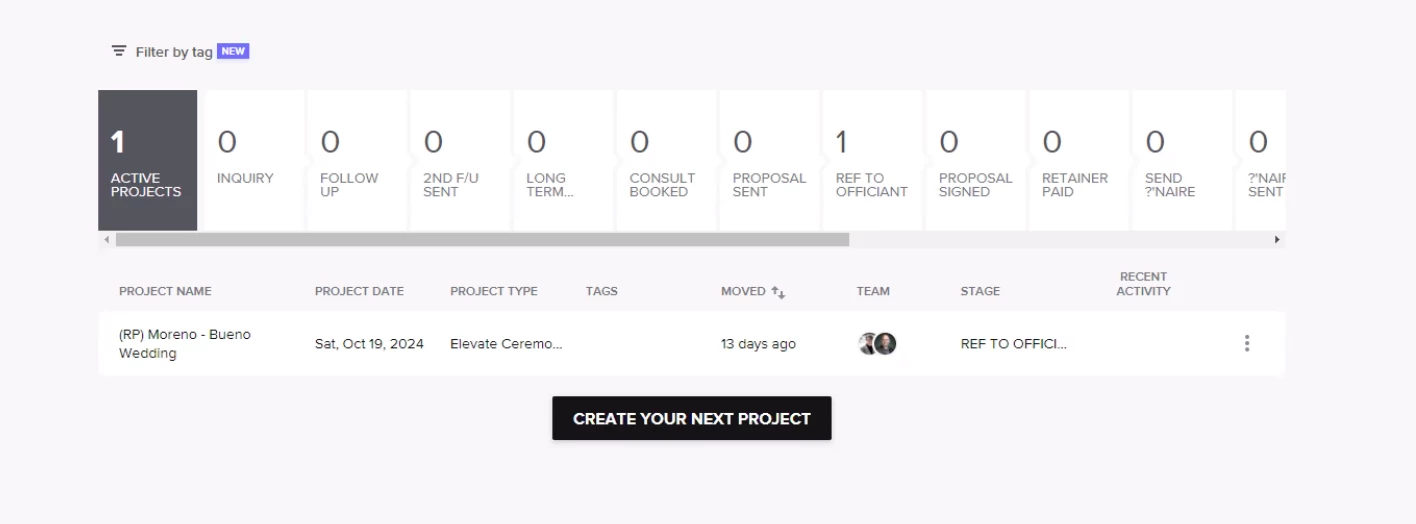
The ONE project listed ISN’T the project that he needs to access and I don’t know why he’s seeing it except it has a stage listed (all the others were to not track on pipeline).

When I changed the pipeline stage from “don’t track” to “Ref to Officiant” on the project he’s needing access to ASAP, it still doesn’t show up.  You can see he’s listed as a Team Member and the stage has been changed.
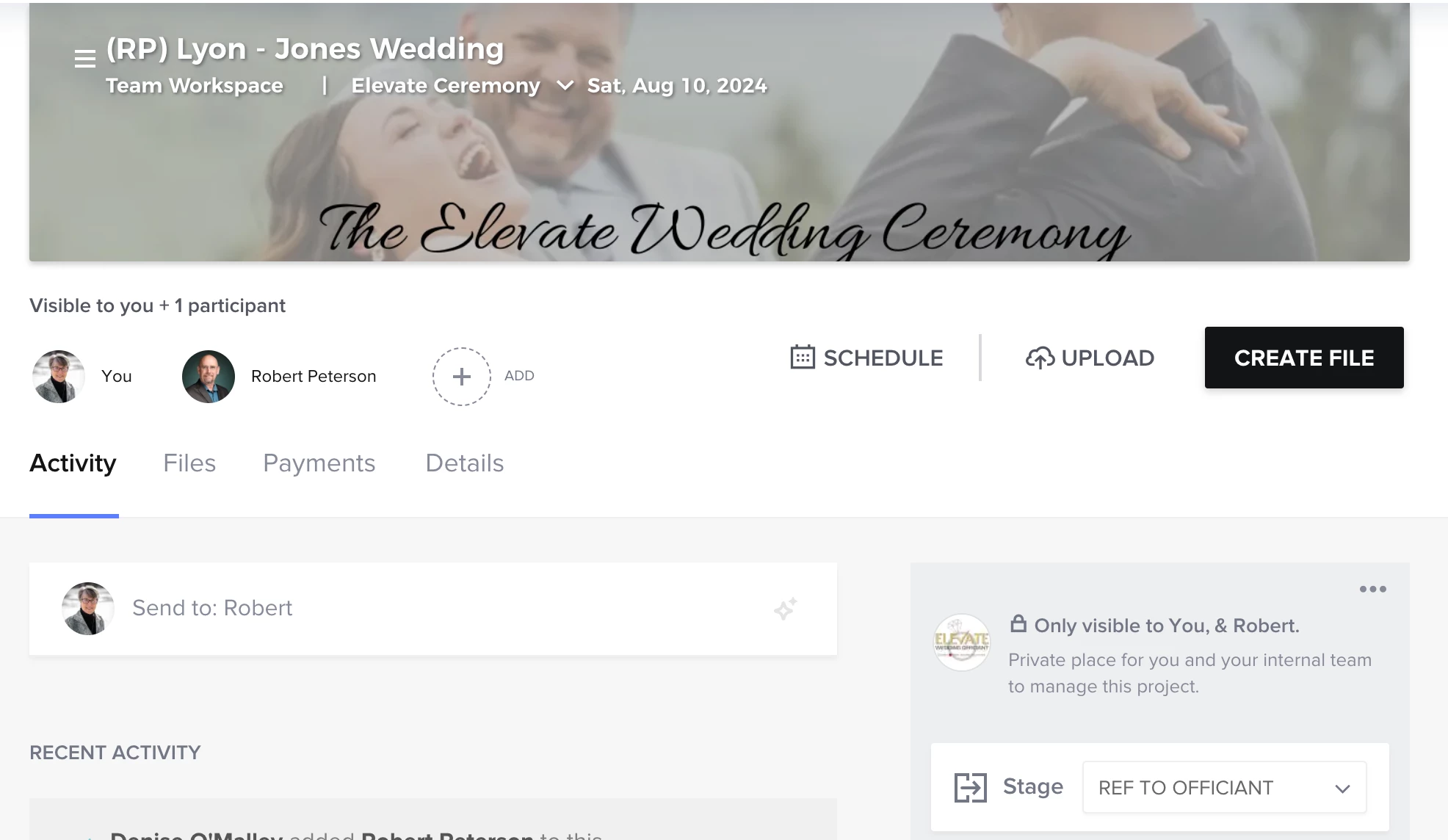
 

All projects assigned to him ARE showing up on his calendar… but there is NO link to the project!


HOW DOES HE ACCESS THE PROJECTS ASSIGNED TO HIM???



Best answer by Diana The Finer Points

Team workspace is a SEPARATE project within a bigger project. So they can’t access the original project (the one with the client) unless you add them to THAT project. 
 

team workspace is a place of you to email about that particular client to each other and keep in the same project.


try to think of it like a filing cabinet with many filing folders. They can’t each others info, but it’s relevant and organized

5 replies

Diana The Finer Points
Luminary
Forum|alt.badge.img+9

Team workspace is a SEPARATE project within a bigger project. So they can’t access the original project (the one with the client) unless you add them to THAT project. 
 

team workspace is a place of you to email about that particular client to each other and keep in the same project.


try to think of it like a filing cabinet with many filing folders. They can’t each others info, but it’s relevant and organized


Denise O'Malley
Luminary
Forum|alt.badge.img

Thanks, I got that.  But we CAN’T add them to the main project because then they are copied on ALL correspondence for that client.  They neither want nor need to see every email that goes out and there’s no way of not including them in an email without taking them manually off every time.

Example: we are actively using automations and sending out an email every 30 days prior to the wedding to the client.  In order for me to continue to do that, I’d have to set up the automations in a separate workspace for the client.  This is doable, but it also means I have to go into 120 projects and manually change each and every one of them.  UGH!


Kait former community manager
Creative Icon
Forum|alt.badge.img+6

@Denise O'Malley have you submitted this as a feature request yet? If not, I would definitely recommend you do so others can upvote/comment their support of needing improvements to the team workspace. 


Denise O'Malley
Luminary
Forum|alt.badge.img

I haven’t as I thought it automatically happened.  I’ll figure it out and submit it.


Denise O'Malley
Luminary
Forum|alt.badge.img

I just solved my own problem!!!  I can change the name of each workspace in the Related Workspaces drop down menu!  Happy Days!!!