
Question

automations 2.0 workflow

  • April 16, 2025
  • 3 replies
  • 17 views

Shannon Burke
Forum|alt.badge.img

automations 2.0

is there a way to set an task to send one day to prior to the project date? I know you can start an automation based on a project date, but that’s not what I want. 

right now, on old automations, I have 
1. the automation triggered from when they sign their booking proposal,
2. then they get a session confirmation email/what to expect. 
3. then one day before the project they get an email about their session date/time, invoice info, and last minute details
4. after the session they get an email about what to expect with their galleries. 

but these are all different emails depending on the session type. 

what’s the best way to set that up on 2.0?

3 replies

Diana The Finer Points
Luminary
Forum|alt.badge.img+9

yes use “project start date” as the trigger. Then set it to one day before. then add a step for the TASK reminder


Shannon Burke
Forum|alt.badge.img
  • Author
  • Newcomer
  • April 19, 2025

I don’t want the trigger to be the project date. the trigger is already when they inquire, I want to be able to select “1 day before project” mid-automation. 


Ashley Rufino
Creative Icon
Forum|alt.badge.img+6
  • Creative Icon
  • April 19, 2025

I don’t want the trigger to be the project date. the trigger is already when they inquire, I want to be able to select “1 day before project” mid-automation. 

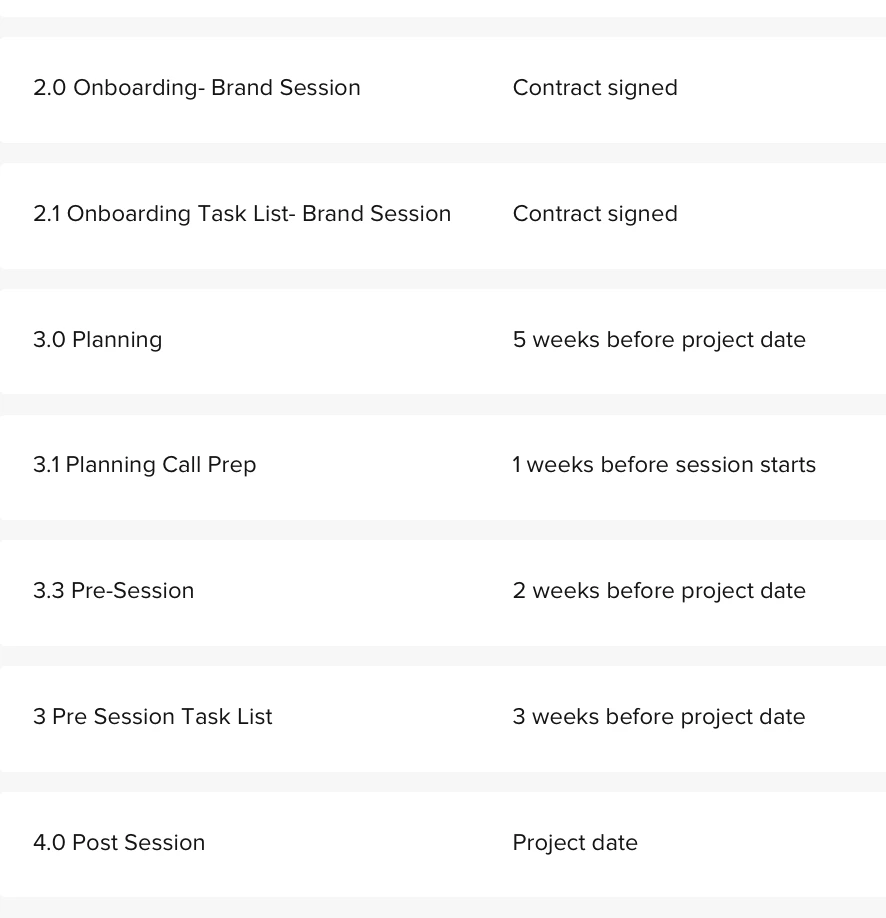
Unfortunately that specific format in that context is not available right now. You can reverse engineer the wait actions. You might also benefit from breaking up your automations into the different parts of your process. For instance, My inquiry automation is separate from my pre- session automations and even take it a step further of having a planning automation in addition the what I call “the final countdown” automation leading up to their session.  That way you could have an independent (and more flexible) automation that works for you and your client. Heres a brief example