Question

All in One Template, Invoicing, Smart File Oh my!

  • March 12, 2024
  • 2 replies
  • 22 views

Carrie Lynn Sobczak

Newbie here.

I chose an all-in-one template for my client that includes the package, pricing, agreement and invoice.

I’m customizing it but couldn’t see where I was able to change the invoice number.

Then somehow, I stumbled onto a separate invoice template option that saves as a Smart File…..which is what I thought the template was (?).

Now, I’m utterly confused. And no matter how I word my question, none of the articles online answer my question.

If I choose a template that includes all the forms I want to send to my client, how does this become a Smart File? How and where can I create my invoice numbering system?

I would love some excellent video tutorials beginning from Day 1, saving the template of choice all the way to sharing the link with the client.

Thank you!

2 replies

Masha Z
HoneyBook Employee
Forum|alt.badge.img+1
  • HoneyBook Employee
  • March 14, 2024

Hi @Carrie Lynn Sobczak!

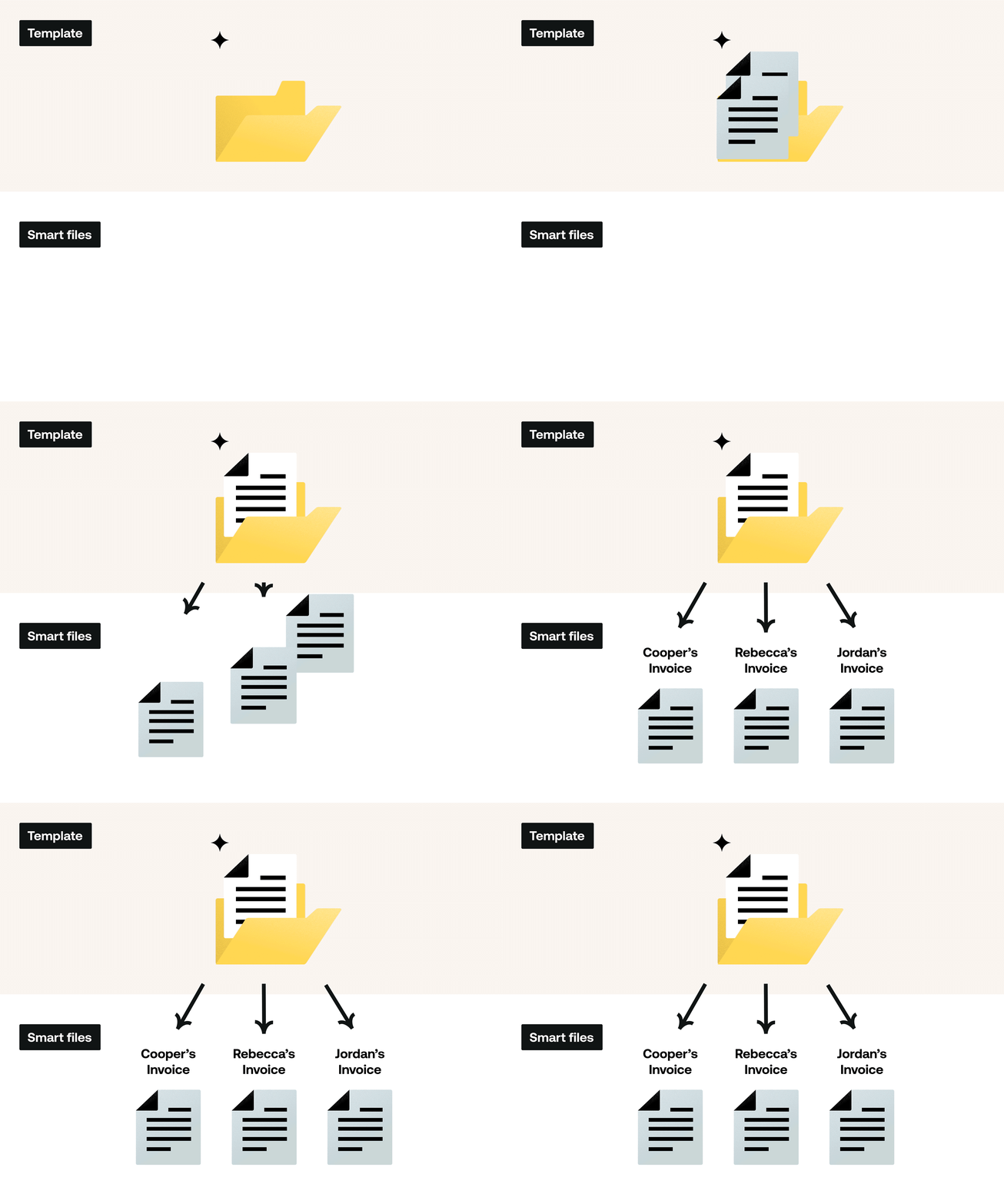
That is a great question. Think of Templates as “parent files” that live in the “My Templates” space - and are editable from there. The moment you use or send a template, attaching it to a client project, HoneyBook creates a copy of it that it only associated with that client project, HoneyBook calls those copies “files” - or “smart files”. That’s when an invoice number gets assigned and you can see any smart fields you added in the template get filled out with that client information (that’s why they’re smart!).


Any edits you make at that “file” or copy level will not reflect on your original template that lives in the “My Templates” space. Below is a little visual we created to explain that relationship between templates and smart files.


Let me know if this is helpful!


Carrie Lynn Sobczak

So HoneyBook creates the invoice numbers automatically (which I cannot edit)?

Thank you,

Carrie