Solved

Alternate to scheduler select option

  • November 21, 2024
  • 1 reply
  • 20 views

Shauna Lynn

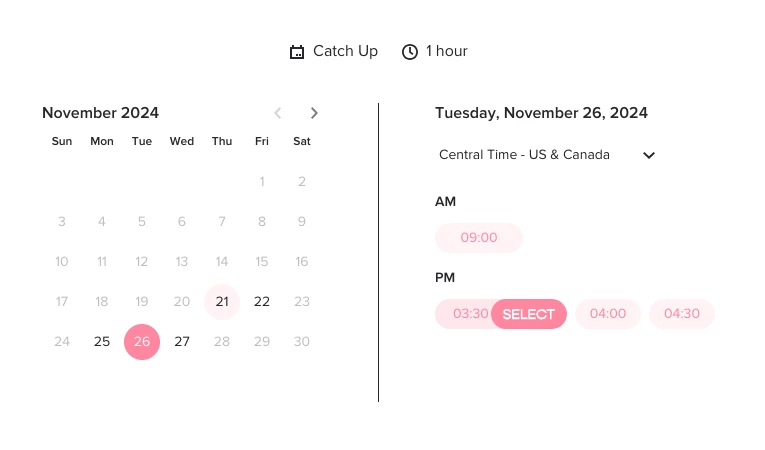
I had a client book a session through my scheduler, but they didn’t click “select” when they clicked the time because it’s not very obvious or clear you have to do so, so she was able to just hit next and thought it was booked into the calendar. I got a notification that she completed the file but no appointment booked. 

Is it possible to set an option in which if the client clicks the time it sets that without having to confirm immediately next to it since that gets lost? 


For me, I can see that I need to click select, but for an older client who may not be as tech savvy, she clicked the time but didn’t realize she needed to hit “select” as well. 


Maybe set it up so that if picking a meeting time is required, then they can’t press next until the time chosen is confirmed?
 

Best answer by AviaE

Hi Shauna!

Avia from the product team here 👋🏼

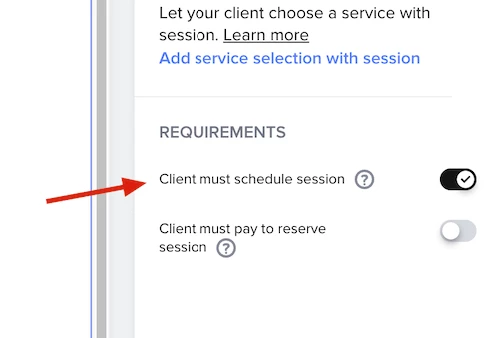
You can set the scheduling as a required step with this toggle on the side menu:

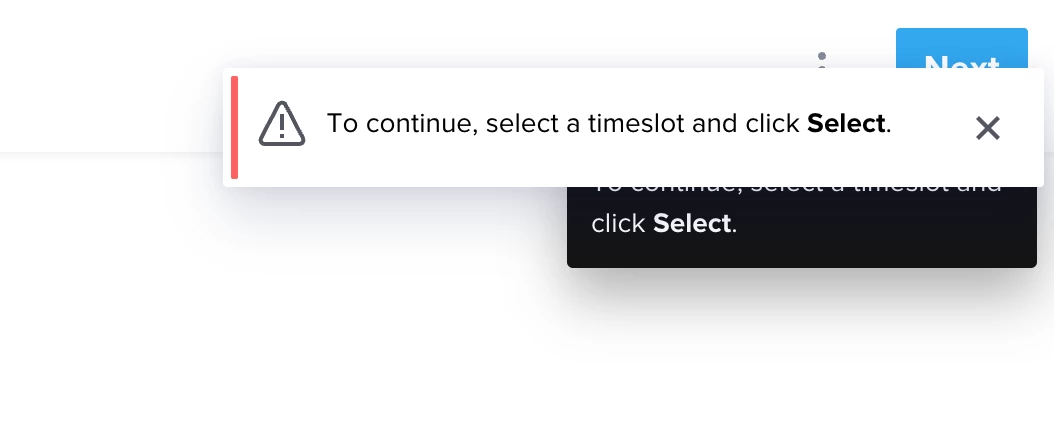
When this toggle is on, once the client is trying to move to the next page without scheduling, they will get this message:

Hope that helps!

This topic has been closed for replies.

1 reply

AviaE
HoneyBook Employee
Forum|alt.badge.img+1
  • HoneyBook Employee
  • Answer
  • November 28, 2024

Hi Shauna!

Avia from the product team here 👋🏼

You can set the scheduling as a required step with this toggle on the side menu:

When this toggle is on, once the client is trying to move to the next page without scheduling, they will get this message:

Hope that helps!