Solved

Assign an automation manually?

  • February 9, 2025
  • 8 replies
  • 43 views

Darci
Explorer

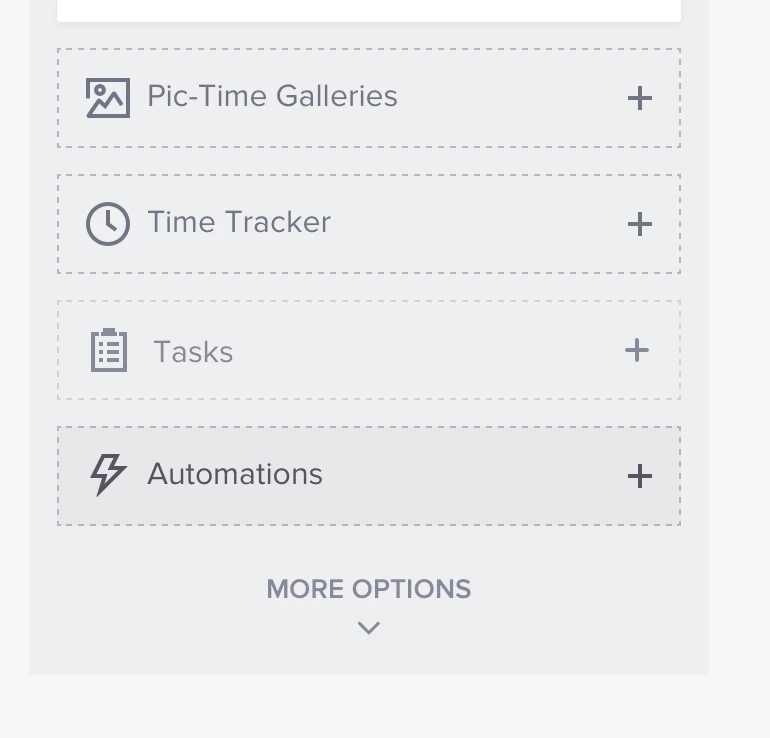
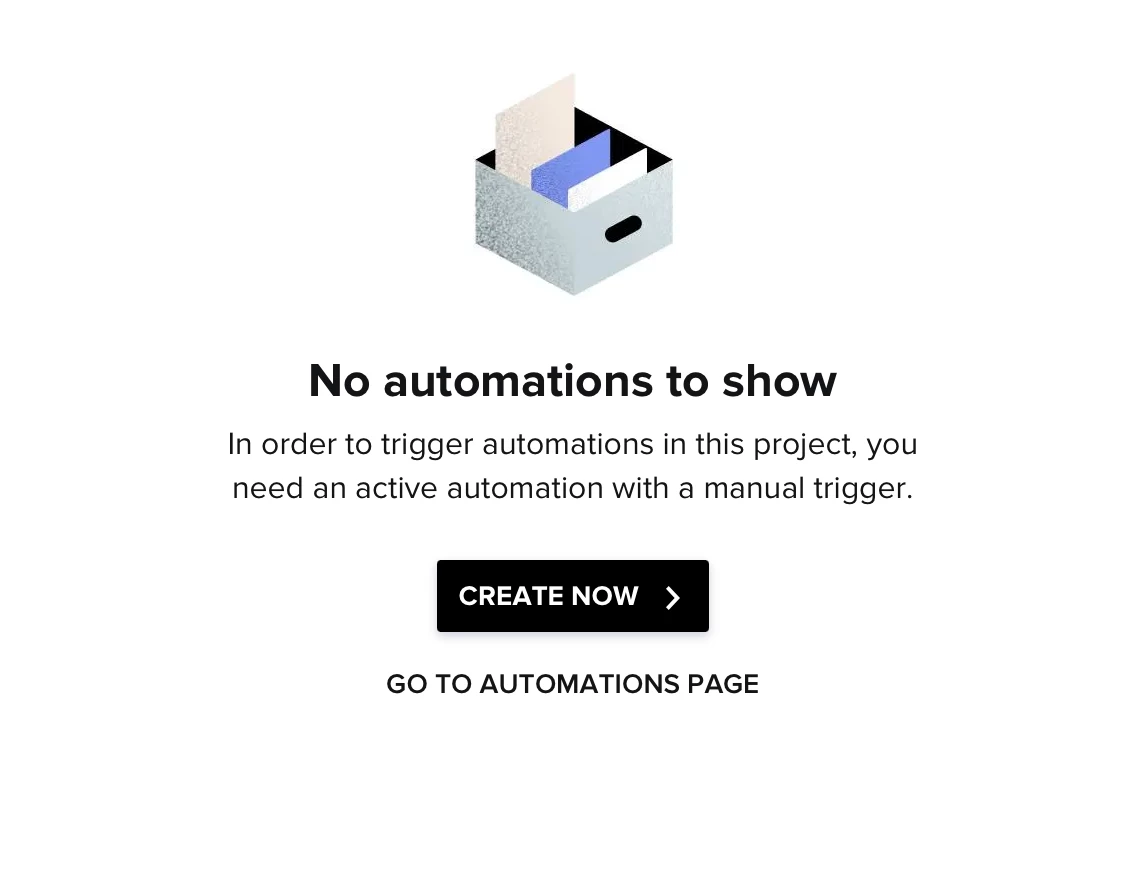
How can I manually assign an automation to a project? For example, we are a venue and if a couple stops in to book without sending a inquiry through our website, I enter their info in as a new project manually. When I do this, and I go to add an automation, it pops up with the box of either “create now” or “go to automations page”. Neither of these options allow me to add an automation that has already been created or built. I either have to create a new automation, which I don’t want to do because I already have it built. Or when I click “go to automations page”, I can’t assign one of my automations to the project that I already have created. Help! What am I missing and how to I add it?? Thank you in advance! 

Best answer by Ashley Rufino

Yes, that is correct ​@Monica R When I manually enter the couple in to HB as a new project (because they didn’t submit an inquiry through our website), projects entered manually don’t seem to have automations activating. Automations only seem to be active when a project is created through a lead from our website. Hope I’m explaining this easily. :-)

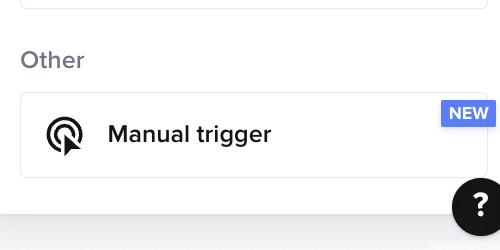
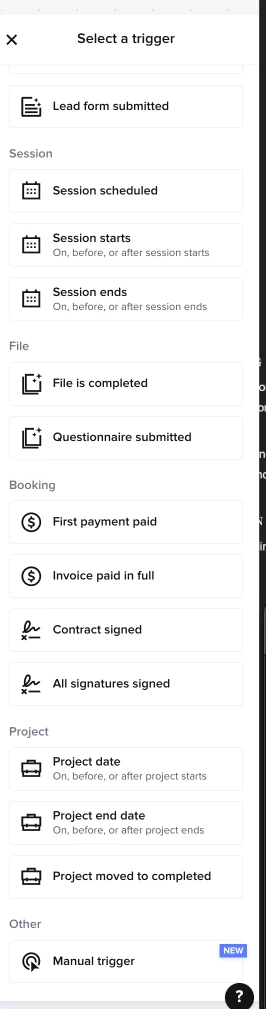
If you have an automation set to “manual trigger” you’ll be able to see them and be able to add them in the project . It's not the same as the previous way, but you’re still able to manually trigger in the project.  BUT it would be nice to be able to manually trigger ANY automation instead of have a duplicate automation that has a “manual trigger” 
 

8 replies

Ashley Rufino
Creative Icon
Forum|alt.badge.img+6
  • Creative Icon
  • February 9, 2025

Hi there!

If you would like a version of an automation to be “triggered” manually, simple duplicate that automation and change the trigger to “MANUAL TRIGGER” . This is currently only available in the Automations 2.0 though.


Darci
Explorer
  • Author
  • Explorer
  • February 11, 2025

Thank you for the response. I’m pretty sure there was an option to manually add an automation in the old version. What can we do to bring that back? By duplicating automations, that just seems like doubling the work and then we’ll have a long list of duplicated automations out there. 


Monica R
HoneyBook Community Team
Forum|alt.badge.img+7
  • HoneyBook Community Team
  • February 11, 2025

Hey ​@Darci! Ah so the issue is that you want to be able to apply any automation to your project, not just the ones with manual triggers, is that correct? 


Darci
Explorer
  • Author
  • Explorer
  • February 12, 2025

Yes, that is correct ​@Monica R When I manually enter the couple in to HB as a new project (because they didn’t submit an inquiry through our website), projects entered manually don’t seem to have automations activating. Automations only seem to be active when a project is created through a lead from our website. Hope I’m explaining this easily. :-)


Ashley Rufino
Creative Icon
Forum|alt.badge.img+6
  • Creative Icon
  • Answer
  • February 12, 2025

Yes, that is correct ​@Monica R When I manually enter the couple in to HB as a new project (because they didn’t submit an inquiry through our website), projects entered manually don’t seem to have automations activating. Automations only seem to be active when a project is created through a lead from our website. Hope I’m explaining this easily. :-)

If you have an automation set to “manual trigger” you’ll be able to see them and be able to add them in the project . It's not the same as the previous way, but you’re still able to manually trigger in the project.  BUT it would be nice to be able to manually trigger ANY automation instead of have a duplicate automation that has a “manual trigger” 


Monica R
HoneyBook Community Team
Forum|alt.badge.img+7
  • HoneyBook Community Team
  • February 20, 2025

Hey ​@Darci

I spoke to our developers about this and just wanted to close the loop!


So the issue is that when you manually add a project to HB, the only available automations you can apply are the ones that were manually built.


However, if there are triggers in separate automations that aren't tied to lead capture, such as first payment is paid, those will be picked up in the manually added project.

So the only times this is an issue, is if the you are trying to apply an all-in-one automation that triggers via lead capture. If you have an automation set up, for example, that begins once all contracts are signed, your manually entered project/client would still have the automation applied (so long as the project type matches). 

I hope that helps and makes sense! Let me know if you have any questions.


Naomi Sanouvong
Explorer
Forum|alt.badge.img

@Darci ​@Monica R This is exactly my issue! You lose trigger funtionaliity when creating a duplicate Automation with a manual trigger. Its clunky and in the old automations, we could apply an automation and delete the steps that were not relevant. 

I do not understand why the developers would completely take away previous functionality and tell us to double the work and make manual copies of all automations. 


Ashley Rufino
Creative Icon
Forum|alt.badge.img+6
  • Creative Icon
  • March 1, 2025

Hey ​@Darci

I spoke to our developers about this and just wanted to close the loop!


So the issue is that when you manually add a project to HB, the only available automations you can apply are the ones that were manually built.


However, if there are triggers in separate automations that aren't tied to lead capture, such as first payment is paid, those will be picked up in the manually added project.

So the only times this is an issue, is if the you are trying to apply an all-in-one automation that triggers via lead capture. If you have an automation set up, for example, that begins once all contracts are signed, your manually entered project/client would still have the automation applied (so long as the project type matches). 

I hope that helps and makes sense! Let me know if you have any questions.
 

I would say another use issue (one I’m currently dealing with) is not being able to manually apply an automation to projects I recently booked before I activated the automations without creating a duplicate. I can delete them later, but it's a lot of clutter in the mean time. Also, the use of any time/trigger dependent logic cannot be used with the current WAIT parameters. (such as, not being able to dictate 2 weeks before project/session date outside of the original trigger) This would be the reason I think automations should be able to be manually applied regardless. As new services/offers and client  journey updates happen,  I see this being a long term frustration.