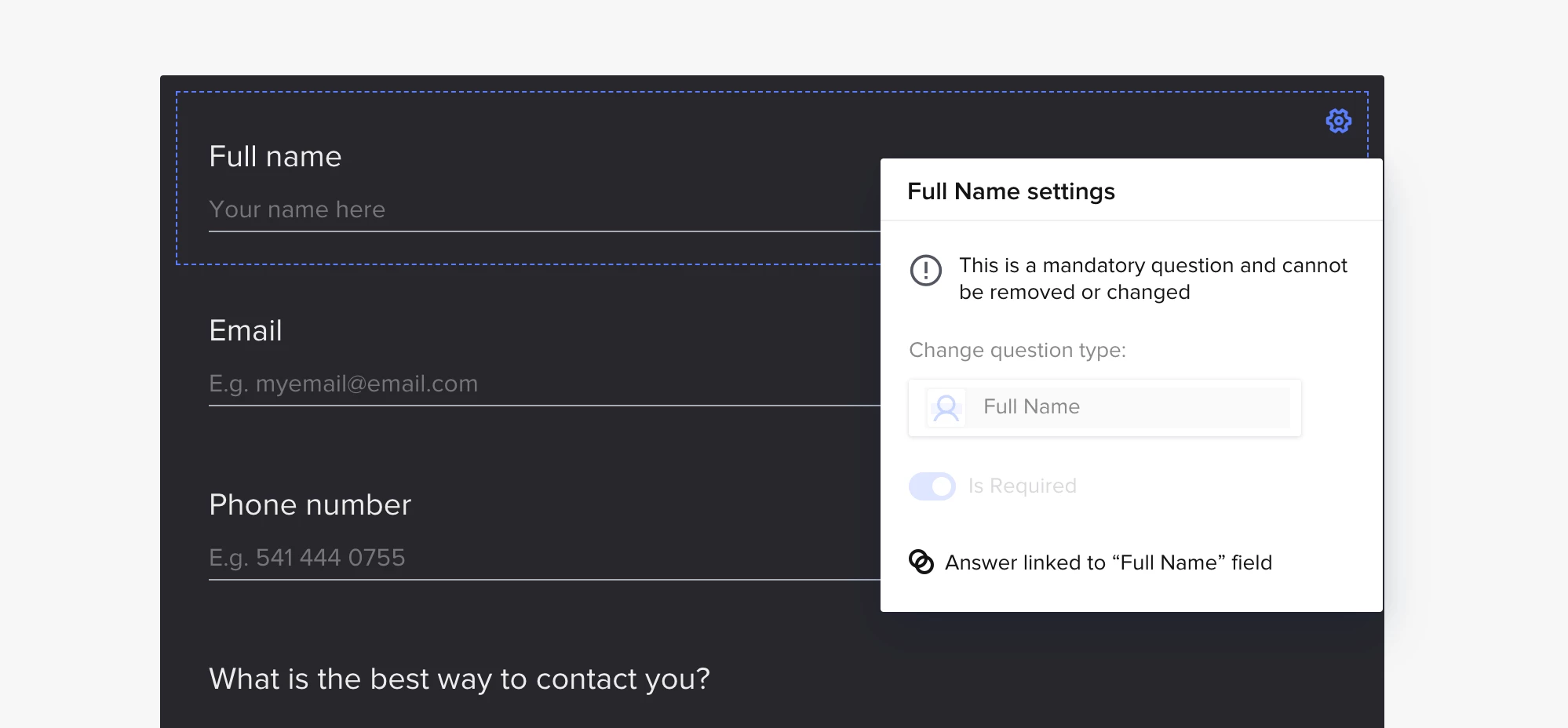
I set up a contact form on my website. The first filed is the client’s first name and it says the field is the ‘Full Name’ field.
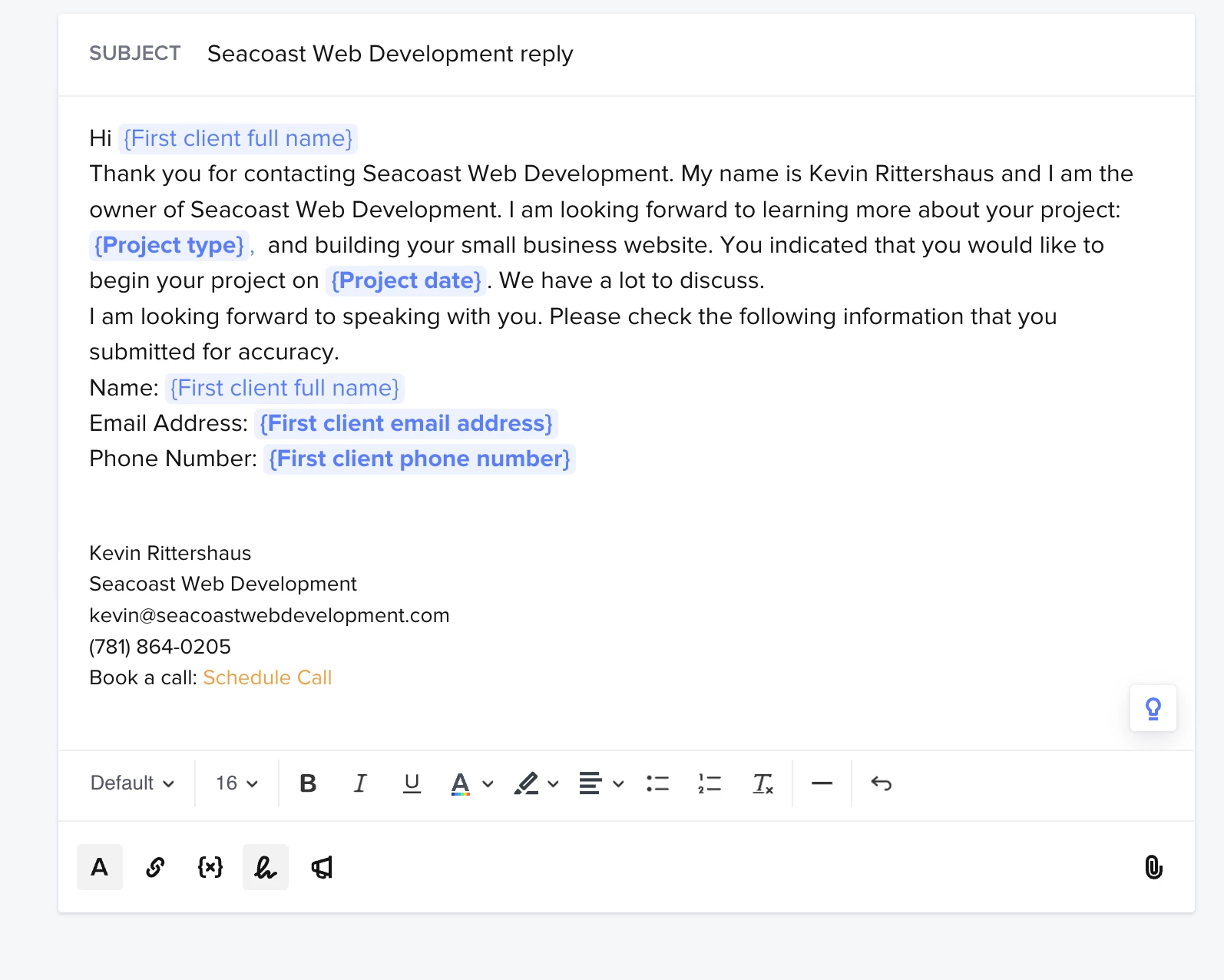
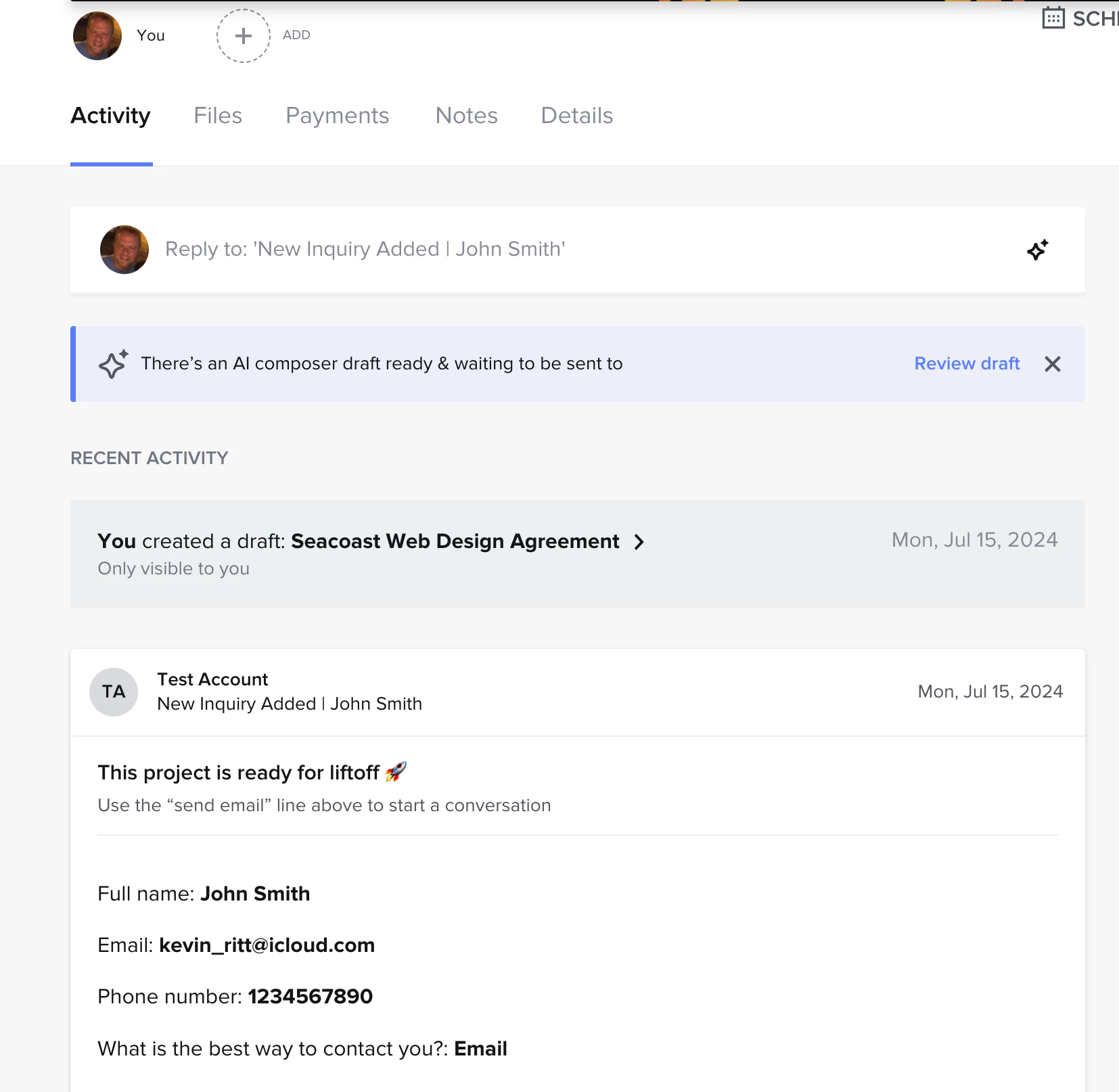
I set up an automation to send out an email when the form is submitted. All the data works fine in the HoneyBook backend but for some reason the email the client gets shows all the correct field except the first name. That shows as ‘test’ When creating the response email, the only smart field choice I get for first name is ‘First client full name’
The email I(client) get looks like this:
Hi Test
Thank you for contacting Seacoast Web Development. My name is Kevin Rittershaus and I am the owner of Seacoast Web Development. I am looking forward to learning more about your project: 1-3 Page Website Package, and building your small business website. You indicated that you would like to begin your project on Friday, July 26, 2024. We have a lot to discuss.
I am looking forward to speaking with you. Please check the following information that you submitted for accuracy.
Some learnings - the product team confirmed that the system is pulling in the original contact name of the email that sent the inquiry. They’re going to work on updating this code in an upcoming sprint :)
The good news is that when your new clients submit inquiries, this won’t happen since they’ll be fresh contacts and their name will come through as they enter it in the contact form!
Thanks so much for flagging this so we could alert the team and get a fix on our roadmap 🎉
Thanks so much for writing in. Let’s get this figured out!
Is this by chance not the first test you’ve run some kind of test with the email kevin_ritt@icloud.com? It could be that the account is keeping metadata tied to what was originally a contact named “Test”. Does that sound like that might be the case? If so, I can absolutely connect with our product team to see why that’s happening :)
Hi @Monica R I did run a test but I deleted any projects/ contacts with that email so I could keep testing my emails. Is there a way to delete the metadata? Or is there a better way that I can test emails and automations?
Some learnings - the product team confirmed that the system is pulling in the original contact name of the email that sent the inquiry. They’re going to work on updating this code in an upcoming sprint :)
The good news is that when your new clients submit inquiries, this won’t happen since they’ll be fresh contacts and their name will come through as they enter it in the contact form!
Thanks so much for flagging this so we could alert the team and get a fix on our roadmap 🎉