

Does anyone know how I can have my “client questionnaire” automatically sent to any lead once they schedule a consultation call?

Solved
Automating Emails and sending smart files

Best answer by Matthew Eriksen
Hey there,
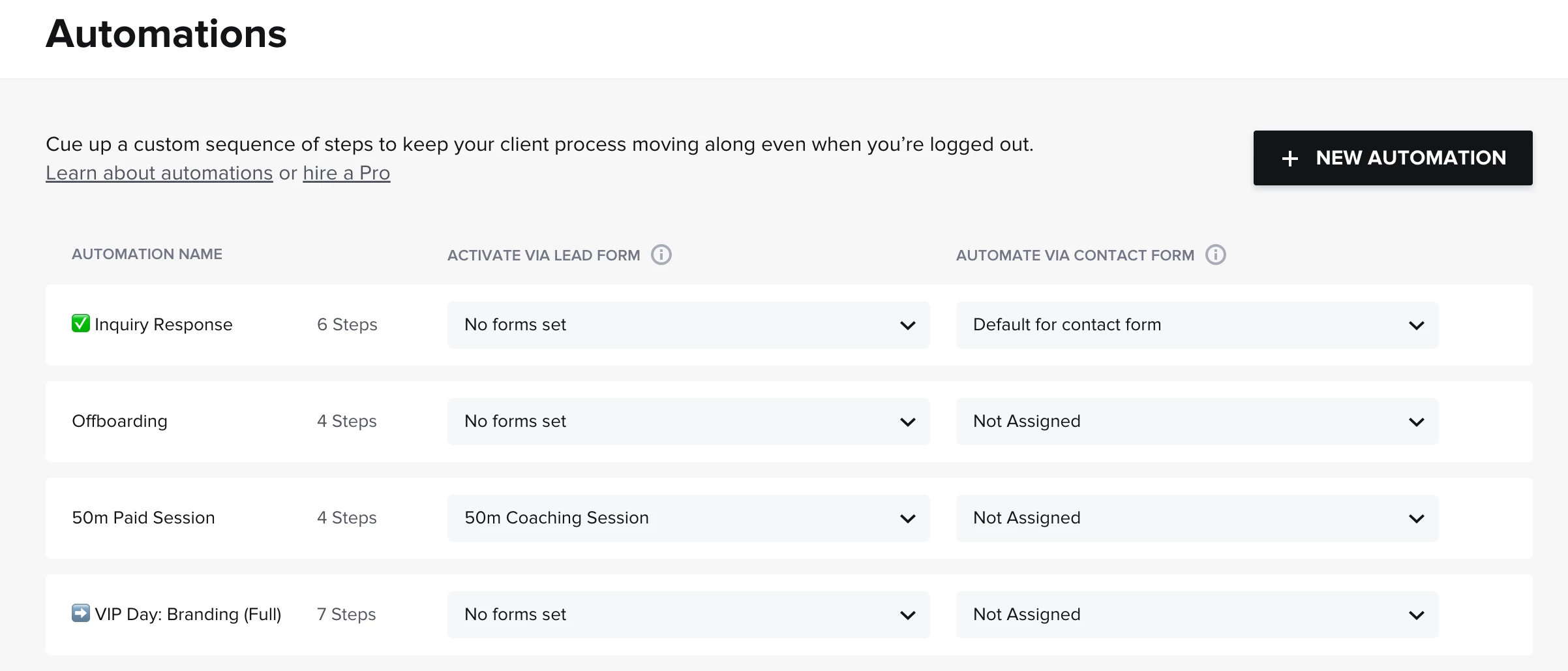
Old Builder
New Builder
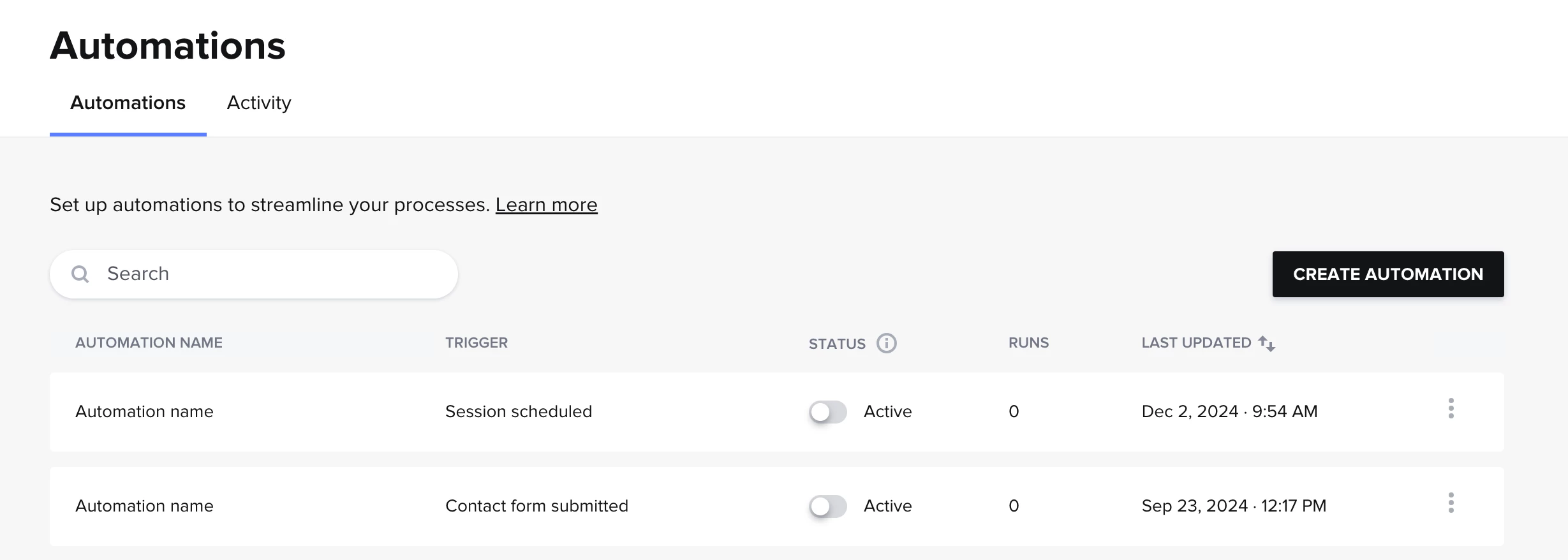
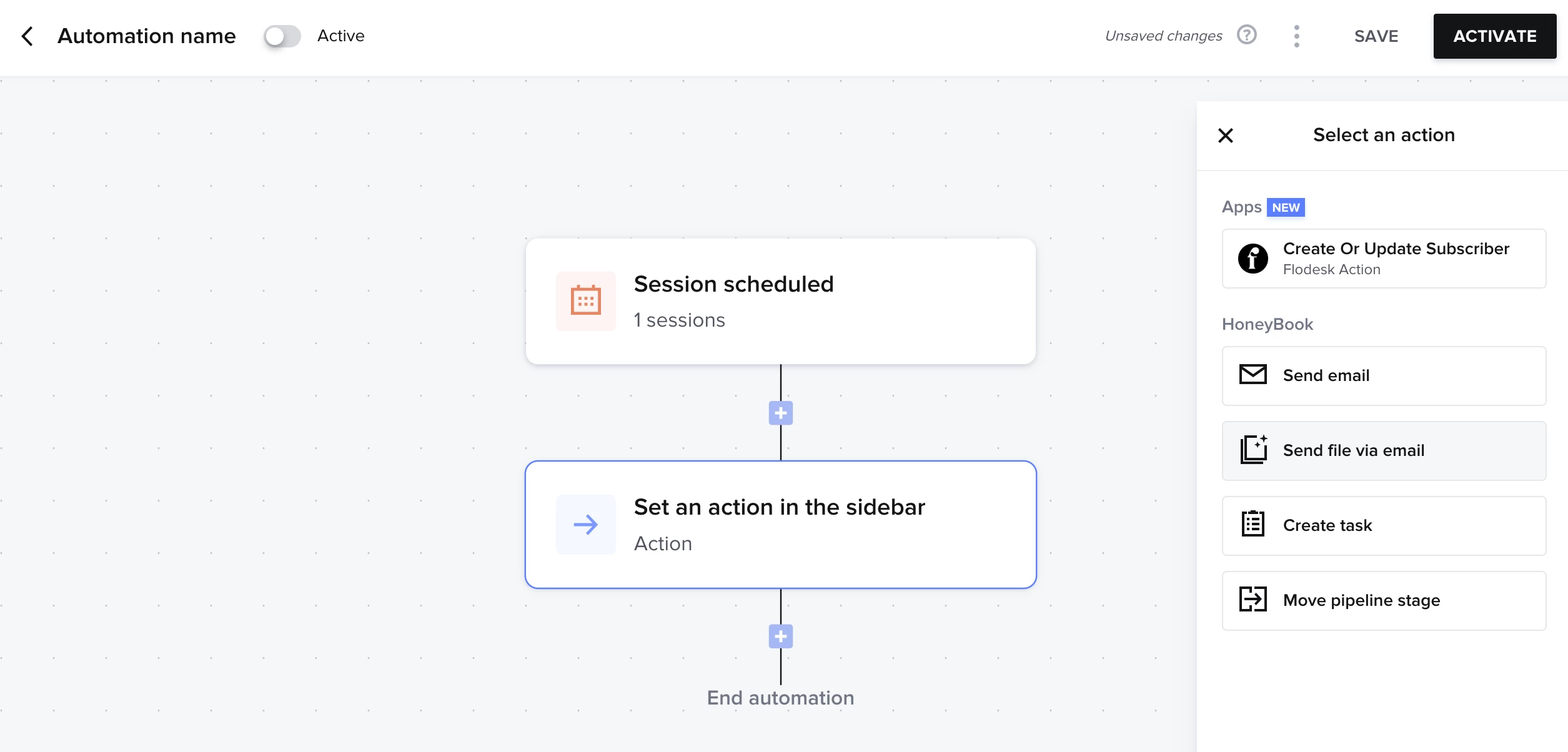
Alright, so if you have the new builder here are the steps:
- Navigate to Automations
- Select ‘Create Automation’
- Once inside the builder you’ll want to start with a ‘Session scheduled’ trigger
- After, you’ll add an Action step to ‘Send file with email’
- Select the Questionnaire in question
- Then customize as you see fit with the email to send alongside it, and any wait you want to occur before the action takes place
Video Tutorial
Link is here. Preview is below!







Sign up
Already have an account? Login

Welcome! To join the HoneyBook Community, log in with your HoneyBook account below.
You'll confirm your username and share a bit about yourself, then you're ready to explore and connect.
Free trial? No problem. Log in with your trial credentials to join.
Already a member? Hi and welcome back!
You will see the HoneyBook login page briefly to validate your trial or account.
Employee Login
Log in with HoneyBook
Welcome! To join the HoneyBook Community, log in with your HoneyBook account below.
You'll confirm your username and share a bit about yourself, then you're ready to explore and connect.
Free trial? No problem. Log in with your trial credentials to join.
Already a member? Hi and welcome back!
Welcome to the Community
Welcome! To join the HoneyBook Community, log in with your HoneyBook account below.
You'll confirm your username and share a bit about yourself, then you're ready to explore and connect.
Free trial? No problem. Log in with your trial credentials to join.
Already a member? Hi and welcome back!
You will see the HoneyBook login page briefly to validate your trial or account.
Employee Login
Log in with HoneyBook
Welcome! To join the HoneyBook Community, log in with your HoneyBook account below.
You'll confirm your username and share a bit about yourself, then you're ready to explore and connect.
Free trial? No problem. Log in with your trial credentials to join.
Already a member? Hi and welcome back!
Enter your E-mail address. We'll send you an e-mail with instructions to reset your password.