
Solved

Automation from Contact Form

  • November 7, 2024
  • 3 replies
  • 31 views

Joelle Martinec
Forum|alt.badge.img

Hi, 

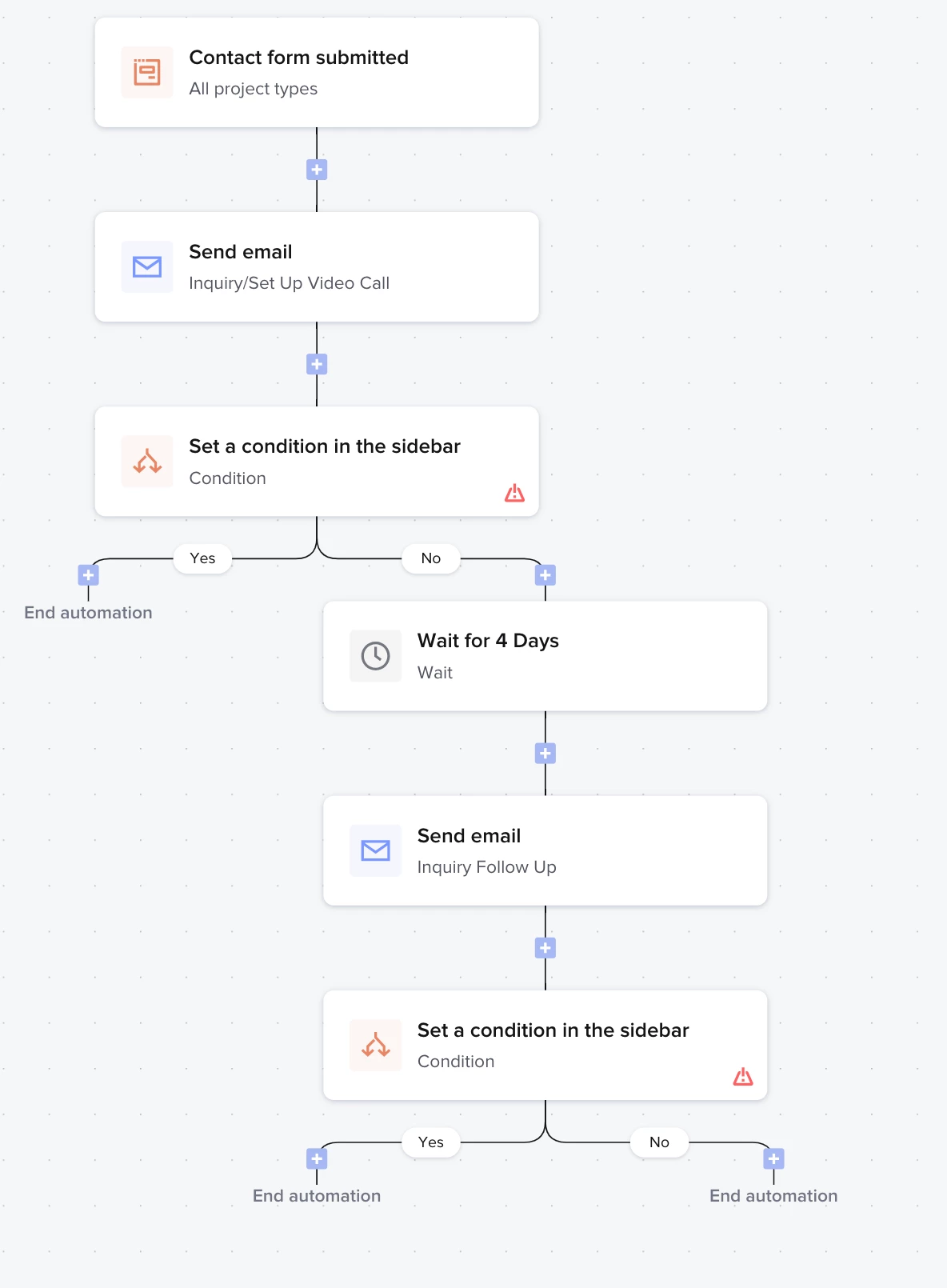
I am finally getting around to setting up some automations. The first one I am working on is from my contact form having an automated email go out to set up a video call (I do this in Calendly).  Most times people will schedule that right away, but about 25% of the time I need to follow up once or twice.   So below is a screen shot of what I have started.  My question is, will Honeybook be able to know whether or not they have scheduled a call? I do have my calendly connected.   If so, does this set up look correct?  If not, is there a way to automate this?  


Thanks for any help.
 

Best answer by Monica R

Hi @Joelle Martinec

I sent this over to our dev team and they gave it a test and….it works! You set it up great. 

When you send an email to a client, whether it's manually or with an automation, and you have your Calendly integration connected, the system will check if your Calendly link is in the email.

If it is, we’re able to track it and create a meeting in your HB calendar. 

If the system finds a workspace ID, HB will mark that meeting as belonging to that workspace. On the other side - the Condition step with the "session was scheduled" condition, will look for meetings that belong to the workspace where the automation is running! 

Hope this helps :) 

This topic has been closed for replies.

3 replies

Monica R
HoneyBook Community Team
Forum|alt.badge.img+7
  • HoneyBook Community Team
  • Answer
  • November 8, 2024

Hi @Joelle Martinec

I sent this over to our dev team and they gave it a test and….it works! You set it up great. 

When you send an email to a client, whether it's manually or with an automation, and you have your Calendly integration connected, the system will check if your Calendly link is in the email.

If it is, we’re able to track it and create a meeting in your HB calendar. 

If the system finds a workspace ID, HB will mark that meeting as belonging to that workspace. On the other side - the Condition step with the "session was scheduled" condition, will look for meetings that belong to the workspace where the automation is running! 

Hope this helps :) 


Joelle Martinec
Forum|alt.badge.img

@Monica R This is amazing!   Thank you.


Matthew Eriksen
Community Legend
Forum|alt.badge.img+7

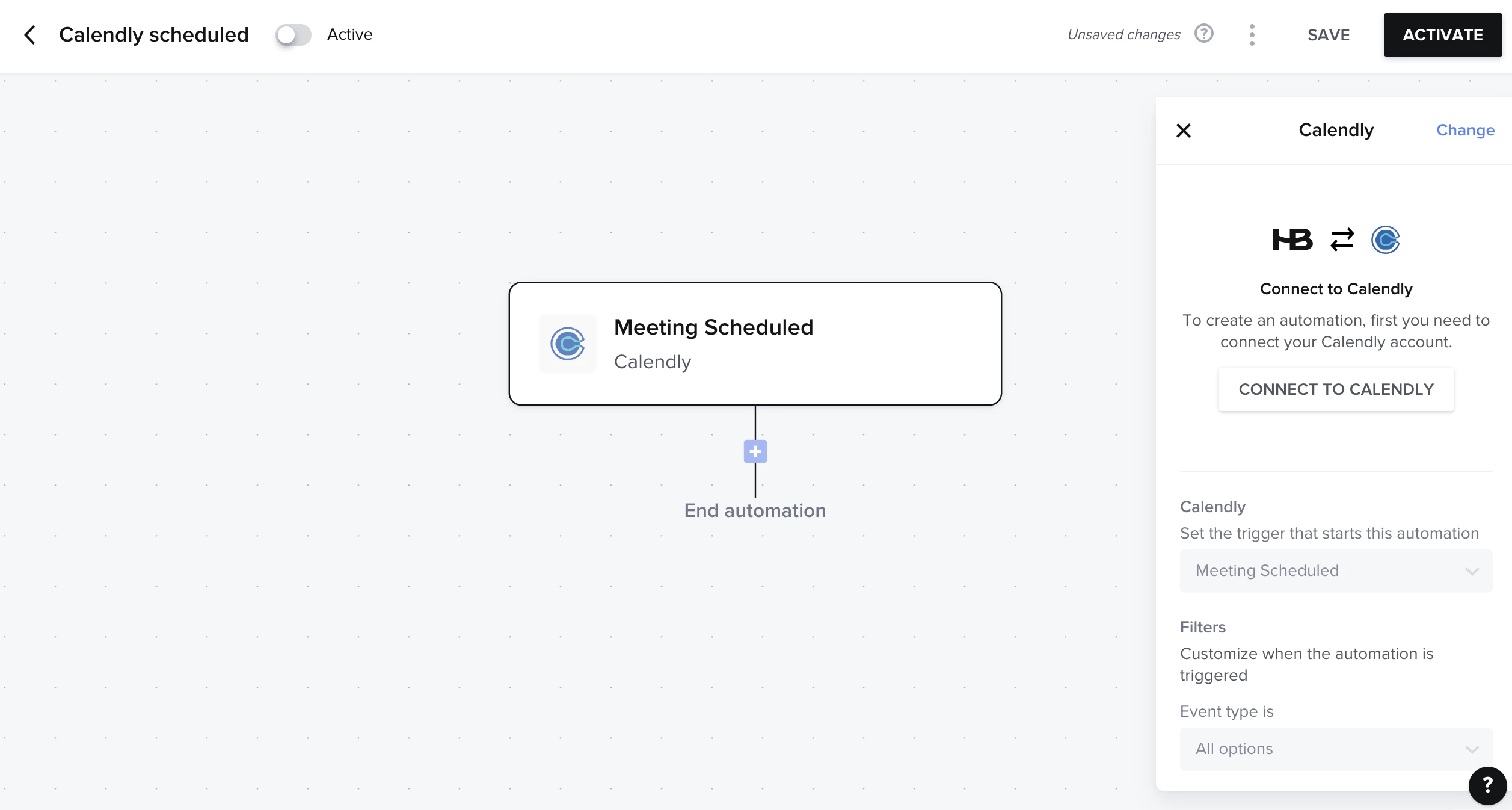
Hi ​@Joelle Martinec ! HB Pro Matthew here following up on this great question. While ​@Monica R provided a rockstar answer for ya, I wanted to notify you that we now have the ability to Automate based on a session scheduled inside Calendly itself. Not sure if this will apply to you, but I always want to help make folks aware of new features. 

For example, if someone outside HoneyBook scheduled X using your Calendly, you can now automate next steps—how cool! 

Curious if this new feature will benefit you in anyway? Even outside this post in question. For example, would you have use cases for wanting a Calendly-scheduled session to trigger any actions?