

Automations 2.0 Visual

  • February 9, 2025
  • 9 replies
  • 101 views

Ashley Rufino
Creative Icon
Forum|alt.badge.img+6

Hello Beautiful Humans! 

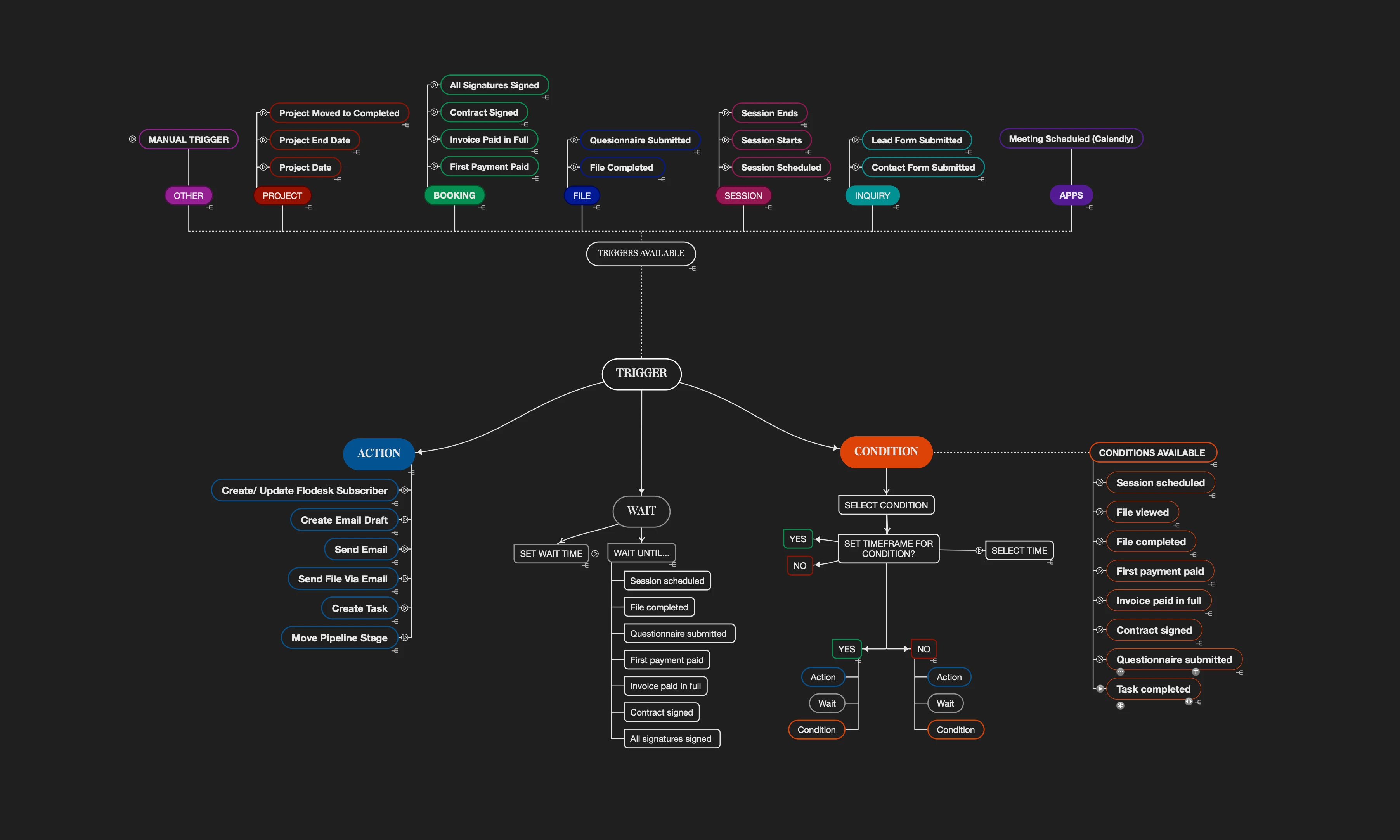
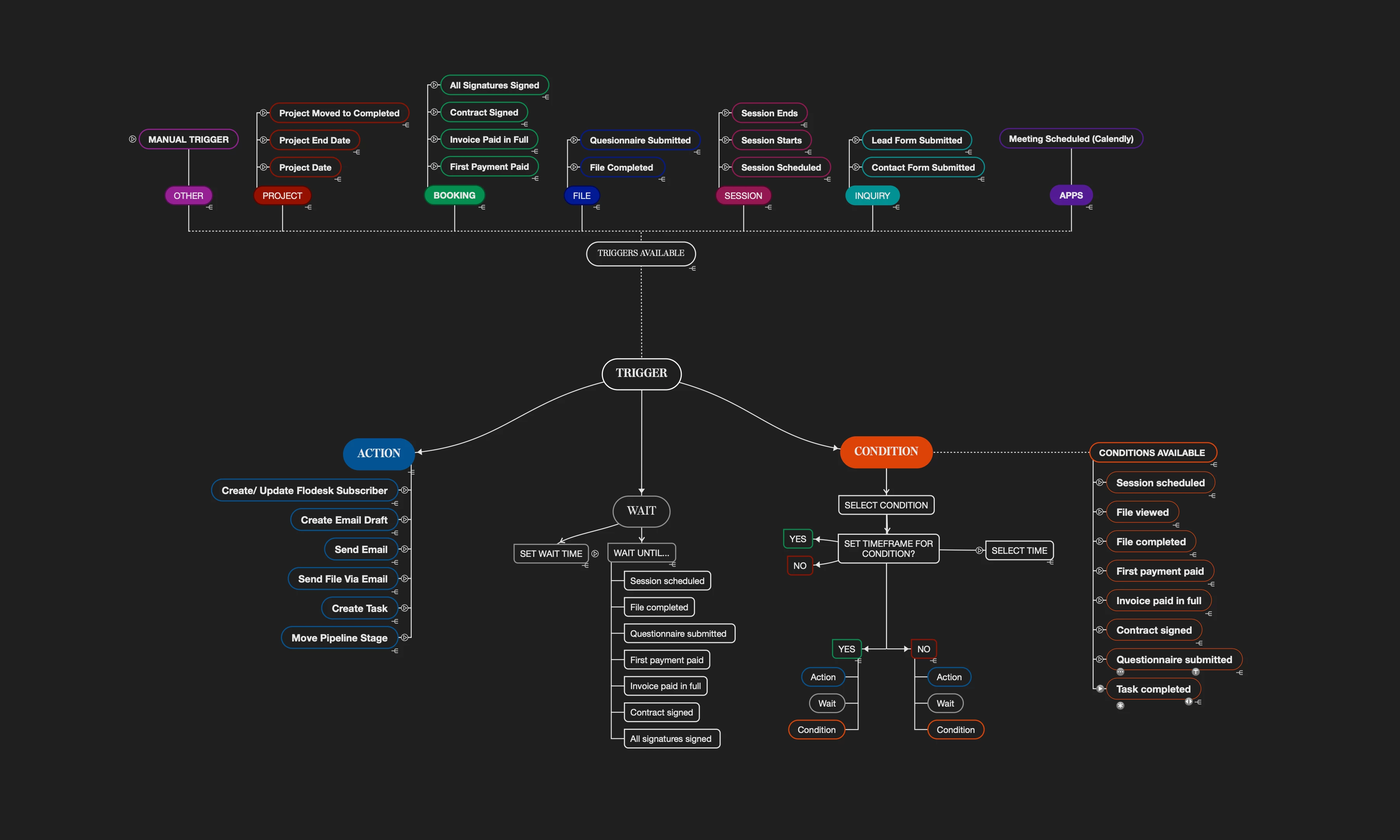
Its been amazing diving into Automations 2.0 and I thought I would share some resources for others to use as this feature is rolled out to all users.

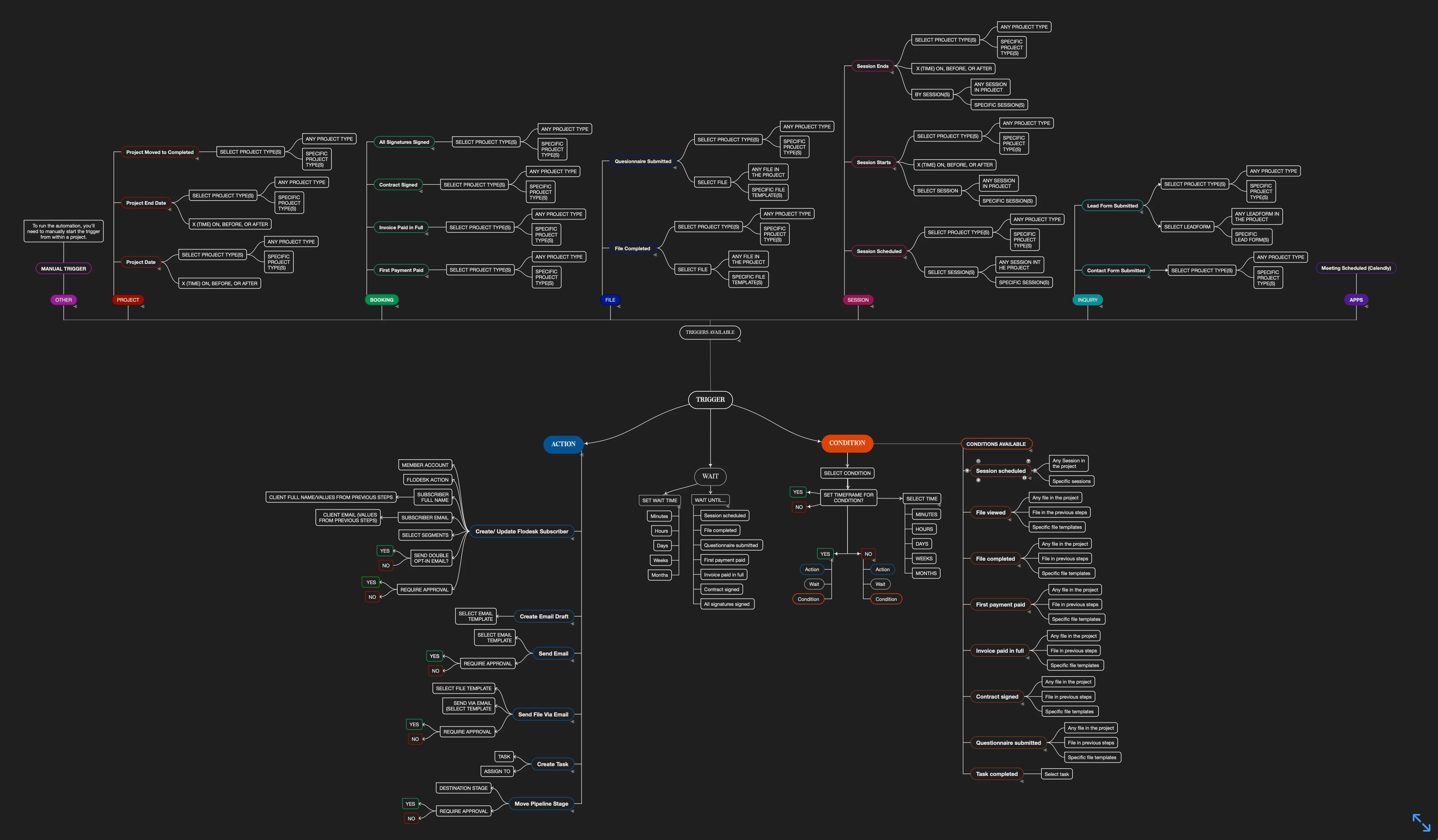
I don’t know about you, but I am a visual learner! When it comes to building out my automations I love being able to see all my options available to me. Though I do map out my ideal workflow/client experience, HOW I implement it in Automations is going to be different. I like to have this graphic side by side next to my mapped workflow so I can create it easier in the Automations Builder. Hope this helps!


*** UPDATED + EXPANDED VERSIONS AVAILABLE BELOW***
 

9 replies

Monica R
HoneyBook Community Team
Forum|alt.badge.img+7
  • HoneyBook Community Team
  • February 10, 2025

It’s beautiful 😍


Allum
  • Newcomer
  • February 11, 2025

Thank you for this!


Ashley Rufino
Creative Icon
Forum|alt.badge.img+6
  • Author
  • Creative Icon
  • February 11, 2025

@Allum  You are most welcome!


Rachel MacQueen

I haven’t gotten Automations 2.0 and I can’t find any way that I’m supposed to download it myself - is there a way that I can get it or does it just automatically come into my account? I have an unlimited annual account so I was hoping it would download itself but I haven’t seen it anywhere and I can’t figure out where else to ask this.


Thank you! 


Ashley Rufino
Creative Icon
Forum|alt.badge.img+6
  • Author
  • Creative Icon
  • February 11, 2025

I haven’t gotten Automations 2.0 and I can’t find any way that I’m supposed to download it myself - is there a way that I can get it or does it just automatically come into my account? I have an unlimited annual account so I was hoping it would download itself but I haven’t seen it anywhere and I can’t figure out where else to ask this.


Thank you! 

Hi ​@Rachel MacQueen ! I would invite you to  click the question mark at the bottom of your screen and message HB to ask to have it installed. I know they roll out every feature in batches to maintain functional integrity but support is fantastic to work with. 


Monica R
HoneyBook Community Team
Forum|alt.badge.img+7
  • HoneyBook Community Team
  • February 11, 2025

@Rachel MacQueen! You can add yourself to the waitlist here


Ashley Rufino
Creative Icon
Forum|alt.badge.img+6
  • Author
  • Creative Icon
  • February 13, 2025

I have 2 updated versions! A little easier to read as well as an expanded and simplified version.

See attachments for better resolution😁


Ronli
Forum|alt.badge.img
  • Newcomer
  • February 19, 2025

why is it that you cant trigger differently for booked project and inquiries? I want something to happen 60 days before a booked project start date but the automation will go out to anyone with that requested date booked or not...makes that trigger usless


Ashley Rufino
Creative Icon
Forum|alt.badge.img+6
  • Author
  • Creative Icon
  • March 7, 2025

why is it that you cant trigger differently for booked project and inquiries? I want something to happen 60 days before a booked project start date but the automation will go out to anyone with that requested date booked or not...makes that trigger usless

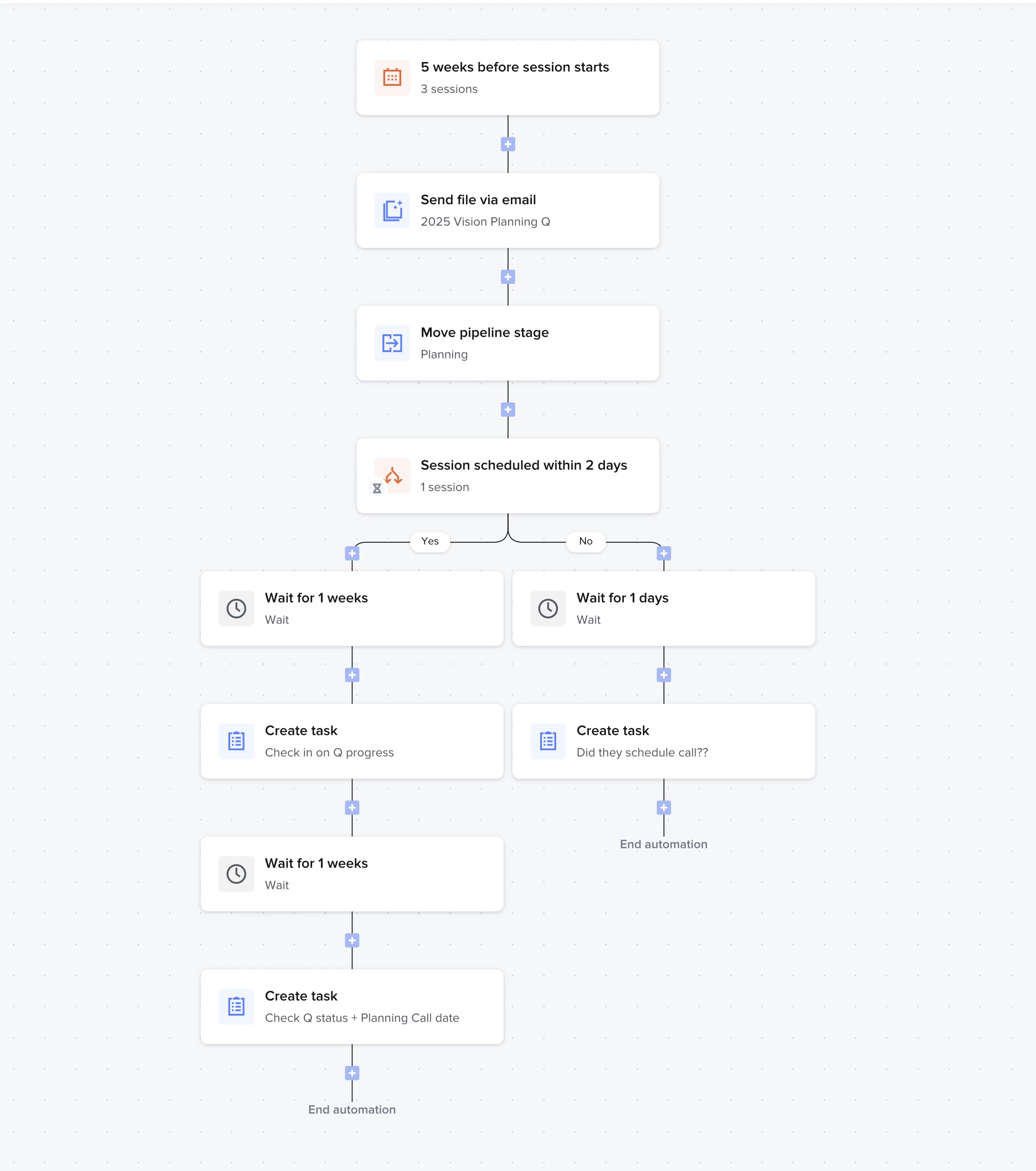
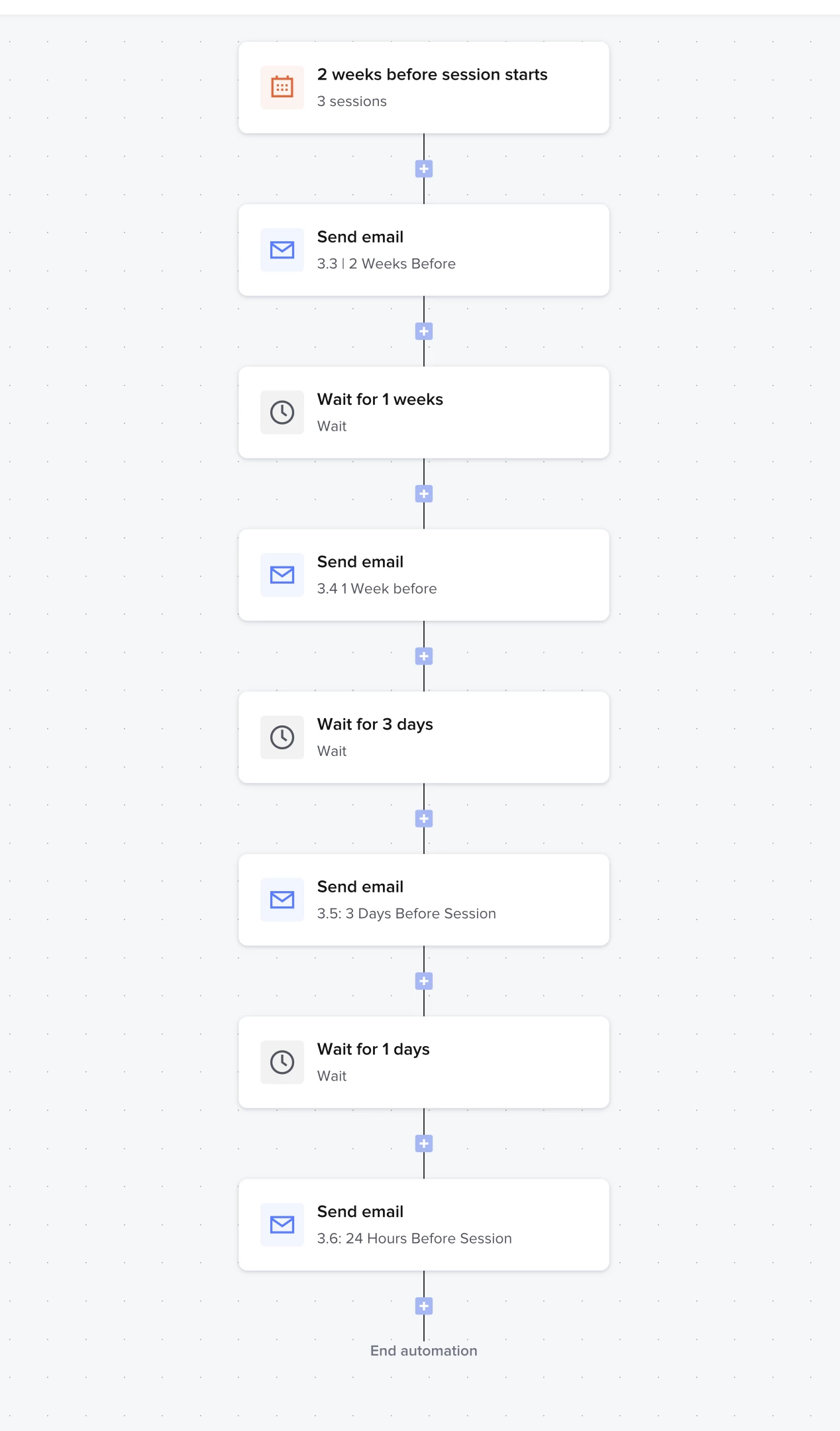
Could you elaborate a little bit? If you use the session date triggers, whatever you want to happen 60 days before will happen for that specific session type(s). 

For instance, here are some ways I use this and it will only work for booked projects because wither the client uses the scheduler or I put it in. That session type/scheduler has the option “use as project date” toggled on.