

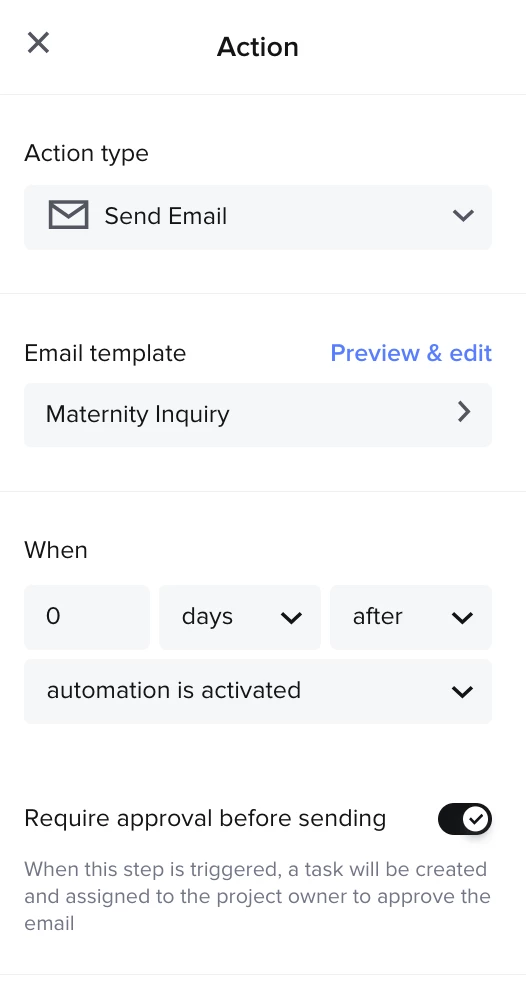
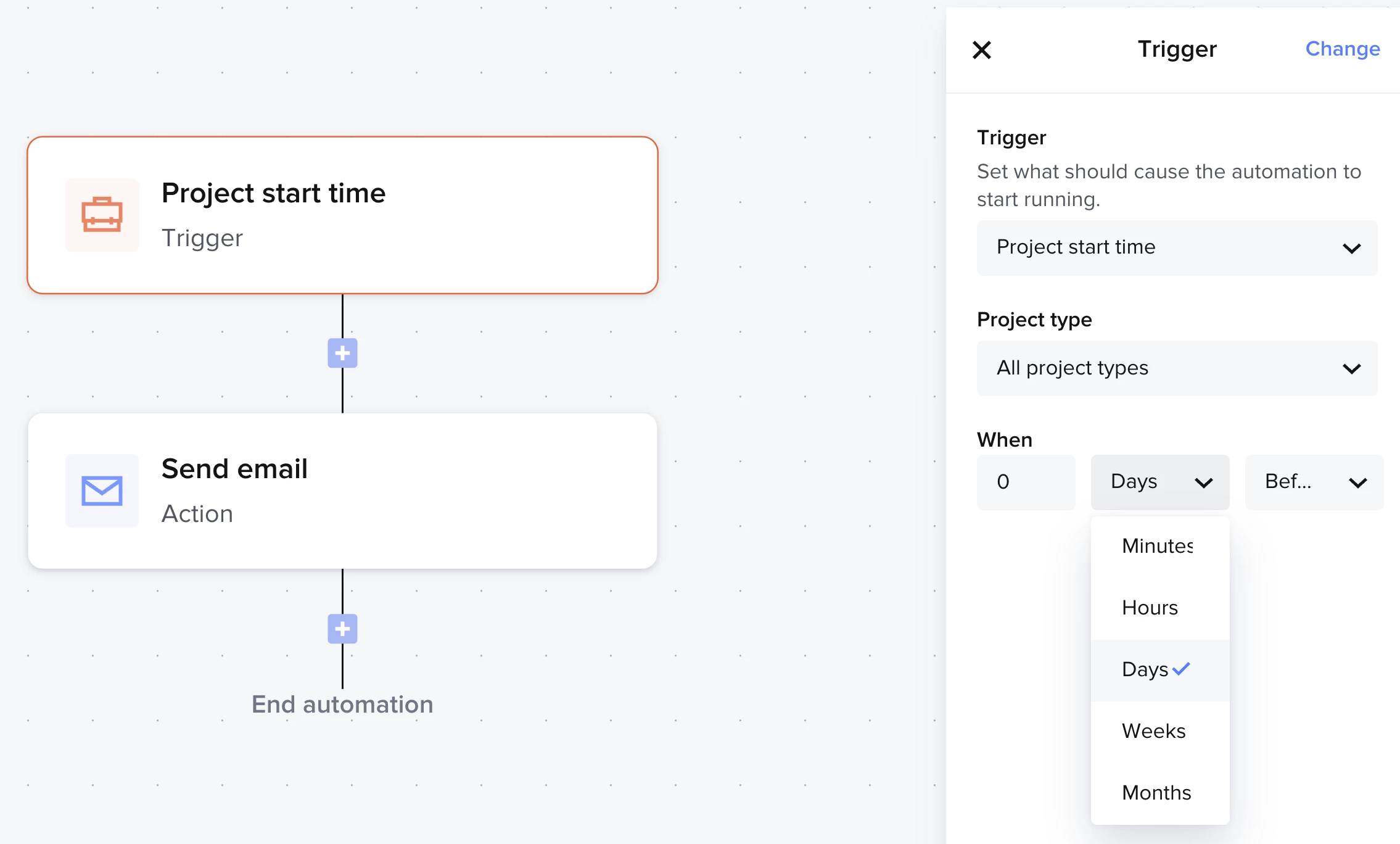
We are trying to setup email automations based on a project date. When we select the action as “send an email” we do not get any options as to when the email should send. The only details on the action settings are what action we want to take place, the email template we want to use & whether to require approval of the step. On all the videos I have watched, there is a more detailed sidebar with when the email should be sent such as a specific time before the project date. Are we doing something wrong here? Is there a step that we’ve missed?

Question
Automations

This topic has been closed for replies.





Sign up
Already have an account? Login

Welcome! To join the HoneyBook Community, log in with your HoneyBook account below.
You'll confirm your username and share a bit about yourself, then you're ready to explore and connect.
Free trial? No problem. Log in with your trial credentials to join.
Already a member? Hi and welcome back!
You will see the HoneyBook login page briefly to validate your trial or account.
Employee Login
Log in with HoneyBook
Welcome! To join the HoneyBook Community, log in with your HoneyBook account below.
You'll confirm your username and share a bit about yourself, then you're ready to explore and connect.
Free trial? No problem. Log in with your trial credentials to join.
Already a member? Hi and welcome back!
Welcome to the Community
Welcome! To join the HoneyBook Community, log in with your HoneyBook account below.
You'll confirm your username and share a bit about yourself, then you're ready to explore and connect.
Free trial? No problem. Log in with your trial credentials to join.
Already a member? Hi and welcome back!
You will see the HoneyBook login page briefly to validate your trial or account.
Employee Login
Log in with HoneyBook
Welcome! To join the HoneyBook Community, log in with your HoneyBook account below.
You'll confirm your username and share a bit about yourself, then you're ready to explore and connect.
Free trial? No problem. Log in with your trial credentials to join.
Already a member? Hi and welcome back!
Enter your E-mail address. We'll send you an e-mail with instructions to reset your password.