I know automation is tied to Lead Forms, but is there a workaround to creating automation based on workflows within the pipeline stages?
I would love to send off an onboarding smart file after someone pays the retainer.
Someone mentioned this maybe 6-7 months ago, and I haven’t seen any recent information.
Thanks!
Best answer by Matthew Eriksen
Hi @RClaytonFP2P! HB Pro Matthew here closing the loop on your comment here.
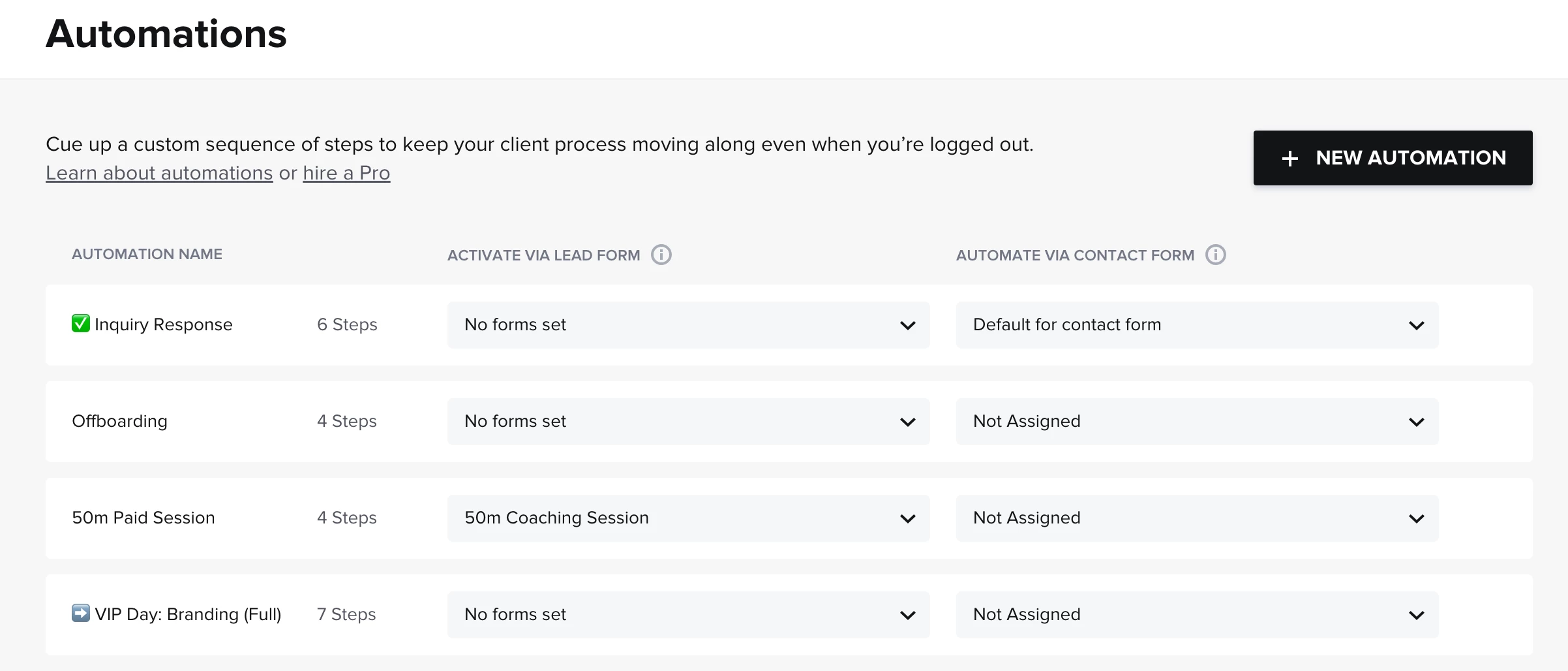
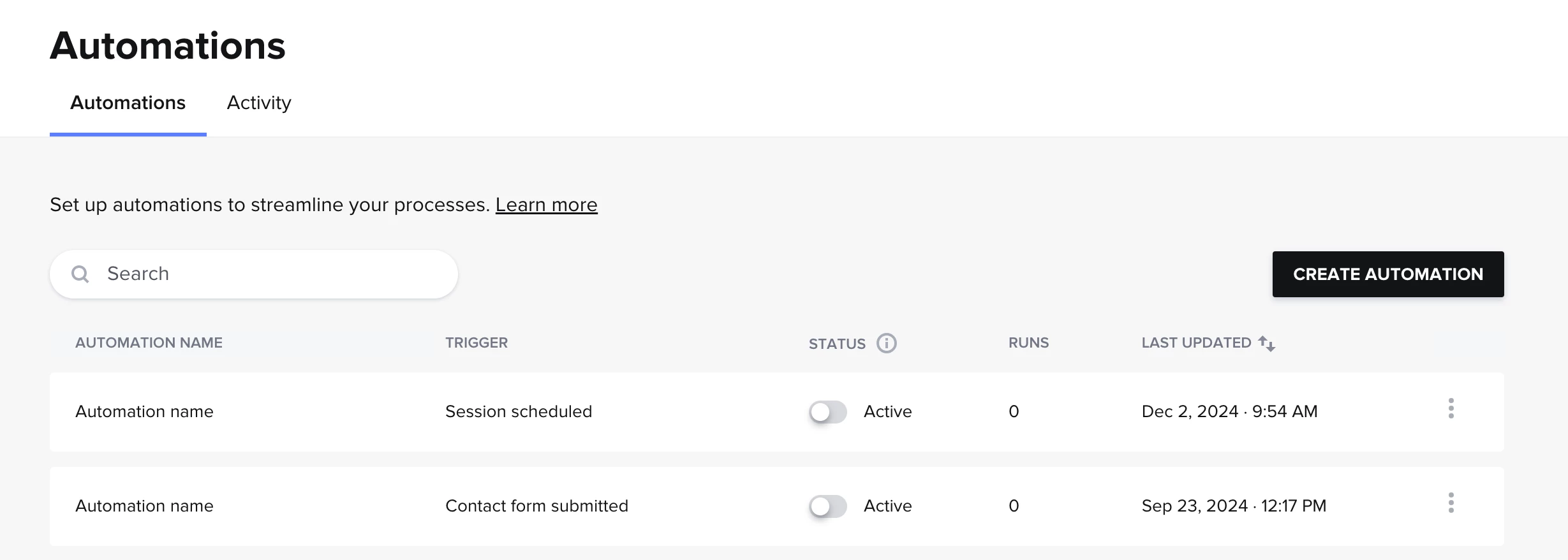
Original vs. New Builder: Based on the screenshot you provided it looks like you have the original Automation builder (image comparison below). The one Alina referenced in their previous comment was the new global Automations. If you’d like you can request the new builder by clicking the chat support button in the bottom right corner of your screen and asking for it to be installed. Note that once this happens your previous automations will no longer operate — don’t worry they aren’t deleted per se (so if you don’t like the new builder just yet you can always revert back). My recommendation is to first explore the functionality of the new builder in this help article: titled Understanding the new automations builder, and then assess if it makes sense to transition to the updated version.
Starting automation from Lead Form / Contact Form: yes you are correct! With the original builder, you’d first navigate to your Automations panel and select which form you wish to assign the Lead Form or Contact Form activation to.
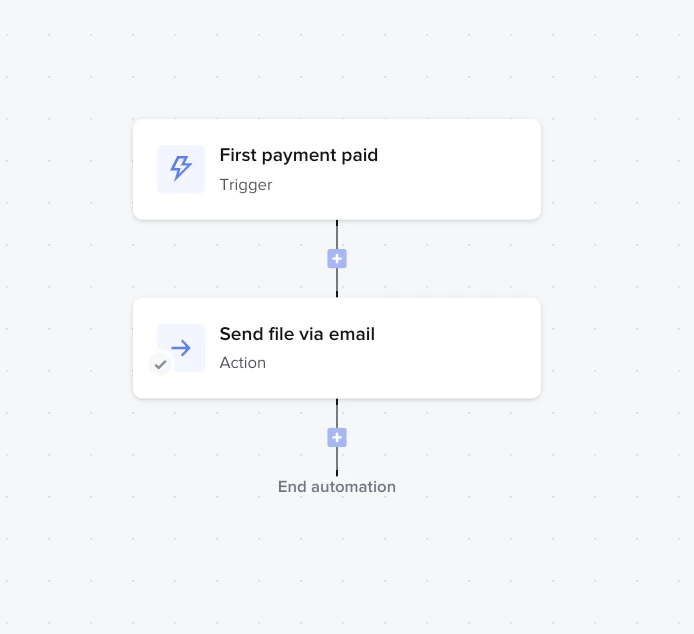
You can definitely do that, but it's set up under the Automations tab instead of the pipeline. If your workflow defines the retainer as the first payment, you can choose “First payment” as the trigger. From there, the next step would be to “Send file via email.” I've attached a screenshot of an example automation flow and here’s more information in our Help Center about this specific trigger—hope it helps! Feel free to reach out if you have any other questions.
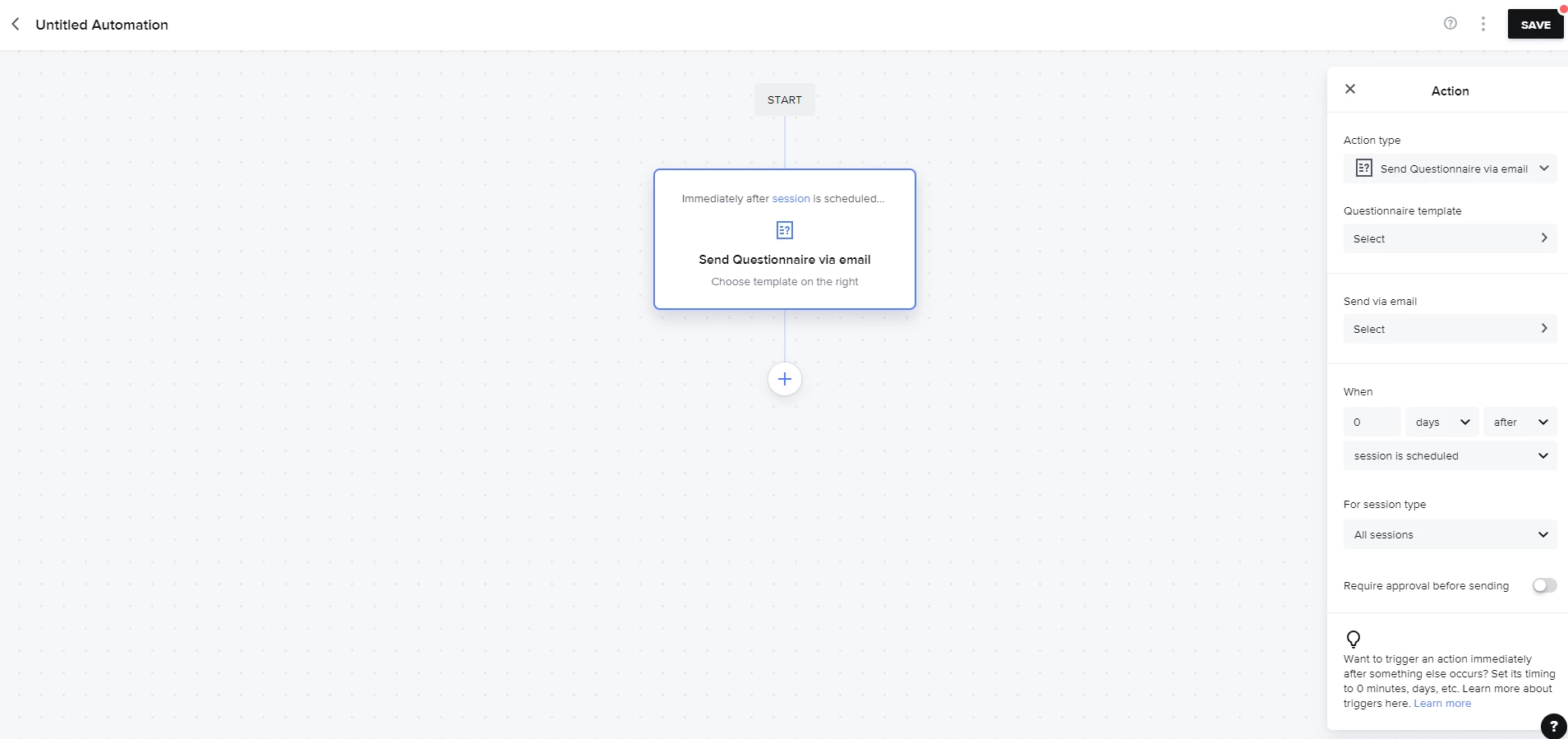
Hi, @Alina K! Your screenshot looks different from what I’m seeing in automations. How/where do you set up an automation that starts with the “trigger” like that? On my end, it looks the trigger is baked into the first action, but which is much more confusing to me. I’d love to be able to create an automation and set the trigger as the first step, then select the action as the next step like your screenshot shows!
I (mistakenly, it seems) thought you could only set an automation to start from a lead form or contact form because of this. Glad to have learned something new here!
Hi @RClaytonFP2P! HB Pro Matthew here closing the loop on your comment here.
Original vs. New Builder: Based on the screenshot you provided it looks like you have the original Automation builder (image comparison below). The one Alina referenced in their previous comment was the new global Automations. If you’d like you can request the new builder by clicking the chat support button in the bottom right corner of your screen and asking for it to be installed. Note that once this happens your previous automations will no longer operate — don’t worry they aren’t deleted per se (so if you don’t like the new builder just yet you can always revert back). My recommendation is to first explore the functionality of the new builder in this help article: titled Understanding the new automations builder, and then assess if it makes sense to transition to the updated version.
Starting automation from Lead Form / Contact Form: yes you are correct! With the original builder, you’d first navigate to your Automations panel and select which form you wish to assign the Lead Form or Contact Form activation to.