



Solved

calendar availability

  • January 26, 2025
  • 1 reply
  • 12 views

Jenn Chen

Is it possible to set my availability without synching my calendar? My available times are different for each session type (studio vs home vs outdoors) and some types i like to restrict to limited times…


Currently i use sessions and have one availability for outdoor sessions and another for my studio... my availability for studio also varies so much on what is going on with my kids and my husband so synching my calendar just isn't an accurate picture of my availability.  I would love to hear how others work through this. 

(Full disclosure- I'm in my trial and super new but can't find the right answer- thanks in advance!)
Best answer by Matthew Eriksen

Hey there ​@Jenn Chen! I’m a brand designer and HB Pro, this is such a great question. Welcome to HoneyBook. I’ve been using the software for about 5 years now and I totally remember those early days of, “wait what?!”.

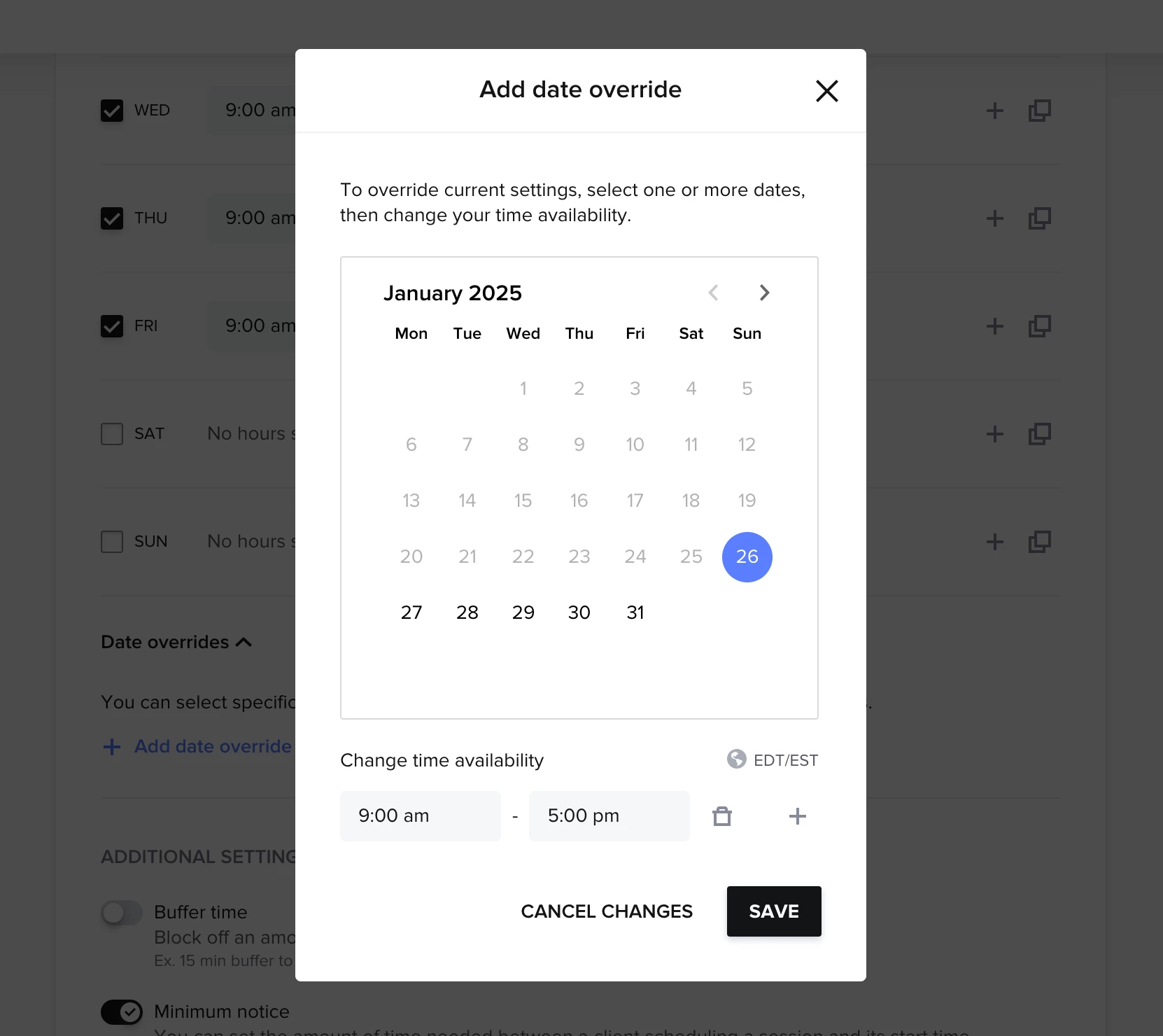
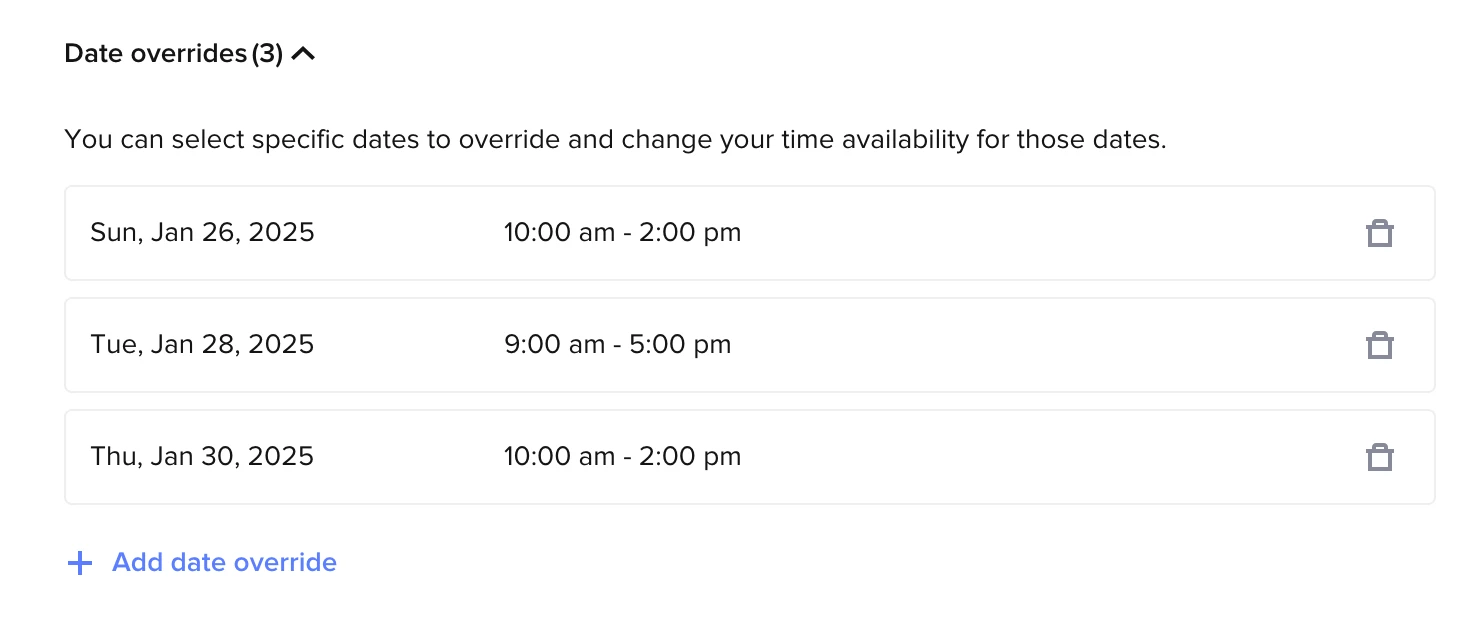
Answer: Yes, you can manually set your availability via overrides. When you go into your session type, scroll down to the availability section, and instead of applying the avail timeframe to, let’s say, “every Tuesday” — you make sure that’s unchecked so you can manually put in the available windows in the override section below.

How to add date override

I often encourage my clients to do this with flash sales or mini sessions where the available slots are fewer than general booking avail. Your use case also sounds like a fit!

Let me know if this was helpful! 😊

1 reply

Matthew Eriksen
Community Legend
Forum|alt.badge.img+7
  • Community Legend
  • Answer
  • January 26, 2025

Hey there ​@Jenn Chen! I’m a brand designer and HB Pro, this is such a great question. Welcome to HoneyBook. I’ve been using the software for about 5 years now and I totally remember those early days of, “wait what?!”.

Answer: Yes, you can manually set your availability via overrides. When you go into your session type, scroll down to the availability section, and instead of applying the avail timeframe to, let’s say, “every Tuesday” — you make sure that’s unchecked so you can manually put in the available windows in the override section below.

How to add date override

I often encourage my clients to do this with flash sales or mini sessions where the available slots are fewer than general booking avail. Your use case also sounds like a fit!

Let me know if this was helpful! 😊



