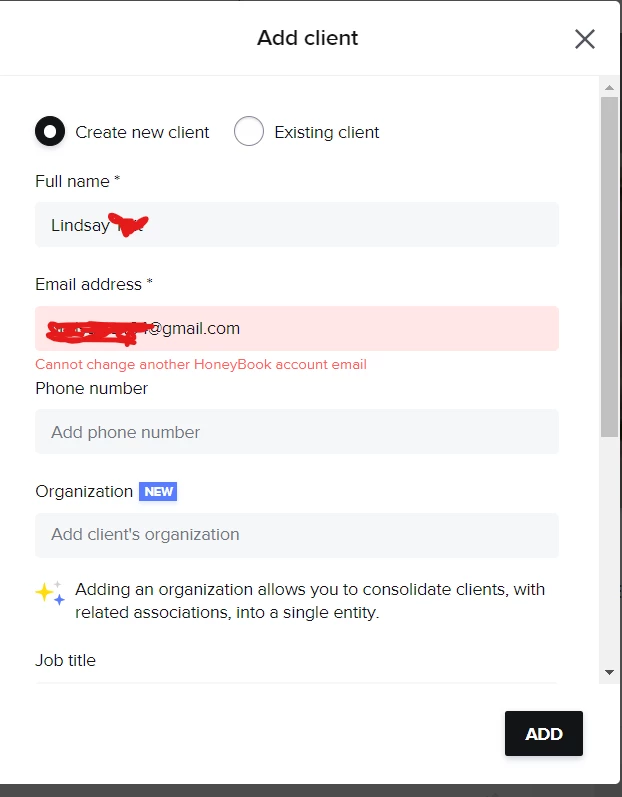
I had an inquiry come through IG, so I wanted to respond to this client through my Honeybook. I created a new project as usual, and went to add her into the workspace as a client. When I type in her name and email, I get this error message under the email address:
“Cannot change another HoneyBook account email”
It’s in red and wont let me go further.
She is not an existing contact and her email address is not in our files at all. How do I fix this?
Best answer by Michal Peled
Jumping in to make sure both of you got all of the answers.
Going through similar tickets we had in the past, I can see that this behavior is a result of two known cases:
There is another contact in your contact list with the same email but a different name
This email address was internally flagged as fraud in our system
The first option can be verified by you, for the second one you can ask for the assistance of our support team who will be happy to check that for you. If it’s neither, then a ticket can be created for the Engineering team to look into it, I’ll be curious to find out other reasons for this behavior if there are.
Hi, I was wondering if the client you needed to add was a legit lead or a scammer? I ask because there is a lead I spoke to a few days ago and I had the same issue as you when I entered their info, but something about this lead felt fishy to me so I was just curious.
Jumping in to make sure both of you got all of the answers.
Going through similar tickets we had in the past, I can see that this behavior is a result of two known cases:
There is another contact in your contact list with the same email but a different name
This email address was internally flagged as fraud in our system
The first option can be verified by you, for the second one you can ask for the assistance of our support team who will be happy to check that for you. If it’s neither, then a ticket can be created for the Engineering team to look into it, I’ll be curious to find out other reasons for this behavior if there are.