Question

CLIENT PORTAL - Site Title & Description Showing Honeybook

  • August 29, 2024
  • 2 replies
  • 18 views

Jon

When I share my client portal link, the site title and description are branded for Honeybook. Is there any way I can have that branded for my website instead? It creates a little bit of confusion and I’m paying for the version to removing HB branding.


Thanks for any help!

2 replies

kitzzy
HoneyBook Employee
Forum|alt.badge.img+1
  • HoneyBook Employee
  • December 5, 2024

Hi ​@Jon,

Kitzzy here from the Education team. Can you share a screenshot of what you’re seeing? 

Here’s a help article on how to customize the client portal:

https://help.honeybook.com/en/articles/2814167-customize-the-client-portal-login-screen

Let me know if this helps,

Kitzzy


Alicia Bauer
Forum|alt.badge.img+4
  • Newcomer
  • December 5, 2024

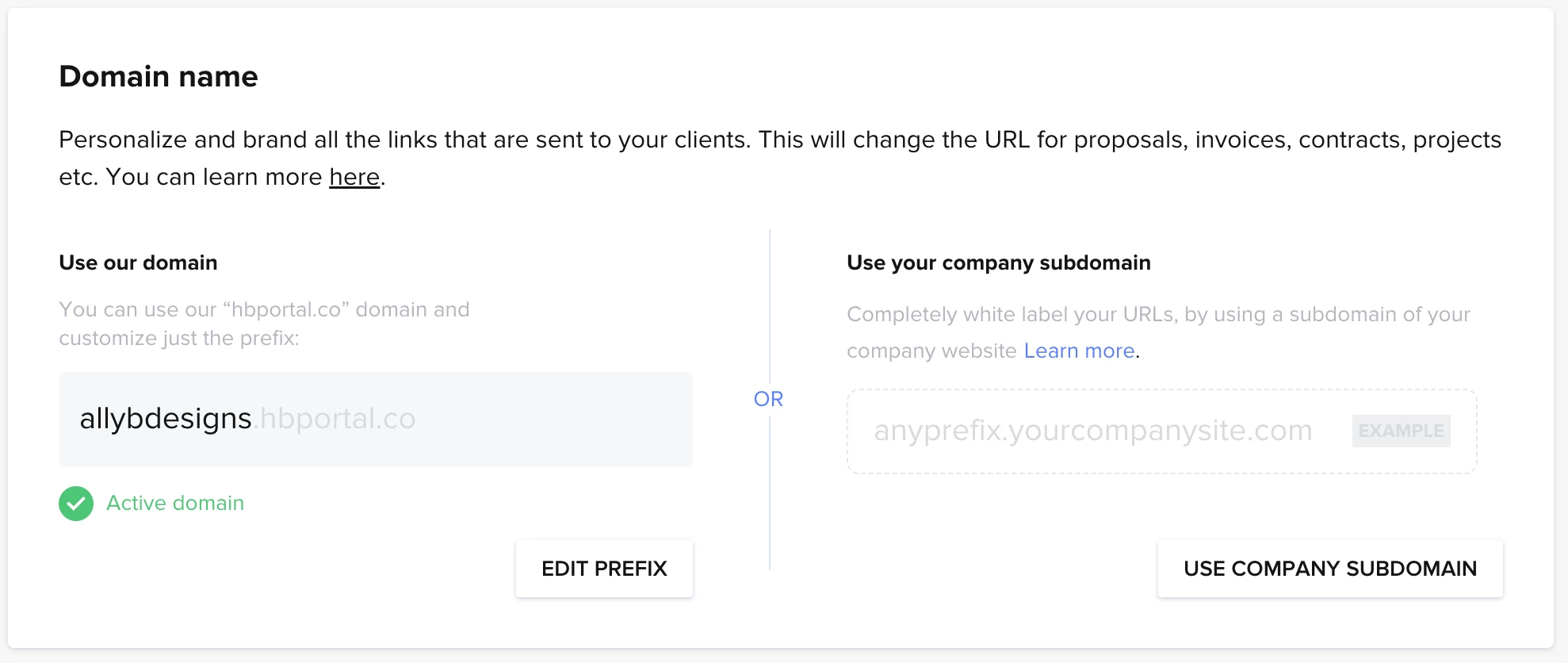
You can use the “your company subdomain” option in your company settings. 


Here is a screenshot:


Here is a support document for more information if it is helpful!