Question

Create a link to view invoices for clients that is NOT so convoluted.

  • March 25, 2025
  • 1 reply
  • 7 views

Kristy

I have been a professional photographer for over 15 years and I have worked with hundreds of clients, especially commercial small business and brand clients and I would love to give some feed back as far as I have recently switched over from 17Hats to HB and I would love to suggest having the invoices easier to access.

I have sent out 5 invoices to other small businesses today and they all have had a hard time accessing them. It should be able to just have a link to the invoice page from anywhere, phone, computer, ipad - it shouldn't matter who you are logged in as you should be able to view an invoice so that you can pay for the services and the least resistance the better.

Several of my clients I text them the invoice and they pay me directly and forward invoice to their accounting for record. So having the limited and email access on invoice is holding up the process. 

 

1 reply

Monica R
HoneyBook Community Team
Forum|alt.badge.img+7
  • HoneyBook Community Team
  • March 26, 2025

Hey ​@Kristy! We’re so happy to have you here at HoneyBook and huge congrats on the long time business! That’s no easy feat. 

Thanks so much for bringing this up this file access issue!

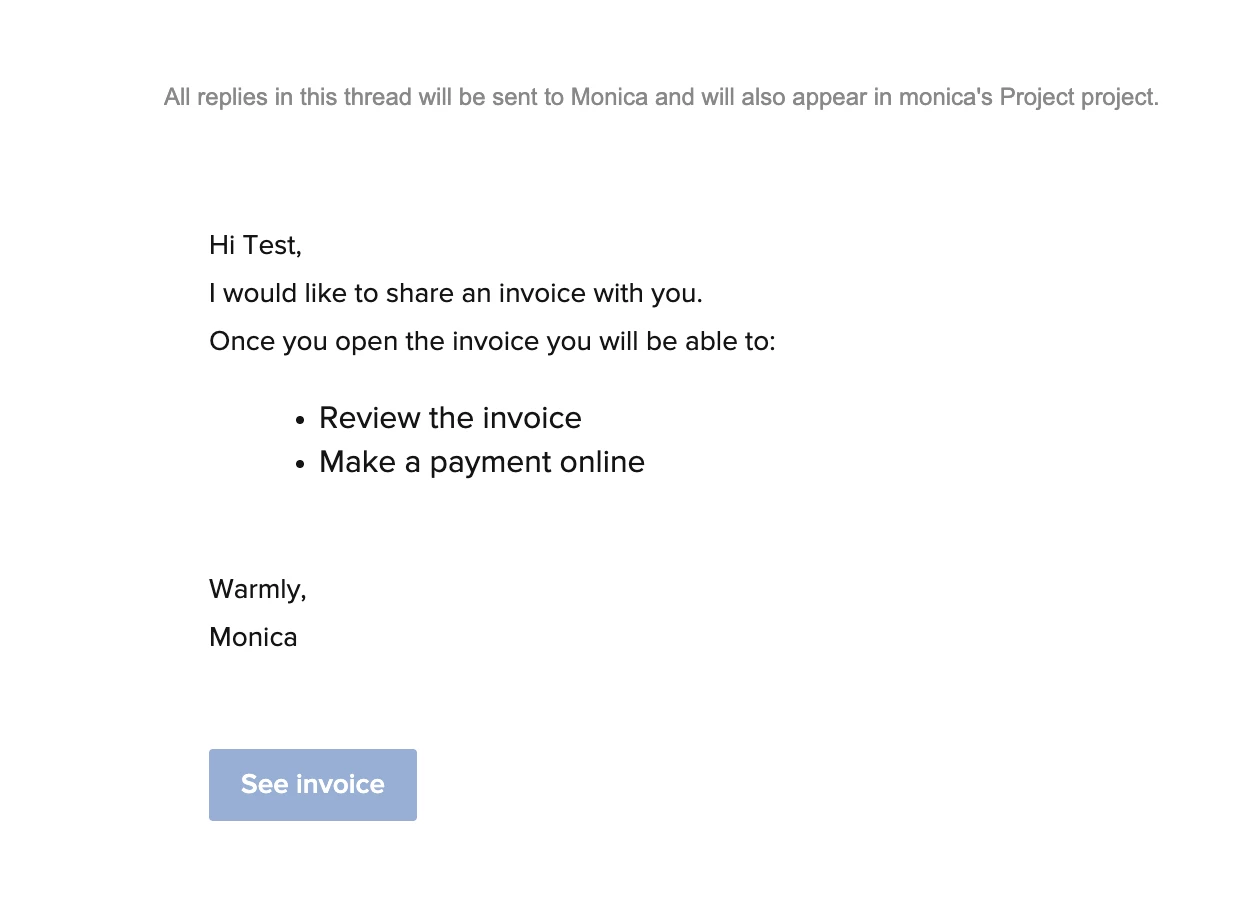
When your clients are receiving the invoice, the expected behavior is that they click the “Get started” button link (this button is customizable so I have edited mine in the example to say “See Invoice). When clicked, it should take them straight to the invoice - no need to log in.


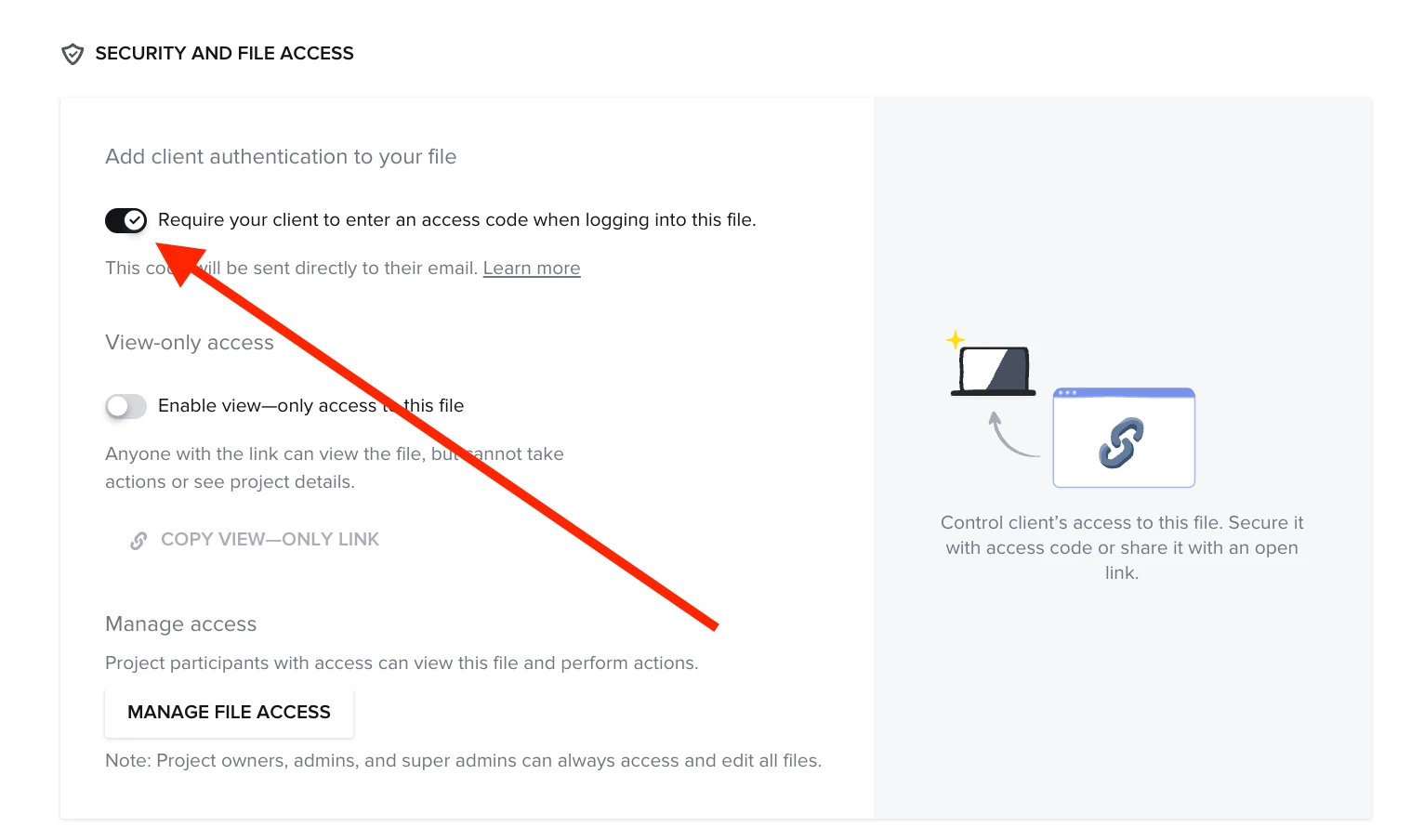
That being said, behavior will differ if you have the “Access code” toggle on in the files you send. This feature is there as a security step so that when sending sensitive information like invoices, you can ensure that only the correct people have access. If it is turned on, your clients will need to access a code via a new email in order to see the invoice. I’m thinking this is what’s happening to you and your clients! 


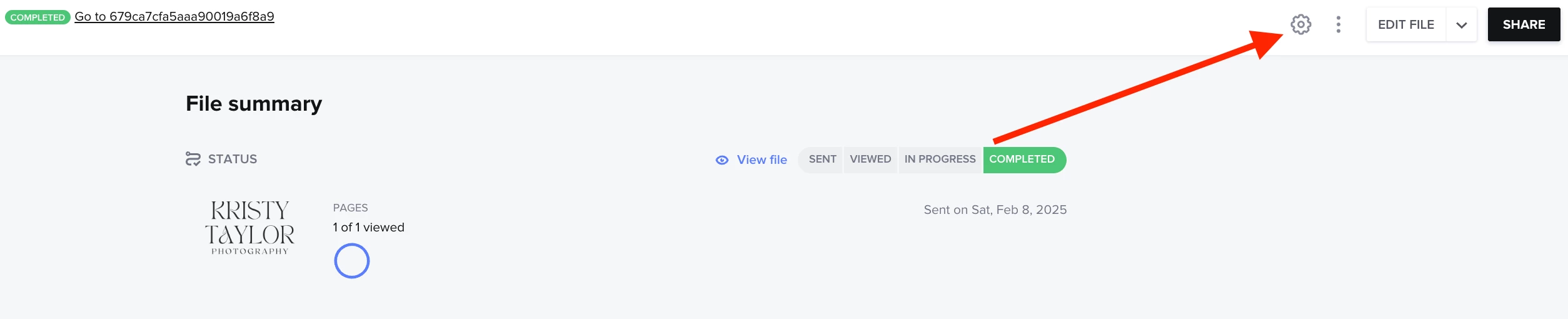
You can turn that setting off right from the settings inside of the file! 


Let me know if this helps :)