Solved

Custom Field: Secondary Contact?

  • October 1, 2024
  • 1 reply
  • 11 views

Cassie H of Premier Ops Spot
Community Legend
Forum|alt.badge.img+7

Is there a way to turn a question that asks who the secondary contact is into a custom field? For example:

  • Secondary Contact Name
  • Secondary Contact Email
  • Secondary Contact Phone

This would then be used on the Contract and in the project.

One thing that’s still a little confusing to me about Custom fields is how the Contact and Project custom fields are separate. Even if I add one of these as a custom field, should it go under Contact or Project? and will Honeybook register it properly, or will there still need to be some additional manual work required? 

I know this field is available in the contract itself, but many of my clients need it BEFORE the sending the contract.

Thanks!
 

Best answer by Monica R

Hey Cassie!

Great question! 

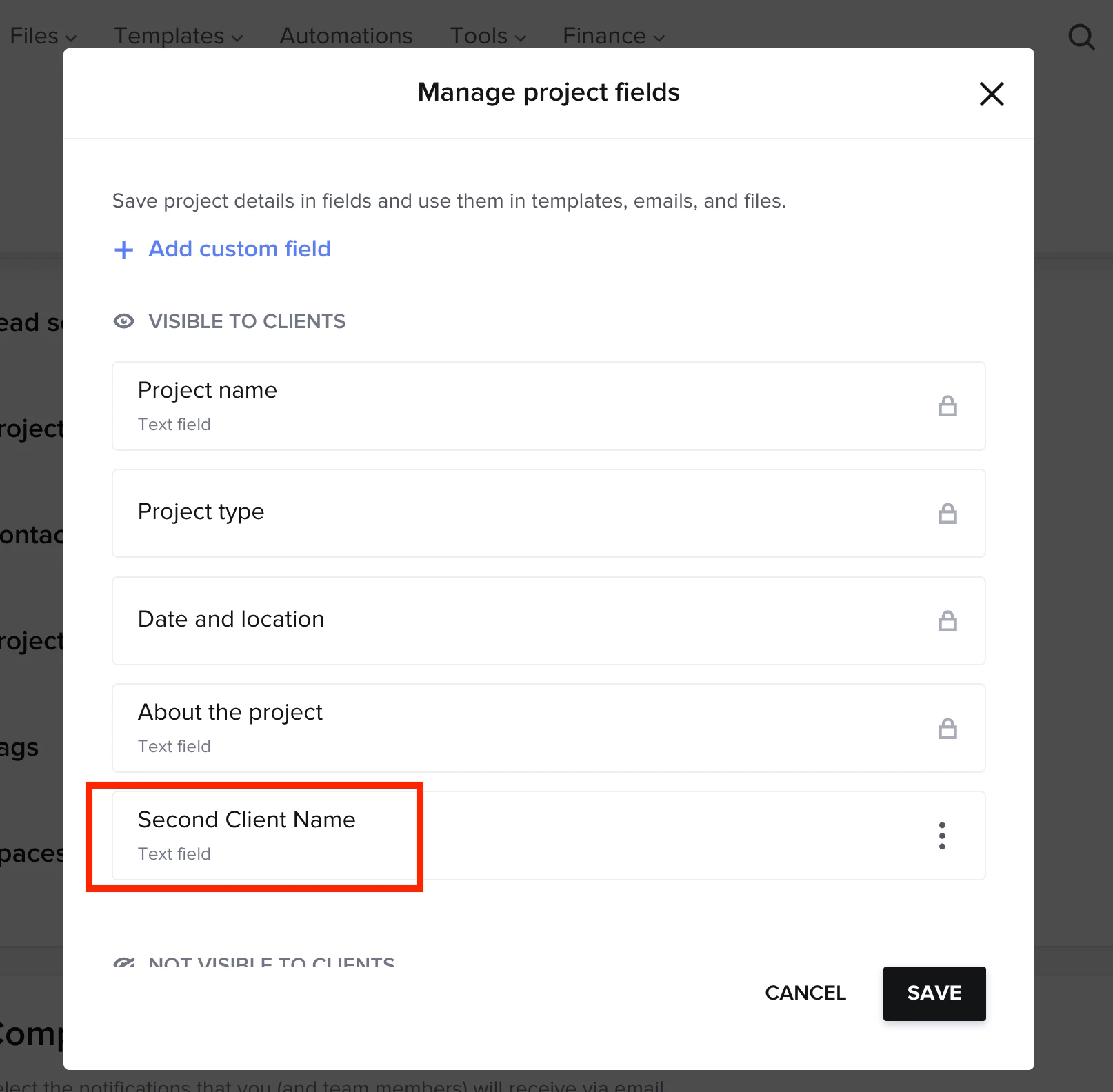
So you’ll want to create those as custom project fields so that they’re tied to future projects and not a contact.


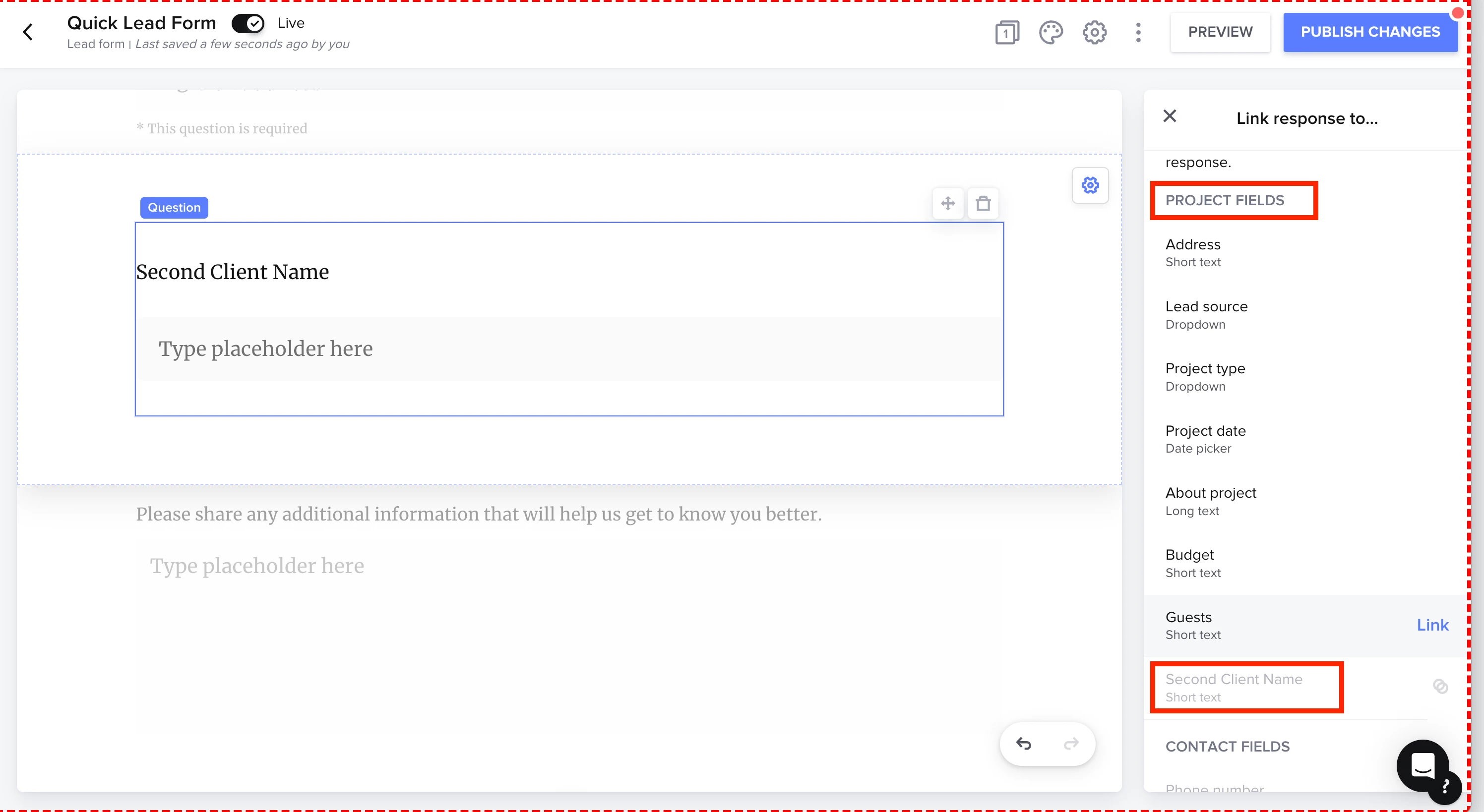
When you send a smart file or lead form and insert the custom project field, your client will have the ability to fill out that field. 


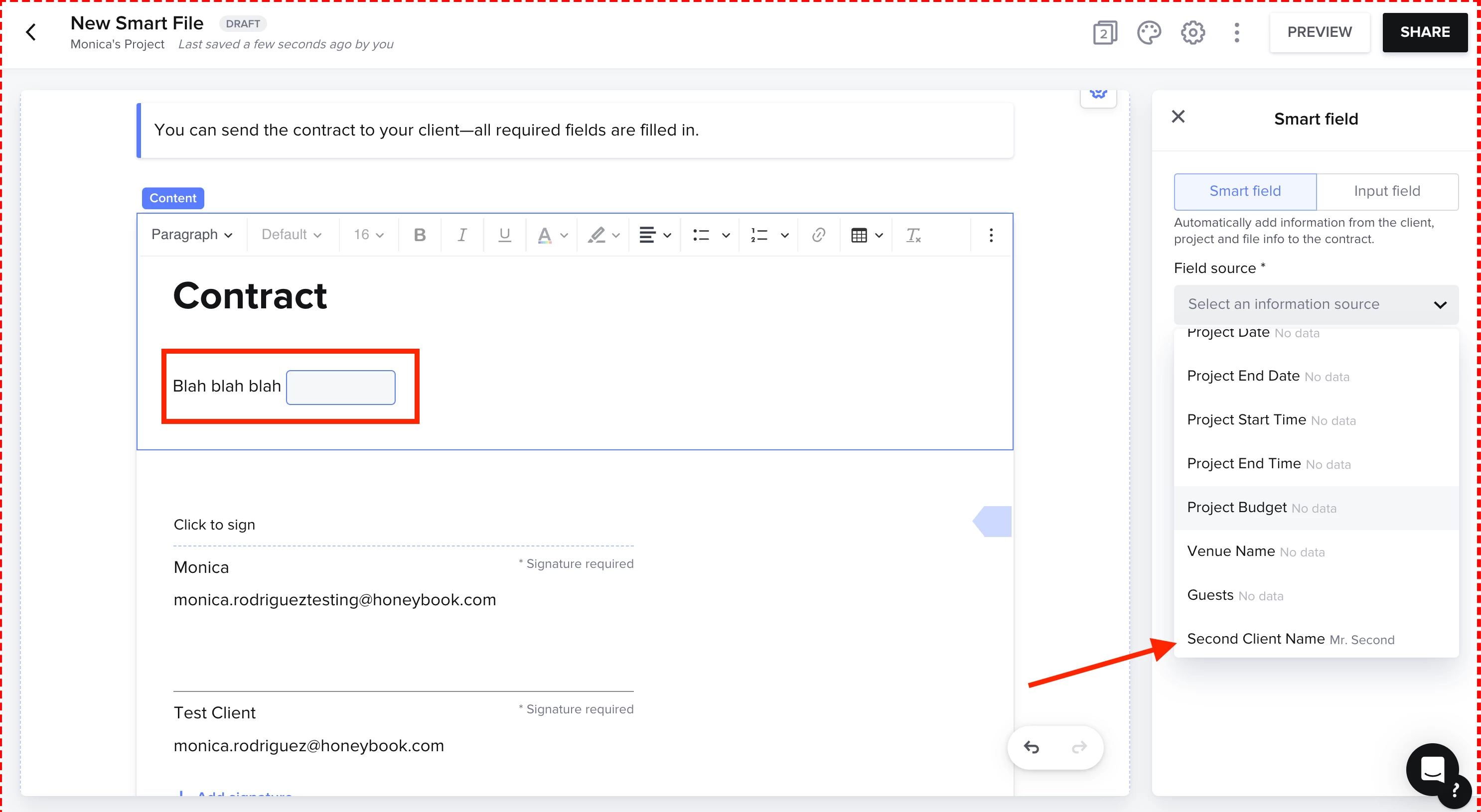
Now when you create a contract (or a contract template) you can have the Second Client Name inserted as a smart field! 


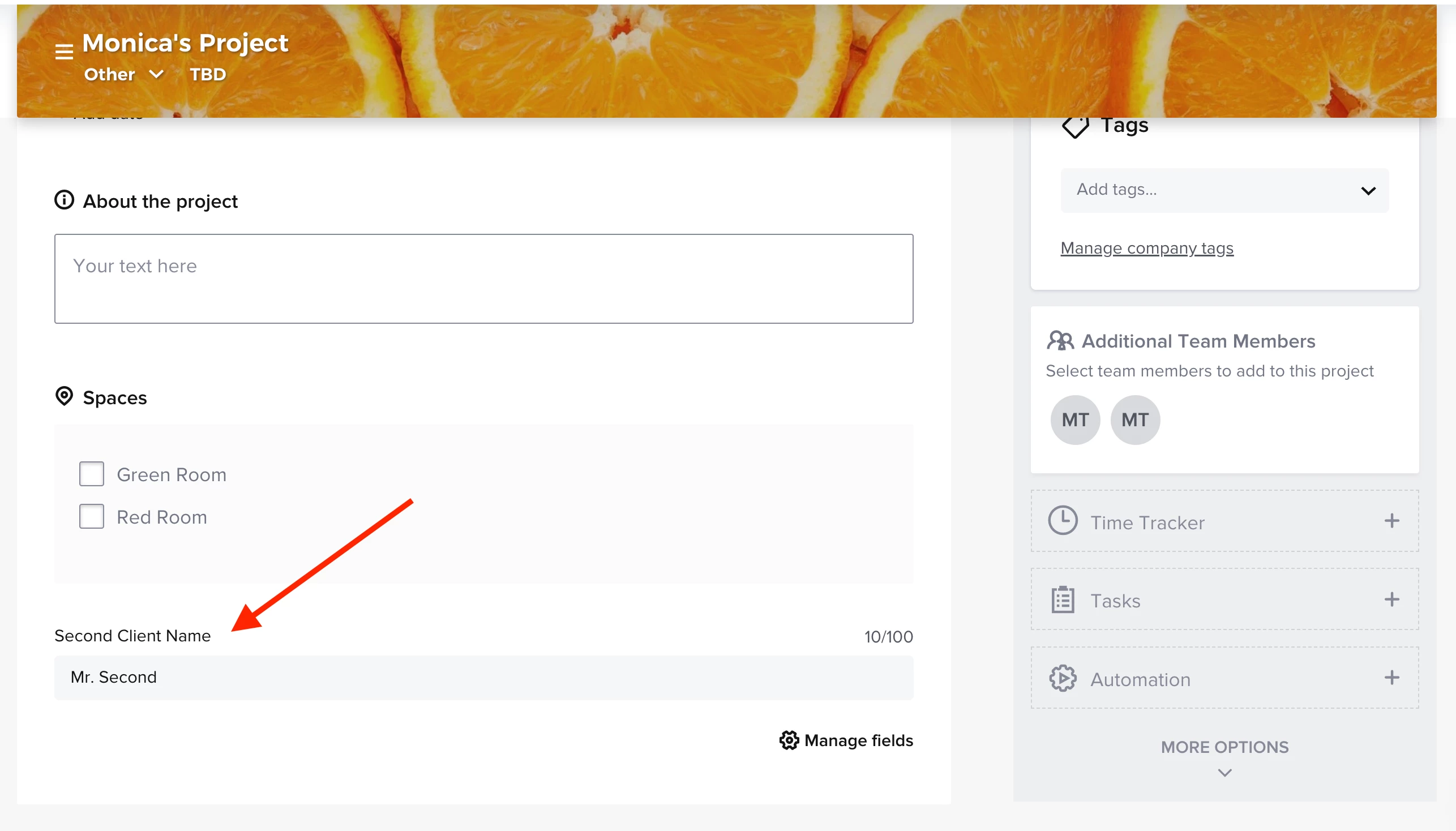
You can also see the custom fields in the Project’s details.


​​​​​​​Hope this helps! 

This topic has been closed for replies.

1 reply

Monica R
HoneyBook Community Team
Forum|alt.badge.img+7
  • HoneyBook Community Team
  • Answer
  • October 1, 2024

Hey Cassie!

Great question! 

So you’ll want to create those as custom project fields so that they’re tied to future projects and not a contact.


When you send a smart file or lead form and insert the custom project field, your client will have the ability to fill out that field. 


Now when you create a contract (or a contract template) you can have the Second Client Name inserted as a smart field! 


You can also see the custom fields in the Project’s details.


​​​​​​​Hope this helps!