Question

Email Opt-In on a Scheduler

  • July 19, 2024
  • 3 replies
  • 24 views

Cassandra Heller

Is there a way to add a check box to “Opt In” to marketing emails in the Scheduler?  I have created a new Session Type with the intent of growing my email list, but I believe legally/ethically I should make them aware that this puts them on my list.

TIA!

This topic has been closed for replies.

3 replies

  • August 13, 2024

Hey Cassandra! I’m Justin, and I work on the help center here. This is actually a super interesting way to use the Scheduler since that’s typically for setting up meetings. Would you be open to sharing how you set up that session type?

For having an “opt-in” toggle, that currently isn’t available for session types, but you could include a note in the Instructions section letting the lead know that they’d sign up for the email list by going through with that session. 

I’d love to hear more about this session type you’ve created!


Cassandra Heller

I offered free Coaching and Meditation sessions for potential clients to get to know me.  They would reach out for the session and I would send them a link to schedule their session through the scheduler and they would book.  I then would add that person to any emails I would send out in the future talking about services/marketing, etc.  Due to the rules and regulations now, I believe I am supposed to let them know that I am using their email for this after the session, so that is where my question comes from.  I could just add a message in the instructions, but I don’t believe they get that until they receive the invite.  I guess I could add something to the confirmation, but again, that’s telling them after they have provided their email to me.


Michal Peled
HoneyBook Employee
Forum|alt.badge.img
  • HoneyBook Employee
  • August 18, 2024

Hi @Cassandra Heller , Michal from the Product team here 👋🏼

I suggest you use a Lead Form instead of a session link for the use case you describe.
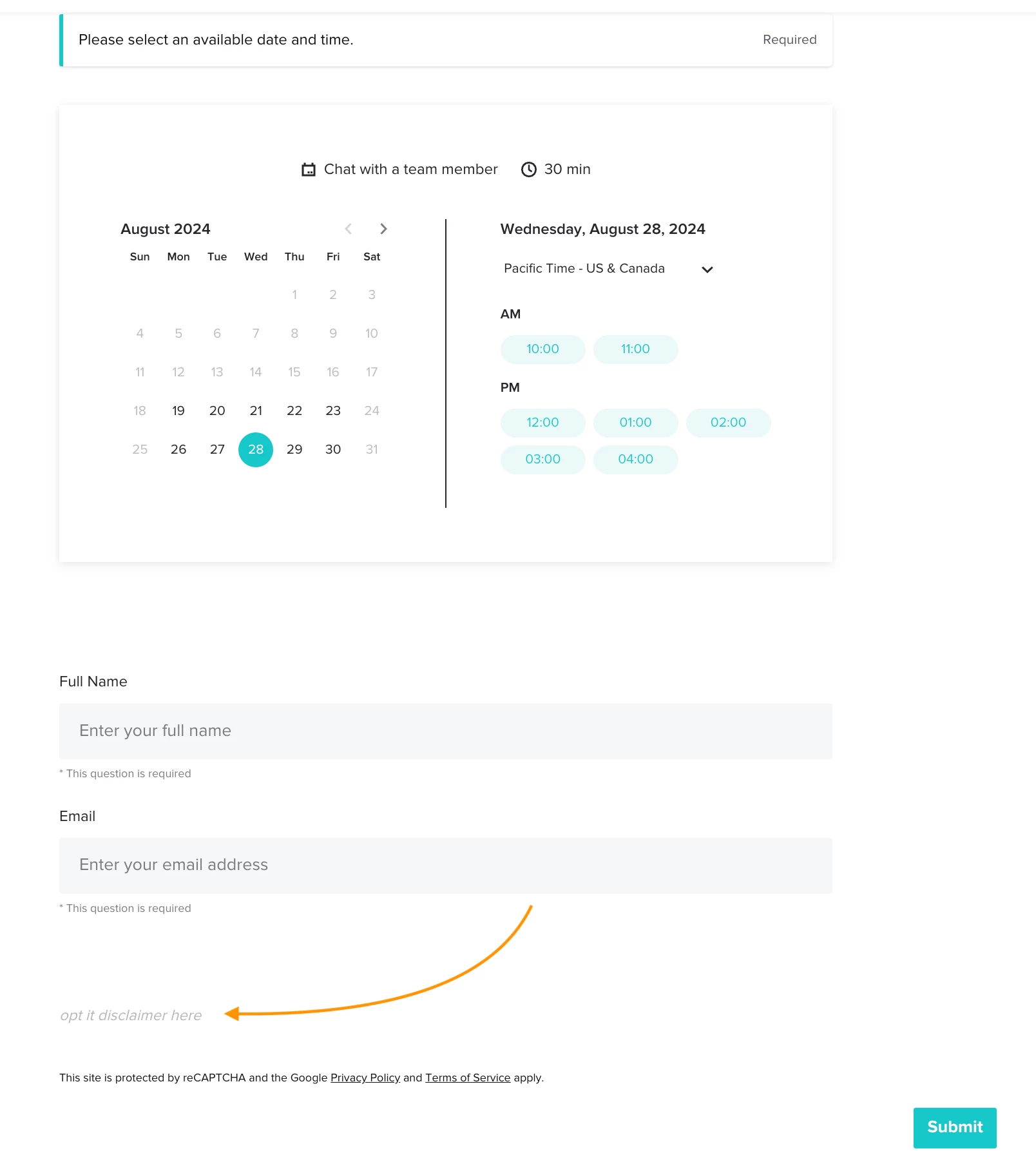
You can create a one-page Lead Form containing a session plus a content block with the opt-in disclaimer.
Using a Lead Form also opens up a world of design possibilities, like changing the background color and adding questions, images, and text.
Sending the link to the form is just as simple as sending a session link, and you can customize the link!
If you’re unfamiliar with Lead Forms, here's an article to get you started.

Here’s an example of a basic Lead Form containing the session selection and an opt-in message of your choice.
 

A basic example of a Lead Form with scheduler session and text blocks


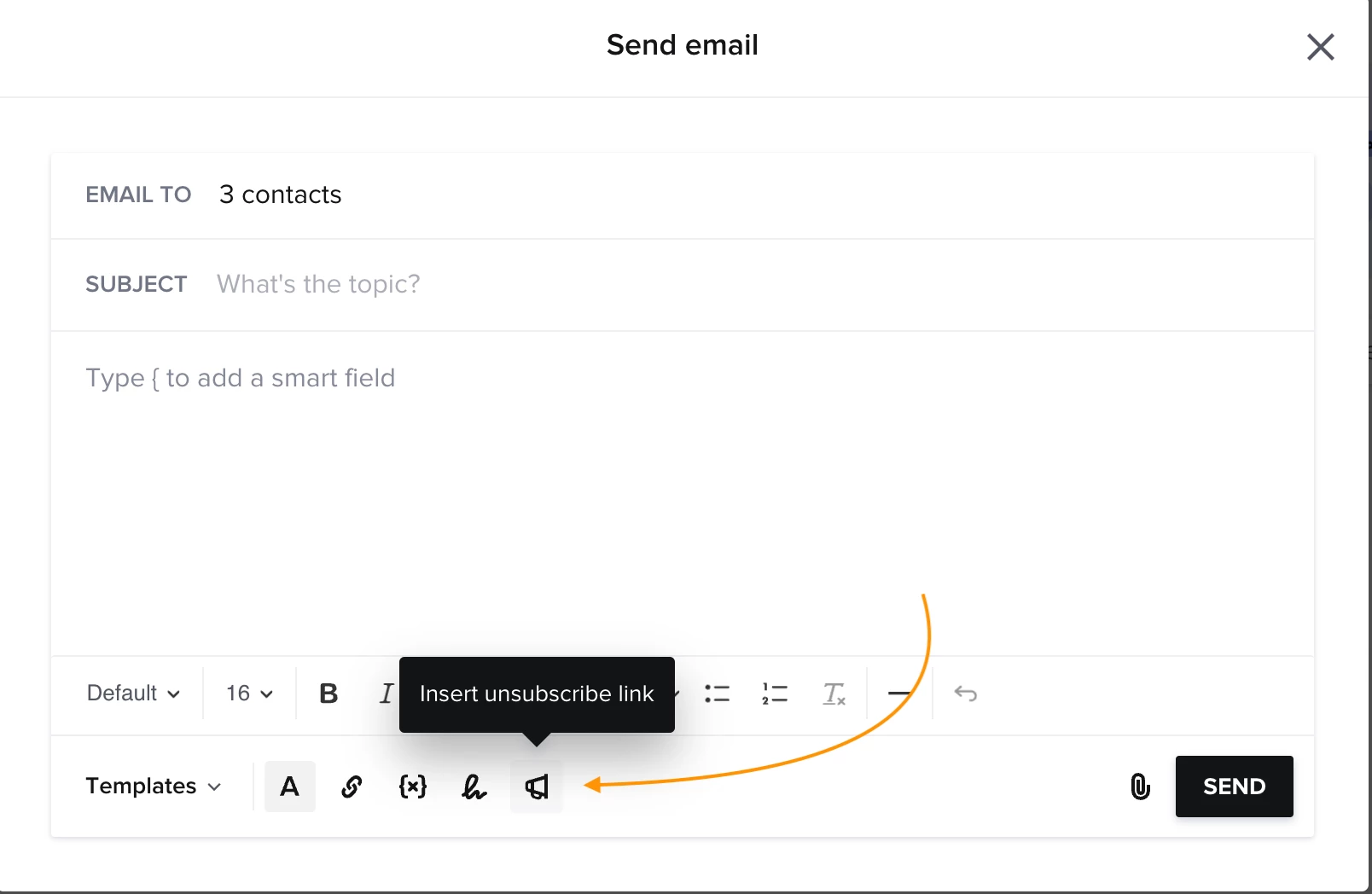
Don’t forget to add the “unsubscribe” link to your marketing emails later on 😇 (here’s an article about marketing emails as well)


Waiting to hear what you think!