Question

Help with email.

  • January 16, 2025
  • 3 replies
  • 15 views

Fidel Garcia

I want to be able to cc myself in an email to client sent from projects, is this possible?




3 replies

Alicia Bauer
Forum|alt.badge.img+4

@Fidel Garcia - Just popping in to see if you ever got this figured out or if you were still looking for some help with it. 


Vanessa Montano
Forum|alt.badge.img

I’d like to do this too! 


Krueger
Forum|alt.badge.img
  • May 25, 2025

I think i can help with this. There’s a few ways you can accomplish this based on what you have set up and I suppose tiers of honeybook as well.

So just to clarify you want a copy of the emails you send out to clients from projects?

Quick Note: If you haven’t set up your email integration go to tools > integrations > email to set outgoing and inbound emails. The below we’ll also work if you’re not the main owner and want to CC a separate email not on the account or if you dont pay for multiple team members. Link Here
 

Option 1: Add Yourself as a Contact to the Project(I understand not all packages come with additional team members so adding your email as a contact and connecting it to the project will allow you to bypass this)


This is the easiest way to "CC yourself" on outgoing client messages in HoneyBook.

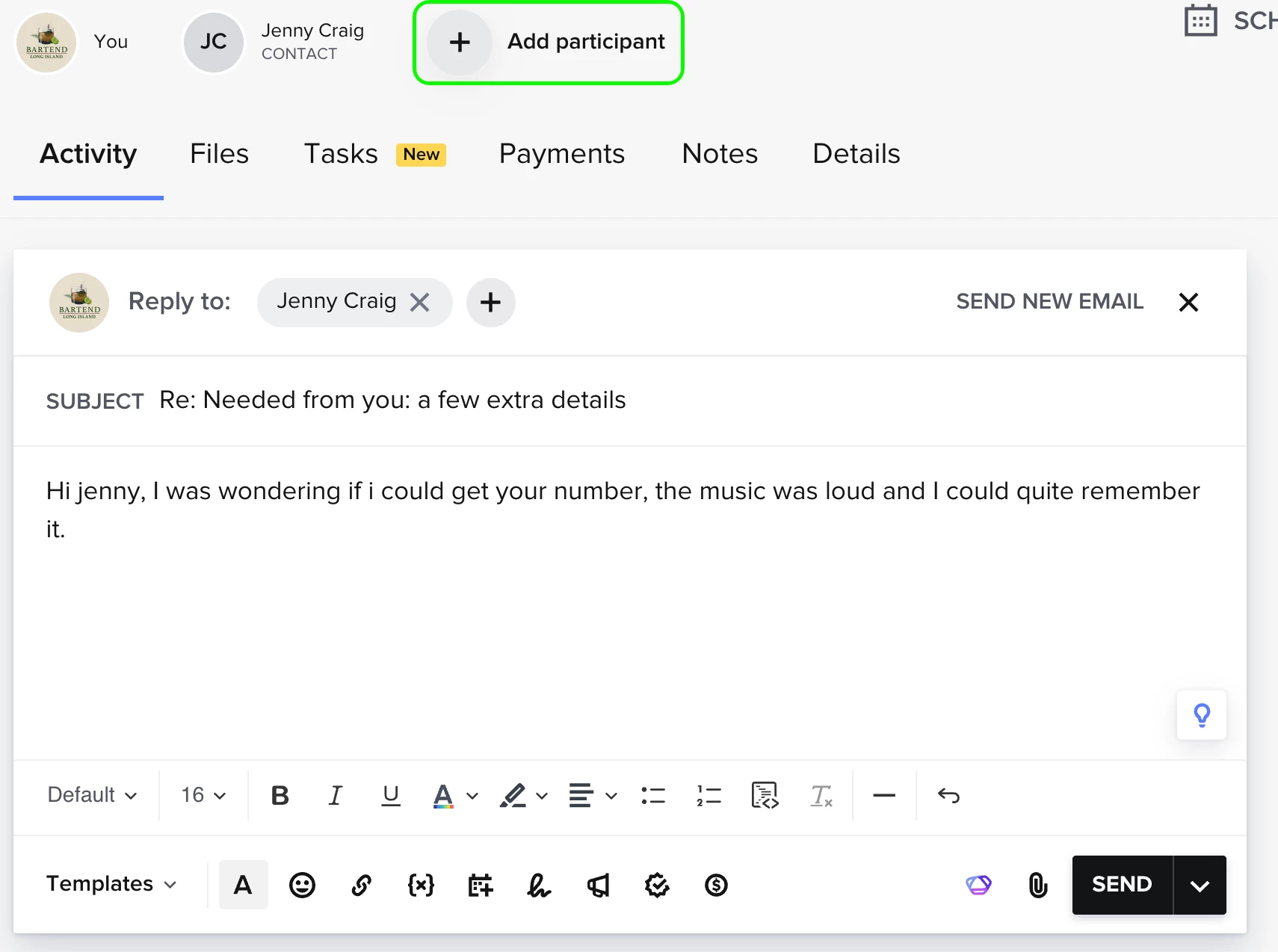
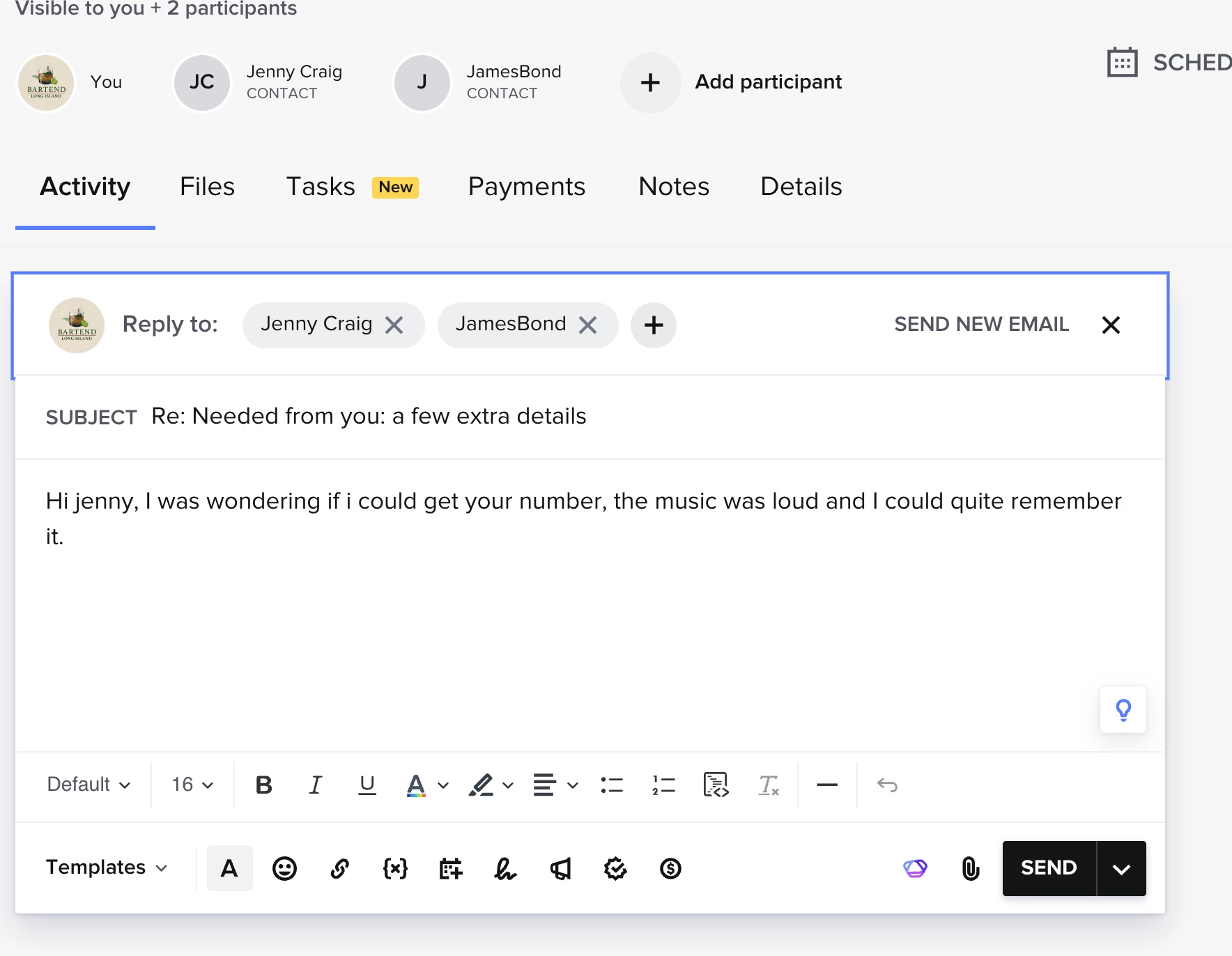
Step 1: Click “Add Participant” at the top of your project (Click ADD CONTACT)


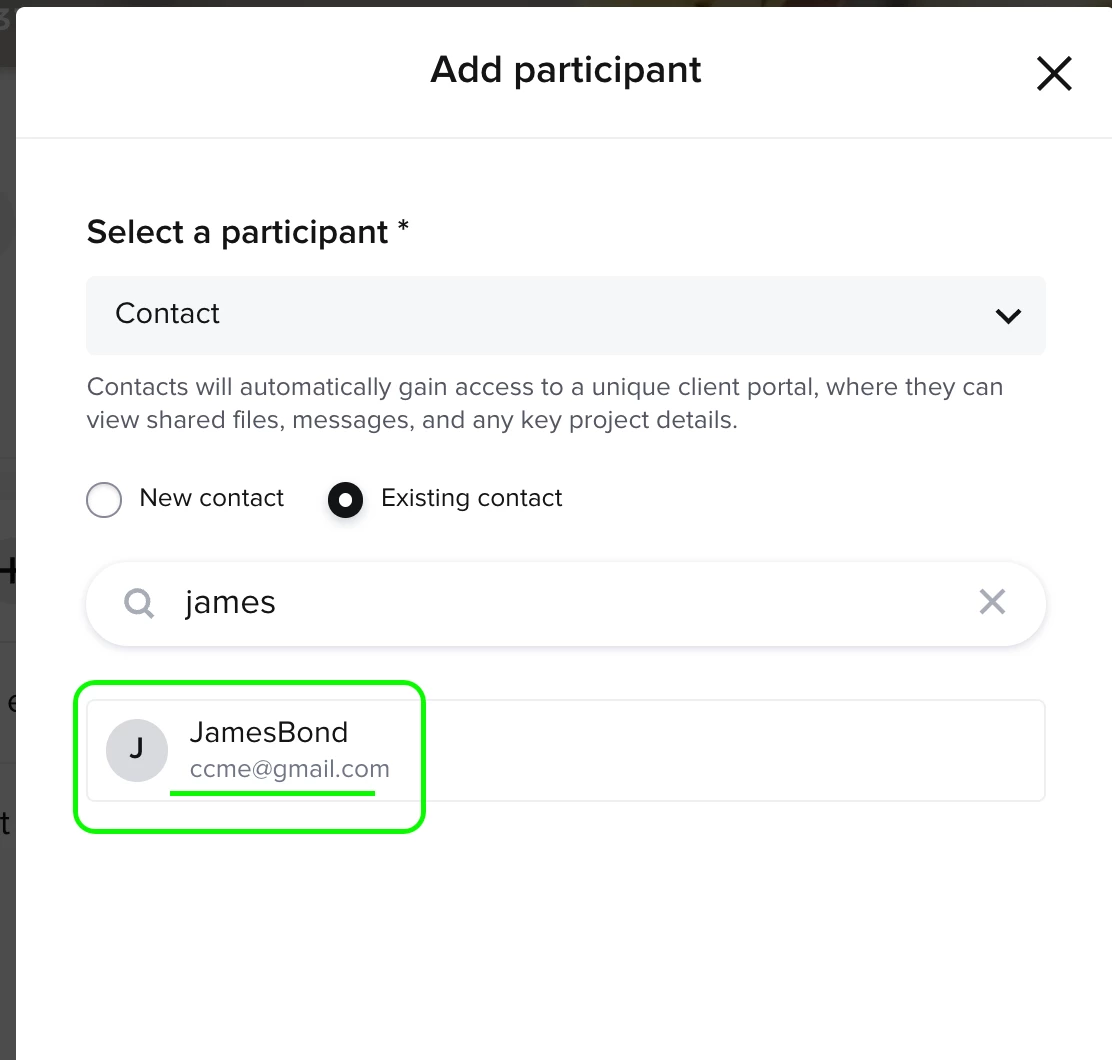
Step 2: If you already have yourself saved as a contact, just search and select


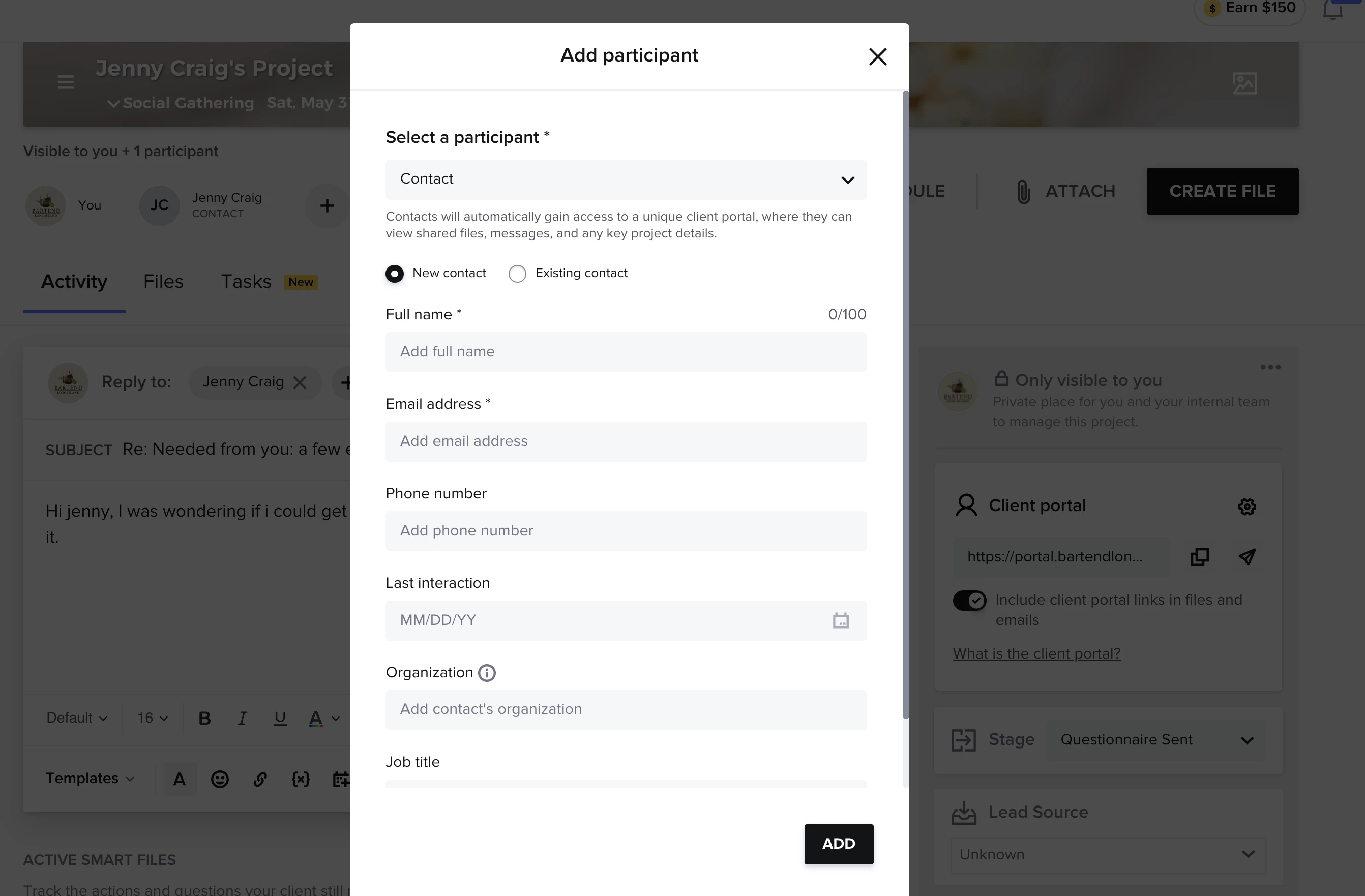
Step 3: If not, create a new contact with your own email

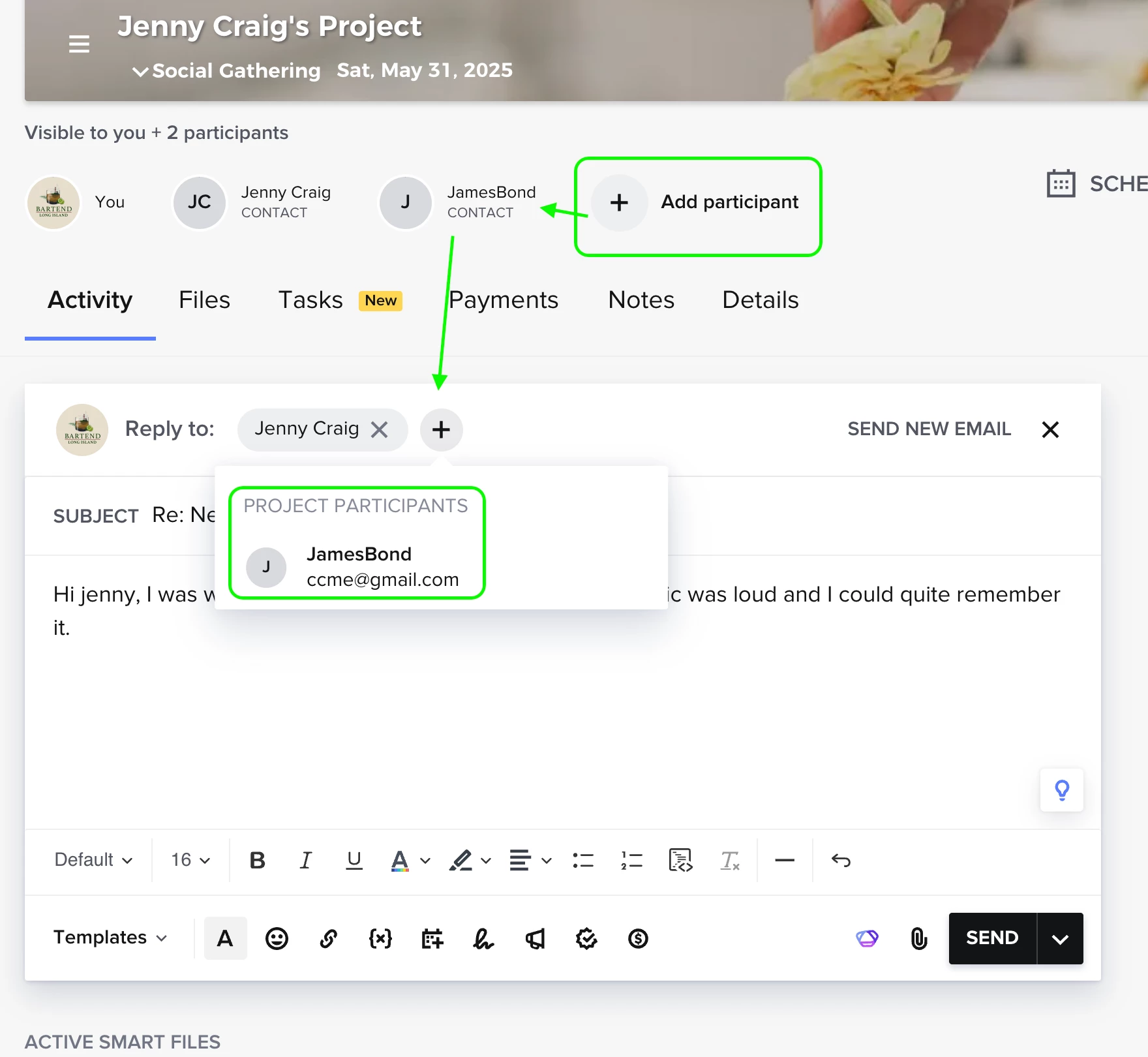
Step 4: You’ll now see yourself listed as a participant and can select yourself in emails
 

Step 5: You’ll appear as a project participant — just click the “+” in the reply field to include yourself


Result: You'll now get a copy of any email you send out of this project — kind of like CC’ing yourself.
Jenny Craig (“Client”) + James Bond (“you”)

Advanced Option: Use Automations or Zapier

If you want something more automated (like a trigger to log outgoing emails or forward them), you can explore third-party tools like Zapier. But honestly, for most of us the participant method does the trick.

--

Hope this clears it up! If anyone needs help walking through it step-by-step, feel free to reply or DM. Always down to trade tricks.

– Sean
Owner, Bartend Long Island