Question

How do I capture a response from a drop down question OR a single choice question

  • February 20, 2025
  • 1 reply
  • 7 views

Karen Woolley

Hi Community.

I’m struggling with capturing the response from either 

A: a drop down with lots of options or

B: a single response answer

and placing the answer in

a contract,

invoice

or on the client details for the project 


I have to be missing something . I am trying to automate as much as I can but this one is causing me grief. 

thoughts?

Karen.

1 reply

kitzzy
HoneyBook Employee
Forum|alt.badge.img+1
  • HoneyBook Employee
  • February 28, 2025

Hi ​@Karen Woolley,

Kitzzy here from the HoneyBook Education team. This is a great question. You can do this by linking a response from a question to a smart field. 

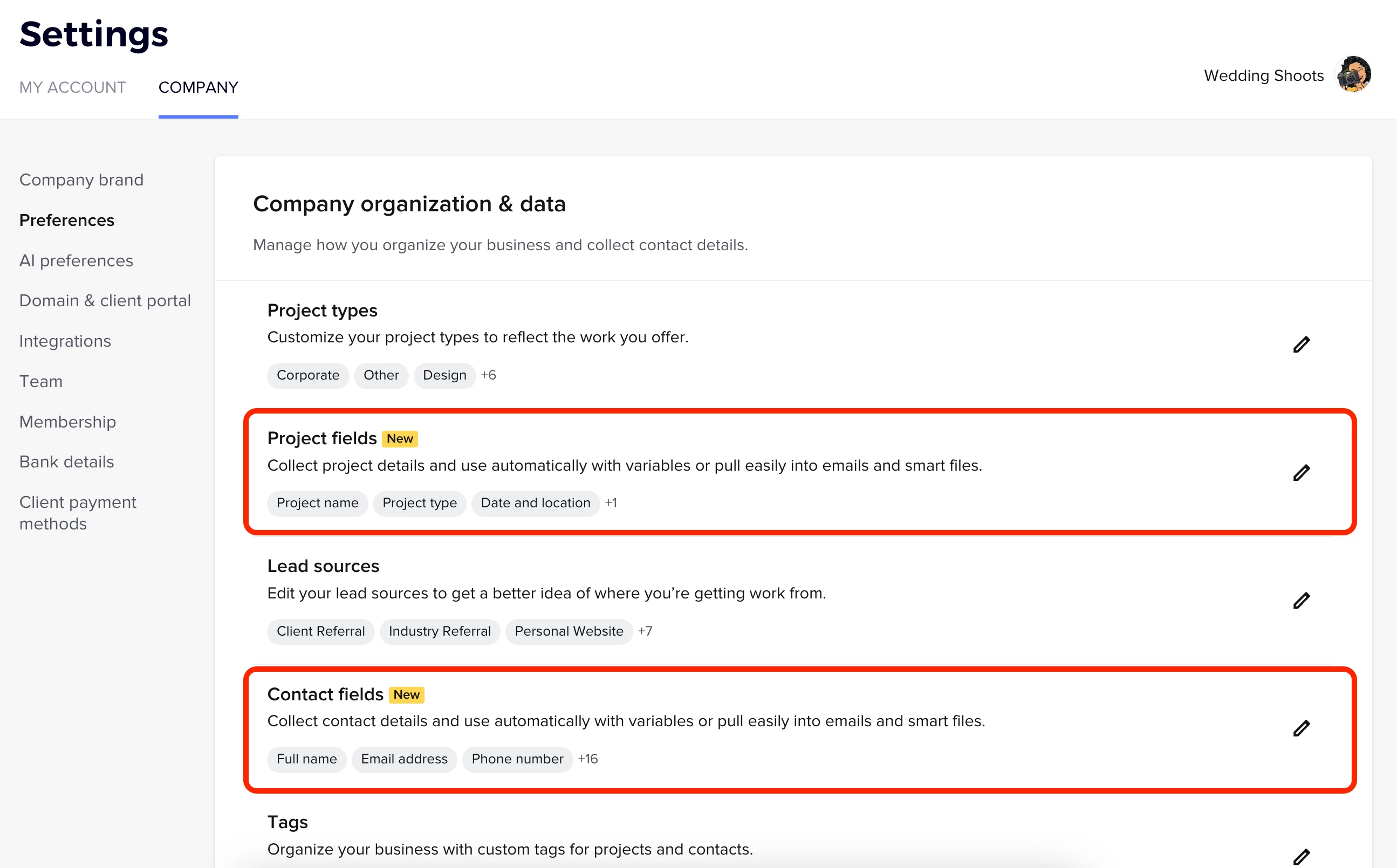
Step 1: Create project or contact field to save the responses. Go to Company Settings > Preferences and click the pencil icon next to Project fields or Contact fields and add any fields you need. 


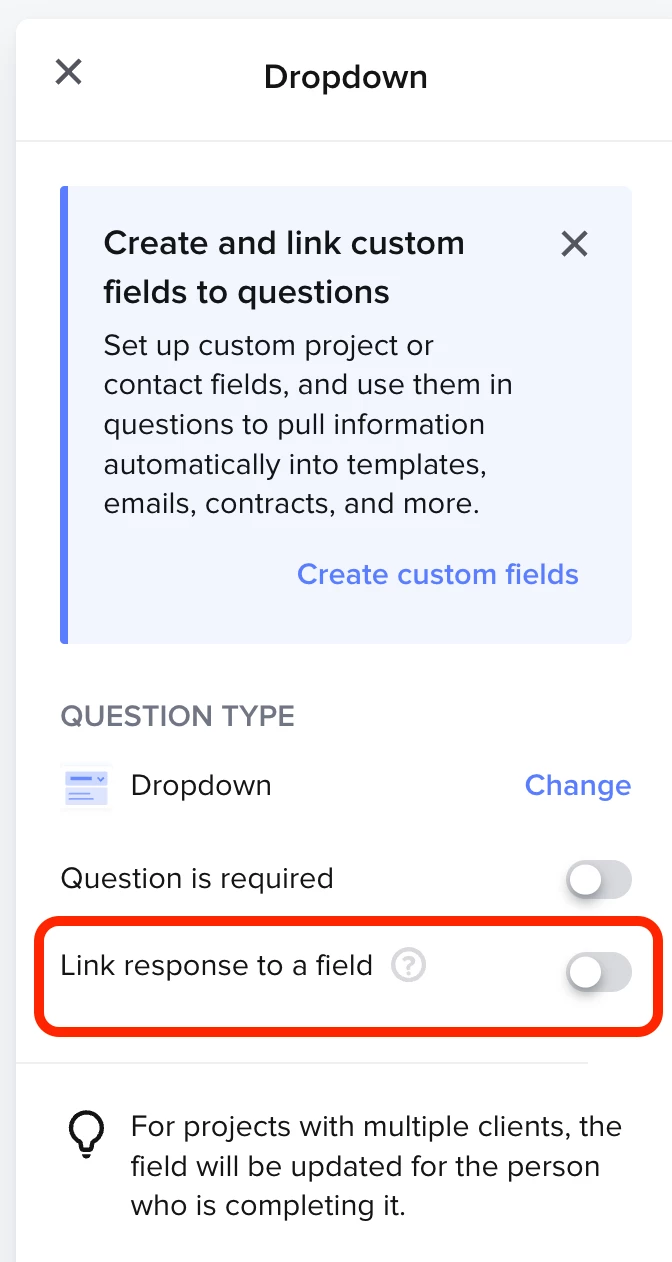
Step 2: Link response to a field in a lead form or questionnaire.

After you add a question to a lead form, questionnaire (or other smart file), you can then select the question and turn on Link response to a field on the side bar. When you turn this on, you be able to choose from your list of project and contact fields to save their response. Their response will automatically show up under project details or contact details.


Step 3: Pull info from smart field into contract, invoice or other smart file

Check out these articles for more details:

Let me know if that helped!

Kitzzy