

Question

How do we know an auto response went out from a Contact Form?

  • January 19, 2024
  • 8 replies
  • 32 views

Denise O'Malley
Luminary
Forum|alt.badge.img

Hello!  I have not seen another question about this, forgive me if there is one and I overlooked it.

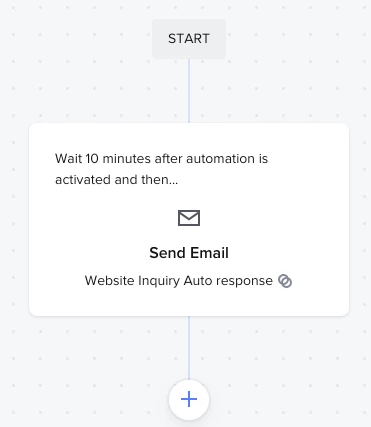
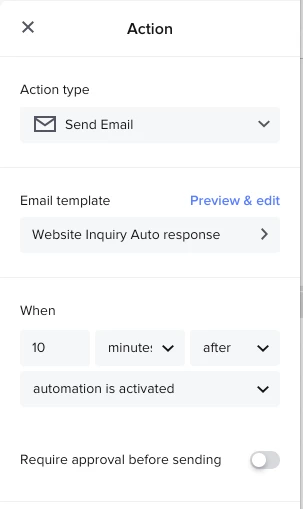
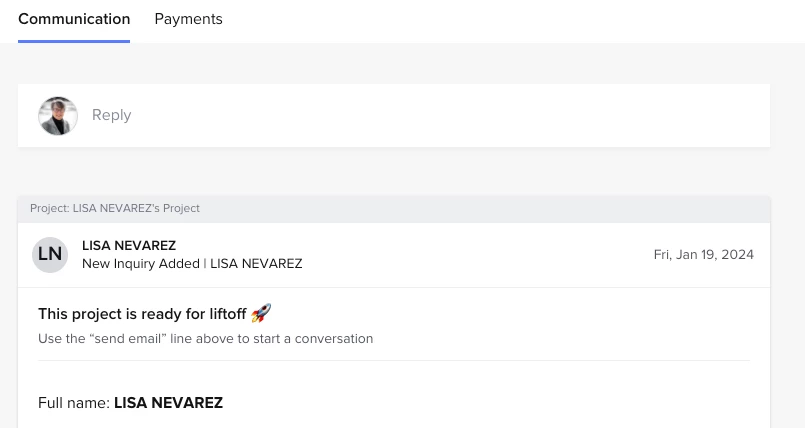
I set up an email to go out 10 minutes after an inquiry and I cannot see where this actually took place.  Where will I find it? 

Screenshots added to show what I do see.

 

8 replies

Diana The Finer Points
Luminary
Forum|alt.badge.img+9

Was this automation added AFTER they inquired?


Denise O'Malley
Luminary
Forum|alt.badge.img

No.  I added it in the past day or so.  This is the first inquiry that has come in.


Diana The Finer Points
Luminary
Forum|alt.badge.img+9

You should see if the email fired within the project itself. Make sure the automation attached (right side of the project under AUTOMATIONS)


Denise O'Malley
Luminary
Forum|alt.badge.img

You should see if the email fired within the project itself. Make sure the automation attached (right side of the project under AUTOMATIONS)

Okay… but the automation didn’t attach when the inquiry created a project.


Laura Murphy-Find Your Freedom
Forum|alt.badge.img+3

@Denise O'Malley  you need to connect the automation to your contact form.


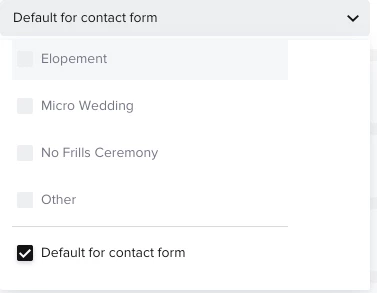
Go to Tools > Automations > in the right column it says “Automate Via Contact Form” -- select the automation you want to trigger from the dropdown menu and match it to the correct contact form answers or set it to “default for contact form” if you want it to go out to ALL inquiries.


Denise O'Malley
Luminary
Forum|alt.badge.img

@Denise O'Malley  you need to connect the automation to your contact form.


Go to Tools > Automations > in the right column it says “Automate Via Contact Form” -- select the automation you want to trigger from the dropdown menu and match it to the correct contact form answers or set it to “default for contact form” if you want it to go out to ALL inquiries.

I have it set that way.  It’s not automatically sending the email response.


Cassie H of Premier Ops Spot
Community Legend
Forum|alt.badge.img+7

@Denise O'Malley did you get this sorted out? It looks like you did everything right. Perhaps a chat with support if you haven't solved it yet? 


Denise O'Malley
Luminary
Forum|alt.badge.img

@Denise O'Malley did you get this sorted out? It looks like you did everything right. Perhaps a chat with support if you haven't solved it yet? 

I have!  Thanks Cassie!