I’m going in circles trying to find out how to do this.
I have a multi-step proposal with services, contract, invoice, questionnaire, and an end page. Once that is completed, how do I automate an email thanking the client for completing the proposal and with a scheduler link for them to book their kick-off meeting.
I am not seeing a place to select an email to be sent upon proposal conclusion. And in the email templates, I do not see where I can insert a scheduler link or button.
Help…. thoughts? Thanks in advance.
Best answer by Waring Makeup
Hi SDesmond,
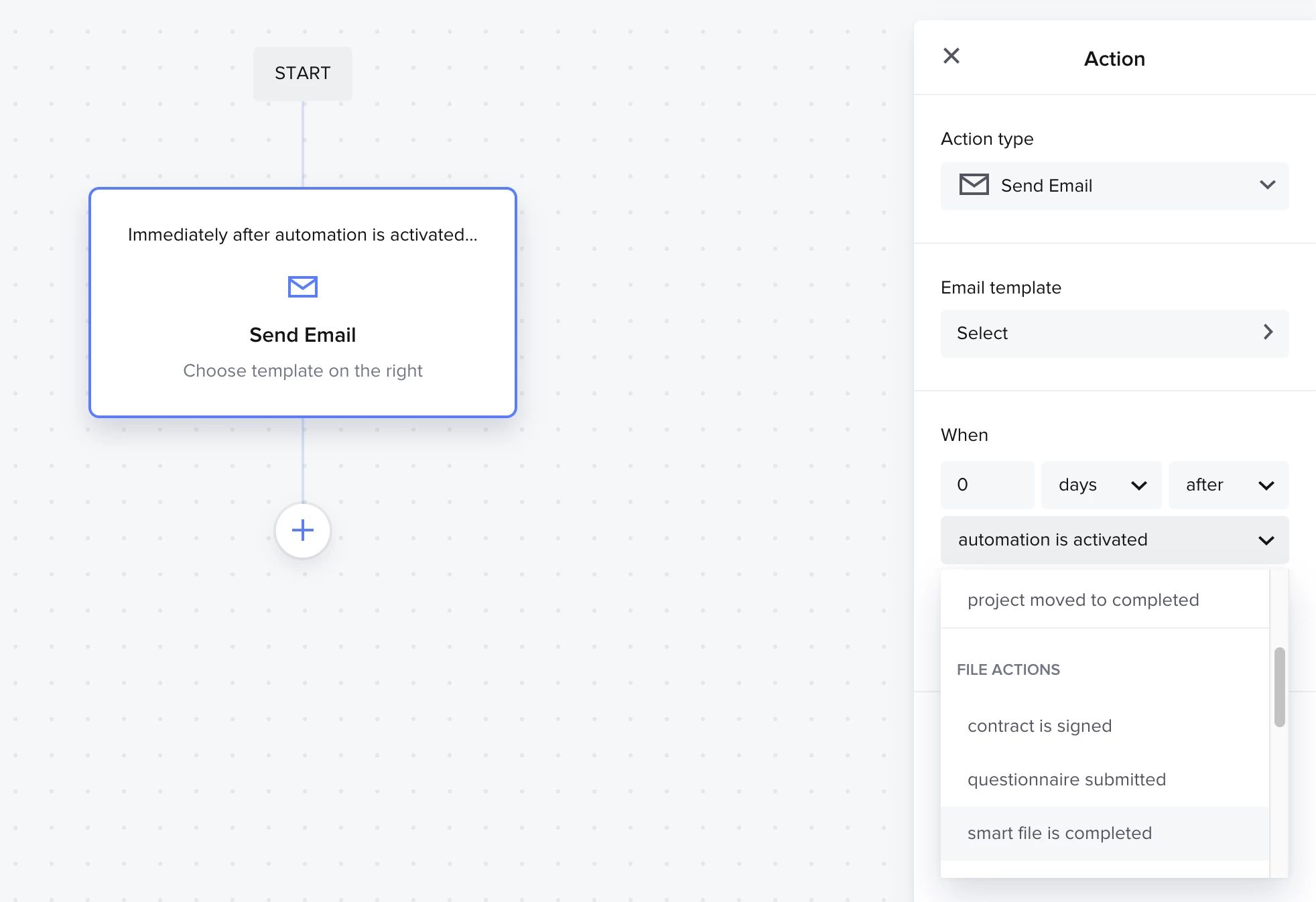
It sounds like you’re looking for the “after smart file is completed” trigger for send email.
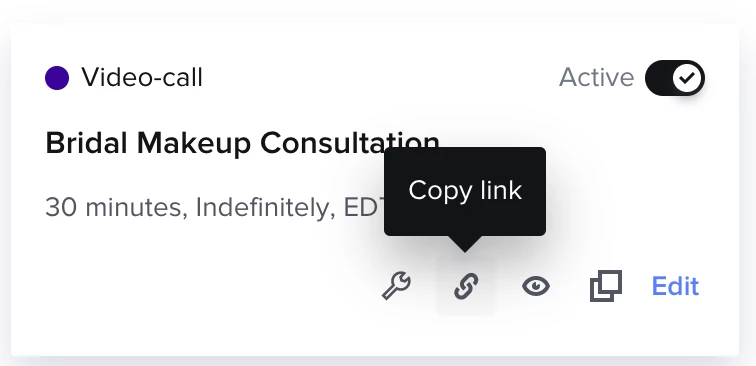
Once the entire proposal is finished aka smart file, it should send them the thank you email you draft up. As for getting your scheduler link, you just need to embed it like you would for any other link. Start by heading over to the session type you’ve created and grab the link for it.
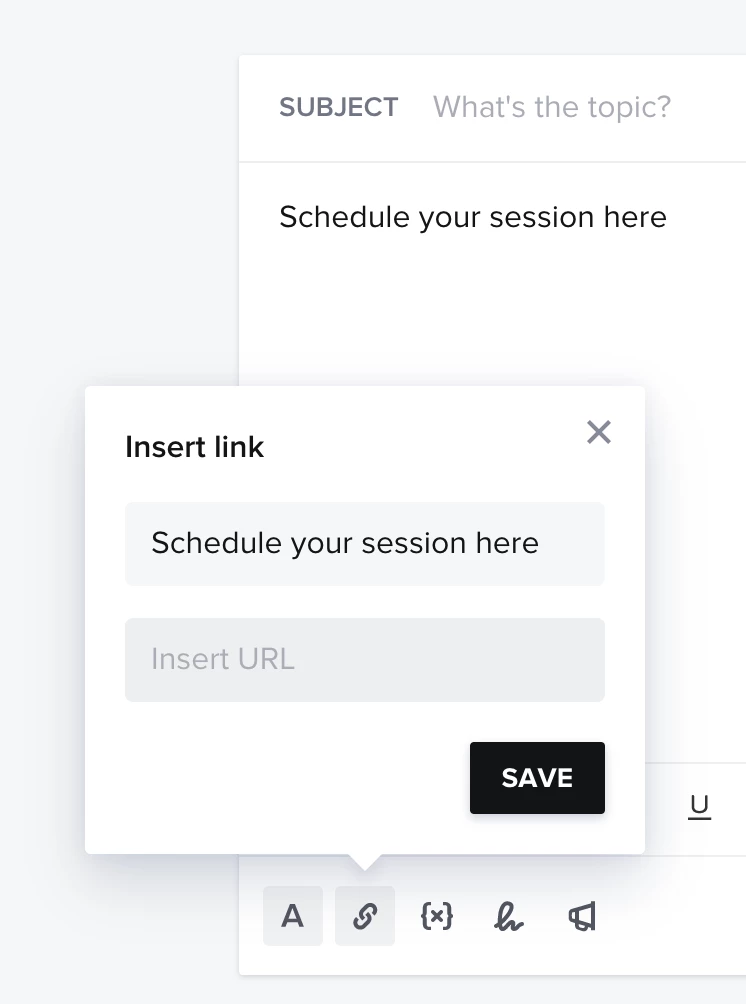
Once you’ve copied that link just pop it into your email template like any other link.
It sounds like you’re looking for the “after smart file is completed” trigger for send email.
Once the entire proposal is finished aka smart file, it should send them the thank you email you draft up. As for getting your scheduler link, you just need to embed it like you would for any other link. Start by heading over to the session type you’ve created and grab the link for it.
Once you’ve copied that link just pop it into your email template like any other link.