Is there a way to pull Service Selections from a Brochure into a more robust Smart File or Smart File template, instead of just an Invoice/ Payment page?
Here’s the use case:
- A wedding florist has a brochure with Questionnaire.
- After the lead fills out a contact form, brochure is sent to them.
- Lead makes selections on the brochure.
- Now, there’s an option to “Create Standalone draft invoice”.
- However, we have an entire “Custom Proposal” smart file that pulls in some Smart Fields, has details about working with the florist, etc.
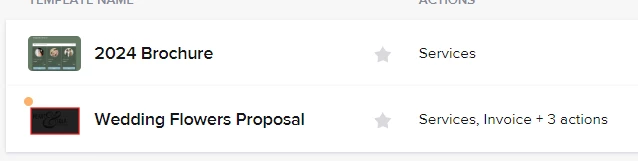
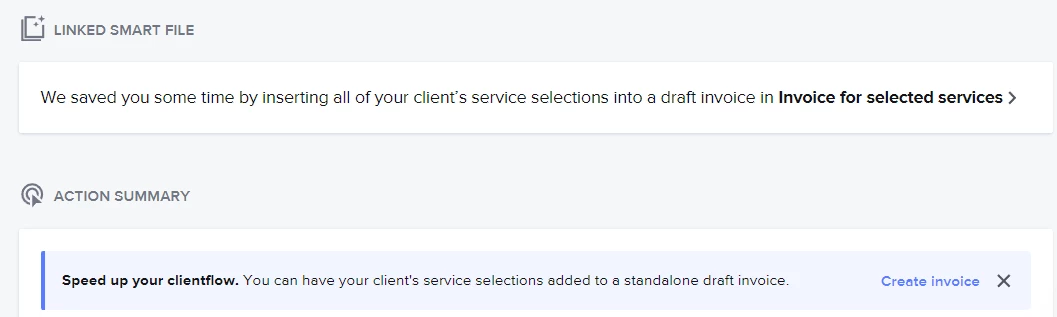
It would be IDEAL if the invoice could be added as a page to the Smart File, and the Services would automatically be added to the Custom Proposal page. (Basically, the reverse of what the process currently is. If you send an interactive proposal page, the client’s selections auto-populate the invoice page, but in this case we’d be taking the selections from Brochure which populate an invoice, and populating the Proposal page with the selected services too.) I’ve tried a few workarounds unsuccessfully.
Workaround #1:
- Creating an invoice from the selected services and adding it as a page to the existing Smart File template.
- The problem with this is, like I said, the Custom proposal page doesn’t update with the client selections. Adding them would have to be done manually, which sort of defeats the purpose.
Workaround #2:
- Opening the Invoice that was created from Selected Services, and adding pages from the Smart File template to “recreate” the entire File the way we want.
- Problem 1: Service / Proposal page doesn’t reflect selected services
- Problem 2: All the Invoice page settings from the Smart File template don’t carry over… so we’d have to do that manually every time. (ie taxes and late fee, for example).
Workaround #3:
- Doing #2, and moving the Custom Proposal page headers to the top of the invoice page.
- This is a little better, because the Smart Fields at least carry over, but again there is technically not a Custom Proposal page, and updates would have to be made directly on the invoice instead of on a Services page.
Any way you slice it, there’s still a lot of additional work that has to be done manually.
Is there any other workaround I’m missing?