Question

Is there a way to attach a scheduler to lead form on base plan?

  • March 7, 2024
  • 3 replies
  • 22 views

Virtually.Sarah

Hi!


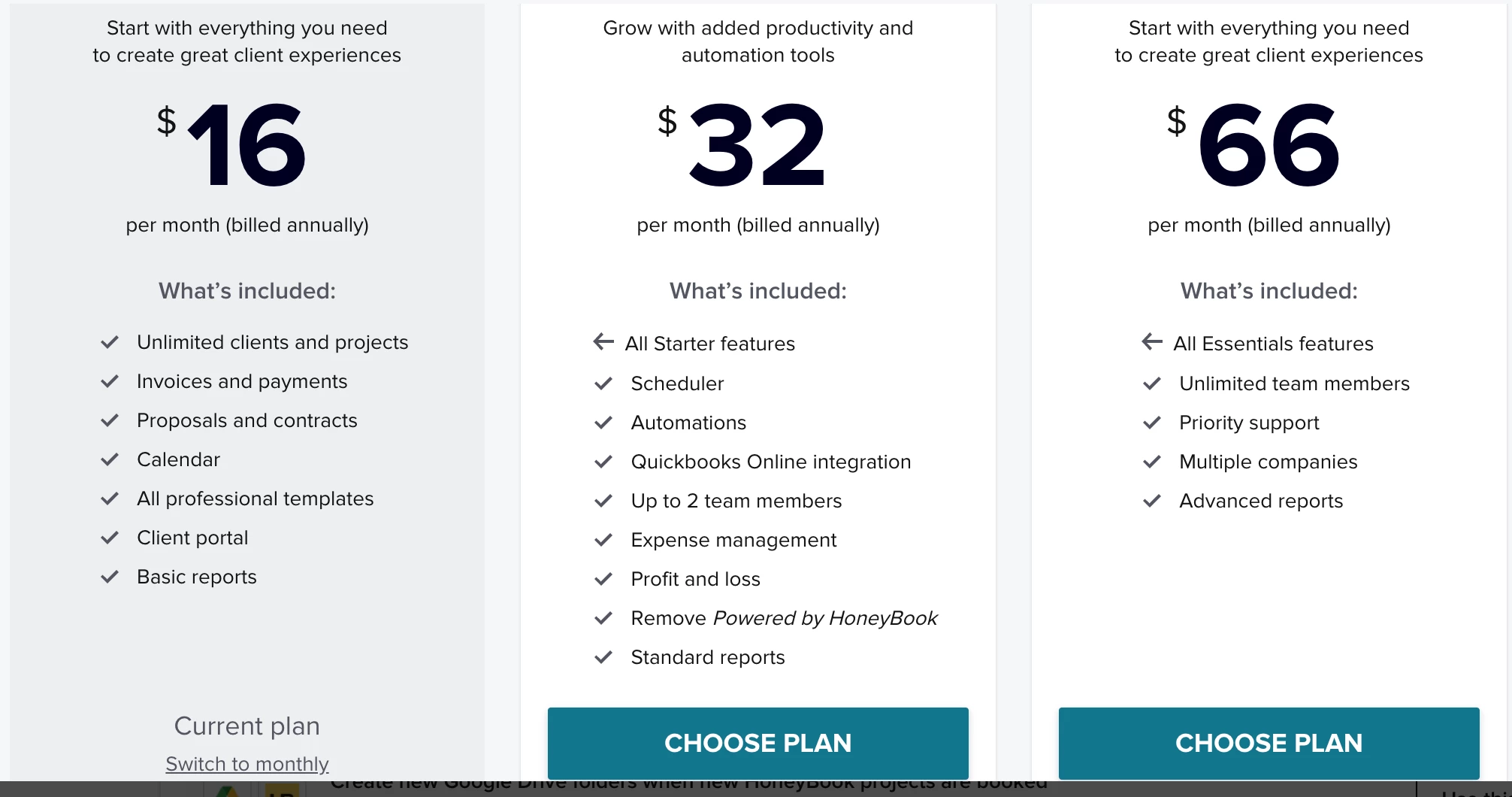
So I created a really nice lead form last night only to realize that since I have the base plan for Honeybook, it doesn't have a scheduler. So I’m not able to attach it or calendly to the lead form. Right now, in my business, I really don’t need the plan up since it’s double the price. Are there any workarounds I can do if that makes sense? I really want to use this lead form now that I’ve made it but I was also hoping potential clients could fill that out and go ahead and schedule instead of me reaching out to schedule with them.


Thanks!!

3 replies

Regina Martinez
Creative Icon
Forum|alt.badge.img+7

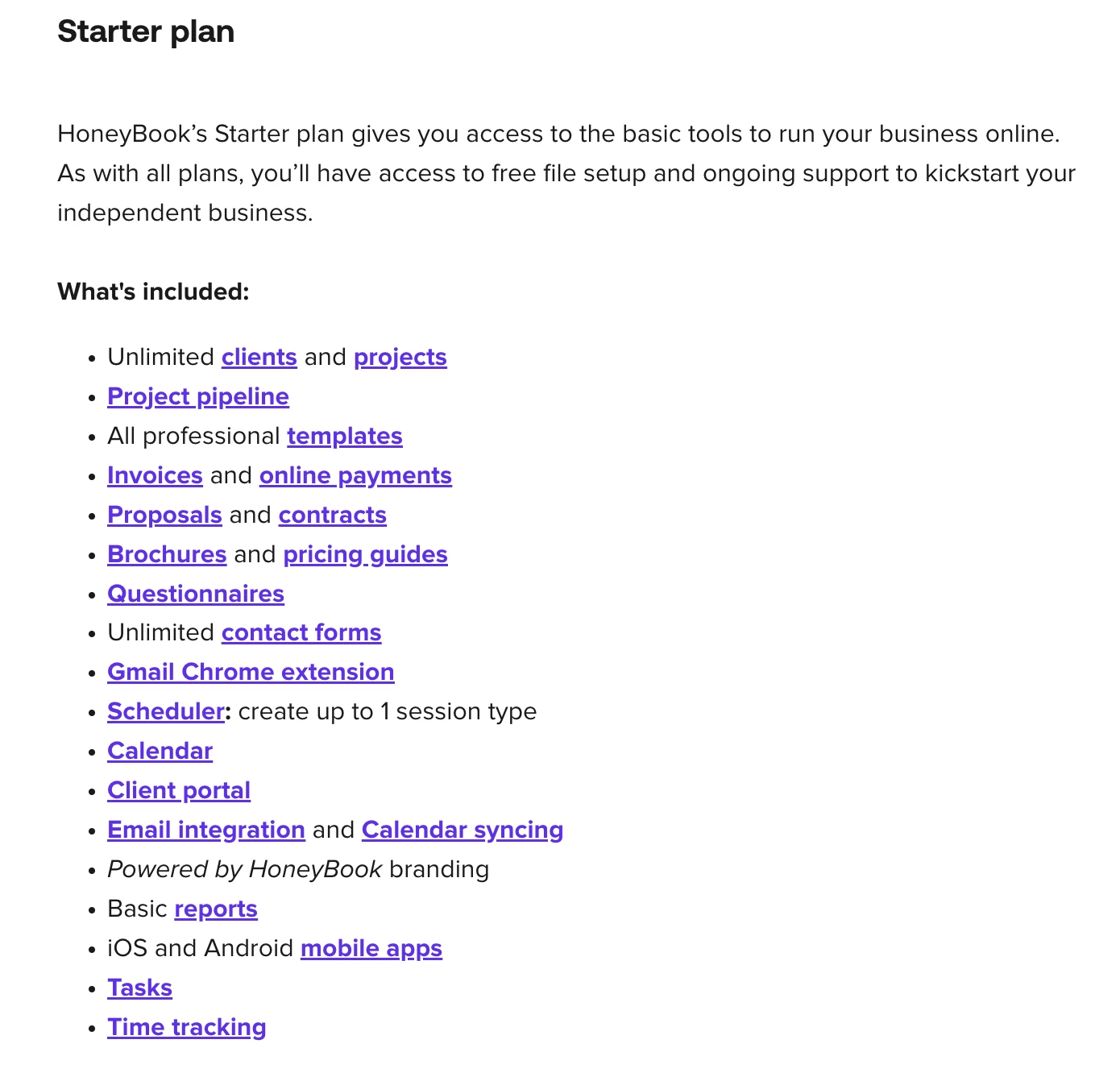
Oh no! I’ve been telling people they do have access to the scheduler in the starter plan. So the 1 session you can create in the starter plan can’t be added to a leadform?


Regina Martinez
Creative Icon
Forum|alt.badge.img+7

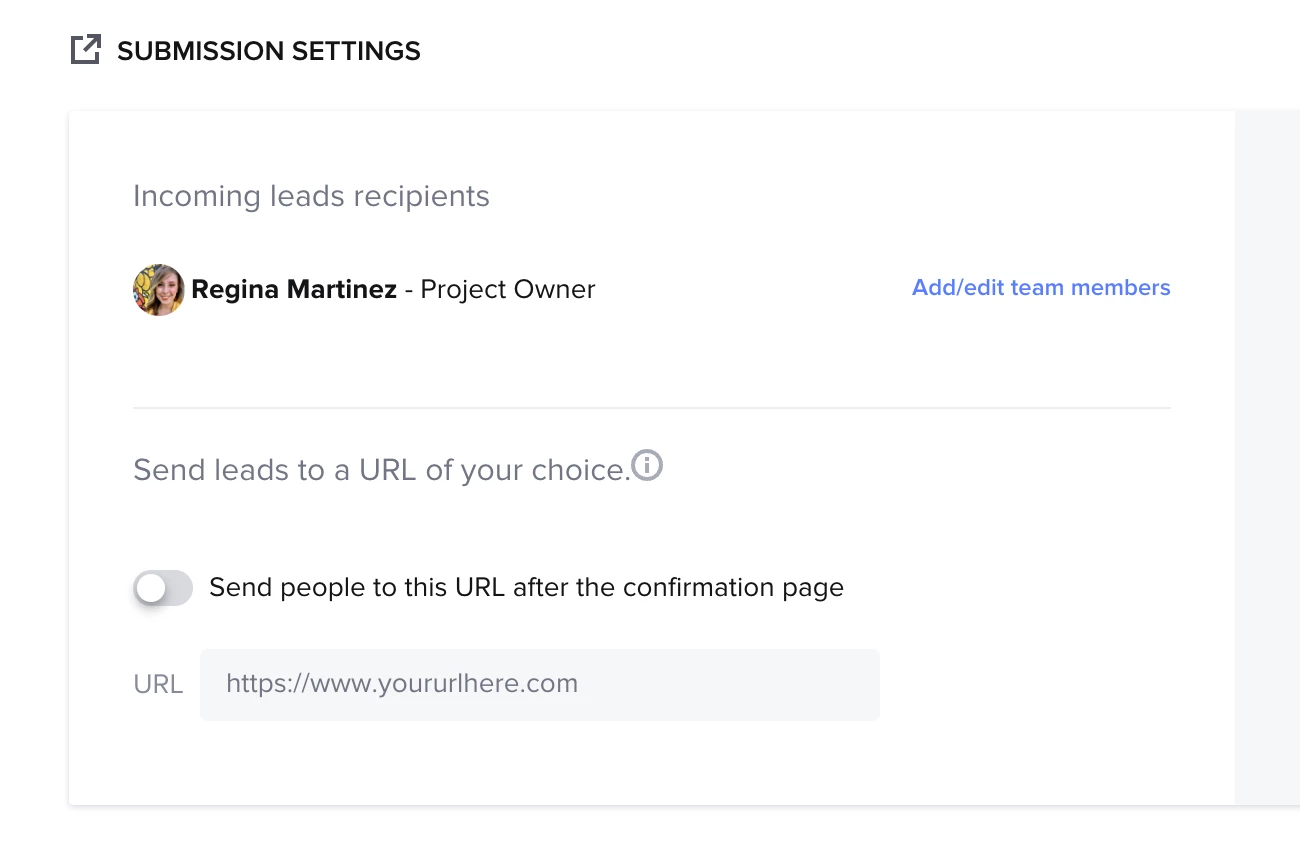
Here’s a workaround...after they submit the Leadform, redirect them to your Calendly link (in the Leadform settings).
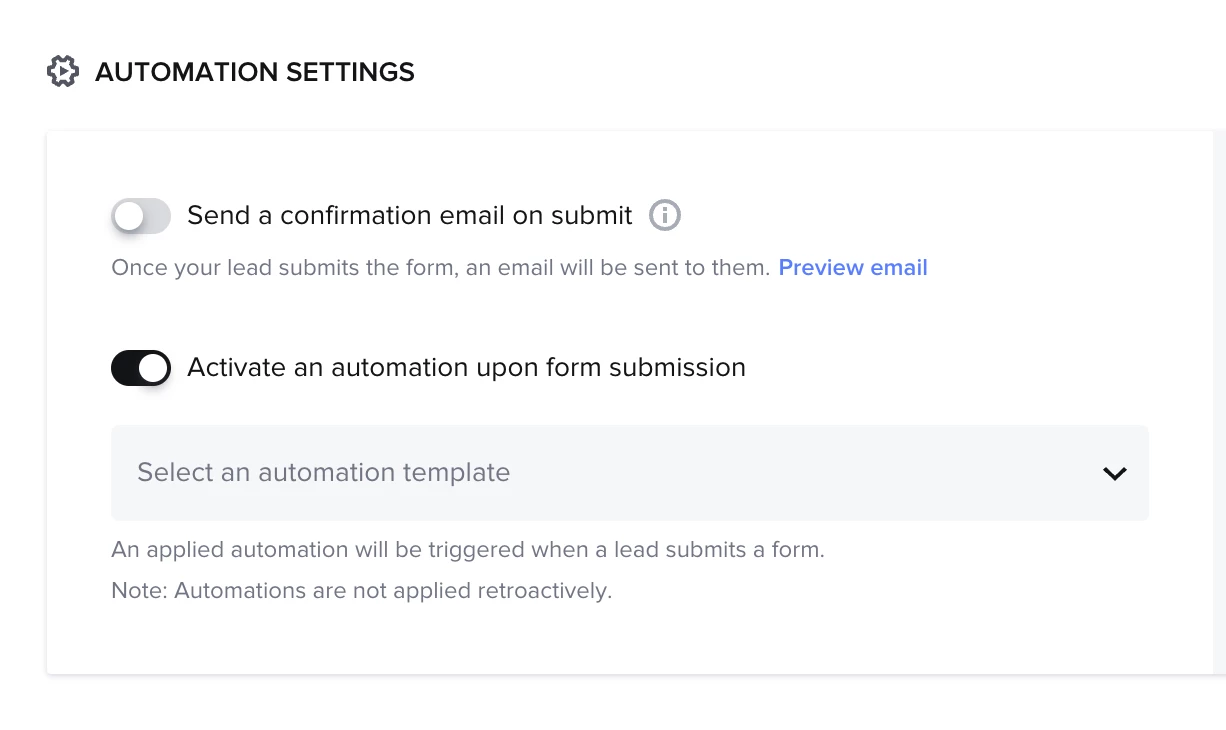
OR, assign an automation that sends an email with your Calendly link once they submit the Leadform.

Lastly, you could embed a link in your Leadform to Calendly. I think this is a risky option, however, because they may not come back to the Leadform to complete it. 


Virtually.Sarah

@Regina Martinez Thank you SO much! Yeah what it shows me is this on my starter plan and basically has the scheduler greyed out. and I didn’t realize til then it didn’t come with the plan. So unless i’m not seeing it, I don’t have a way for one session.


But your workarounds are great!! Thank you! I’m gonna go to try those to see which works best! :)