Question

Is there a way to share a scheduler smart file? for clients to book from?

  • February 4, 2025
  • 6 replies
  • 26 views

Kimberly A. King

Normally I create the Scheduler Mini and then share the link.  I’ve recently tried smart files and am struggling to link the scheduler option to a smart file.  


I’ve added the scheduler session to my smart file, however where is the link for me to share to my website.  I want it to flow together, they choose the date on the scheduler like normal then it flows right to contract and invoice (proposal).


what am i missing?

6 replies

Kelly Trout
Forum|alt.badge.img
  • Newcomer
  • March 5, 2025

Hi.

I’m not 100% sure this is what you want, but I just added the scheduler to an invoice and it works like this:

Page 1: Invoice (all the details of the order, etc.)

Page 2: Scheduler

Page 3: Payment

In this way, they can’t pay without scheduling.  I’m not sure where you want to share your website - maybe that happens on the first page where I have an invoice?

Hope you find a solution that works for you!
~Kelly


Kimberly A. King

Hey!  Thank you for responding!  I chatted with IT and here’s the answer they gave me:


The smart files are only meant to be used in the project. However, the lead forms are best to use when you are trying to collect leads/new clients. If you copy the scheduler in the smart file(along with the invoice) you can have clients pay and schedule, then you can send a smart file with the contract after.


I want to share the scheduler on my webpage and then when client books one, the smart file attaches contract, invoice and pay.  Unfortunately that isn’t available.  


Ashley Rufino
Creative Icon
Forum|alt.badge.img+6
  • Creative Icon
  • March 5, 2025

Hey!  Thank you for responding!  I chatted with IT and here’s the answer they gave me:


The smart files are only meant to be used in the project. However, the lead forms are best to use when you are trying to collect leads/new clients. If you copy the scheduler in the smart file(along with the invoice) you can have clients pay and schedule, then you can send a smart file with the contract after.


I want to share the scheduler on my webpage and then when client books one, the smart file attaches contract, invoice and pay.  Unfortunately that isn’t available.  

yes this is an issue I've not been thrilled about as far as the “work around”. its the ONE THING that is keeping us from the full capacity of a public proposal that is available in one of their competitors. 

right now its like 90% of the functionality. 😕


Kimberly A. King

It would be so amazing if it worked! Automation at it’s finest


Jenn Blossoms

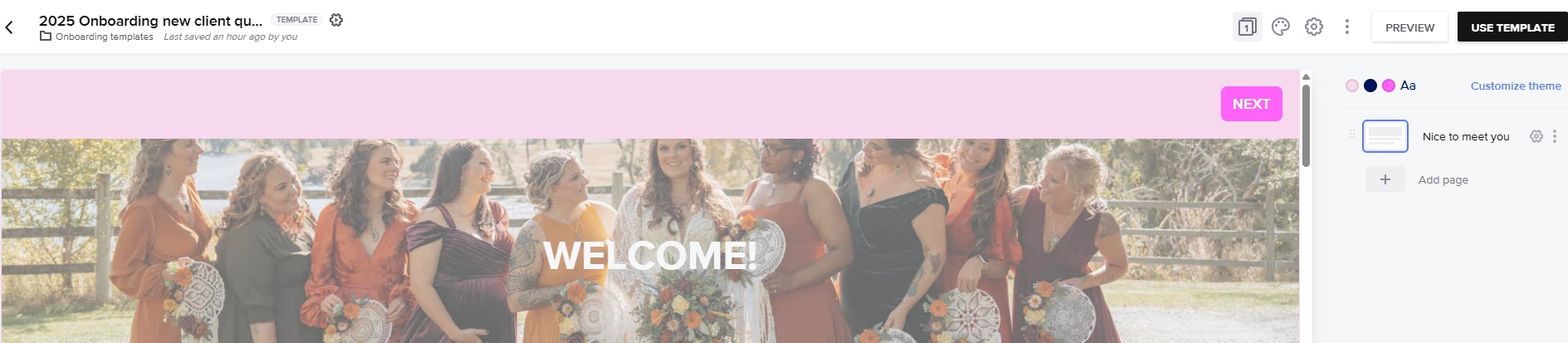
I’m having the same issue.  I can no longer get a direct link to use in my website.  When I click on “use template”, I only get the option to create a new project or add to an existing one. There’s no longer a “share” icon.


Ashley Rufino
Creative Icon
Forum|alt.badge.img+6
  • Creative Icon
  • March 7, 2025

I’m having the same issue.  I can no longer get a direct link to use in my website.  When I click on “use template”, I only get the option to create a new project or add to an existing one. There’s no longer a “share” icon.


Looks like you are using a smartfile which is for only inside projects and not a public facing like for a website. Depending on what you are using this for, a lead form would be great and also embeddable on your website.