Solved

ISSUE! links to smart files not showing in emails (ONLY when opened on a phone)

  • September 30, 2024
  • 3 replies
  • 25 views

Kate Rubin

Wondering if anyone else is having this same problem - or if there is a solution I haven't seemed to figure out yet. 

When sending out proposal smart file to our clients, if they happen to open the email on their phone, the link (the button that will take them to the document within their portal directly from their email) isn’t available. The actual button doesn’t even show within the email if it’s being viewed on a phone. When the client opens the email on a computer or tablet, however, the button is clearly visible and working. 

We have been having issues with clients not even accessing their smart file for weeks at a time simply because they can’t easily get to it without a computer. Any help would be appreciated! 
 

Best answer by Monica R

Hey Kate! 

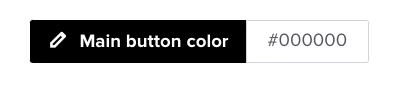
Is your client’s phone in dark mode? If the button is black and a phone is in dark mode, it won’t show. 


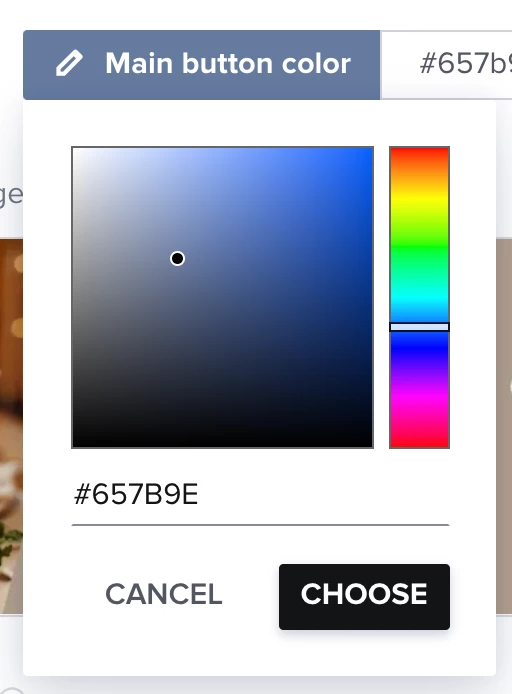
You can edit the button color from your Company Brand settings

Hope this helps! 


This topic has been closed for replies.

3 replies

Monica R
HoneyBook Community Team
Forum|alt.badge.img+7
  • HoneyBook Community Team
  • Answer
  • October 1, 2024

Hey Kate! 

Is your client’s phone in dark mode? If the button is black and a phone is in dark mode, it won’t show. 


You can edit the button color from your Company Brand settings

Hope this helps! 


Kate Rubin
  • Author
  • October 1, 2024

I’m not sure, we’ve heard it from multiple clients that they can’t locate/navigate to the document. If that is the issue, it possible to change the button color so that we don’t have this issue at all, even if their device is in dark mode? 

This seems like a huge design flaw when such a large percentage of the population has their device in dark mode. 


Monica R
HoneyBook Community Team
Forum|alt.badge.img+7
  • HoneyBook Community Team
  • October 1, 2024

Yep! You have total control over what color you want the button to be! You can edit the button color from your Company Brand settings.