



I wanted to just share something that I had been trying to understand and fix, and I finally did.
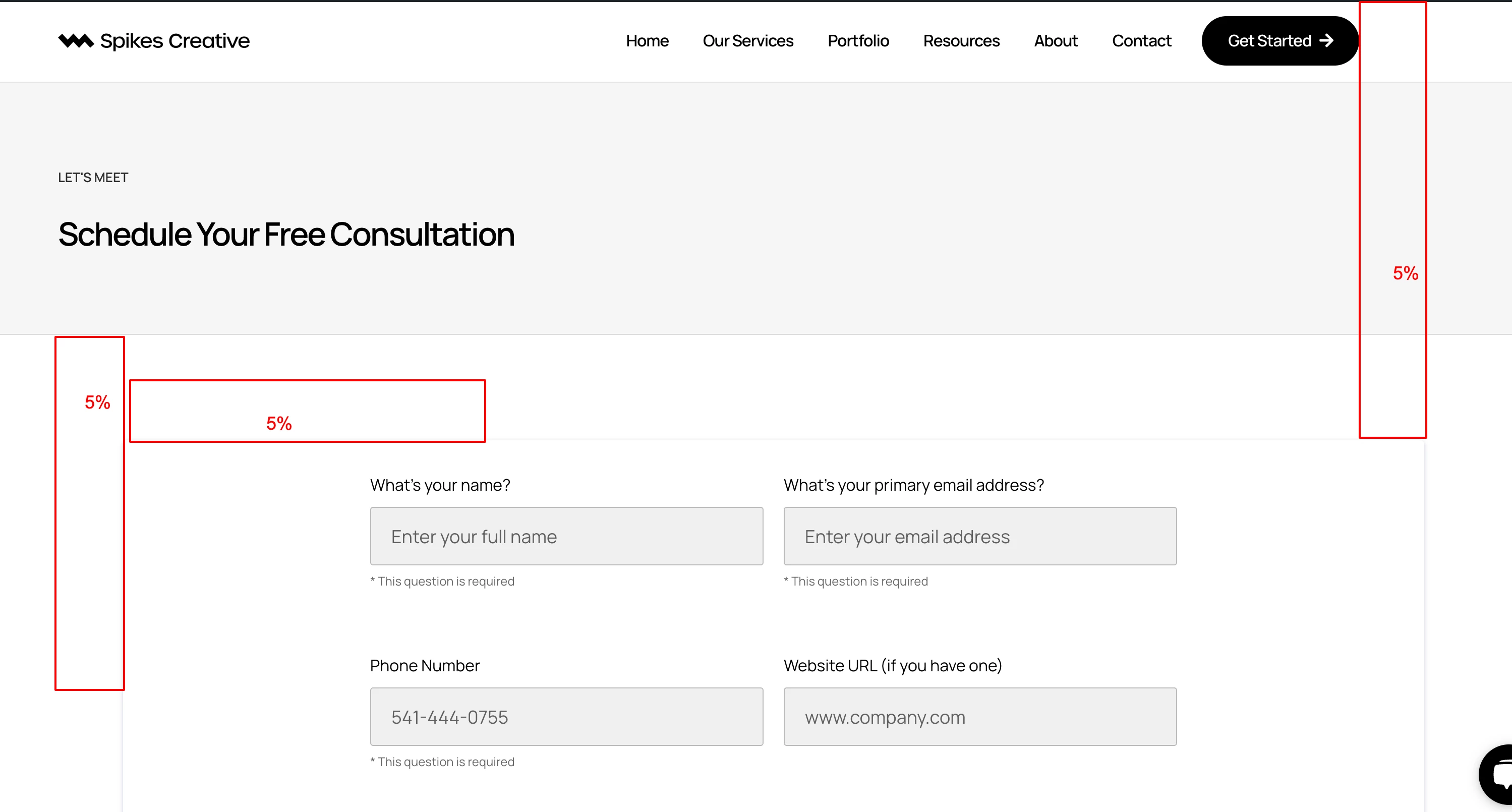
I use Elementor, and I was excited for the easy embedding of my Lead Forms, but it did not go as planned. I had ran into an issue with spacing, and the box shadow that came standard on the form. This spacing was adding 5% padding to my iframe, which made it wonky to say the least. Below is a screenshot of before the code. (I am trying to be as thorough as possible so this may help others. If it’s already been shared, I apologize for that.)
I added the following code to above my Lead Form embed code:
<style>
  .hb-p-xxxxxxxxxxxxxxxxxxxxxxxx-xx iframe {
    margin: 0 !important; /* Override the margin applied by the HB script */
    box-shadow: none !important; /* Override the box shadow applied by the HB script */
  }
</style>
Replace “hb-p-xxxxxxxxxxxxxxxxxxxxxxxx-xx” with the div class that is included right at the beginning of your original Lead Form embed code. You’re not editing the original code at all. Only placing the style code above the Lead Form embed code.
This is what the embedded form looks like now:
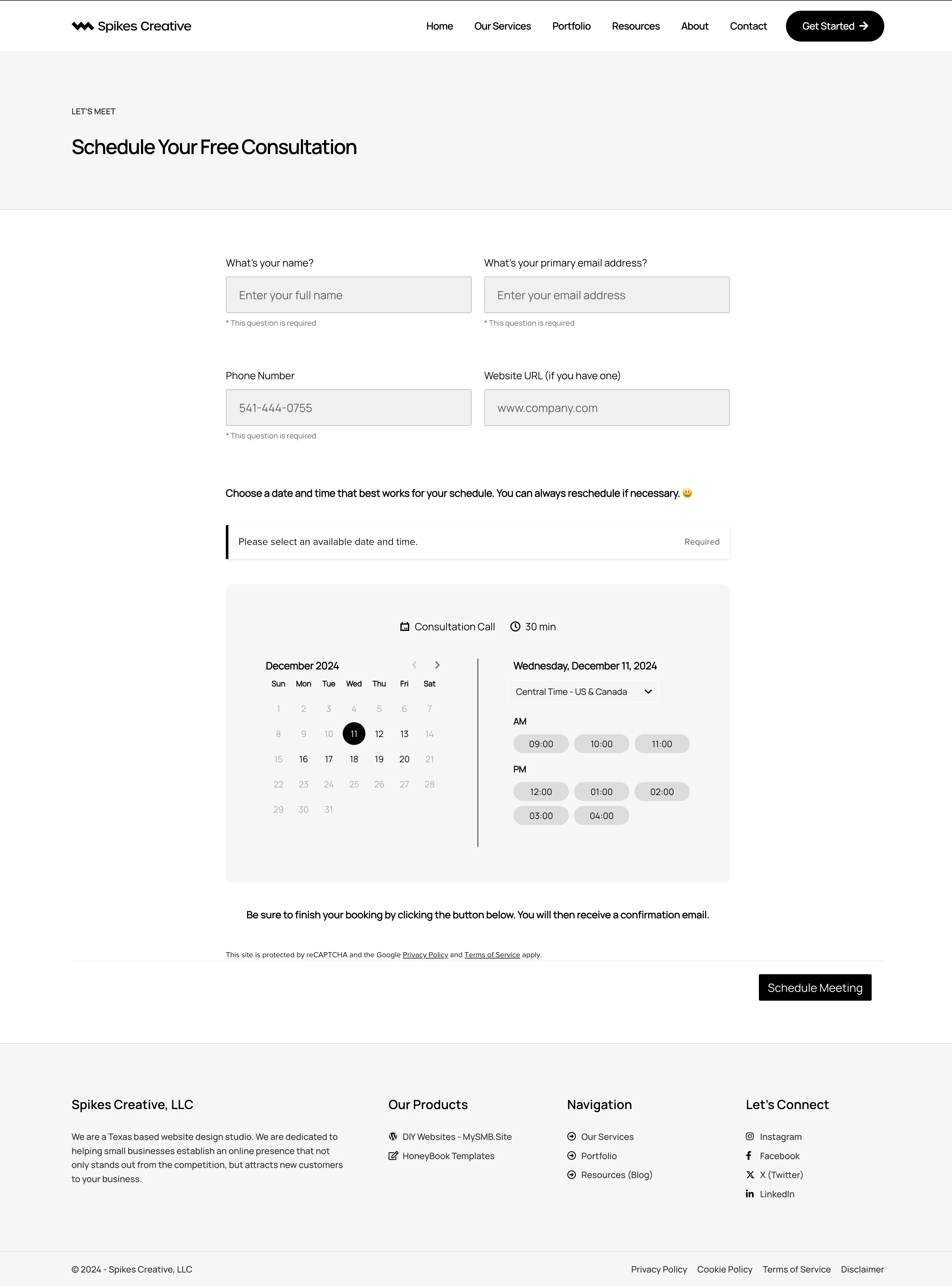
With that being said, I also want to point out that the form works perfectly on mobile with the spacing.
I hope this was helpful. I know for myself, I will not go without this code form here on out. Feel free to reach out if you would like further clarification.
