

Question

Leads tracking in HoneyBook

  • September 20, 2024
  • 2 replies
  • 26 views

Bozena Voytko
Explorer
Forum|alt.badge.img

Hey everyone!

I’m trying to get more organized and track my leads better. I want to know where they’re coming from, how many inquiries I get each month, how many turn into consultations, and how many end up booking. I also want to track how many people ghost me after the initial inquiry, who replies after follow-ups, and how many follow-up emails it took.

Is there a way to track all this in HoneyBook? Does anyone have a system they use to organize this data? Any tips or tricks would be super helpful!

Thanks in advance!

This topic has been closed for replies.

2 replies

Emily Gbadamosi
Forum|alt.badge.img

Hi Bozena, 

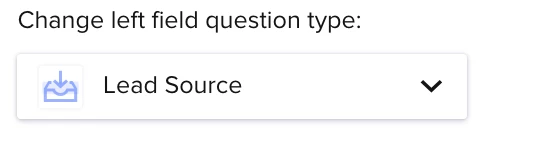
The best way to track where your leads are coming from is to ask that question in your contact form. HoneyBook has pre-created a list of the most common lead sources, and you can add or change it. You will simply create a new question in your contact form and change the field question type to “Lead Source” 


Then, under Reports under the Finance tab you can view your conversion rate by lead source, the value of projects by lead source, and the time to book by lead source. 


Hope that helps! 


Emily

HoneyBook Educator at Woodall Creative Co.


Cassie H of Premier Ops Spot
Community Legend
Forum|alt.badge.img+7

Hey @Bozena Voytko , 

As Emily mentioned, you can track the Lead Source through your Contact Form, though sometimes people don’t fill it out properly. There are times I update it Manually in the side panel of the Client Portal. 

There are some reports Honeybook creates for you, but sometimes the reports aren’t as accurate or don’t match what is actually happening. 
You may have to do this manually. 

One thing you could do is customize your pipeline to include stages for what data you want to track. Then this will allow you to track it manually.

For example: 

  1. Inquiry - anyone who fills out your contact form automatically lands here.
  2. Call Booked - When they book a Discovery /Sales Call, move them here with an automation. Then you can compare how many in your Inquiry stage with how many are in your Call Booked Stage. 
  3. Retainer paid - Honeybook already has a stage where people land after they make their first payment. Once again, you can compare the #s of people in Inquiry -vs- Call Booked -vs- Retainer Paid. 

To track it manually, I recommend Airtable or Google sheets. You can set up a KPI table, and on your CEO day, add those contacts in to your sheet. (Honestly, you could also set up a zap to land them there when they fill out your contact form, to make it a little easier. You could probably even have a field that automatically fills in the “Date created”, and then track a date when they took the next step. Again, HB does this for you automatically but you could manually track it in a separate database to ensure accuracy.)  Then I recommend cleaning out your pipeline a couple times a month. You can do follow up, add any stats (like how long it’s been since the last communication / how long since inquiry), and also move people to “archived” if they never responded. 

You can also always click on the ARCHIVED stage of the pipeline to view all those projects, the reason for archiving, etc. (They now have filters for this as well.) 

Hope this helps!