



Are there any plans to introduce a public API or enhance the functionality of the Lead Forms? I’m brand new to HoneyBook, but have encountered some challenges with branding consistency and usability in HoneyBook forms, as well as limited integration options with third-party form and automation tools like Fillout and n8n.
Use Cases:
-
HoneyBook Lead Forms - Custom Font:
When I embed my HoneyBook form on my website or share it via a direct link, it reverts to a serif font. If this isn’t a bug, it would be great to have the option to select a fallback font (even just a sans-serif option) to maintain brand consistency. -
HoneyBook Lead Forms - Address Field:
The address field appears to lack validation, which makes it difficult to assess whether a lead is within a reasonable distance from my location. Users sometimes input incorrect or placeholder text, which complicates the qualification process. -
HoneyBook Lead Forms - Date Picker (Time):
The time picker currently defaults to 15-minute intervals and 24-hour availability. It would be highly beneficial to have the ability to customize the time range (min/max times) and set a step size for increments. -
HoneyBook Lead Forms - Date Picker (Date):
It would be helpful to add options for setting a minimum and maximum date. For example, I’d like to restrict bookings to start no sooner than 14 days from the current date. Additionally, setting a maximum range would help account for changes in pricing or expenses over time, preventing potential financial strain. -
HoneyBook Lead Forms - Name Field:
It would be useful to separate the name field into "First Name" and "Last Name." Currently, only a small percentage of my users fill this out correctly. Separating these fields would allow for more personalized email follow-ups (using just the first name) while ensuring I retain complete contact information for future communications (e.g., direct mail or formal thank-you notes). -
HoneyBook Lead Forms - Submit Button:
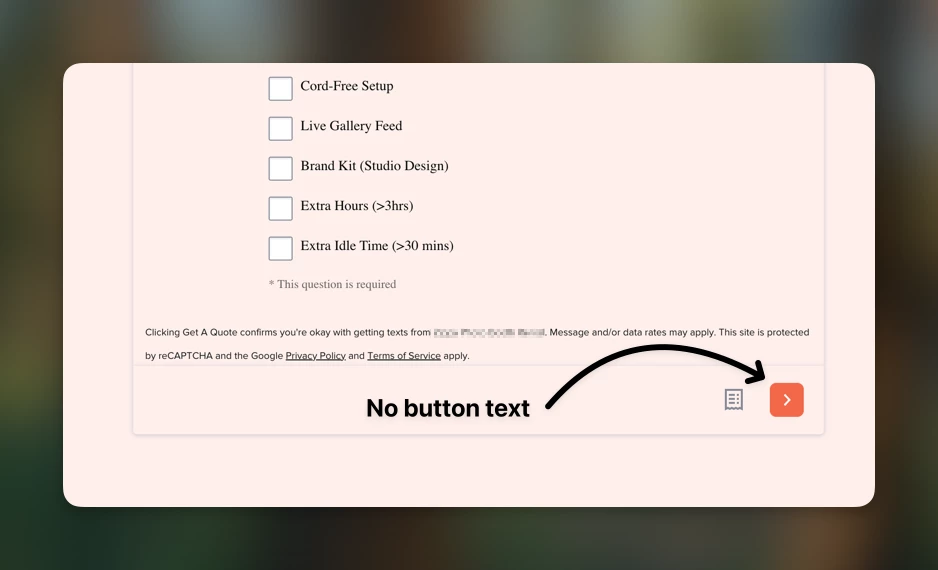
When my forms are embedded, the "Submit" button only appears at the bottom, and only displys a chevron icon. Reducing the breakpoint (currently around 756px) could improve accessibility and comply with WCAG guidelines, particularly in helping users understand the purpose of the button through its text alone.
Integration use cases
- Form Integration/Public API:
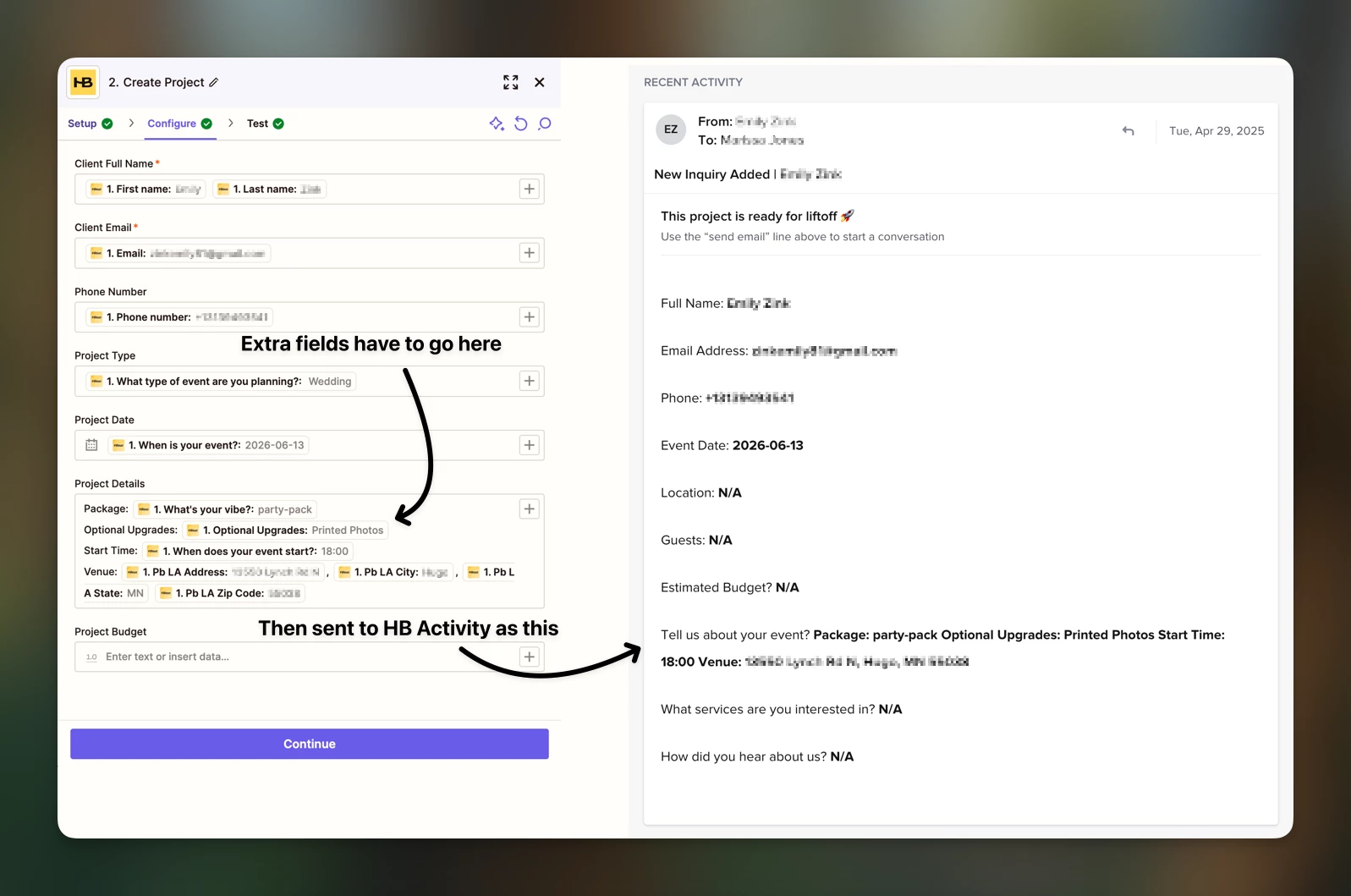
The Zapier integration currently supports a limited set of fields. For Contacts, it includes Full Name, Phone, Address, and Phone Number. For Projects, it covers Full Name, Email, Phone, Project Type, Project Date, Project Details, and Budget. However, it does not allow mapping of custom Project fields or additional native fields, such as project location and start time. To work around this limitation, I’ve been mapping extra fields to the "Project Details" section. While functional, this manual process of updating fields after the Zap triggers feels inefficient and cumbersome.
I’d love to hear if there are plans to address any of these issues or expand the form functionality in the future. Thanks for your consideration!


