Hello,
Is there a way to add a multiple column layout for the Multiple Answer option? I am creating a questionnaire where my clients would need to choose 5 answers out of 30. I am trying to put these answers in 3 columns of 10.



Hello,
Is there a way to add a multiple column layout for the Multiple Answer option? I am creating a questionnaire where my clients would need to choose 5 answers out of 30. I am trying to put these answers in 3 columns of 10.
Best answer by Steph Long
Hey
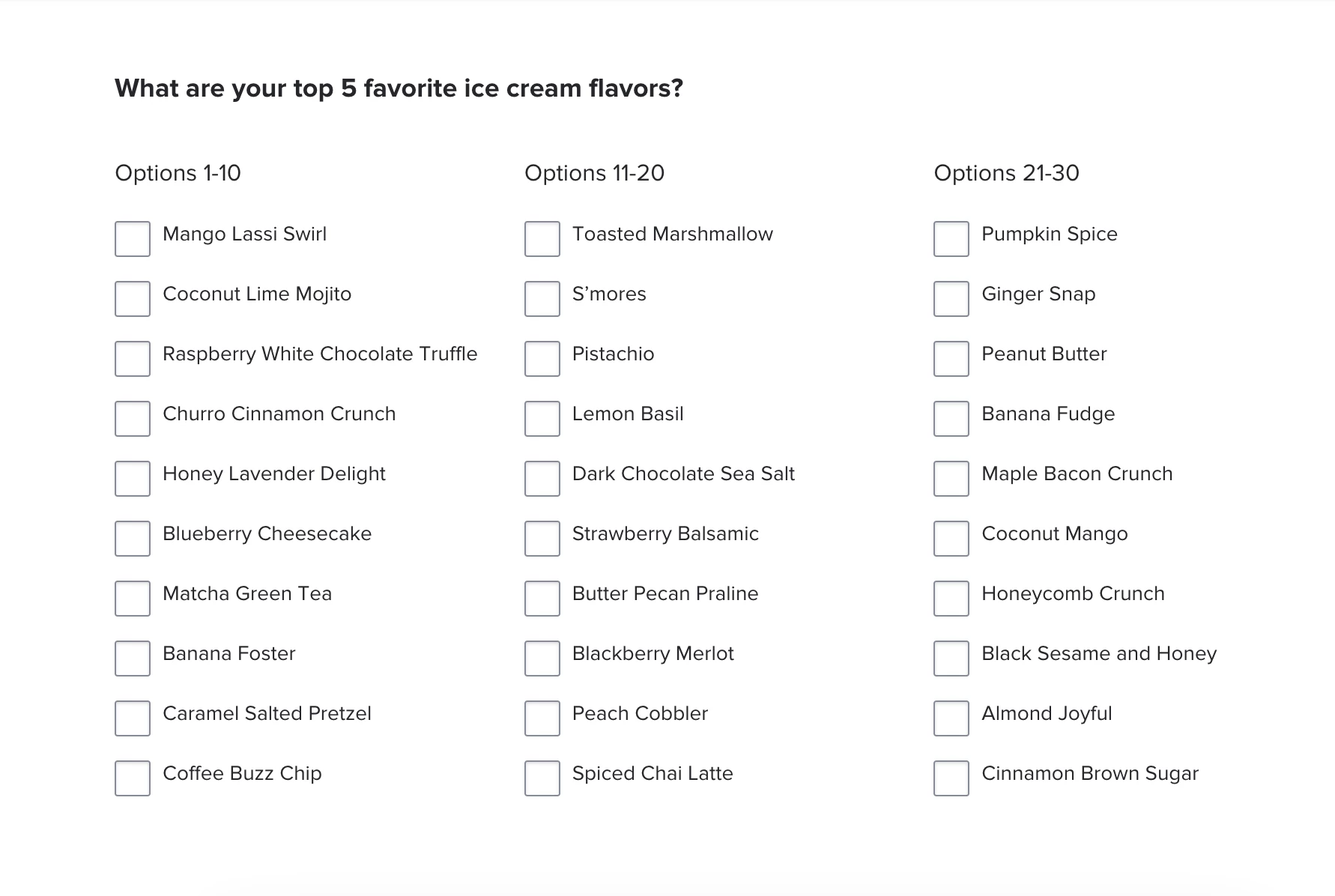
Here’s what I did:
OR, a way easier option: you can save this template, so you can copy & paste these blocks into your own file.
I think it’s pretty good - but the reason it’s “not perfect” is because these are technically 3 questions, so when your client submits, you’ll still see all their responses pretty clearly but it’s not as clean as all belonging to the same question
Does this help?
(And can you tell I’m taking myself out to ice cream tonight? 🍨)
Already have an account? Login

Welcome! To join the HoneyBook Community, log in with your HoneyBook account below.
You'll confirm your username and share a bit about yourself, then you're ready to explore and connect.
Free trial? No problem. Log in with your trial credentials to join.
Already a member? Hi and welcome back!
Welcome! To join the HoneyBook Community, log in with your HoneyBook account below.
You'll confirm your username and share a bit about yourself, then you're ready to explore and connect.
Free trial? No problem. Log in with your trial credentials to join.
Already a member? Hi and welcome back!
Enter your E-mail address. We'll send you an e-mail with instructions to reset your password.