Question

Recurring Payments Help

  • January 22, 2024
  • 4 replies
  • 34 views

Paula Hould

I have a client who has recurring monthly payments.  I still use legacy files, which is probably an important detail. 


I will be receiving payment via CHECK and can’t figure out how to mark the payment as paid.  Can anyone help me on how to find this option / if it’s an option. I’m a visual learner so screenshots would be SUPER helpful, if possible.

Thanks in advance for any help!!


Paula

4 replies

Cassie H of Premier Ops Spot
Community Legend
Forum|alt.badge.img+7

Hi there! So, I use the new SmartFiles and just accepted a check as payment today. I'll share a screenshot, but I’m not sure how it looks in Legacy files:

  1. Go to your Project and click on Payments
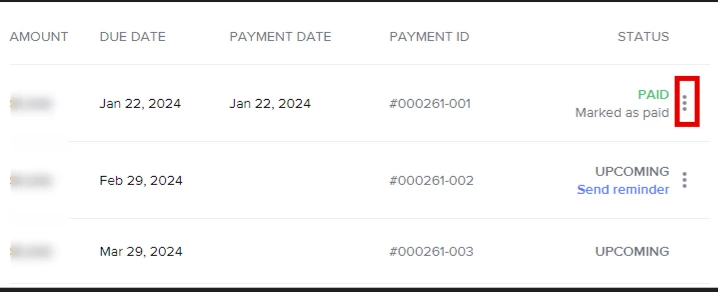
  2. Click on the 3 dots next to the payment: 


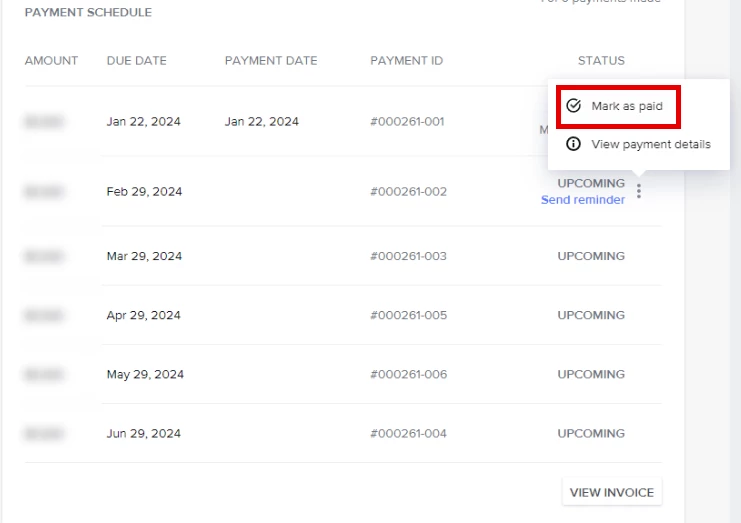
  3. Click Mark as Paid


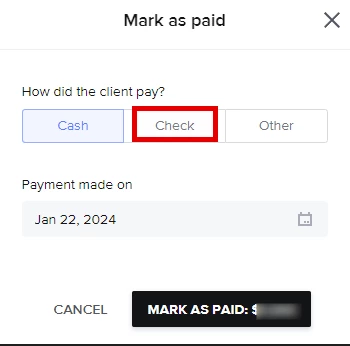
  4. Choose Check and change the date if necessary


  5. Mark as Paid

Hope this helps!


Paula Hould
  • Author
  • January 22, 2024

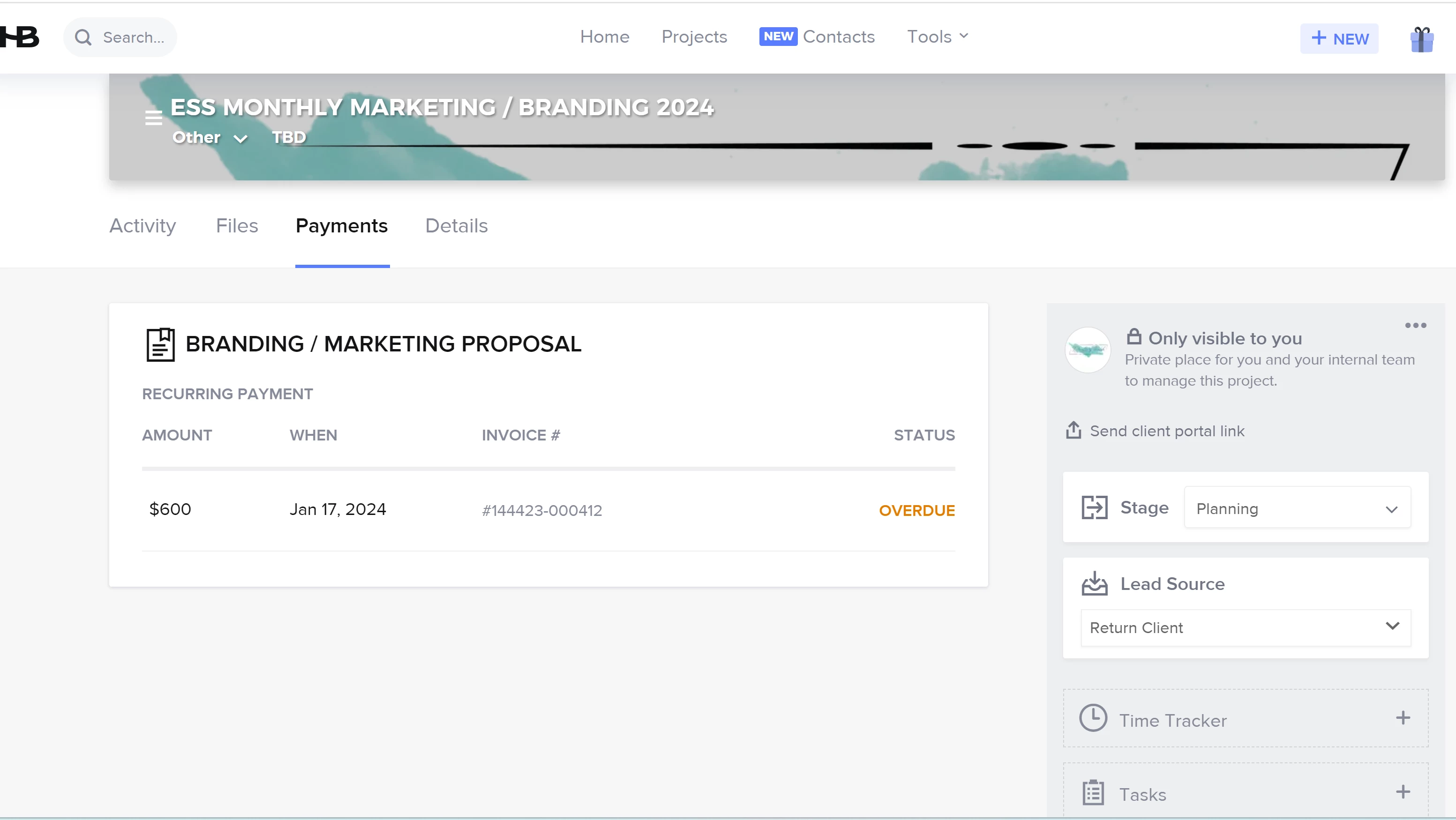
Thanks Cassie, unfortunately I don’t have those options in the legacy recurring invoice.  If I were looking at a regular single payment invoice, I would do exactly the same thing but I’m not seeing that for this invoice.

There are no extra menu options for me to click on.  I’ve tried every way I can think of to look at the payment that I need to mark as paid (here in the project, under “payments” on the home screen, etc.) and just can’t find a way.  I may have to change the payment to a single time payment and send new invoices monthly, which is a huge waste of time.


Hoping someone else uses this process in a legacy file and can help me out.  I appreciate you taking the time to share an attempt at a solution.


Paula :-)


Cassie H of Premier Ops Spot
Community Legend
Forum|alt.badge.img+7

Thanks Cassie, unfortunately I don’t have those options in the legacy recurring invoice.  If I were looking at a regular single payment invoice, I would do exactly the same thing but I’m not seeing that for this invoice.

There are no extra menu options for me to click on.  I’ve tried every way I can think of to look at the payment that I need to mark as paid (here in the project, under “payments” on the home screen, etc.) and just can’t find a way.  I may have to change the payment to a single time payment and send new invoices monthly, which is a huge waste of time.


Hoping someone else uses this process in a legacy file and can help me out.  I appreciate you taking the time to share an attempt at a solution.


Paula :-)


Sorry that didn’t help! Did you try chatting with Support? They’re always super helpful!


Helene Llorens

same issue here only to find out this is still not an option. So basically recurring legacy invoices are useless for payments outside of HB … we use legacy invoices as our clients are a bit older and confused with smart files. I’m so disappointed :(