

How do we reschedule a meeting? I know the client can reschedule but us as the business owner, how do we reschedule. I can delete/cancel the meeting but not reschedule. Any help please.

Solved
Reschedule a meeting

Best answer by Anonymous
Hi Charles - Adam here from HoneyBook.
In order to edit that booked session, you’ll want to navigate to your Calendar through the “Tools” dropdown on your home screen.
From there you can click on the scheduled session inside of the calendar, then select “Edit”. I’m including a screenshot from my demo account below for visual!
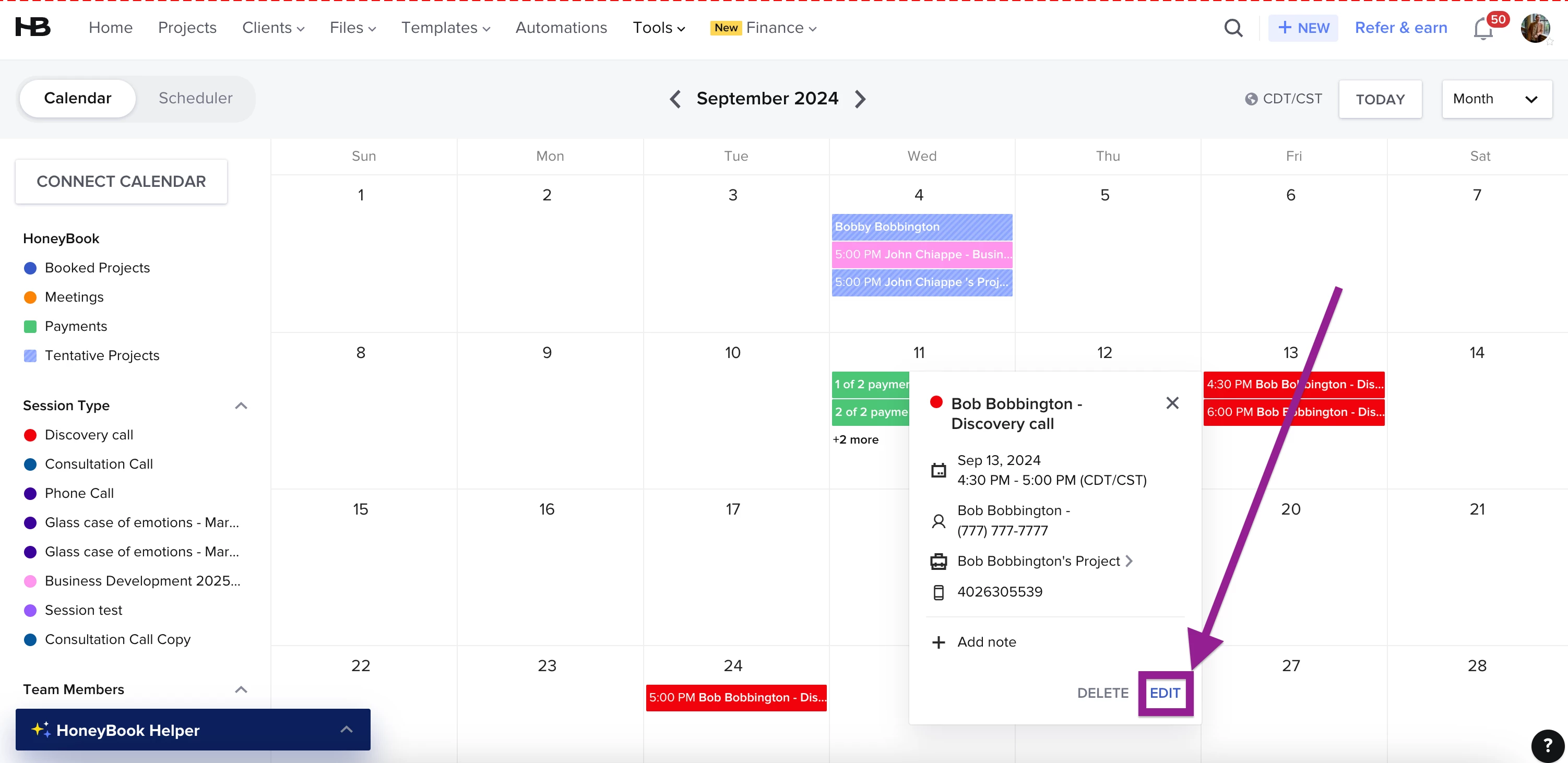
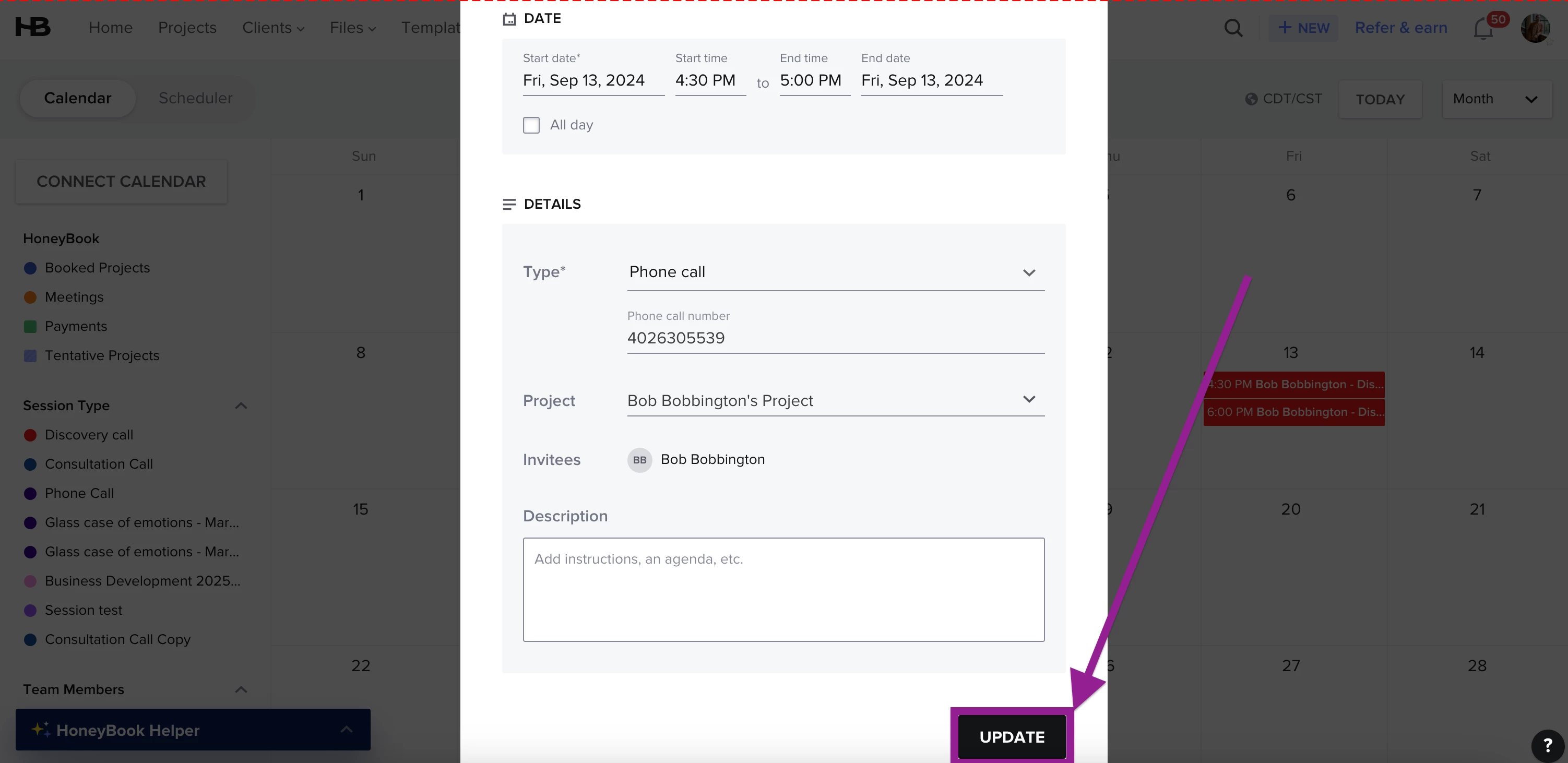
After you select edit, you can then make any adjustments needed. After making those edits, click “Update” at the bottom.
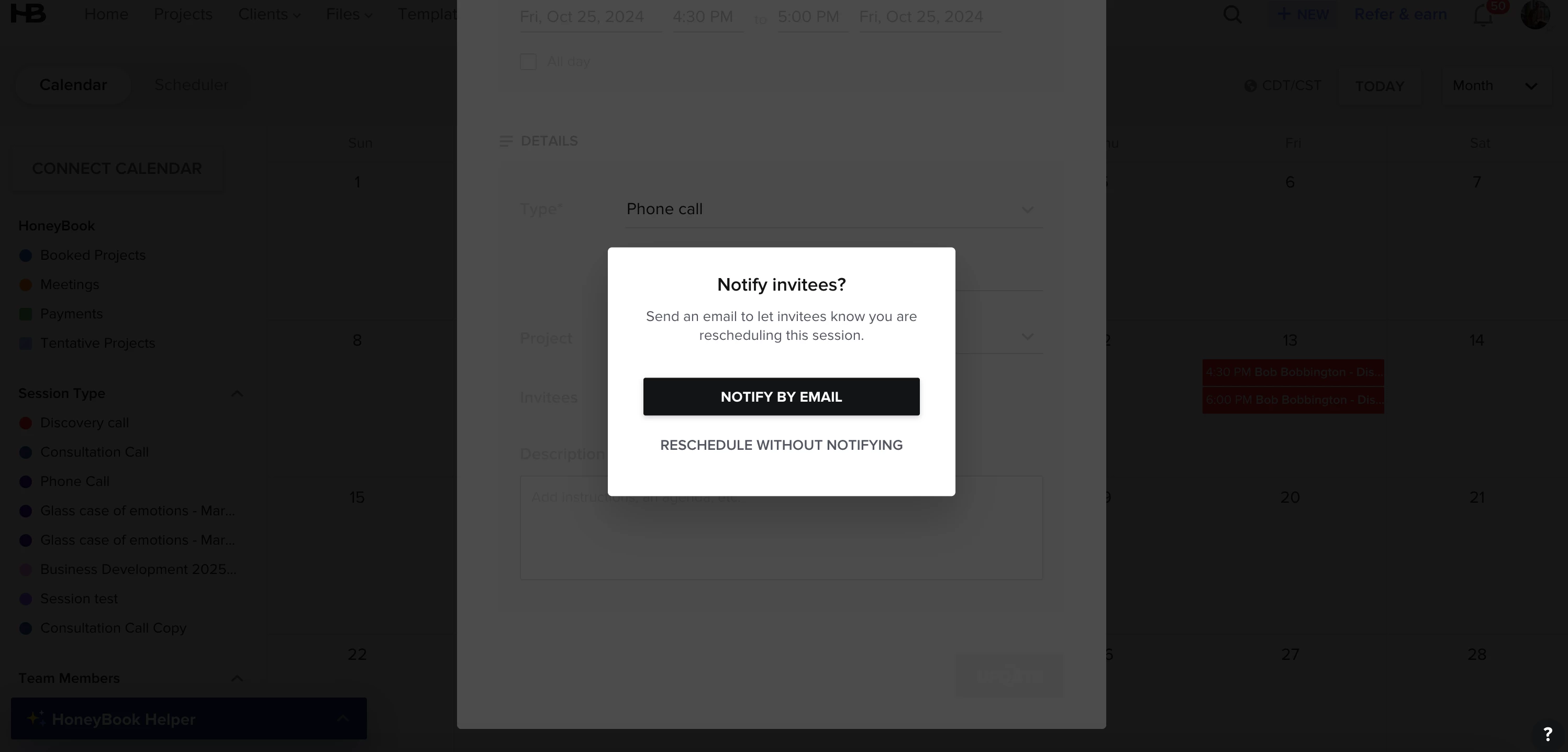
After you click update, it’ll pull up a prompt asking you whether you’d like to update the client or not. If you do, it’ll send them an automatic email letting them know about the change.
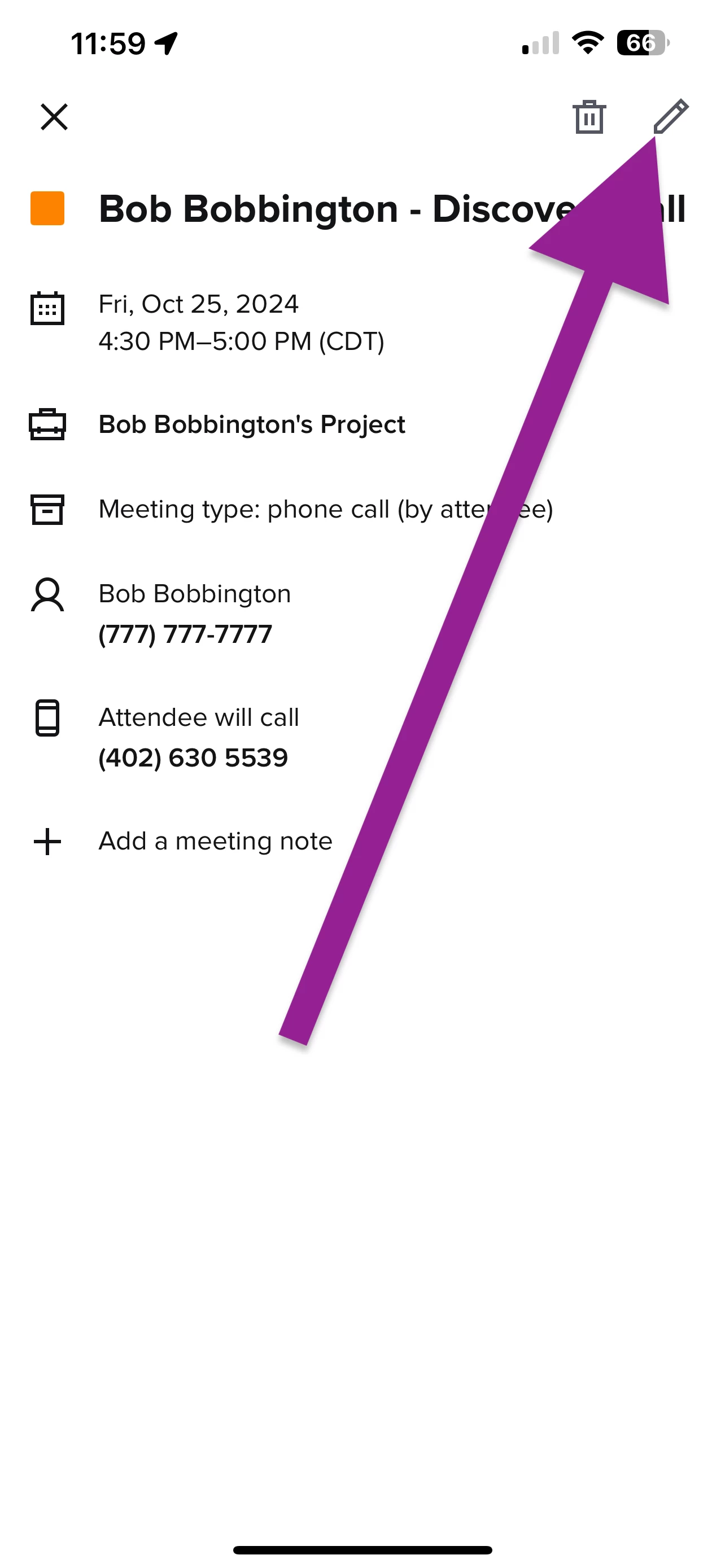
If you’re making those edits from the app, the directions would be the same however the edit button will be in the top righthand corner as a pencil.
I hope this helps! If you encounter any issues when making those edits, please don’t hesitate to reach out to our Support team via chat (through the question mark in the bottom right hand corner) or via email at concierge@honeybook.com.
We’re happy to help. 😊
This topic has been closed for replies.
Sign up
Already have an account? Login

Welcome! To join the HoneyBook Community, log in with your HoneyBook account below.
You'll confirm your username and share a bit about yourself, then you're ready to explore and connect.
Free trial? No problem. Log in with your trial credentials to join.
Already a member? Hi and welcome back!
You will see the HoneyBook login page briefly to validate your trial or account.
Employee Login
Log in with HoneyBook
Welcome! To join the HoneyBook Community, log in with your HoneyBook account below.
You'll confirm your username and share a bit about yourself, then you're ready to explore and connect.
Free trial? No problem. Log in with your trial credentials to join.
Already a member? Hi and welcome back!
Welcome to the Community
Welcome! To join the HoneyBook Community, log in with your HoneyBook account below.
You'll confirm your username and share a bit about yourself, then you're ready to explore and connect.
Free trial? No problem. Log in with your trial credentials to join.
Already a member? Hi and welcome back!
You will see the HoneyBook login page briefly to validate your trial or account.
Employee Login
Log in with HoneyBook
Welcome! To join the HoneyBook Community, log in with your HoneyBook account below.
You'll confirm your username and share a bit about yourself, then you're ready to explore and connect.
Free trial? No problem. Log in with your trial credentials to join.
Already a member? Hi and welcome back!
Enter your E-mail address. We'll send you an e-mail with instructions to reset your password.