Solved

Scheduling emails through invoices

  • July 15, 2024
  • 4 replies
  • 30 views

Myaria LHS

I've looked through open topics that may be related and haven't found anything on this, so I'm gonna post.

The ability to schedule emails through invoices. 

I have a lot of invoices I'll get started at night but am to scared to send because I don't want it to get lost in the am chaos or bc I don't want people's notifications going off at 3:00 am for an email bill. 

When I do schedule the email through the email system and attach prepared file it duplicates it. Is there a reason for that? Can't I just schedule the invoice to send at a specific time frame so I'm not sending bills at 3:00am?


If I wait without scheduling the email I'll forget it every time. Is this a feature of a more paid account. I'm on the basic plan bc I don't need much
Best answer by Carmel Arad

Ok so the way to do this on the mobile app:

  1. Go into the project where you want to send the invoice.
  1. Open the file you want to send
  2. Tap “share” and choose send email
  3. write the message you want to include with the sent file
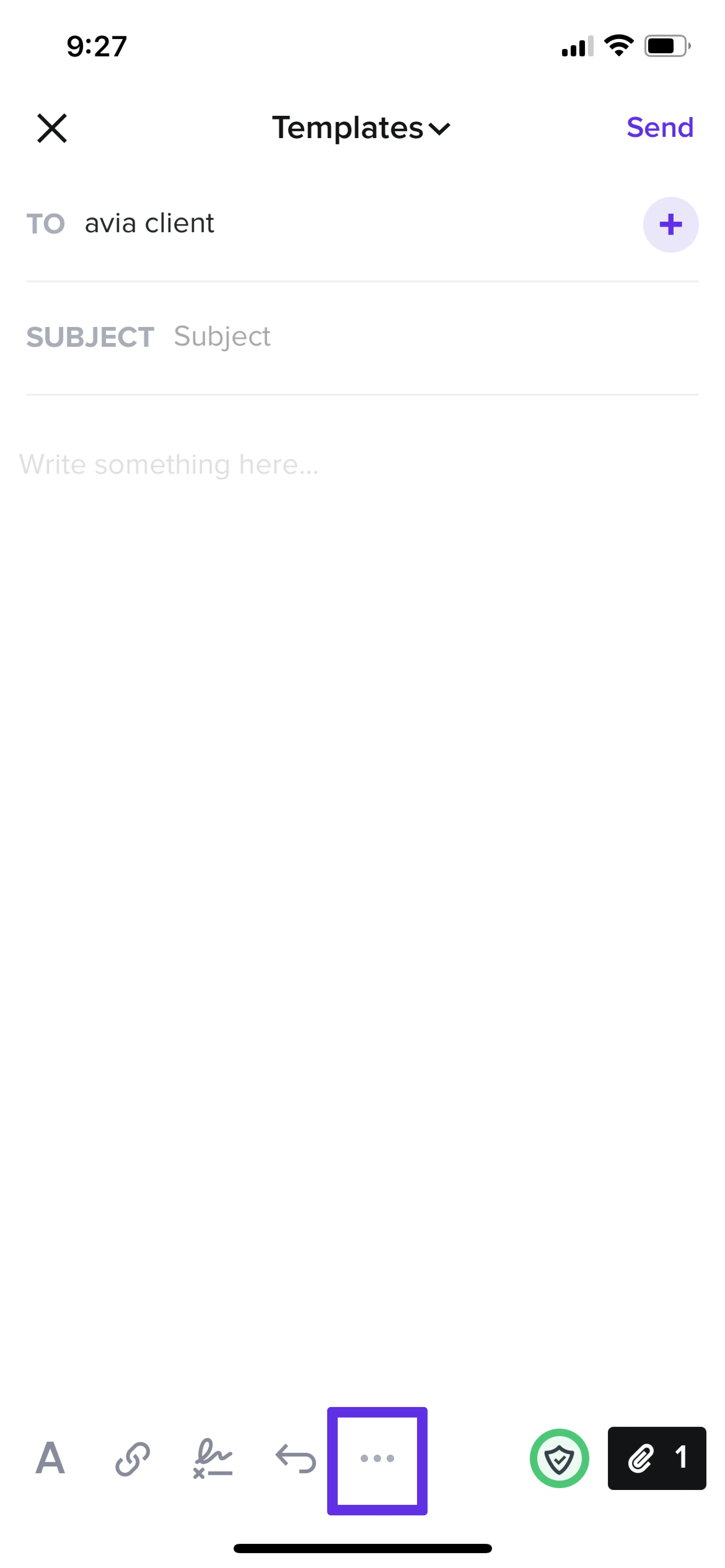
  4. Tap the 3 dots icon at the bottom of the screen
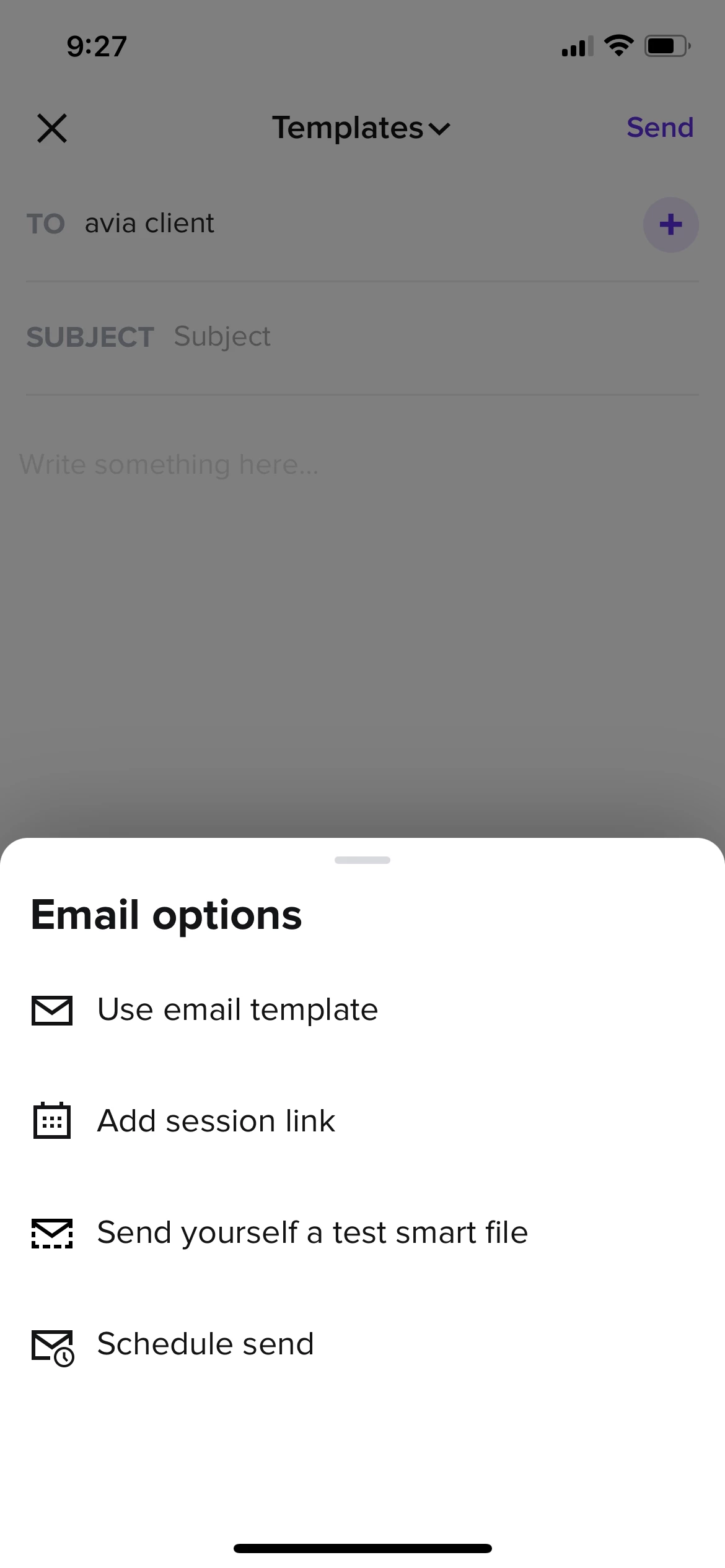
  5. Tap schedule send
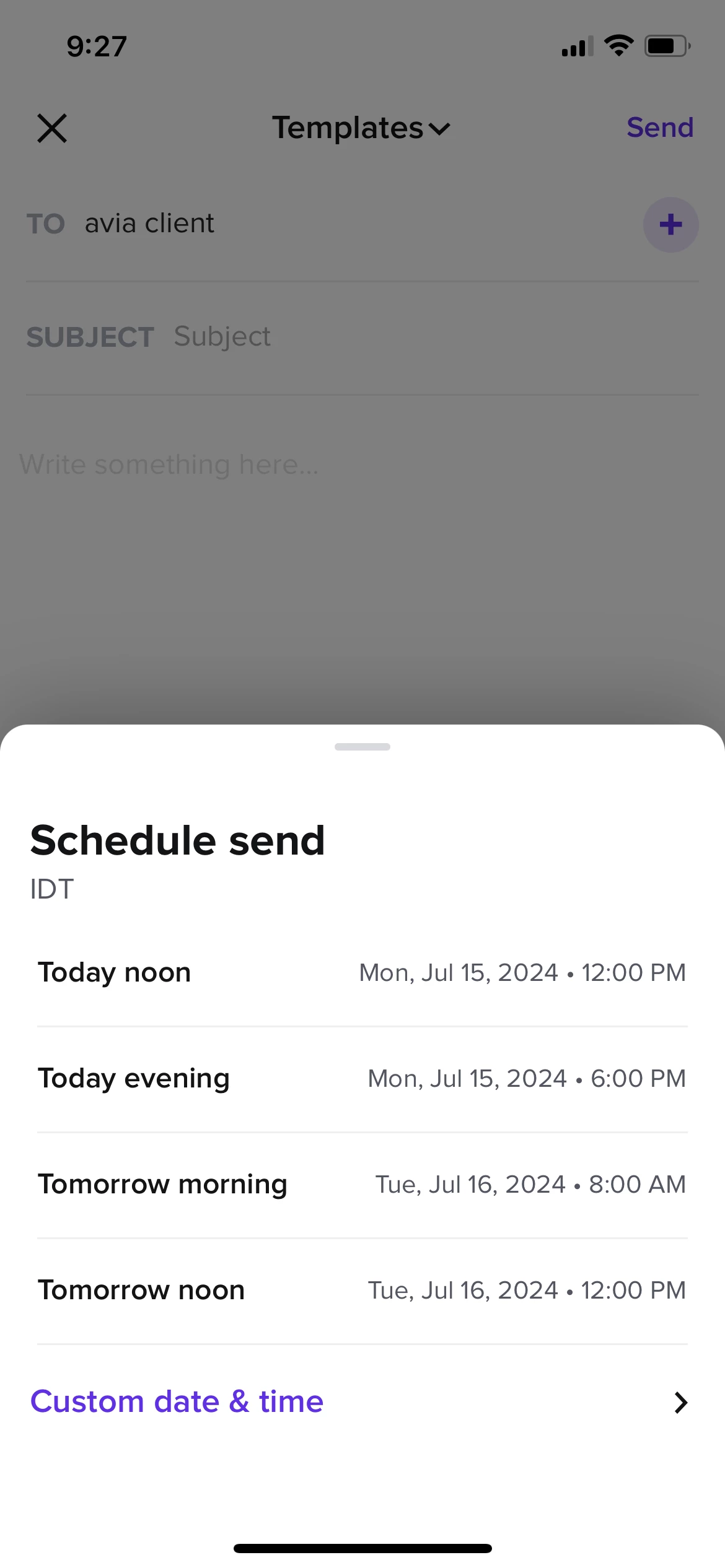
  6. Choose the timeframe you want (you will see it updated at the top of the email)
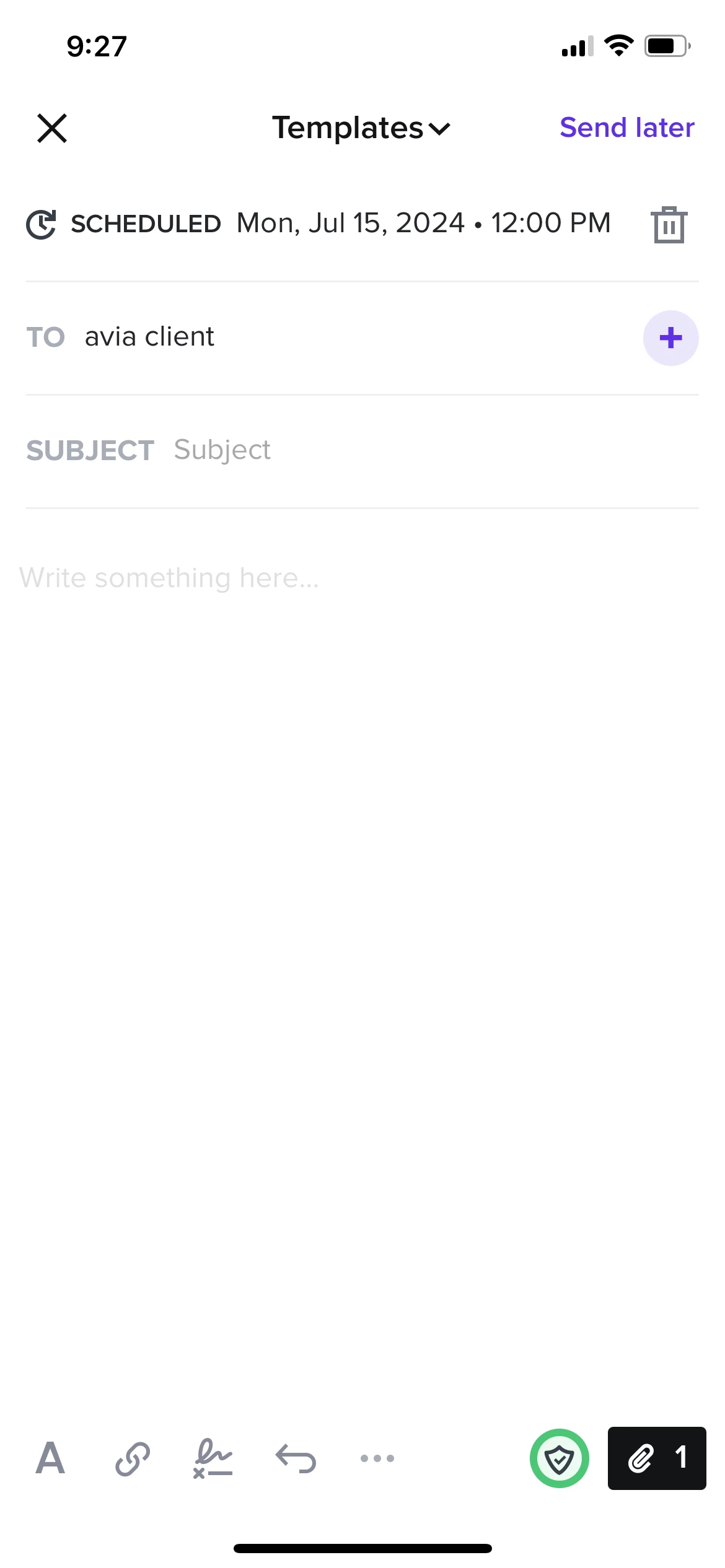
  7. Tap send later at the top

    See images below:
  8.  

  9.  


4 replies

Carmel Arad
HoneyBook Employee
Forum|alt.badge.img+1
  • HoneyBook Employee
  • July 15, 2024

Hi Myaria, 
I’m Carmel from the HoneyBook product team. I think what you are asking for is possible for all users. 
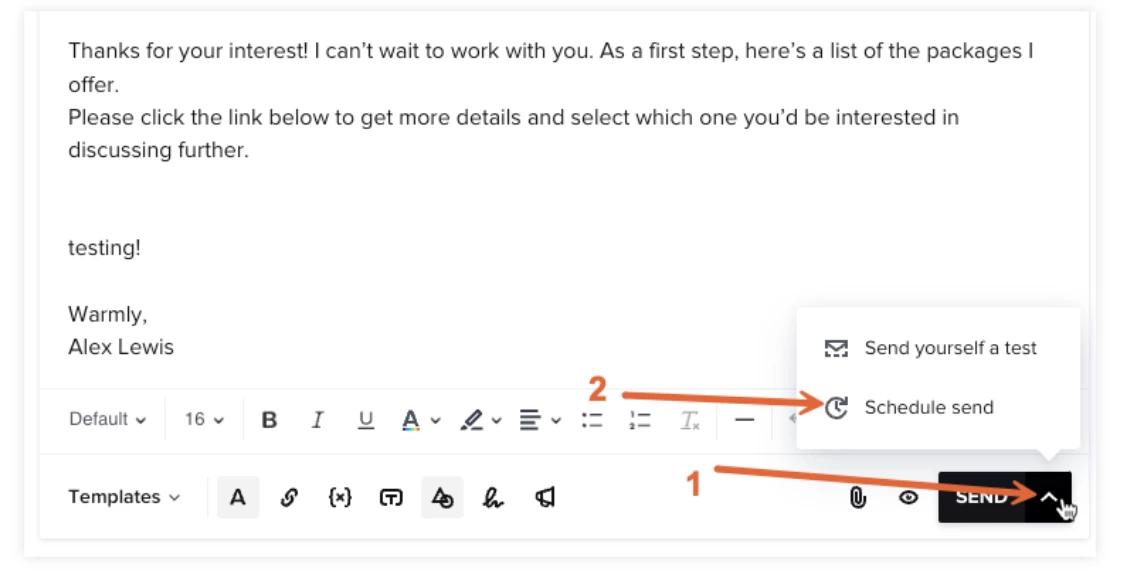
When you click to share a smart file, right below the email composer, where you write your message, there is a button with an arrow next to the send button (see image attached). when clicking that you have the option to schedule when you want the email to send. you can either select a time of day (morning, afternoon, evening) or a specific date and time. 

This help center article also covers how to do this.

Please let me know if this answers what you were looking for or if there is something else we can do to support you when you are working those late hours ❤️


Myaria LHS
  • Author
  • July 15, 2024

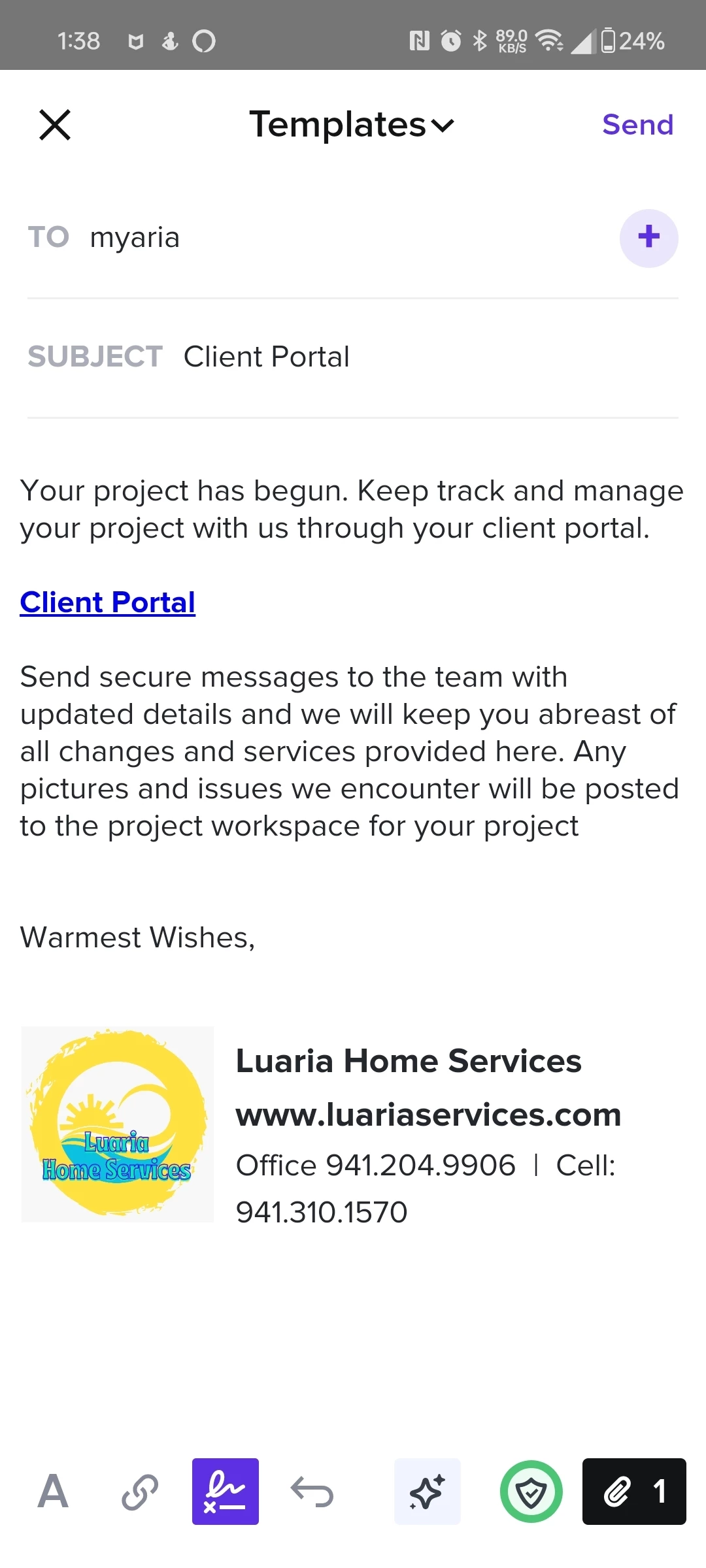
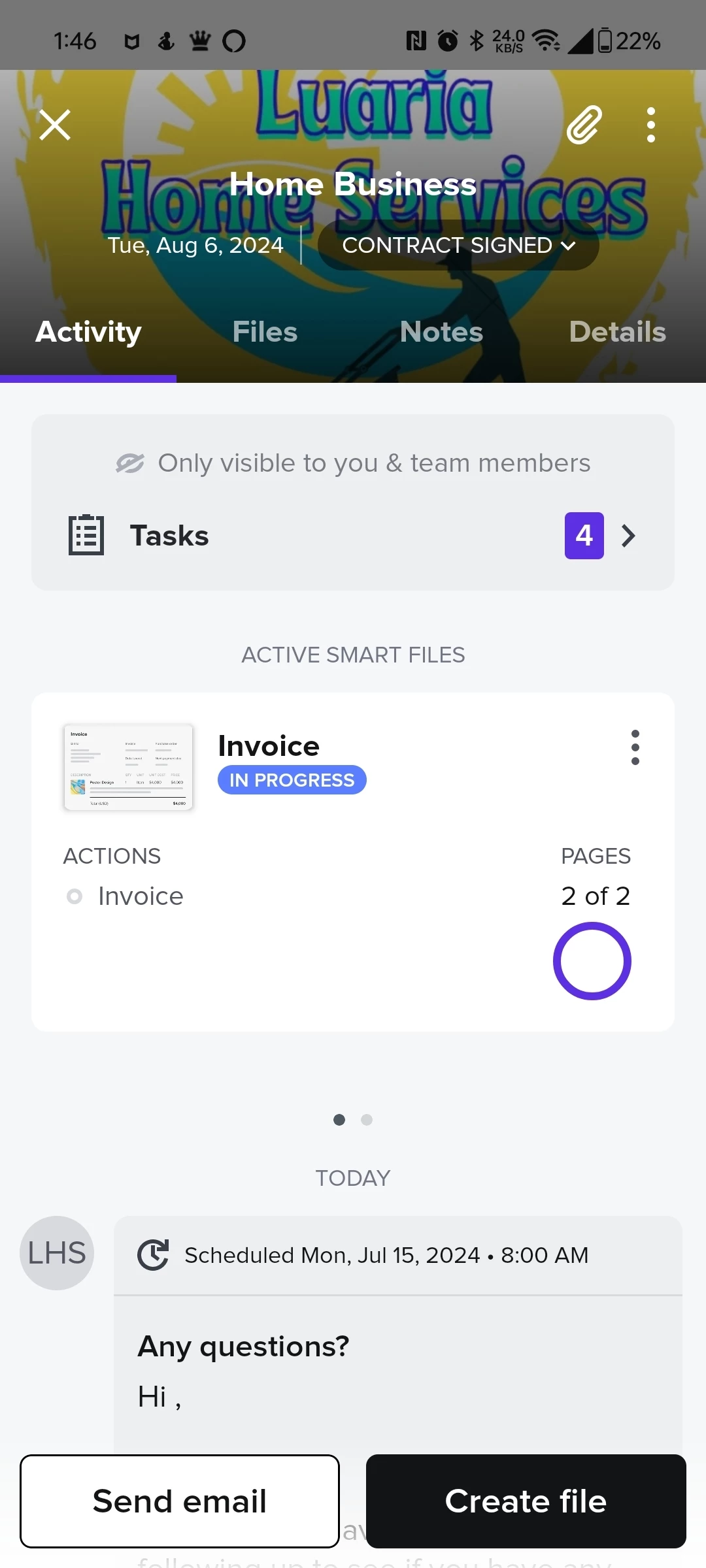
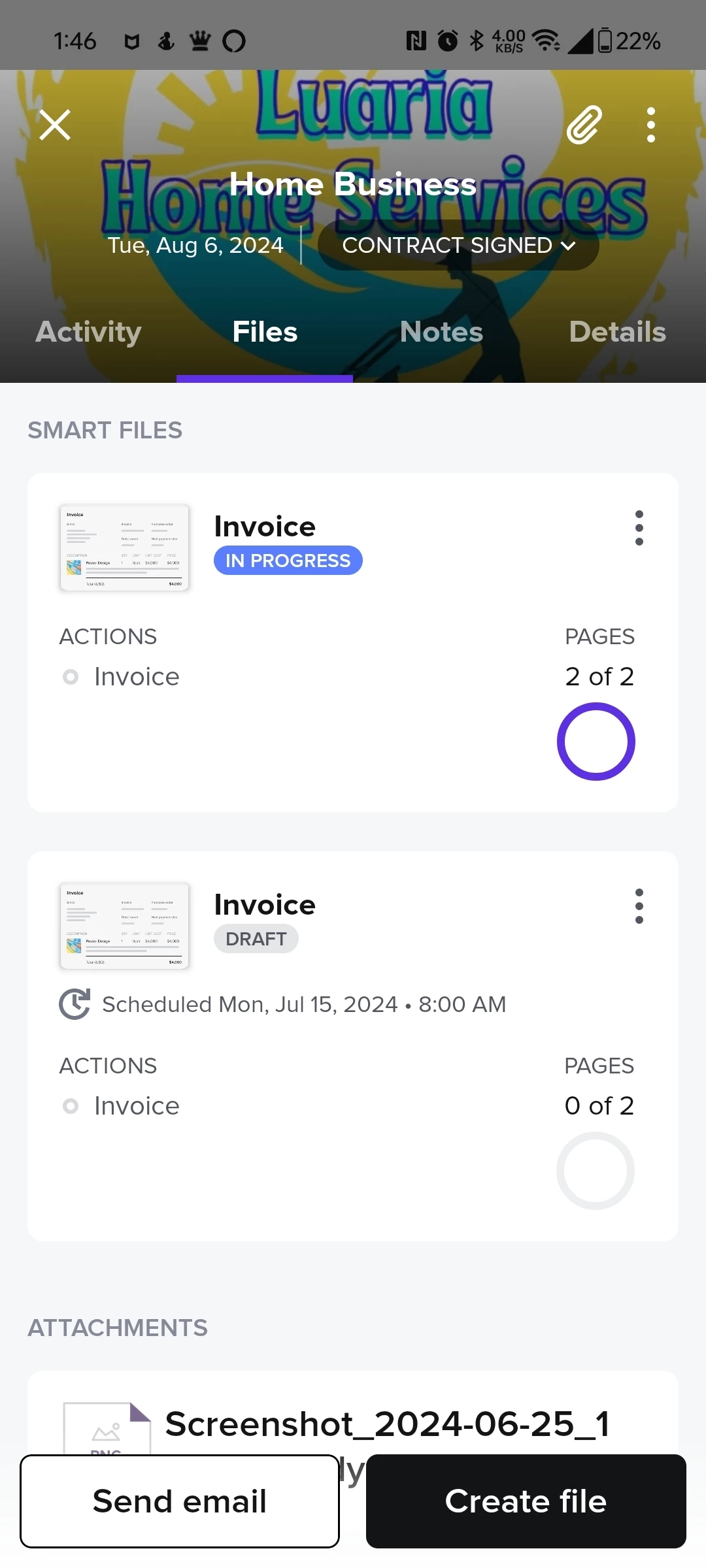
Thanks for your reply! I'm sending screen shots from my end. When I'm n in an invoice and I want publish it it won't let me postpone the sending of the file or email at a later date or time. 

If I do it your way it creates a 2nd file of what I'm sending if I'm attaching it from a premade file. 


Carmel Arad
HoneyBook Employee
Forum|alt.badge.img+1
  • HoneyBook Employee
  • Answer
  • July 15, 2024

Ok so the way to do this on the mobile app:

  1. Go into the project where you want to send the invoice.
  1. Open the file you want to send
  2. Tap “share” and choose send email
  3. write the message you want to include with the sent file
  4. Tap the 3 dots icon at the bottom of the screen
  5. Tap schedule send
  6. Choose the timeframe you want (you will see it updated at the top of the email)
  7. Tap send later at the top

    See images below:
  8.  

  9.  


Monica R
HoneyBook Community Team
Forum|alt.badge.img+7
  • HoneyBook Community Team
  • October 7, 2024
OpenResolved