


Okay, I have a serious issue here. I recently upgraded to add a bunch of Team members… and they cannot access the collaborative workspaces for projects!
Example: Robert, a team member, needs to access a file for a project he’s assigned to and the file is on a workspace we set up.
Here’s what he sees on the projects dashboard:
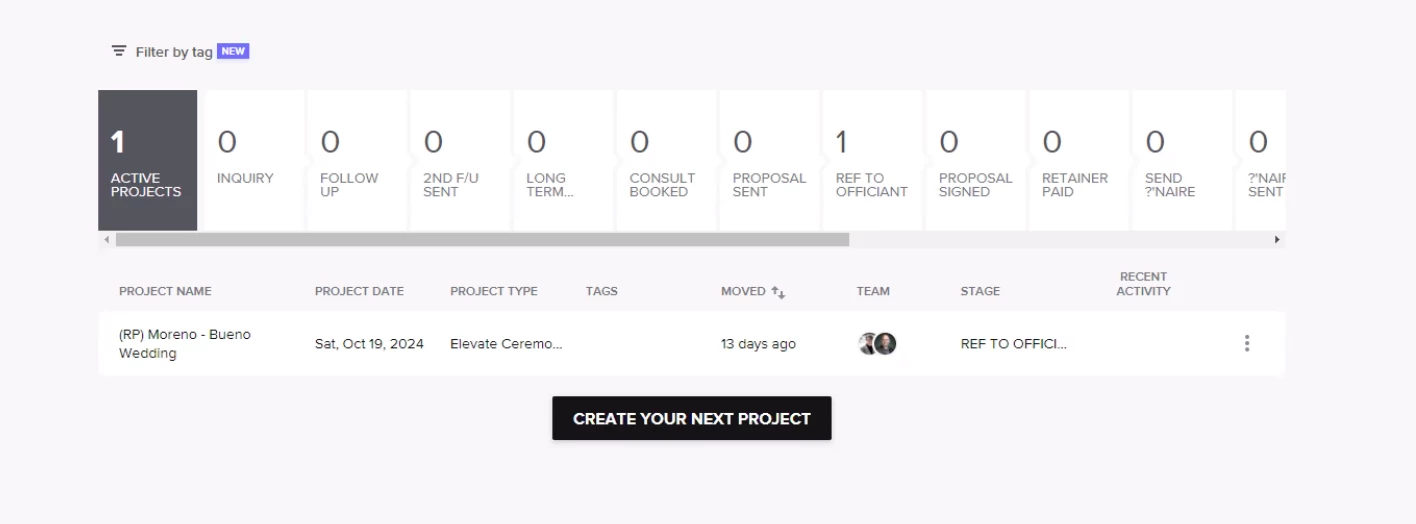
The ONE project listed ISN’T the project that he needs to access and I don’t know why he’s seeing it except it has a stage listed (all the others were to not track on pipeline).
When I changed the pipeline stage from “don’t track” to “Ref to Officiant” on the project he’s needing access to ASAP, it still doesn’t show up. You can see he’s listed as a Team Member and the stage has been changed.

All projects assigned to him ARE showing up on his calendar… but there is NO link to the project!
HOW DOES HE ACCESS THE PROJECTS ASSIGNED TO HIM???