



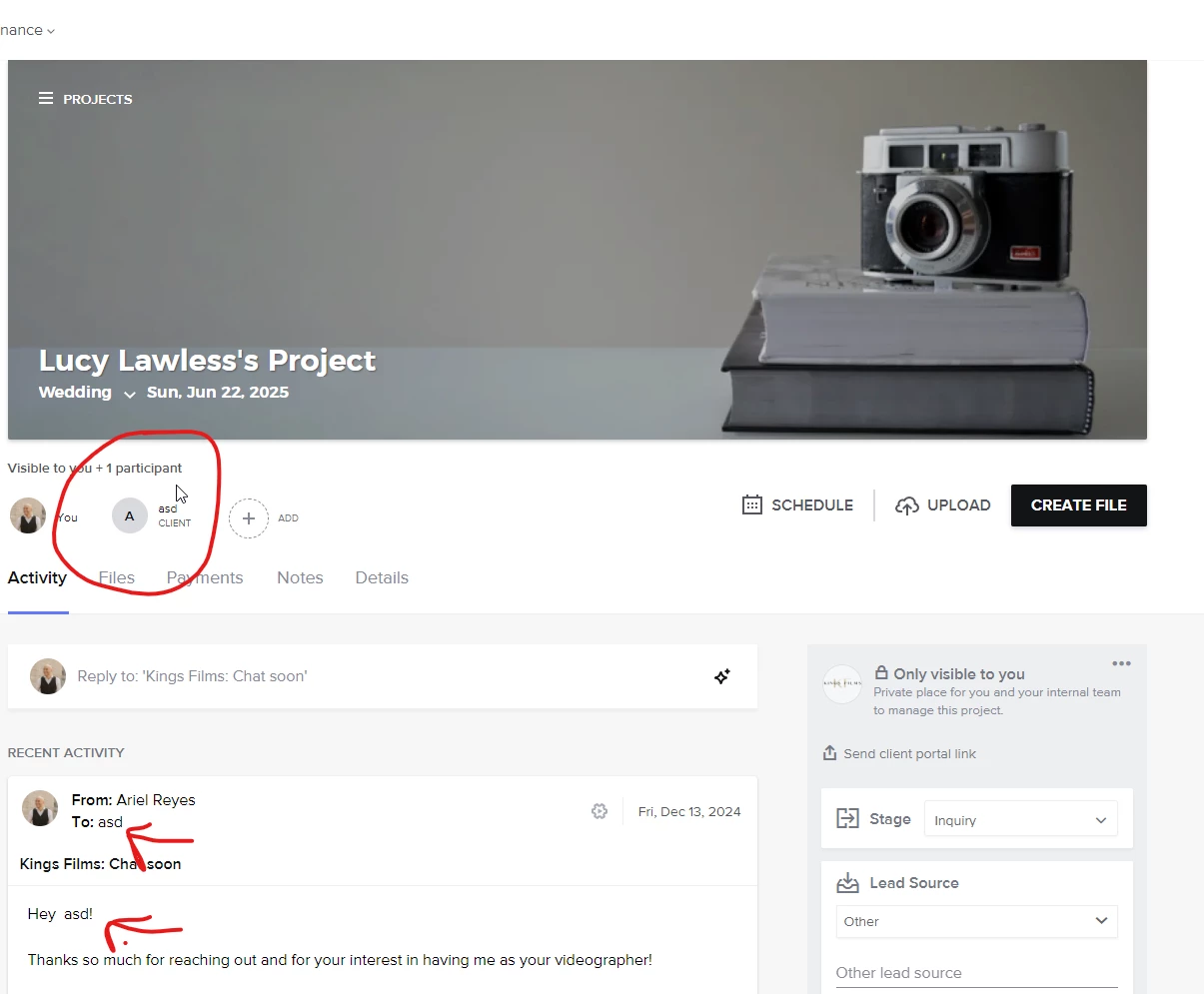
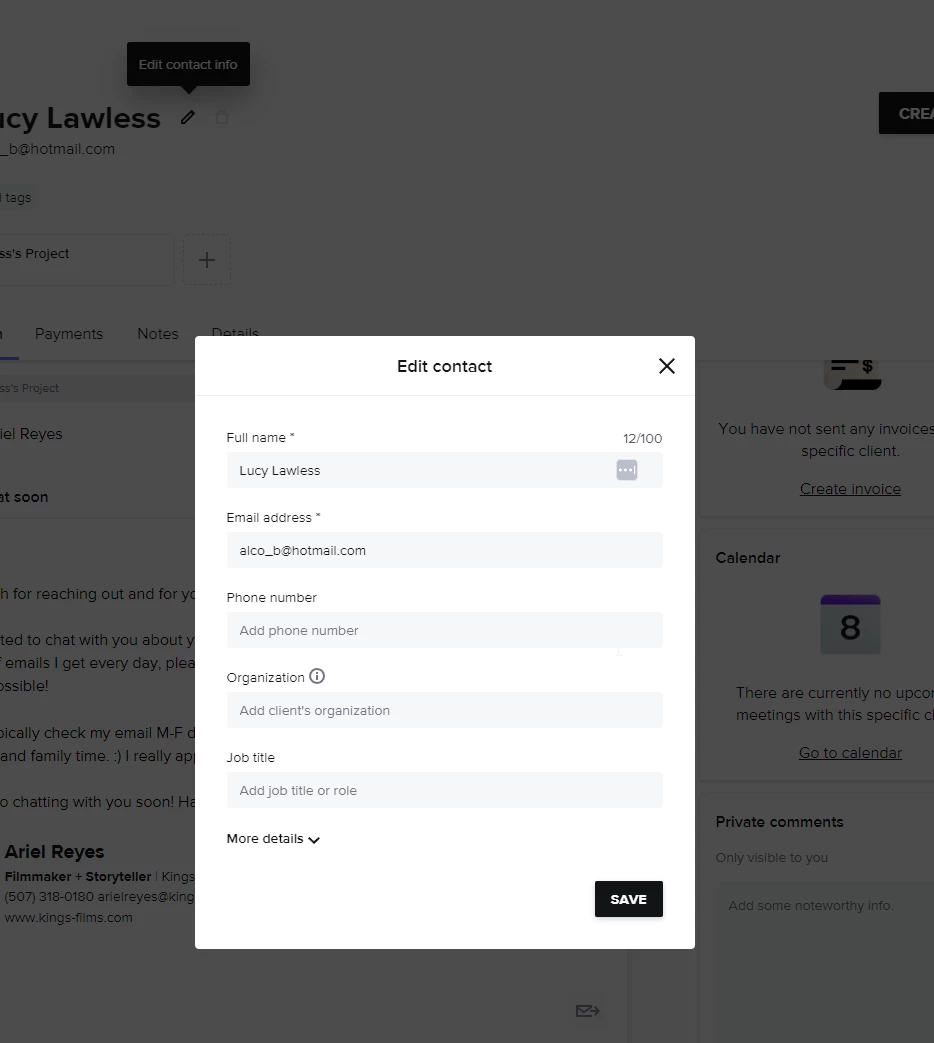
Currently I have a Zapier that triggers when using the showit contact form. The information is mostly sent over to Honeybook, but the biggest issue is the name. Even though it creates the correct name for the client, and for the project in Honeybook, inside the project you can see it emails the wrong name when the honeybook automation is triggered and saves the wrong name. In the screenshot you can see the name “asd”, but when you go into the workspace, you can see he actual correct name, it’s just not used. A screenshot of each included (fake test inquiry).
Context below the photos...
Here’s the full context:
I use a Showit contact form on my website to capture client inquiries.
These inquiries are sent via email and processed using Zapier’s Email Parser to extract the client’s name, email, and other details.
Through a Zapier workflow, the parsed data is used to automatically create a new client and project in HoneyBook.
The issue I’m facing is that when HoneyBook creates the client, the name field is incorrectly populated as “asd” instead of the client’s actual name, which was correctly extracted by Zapier earlier in the workflow. As a result, the autoresponder email sent by HoneyBook addresses the client as “asd,” which is not only incorrect but also unprofessional.
I’ve already verified the following:
The correct client name is being extracted and passed by Zapier to the HoneyBook action step.
There is no field in the workflow where “asd” is entered as a placeholder or fallback value.
It seems like HoneyBook might be defaulting to “asd” as the client name when the field is empty or when something goes wrong during the data transfer.
Could you confirm if HoneyBook uses “asd” as a default placeholder name under any conditions? Additionally, is there a way to ensure that Zapier data is correctly mapped to HoneyBook’s client name field?
Any guidance on resolving this issue would be greatly appreciated!
