


The new automations don't work for me!

  • December 13, 2024
  • 6 replies
  • 48 views

Denise O'Malley
Luminary
Forum|alt.badge.img

Okay, I gave the new automations a try… and they don’t work for my business.

I loved the idea of conditional automations, particularly for the sales side.  Here are two primary issues of what wasn’t working for me:

  • You CANNOT apply an automation manually.  I have a new client that called as she had been referred to me. We scheduled a session (consultation) for next month. When I went to add the sales process automation I had created, I got the following error message:
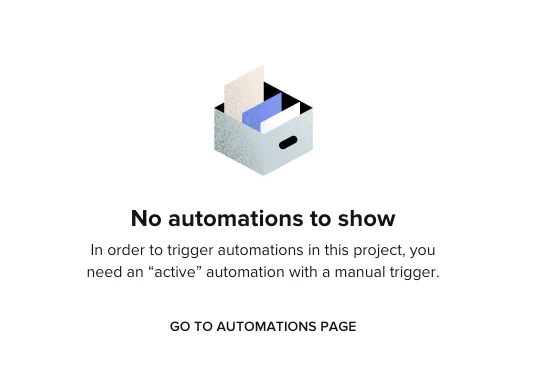
    Except there is NO way to set up a manual trigger.  This does not make good business sense. 

  • I have two processes: one for sales and one once they are booked and have accepted our contract.  I cannot use one automation to take a project from one process to the other as the first is based on scheduling a session, and the second is based on dates leading up to their project. Example: we send an email to the client every 30 days leading up to their project (wedding) and a few others too.  The ability to set triggers based on project date is not available when the original trigger was scheduling a session.

I have regretfully requested I be moved back to the old automation system. I really wanted the conditional logic for our sales process but I guess you cannot have your cake and eat it too.

I’ll be happy to try it again when, and if, these issues are resolved.  In the meantime, I really don’t have the time to keep messing with trying to get this to work or completely re-do our processes to be in alignment with the tools HB has created.


6 replies

Monica R
HoneyBook Community Team
Forum|alt.badge.img+7
  • HoneyBook Community Team
  • December 13, 2024

Hey ​@Denise O'Malley

Manually applying automations is already on the roadmap and planned to be built. You can upvote it here so that you’re notified when the feature is live.


As for your second request - totally hear you. I’ve given your feedback to the team developing these new automations. What you’ve asked for seems to be a common request we hear from others as well! 

Thank you for you input as always :) 


Denise O'Malley
Luminary
Forum|alt.badge.img

Thank you for the update Monica. I hope these changes come soon and not smack dab in the middle of wedding season!


Byron Honea
Explorer
Forum|alt.badge.img
  • Explorer
  • April 3, 2025

none of my old automations worked after the upgrade clients completes forms and still gets chased down saying they didnt do them even though the forms are linked correctly and the file says completed …..:( 


Monica R
HoneyBook Community Team
Forum|alt.badge.img+7
  • HoneyBook Community Team
  • April 3, 2025

I’m going to connect you to someone on the Support team! Look out for an email from Concierge@HoneyBook.com ​@Byron Honea


Byron Honea
Explorer
Forum|alt.badge.img
  • Explorer
  • April 3, 2025

thanks this is why we stick around even though some bumps come along you guys are so great at getting things going and have incredible support!!! 😀


Abbey Butcher

Adding to the conversation because today I learned after spending quite a bit of time setting up my automations and carefully considering the ones that would trigger automatically that an automation will only automatically trigger in a project 1 time.   A HUGE flaw if you’re business has long standing projects with recurring cycles within the project.    I’m not left with the need to turn all of my automations into manual triggers (which defeats the purpose) or going to have to double up on automations and have half manual and half automatic.    Please consider automations being able to trigger again if the conditions are there within the project.    I would have been less eager to switch to these had I know that.