Question

Using Zapier for Gravity Forms to Honeybook Contact Forms

  • April 29, 2024
  • 7 replies
  • 39 views

Peter Szpakowski

Does anyone use the zapier integrations with Honeybook to feed data in? What I am looking to do is use zapier to trigger a honeybook contact form.  Reason being is for me it’s much easier to identify where the source is coming from by the form the client uses.  Today I can’t really identify which contact form is used to submit information into honeybook.  trying to see which site my clients are using or even a different form defined for google ads.


Thank you,

Peter

7 replies

Rick McLean
  • Newcomer
  • July 31, 2024

I’m actually using it the other direction. I have 10 different DJ Event Types, each with a different HoneyBook contact form (basically, the custom questions for each type vary only slightly). The prospective client selects the Event Type, that page loads with the custom Contact Form, they select the Event Type again and complete the form. Then the Zapier Magic happens. It creates a new line on my tracking Google Sheet, creates a new Google Folder (Date-ClientName-Venue), a new Planning Guide (based on the event type selected) and moves it to the newly created Google Folder, creates a mail folder in GMail, and creates a detailed calendar entry in Google Calendar. All of that is triggered by one HoneyBook Inquiry through the Contact Form!


Masha Z
HoneyBook Employee
Forum|alt.badge.img+1
  • HoneyBook Employee
  • August 1, 2024

Oh wow @Rick McLean - I love that automation! Very robust 👏


Masha Z
HoneyBook Employee
Forum|alt.badge.img+1
  • HoneyBook Employee
  • August 1, 2024

@Peter Szpakowski, if you’re looking to get data into HoneyBook via Zapier, what you can do is to connect your data source (another form or Google ads, for example) to a an action to either: “create contact” or “create project” in HoneyBook.

Create contact will only create a client instance, while Create project with do both: create a client and a project. This way you will see that project in your pipeline and will be able to immediately start working with them.

Let me know if this helps!


Rick McLean
  • Newcomer
  • August 2, 2024

Thank you, Marsha! I’m going to try to make that into something I can share. I need to figure out how to take MY information out of it and make it generic. If you know how to do that, spill the tea!!


Michal Peled
HoneyBook Employee
Forum|alt.badge.img
  • HoneyBook Employee
  • August 8, 2024

Hi Peter, Michal from HoneyBook here 👋🏼

Even though it’s been some time since you asked your question, I have a suggested workflow that might help you to achieve what you’re looking for, in case it is still something you’re trying to do.

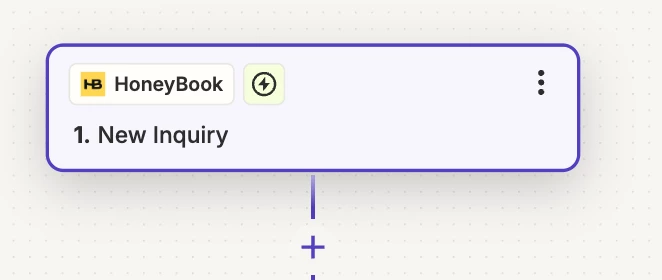
In Zapier, create a zap that is triggered by a new inquiry in HoneyBook:
 

The trigger to the zap in Zapier


When the zap is triggered, part of the information that you receive from the inquiry is a field named “Contact Form Id”, which contains a string of numbers and characters:
 

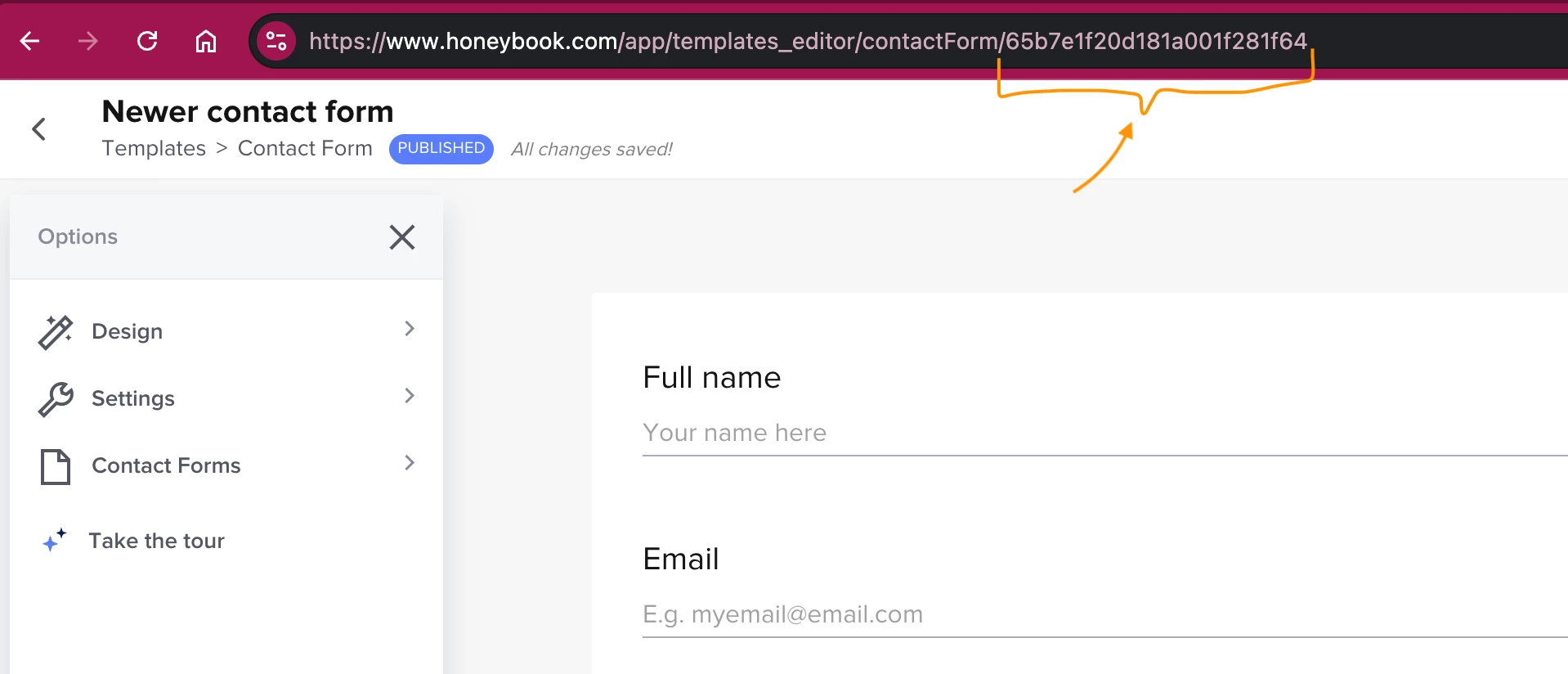
This ID corresponds to a contact form ID in your account, which you can find in the URL when you go in to edit a contact form:
 

Contact Form URL in HoneyBook

So now, all you have to do is map your contact forms name with their IDs from their URL in HoneyBook, set Zapier to keep this information for you when a new inquiry is coming (say in Google Sheets), and visit that data when you want to get some metrics.

Let me know if you find this useful!


Rick McLean
  • Newcomer
  • August 8, 2024

Hi Peter, Michal from HoneyBook here 👋🏼

Even though it’s been some time since you asked your question, I have a suggested workflow that might help you to achieve what you’re looking for, in case it is still something you’re trying to do.

In Zapier, create a zap that is triggered by a new inquiry in HoneyBook:
 

The trigger to the zap in Zapier


When the zap is triggered, part of the information that you receive from the inquiry is a field named “Contact Form Id”, which contains a string of numbers and characters:
 

This ID corresponds to a contact form ID in your account, which you can find in the URL when you go in to edit a contact form:
 

Contact Form URL in HoneyBook

So now, all you have to do is map your contact forms name with their IDs from their URL in HoneyBook, set Zapier to keep this information for you when a new inquiry is coming (say in Google Sheets), and visit that data when you want to get some metrics.

Let me know if you find this useful!

This could also be useful if you need a unique field to key a spreadsheet update, such as updating an existing row when a payment comes in. I've been using email for this currently. The deposit updates correctly, but I'm still having trouble with the final payment updating. Also,  if the same client has multiple projects,  that causes problems. 


Michal Peled
HoneyBook Employee
Forum|alt.badge.img
  • HoneyBook Employee
  • August 8, 2024

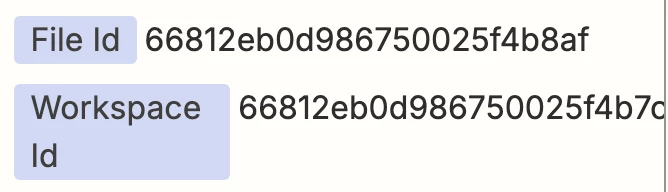
Rick, how about using the “File Id” and/or “Workspace Id” as unique identifiers for payments?
You get them when your zap is triggered by a payment, the file ID is the Smart File this payment originated from (so you can have a single line of payments per file that you add to with each payment). 
The workspace ID is a kind of “Project ID” identifier, if you have multiple payments within one project and would like to have one line per project and sum all of the payments from multiple files in it.

Information from the triggered Zap


It means your sheet is not client-based but project/file based, but I believe you can later aggregate information per an email address if you want.​​​​​​​