Solved

Why can I only trigger automations when projects are "completed"? That doesn't make any sense.

  • August 20, 2024
  • 12 replies
  • 95 views

John Jensen

It makes no sense that I can’t trigger an automation when a project is created, only when it’s completed, or paid, or contract signed.
 

I want to be able to create a project/lead and have it trigger a robust follow up sequence, whether I put it in manually or have it automatically come in via Facebook Leads.


WHY? WHY CAN’T I TRIGGER AUTOMATIONS WHEN A PROJECT IS CREATED OR ADD IT TO AN AUTOMATION MANUALLY?

Best answer by Diana The Finer Points

okay a few suggestion to make it easier for you:

The way you have it set up currently, your “inbound discount #1” email is your “trigger” and the automation would be set to → Trigger: after consult is scheduled (and specify a specific project type if that applies) and then whatever the next step is after their session is scheduled. So when they take action from the email you’ve manually sent, it’ll trigger the next step.


SUGGESTION:

Depending on how your leads come in, if possible, have them fill out a simple lead form WITH the consult scheduler already on the form. THEN the automation trigger is → “Lead Form Submitted”. 

This allows for them to book a call immediately and triggers your next step. My clients who do this step (using the lead form instead of manual application), gets a MUCH HIGHER booking rate. Less texts and emails to follow up with. 



This topic has been closed for replies.

12 replies

Diana The Finer Points
Luminary
Forum|alt.badge.img+9

You can… it’s on the right hand side of the project, on the bottom, there’s a space called AUTOMATIONS. Click on that and select the automation you want to fire. 


You can also set up an automation if a project is created via lead forms or a contact form. That’s a longer response, but it’s possible LOL 


John Jensen
  • Author
  • Newcomer
  • August 20, 2024

I must be losing my mind because HoneyBook support showed/told me a different place to look for it and I can’t find it.

Also, I have screenshotted the right sides of my columns, and I can’t see anything about integrations. 


Diana The Finer Points
Luminary
Forum|alt.badge.img+9

What tier membership do you have by chance?


Diana The Finer Points
Luminary
Forum|alt.badge.img+9

Also… by chance… did you start your HB membership recently?


John Jensen
  • Author
  • Newcomer
  • August 20, 2024

Diana,


I’m on the Essentials plan and yes I’ve only had it for a month so far.


John


Diana The Finer Points
Luminary
Forum|alt.badge.img+9

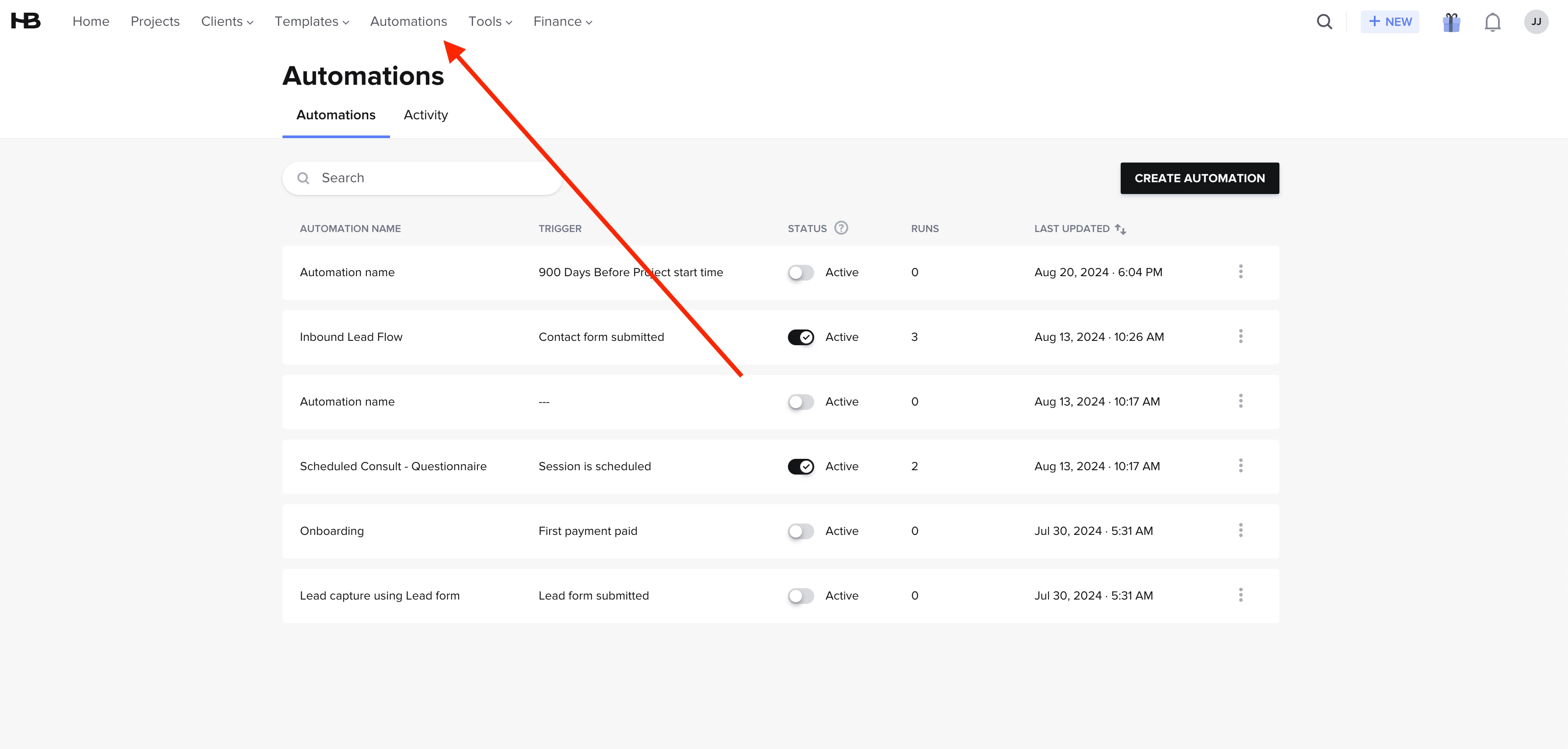
oh! that makes more sense. Any chance you have an automations tab up top on the toolbar? I have a feeling you have new features we don’t have yet… 


John Jensen
  • Author
  • Newcomer
  • August 20, 2024

This doesn’t make sense. I have the automations up top, but you’re saying older users have more features than newer users and I’m somehow penalized for being a new paid user?


Diana The Finer Points
Luminary
Forum|alt.badge.img+9

not penalized! It’s just different. It’s why you don’t have the automations tab IN projects on the bottom right. 

okay- so you CAN trigger when a project is created… it’s just different. Automations are triggered based on an ACTION taken by your lead/client. Let’s take the use case you originally gave - after you manually add them to a project, what is the next step you’re hoping to automate?


John Jensen
  • Author
  • Newcomer
  • August 20, 2024

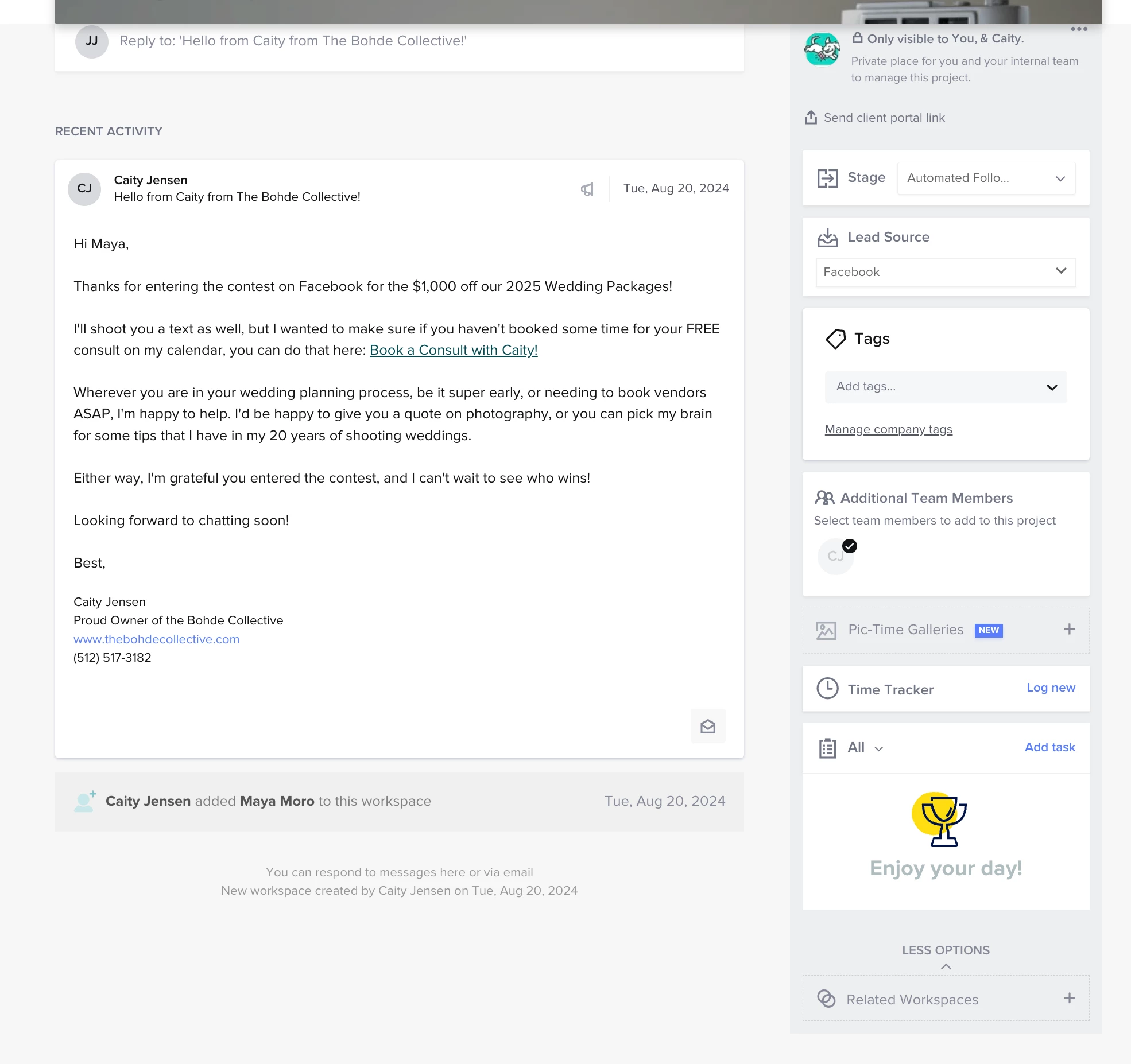
If I manually create a project, the first thing I do is send a template email called “Inbound Discount - #1”


Diana The Finer Points
Luminary
Forum|alt.badge.img+9

and what’s the action they would take from “inbound discount #1”? 


book a call? 

submit a brochure?


and then after the action is taken, what’s the next step?


John Jensen
  • Author
  • Newcomer
  • August 20, 2024

The CTA in the email is booking a consult through the scheduler. But sometimes it takes 8 emails and 4 sms texts to get them to schedule.


Diana The Finer Points
Luminary
Forum|alt.badge.img+9

okay a few suggestion to make it easier for you:

The way you have it set up currently, your “inbound discount #1” email is your “trigger” and the automation would be set to → Trigger: after consult is scheduled (and specify a specific project type if that applies) and then whatever the next step is after their session is scheduled. So when they take action from the email you’ve manually sent, it’ll trigger the next step.


SUGGESTION:

Depending on how your leads come in, if possible, have them fill out a simple lead form WITH the consult scheduler already on the form. THEN the automation trigger is → “Lead Form Submitted”. 

This allows for them to book a call immediately and triggers your next step. My clients who do this step (using the lead form instead of manual application), gets a MUCH HIGHER booking rate. Less texts and emails to follow up with.