Question

Workspaces - Design Brainstorming - Has anyone used Design Brainstorming to communicate to team members only and have them fill out a Smart File that's NOT for the client?

  • September 11, 2024
  • 5 replies
  • 30 views

Peter Mackison

Hi Everyone,

We are hiring a team across the country and we have built some fantastic automations in HB.  Our one hurdle is that we have a Smart File that is basically a checklist (built from the Questionnaire template) for each team member to fill out before the project is turned over to us to complete.  This checklist is key to our business workflow.  Our hurdle is that for the most part, Smart Files are client facing and we don’t want this to go to the client, we want this Smart File Checklist to be for each team member to fill out and submit.  I was told that potentially this could be done in the Workspace area, specifically under a “Design Brainstorming” Workspace.  


Does anyone have any knowledge, experience or idea on how I can put into place a Team member only smart file to be filled out and submitted by the Team Member who is leading the project (and not for the client to see)?


Thank you and I look forward to your suggestions and direction!


Peter

5 replies

Carmel Arad
HoneyBook Employee
Forum|alt.badge.img+1
  • HoneyBook Employee
  • October 29, 2024

I’m Carmel from the product team. We’re rolling out a new feature that lets you share files within a project just with certain participants. So, you can keep checklists visible only to your team members, while keeping them hidden from clients. For you and your team, though, they’ll still stay connected to the project and show up in the files tab.

If this sounds like it could be helpful for you, just let me know, and I’ll enable it for you!


Peter Mackison

Yes please, I would love to try this feature out. 


Carmel Arad
HoneyBook Employee
Forum|alt.badge.img+1
  • HoneyBook Employee
  • November 12, 2024

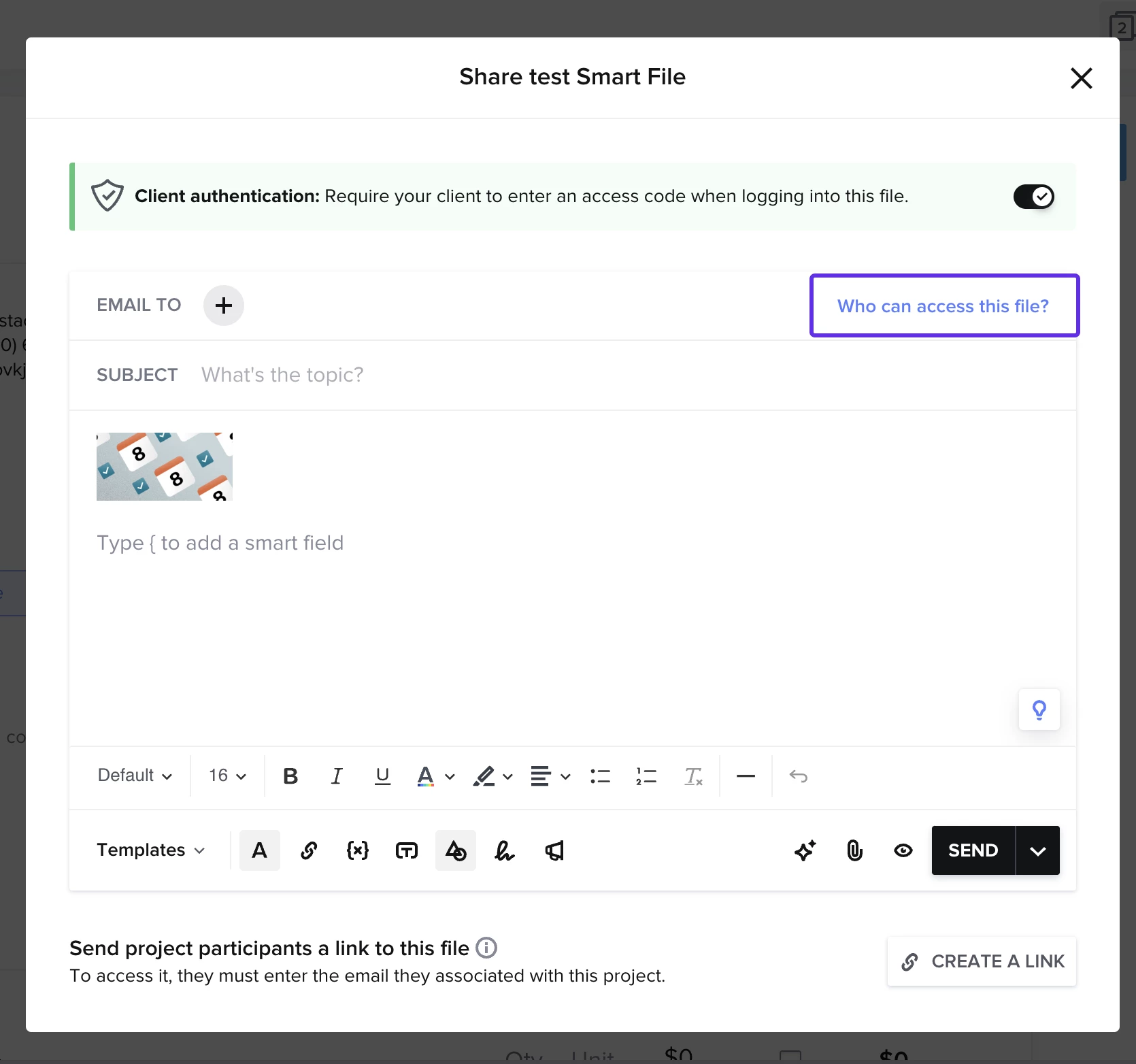
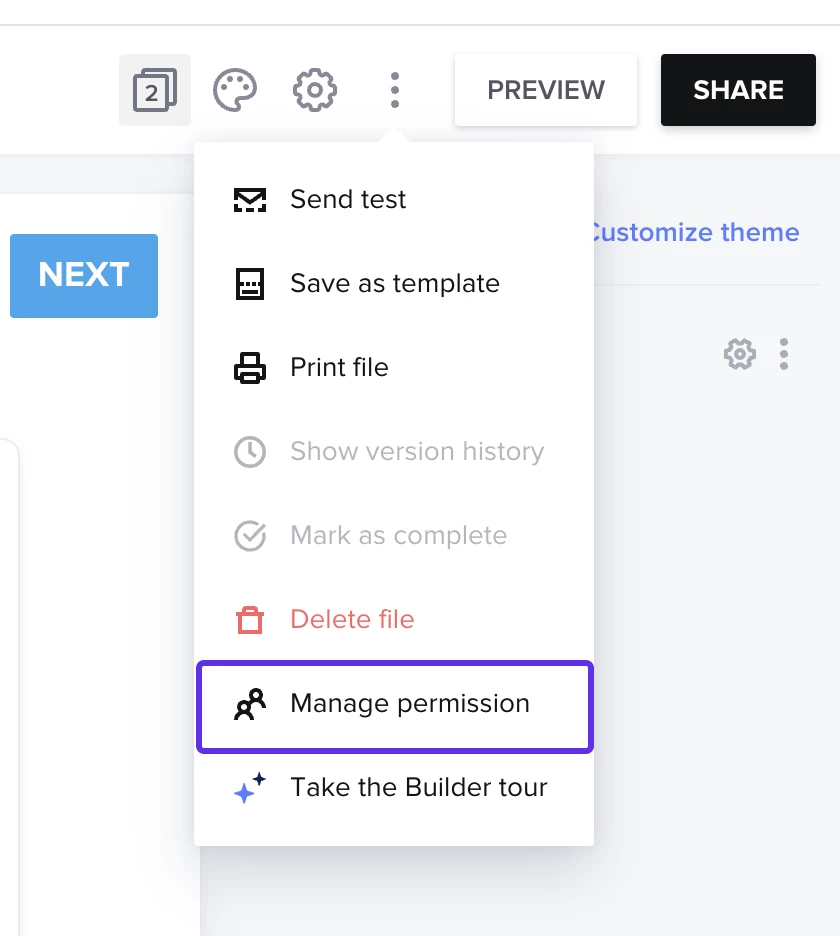
It should be open on your account. When sending a file you can choose who to send it to (from the project participants). Only they will see and have access to this file. You can also manage the access from the “who has access to this file?” button. So you can add or remove access after the file is sent. This is also accessible from the 3 dot menu within the file. I added some images below to show where you can access this. Please let me know if you have any other questions. 


Peter Mackison

So, will a team member be able to fill out the smart file and submit it, similar to how a client would fill it out and submit it?  This is key as we want to use the checklist we created to gather key information from our team members.  


Thanks,

Peter 


Carmel Arad
HoneyBook Employee
Forum|alt.badge.img+1
  • HoneyBook Employee
  • November 12, 2024

So to support this you have 2 options:
1. Share a file with your team by sending them th link in the share modal (where it says create a link in the image I sent). They will be able to fill that out. 
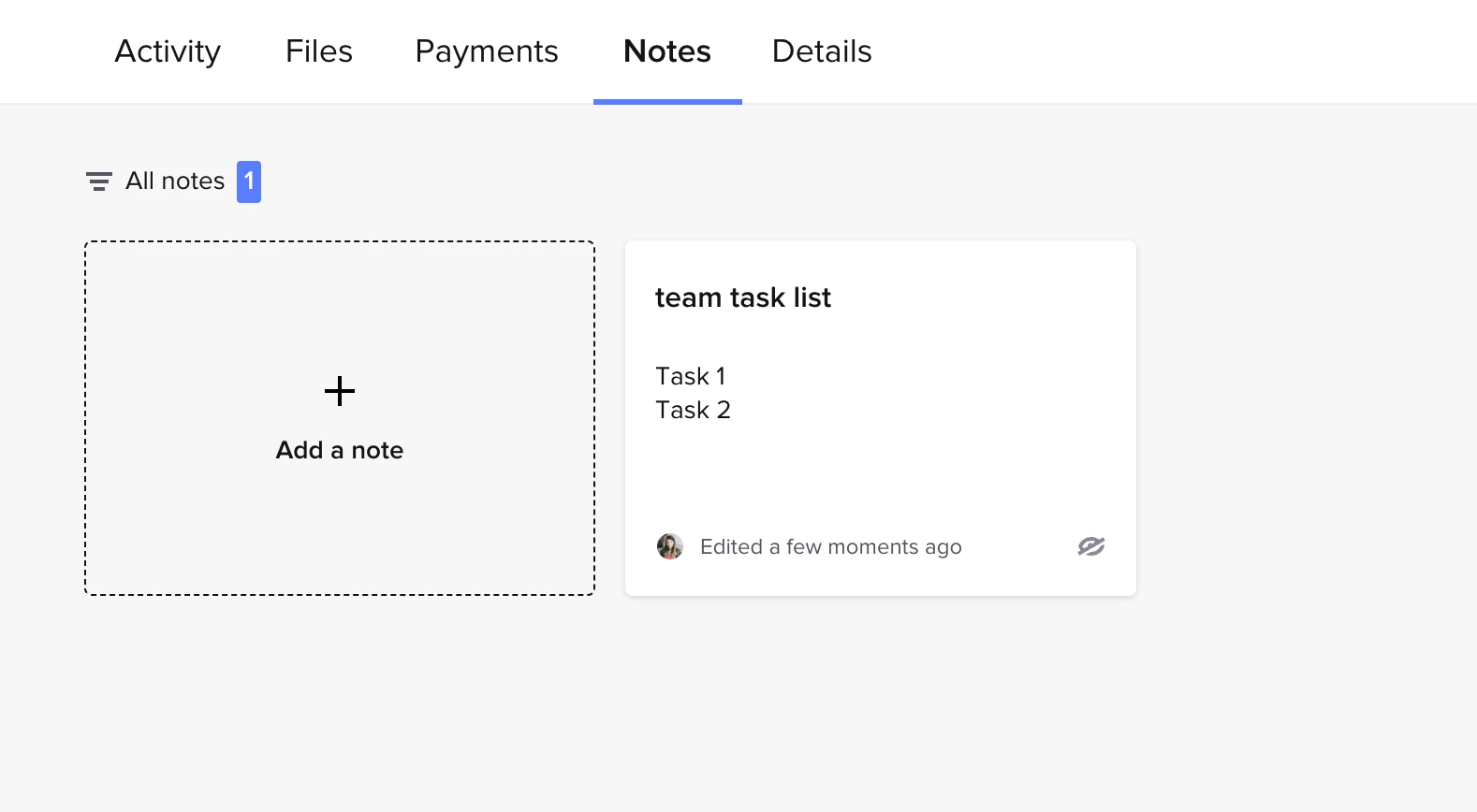
2. Notes - create a note in the project (it is visible only to your team by default thought that can be changed). The note can have checkboxes in it to reflect the tasks you want to track. See attached images. 


LMK if this is helpful or if you were looking for something slightly different.