Question

Confirmation button

  • December 6, 2025
  • 6 replies
  • 52 views

Evan Goldstein

Has anyone had this happen. Client filled out a lead form on their phone, never hit the send button at the very end of the form. She thought she had schedule the appointment. Online the last button says “submit” but when they use their cell phone it's just a little arrow very easy to miss. This did not go well and could not be saved. 

Does anybody have a fix that you know of?

6 replies

richardtorresmagic

Hey Evan I know exactly what you are talking about. I totally agree with you. I noticed the same thing. That’s small little arrow on mobile can easily be missed. I almost missed it myself when viewing it on my phone. This is a crucial design error in my opinion. I went into the dev source code and made some changes on what I would like it to say.


This is for the DEVs at honeybook to reference:


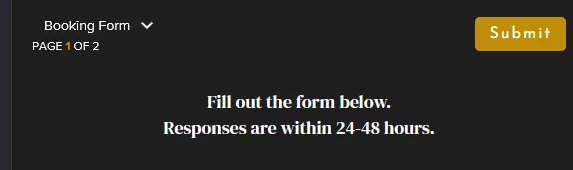
This is what I see on mobile:


Going into the source code making some adjustments:

This is what I would like to see or have it match whatever wording we set it to (on mobile) Currently it just converts to the right arrow and it’s so small.


Alicia Bauer
Forum|alt.badge.img+4
  • Newcomer
  • December 8, 2025

@Evan Goldstein - Thanks for flagging this! I would suggest submitting a query into support via the ? in the app. That way the Developers are able to note this issue. 💛 


Evan Goldstein

Hi Alicia, and thank you Richard.

Alicia, Can you tell me if  yours is working the same way that mine is.  The two images that Richard posted look exactly like mine. I'm going to make an attachment here. When I copy the link and sent it to my wife it worked with the submit button. But for the client goes directly to the website on their phone, there is no “submit” button just the arrow.  Tech-support says that it is my web Host, I’m sorry but I have a hard time believing that has anything to do with it. see attached. 


On another note, I was a little surprised when clients select a time a bubble pops up and says “select” I have tested this with four people too savvy with computers to not so savvy. All four thought once they selected the time, it wasn't automatically saved and that they would have to take a second step and click on select. I was surprised that it wasn't obvious to click on select bubble . . .


Alicia Bauer
Forum|alt.badge.img+4
  • Newcomer
  • December 12, 2025

@Evan Goldstein - Hey! I think that it will depend on the size of the mobile device. This is not my area of expertise, along with the web hosting being the culprit. I would just make sure you submit a feature request if you would like the opportunity to have changes made on the scheduling selection. That way if anyone else has the same issues and would like to see changes made they can upvote your request and there will be more eyes on it.


Cassie H of Premier Ops Spot
Community Legend
Forum|alt.badge.img+7

Hi Alicia, and thank you Richard.

Alicia, Can you tell me if  yours is working the same way that mine is.  The two images that Richard posted look exactly like mine. I'm going to make an attachment here. When I copy the link and sent it to my wife it worked with the submit button. But for the client goes directly to the website on their phone, there is no “submit” button just the arrow.  Tech-support says that it is my web Host, I’m sorry but I have a hard time believing that has anything to do with it. see attached. 


On another note, I was a little surprised when clients select a time a bubble pops up and says “select” I have tested this with four people too savvy with computers to not so savvy. All four thought once they selected the time, it wasn't automatically saved and that they would have to take a second step and click on select. I was surprised that it wasn't obvious to click on select bubble . . .

Hey ​@Evan Goldstein , Honeybook Pro here. Lead forms are great for fast action, like combining the questions with the scheduler - however, they do NOT embed nicely on the website like a contact form does. Here are my 2 recommendations to solve this, that are in your control, so you don’t have to wait on Devs to change anything:

  1. Instead of embedding the Lead Form on your site, change it to a BUTTON with action text “Contact Us”, “Schedule a call”, “Check availability”, etc.
  2. Change your process to be a Contact Form instead of Lead form, and email them the link to schedule. I know it seems like it might interrupt the process, but this is how I have mine currently set up, and 95% of people schedule the call within 5 minutes of filling out the inquiry form.

Finally, is your Lead form currently 2 pages? You may check if you can change it to 1 page (move the scheduler block to the same page as the questions) and this may solve it… One page works better for embedding than 2.

Let me know if any of these help!


Evan Goldstein

Thank you Honeybook Pro!  Thanks for the info, I did change it to a contact form rather than a lead form. Seems to be working well. I have it set up or they will put in their information, one minute later they get a link to set up the zoom meeting, once the zoom meeting is set up like a thank you we'll see you soon. 

I do wish I could incorporate being able to select the zoom at the same time. I don't believe that's possible. My fear is they may not see the second email to set up that Zoom. Am I missing something?