




Question

First Post— Group Stages "Opportunities" & "Projects"

  • May 25, 2025
  • 1 reply
  • 10 views

Krueger
Forum|alt.badge.img

Hey everyone 👋

First time posting here, so please forgive me if this has already been answered somewhere in the docs or forum—and if it has, I probably skimmed right past it in a caffeine-fueled haze. Also, it’s entirely possible that the answer is so obvious it doesn’t need an explanation... which unfortunately hasn’t stopped my last two brain cells from fighting for third place trying to figure it out.
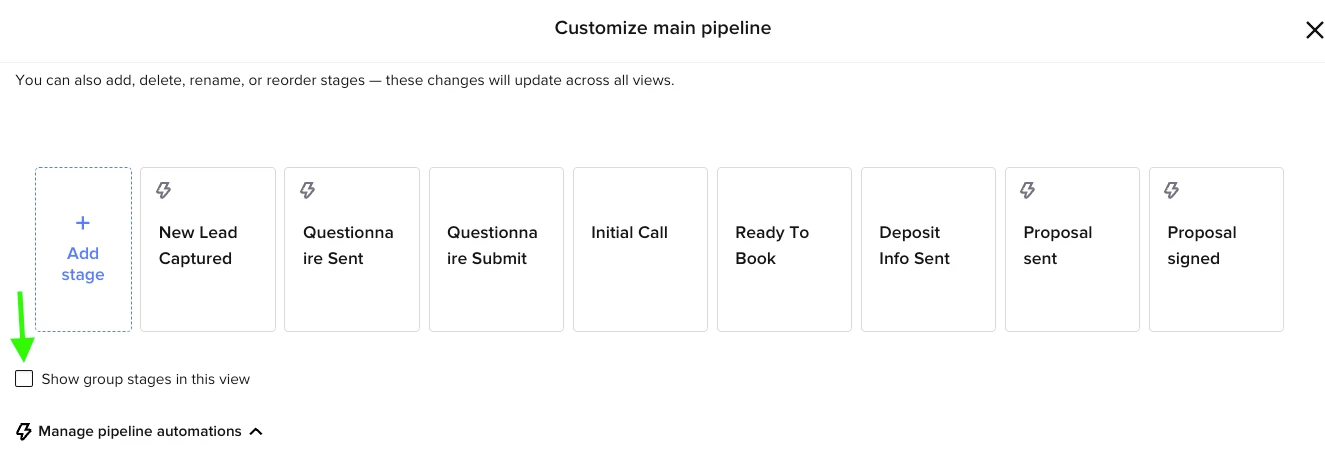
When I click “Show Group Stages” in the pipeline view, I see the grouping appear—but I’m a little unclear on how it functions structurally:

  • Are these considered separate pipelines?
  • Or is it one group stage that feeds outward into the main pipeline?
  • Can I have multiple group-stage pipelines that then filter into one primary pipeline—or vice versa?
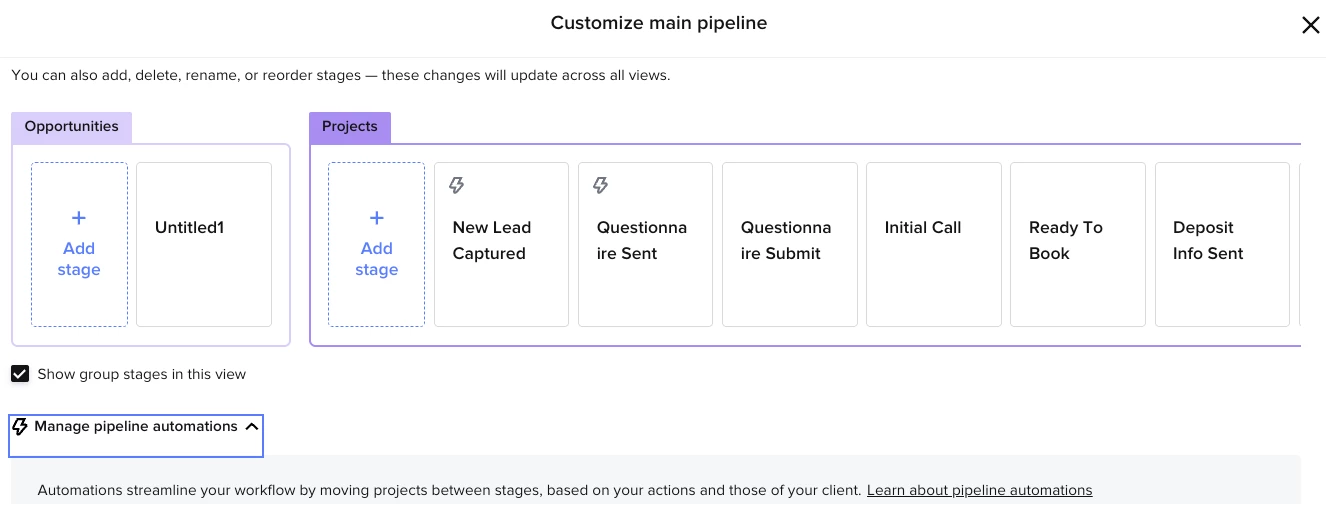
     

Just trying to map out how best to use this for incoming leads that may be at different intake points (inquiries, courses, etc.) before they join the main workflow.

Appreciate any clarity or examples you all might have. Excited to be part of the beta group and looking forward to breaking a few things until I get it right 😅

Thanks in advance!
- Sean
@Bartend Long Island

1 reply

Alicia Bauer
Forum|alt.badge.img+4

@Krueger  - Welcome to the community—and honestly, your “caffeine-fueled haze” line might be the most relatable thing we’ve read all week 😅 You're not alone, and your questions are totally valid—the new Group Stages view in the pipeline can definitely take a minute to fully wrap your head around.

Here’s a quick breakdown of how it works structurally:

💡 Think of "Group Stages" as visual organization tools, not separate pipelines.
They allow you to categorize and visually separate stages within one single pipeline, rather than creating entirely separate pipelines. So when you toggle "Show Group Stages," you're simply grouping your existing stages under labeled headers to keep things tidy and easier to manage—especially when juggling leads from different sources like courses, inquiries, or VIP offers.

To answer your questions directly:

  1. Are these considered separate pipelines?
    Nope—they’re still part of one unified pipeline. The groups are more like folders or sections to help you segment and stay organized.

  2. Is it one group stage that feeds outward into the main pipeline?
    Not exactly. Everything still flows through your defined stages. Grouping just helps you visually sort stages based on type, source, or flow. The behavior of the stages doesn’t change—they’re just grouped differently on screen.

  3. Can I have multiple group-stage pipelines that filter into one?
    Not with group stages. But you can set up different entry points for leads (via contact forms, scheduler links, or automations) that all route into different stages within your pipeline—and then organize those into groupings. So it feels like you have mini pipelines, but they all live in the same structure.

✨ Pro Tip: You can rename, rearrange, and regroup stages as needed—so this feature is great for evolving workflows and experimenting with how you manage multiple client journeys.

And don’t worry—breaking things a little is basically part of the onboarding process for power users 😉 You’re doing it right!

If you’d love to see multiple full pipelines become an option in the future, definitely drop that into the Ideas section of the community to help the HoneyBook team prioritize what to build next.

