





Question

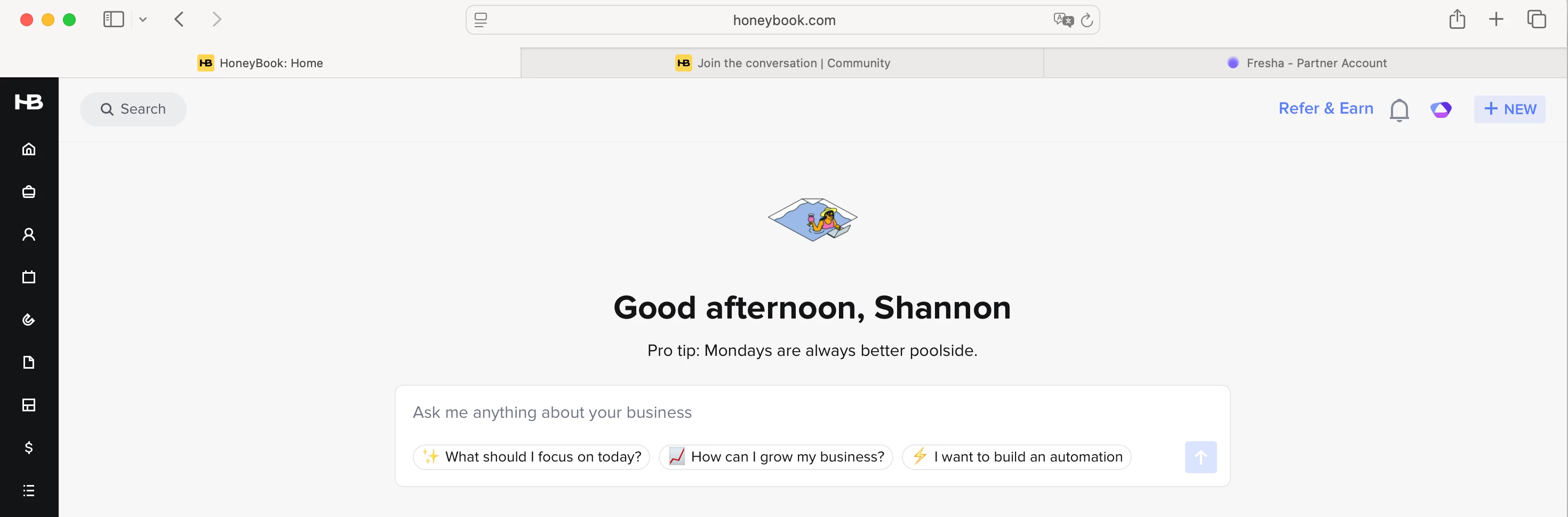
Home Screen - Giant AI section

  • August 11, 2025
  • 1 reply
  • 11 views

Shannon Ranger
Explorer
Forum|alt.badge.img

Why in the world are we being forced with this AI function? This is taking up half of my home screen above the fold if you will, and is requiring me to scroll down to see my actual day.

Come on, HB… throw us a bone here… I love AI, but I don’t need HB AI shoved down my throat.

Can I change this setting? It doesn’t appear in my customization options as a widget.
 

1 reply

Alicia Bauer
Forum|alt.badge.img+4
  • Newcomer
  • August 15, 2025

@Shannon Ranger - Hey there! I totally hear your frustration. Right now, the AI section isn’t a customizable widget, so it can’t be removed from the home screen. I know that’s not ideal, especially if it’s disrupting your workflow.

That said, AI is definitely becoming a big part of HoneyBook’s vision for the future, and they’ve been putting a lot of research and development into building tools that can eventually save us time and streamline tasks. I get that it might not be something you’re ready to dive into just yet, but it might be worth exploring a bit to see what it can actually do for your process.

Still, I think feedback like yours is really important, so I’d definitely encourage you to submit a feature request or leave a comment in the Feedback Portal if you’d like the option to hide or move the AI section. You’re probably not the only one feeling this way!


