Question

Honeybook Time Tracker via Apple Shortcuts?

  • October 3, 2025
  • 2 replies
  • 10 views

Taylor Doyle

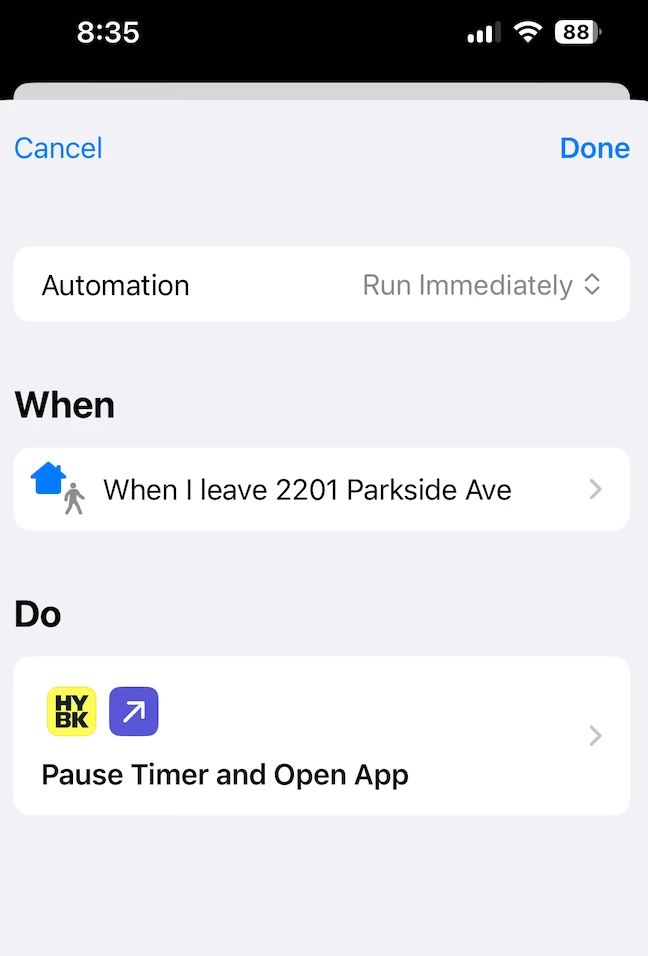
Okay so this is a very niche thing BUT I’ve been trying to use Apple Shortcuts to automate a couple of things in my life and one of them is tracking work hours spent on my phone as well as in my physical studio. Heres the setup----

I’ve created an apple shortcuts automation to trigger the Honeybook timer when I do various things like arrive at my studio or open my gmail app- automation pictured below:
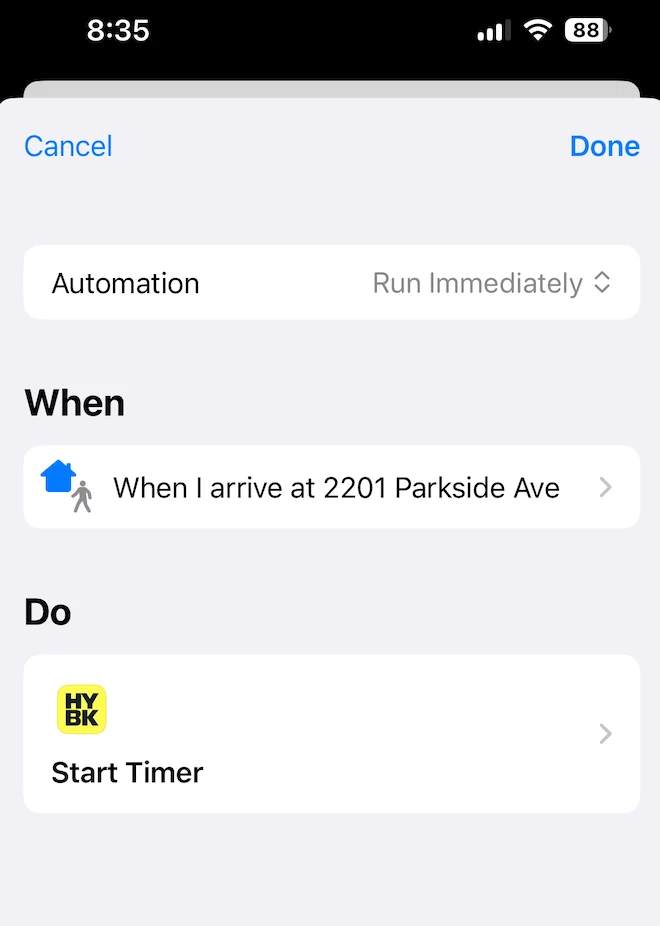
 

And then when I leave my studio or close a work app or whatever I set up an automation to “pause timer” via honeybook and then open the Honeybook app in hopes of being able to categorize the time that timer just tracked. 


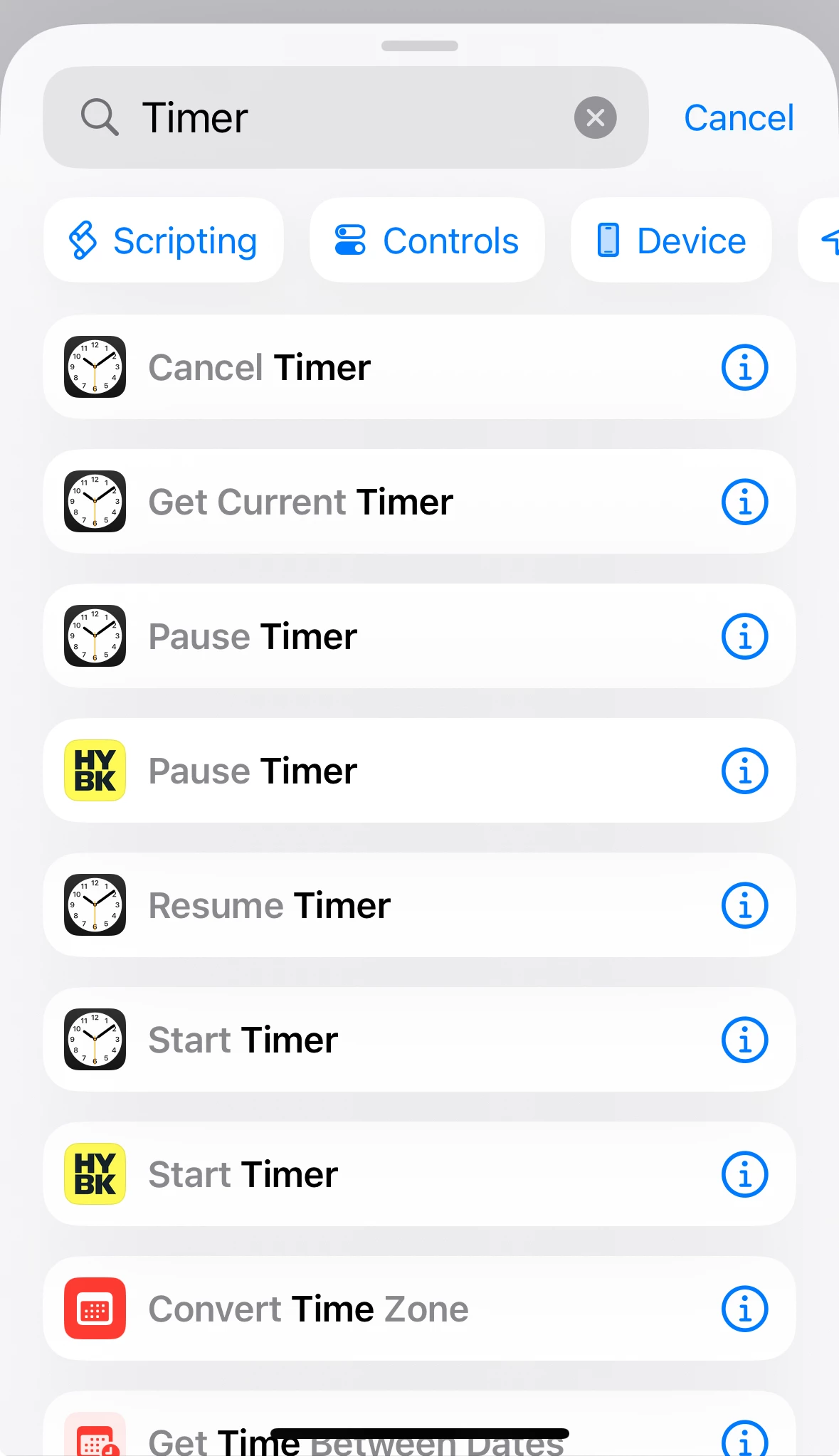
Heres the issue-- WHERE DOES THAT TIMER TIME GO?! It doesn’t appear to be logged anywhere that I can access via the app or online. It doesn’t even seem to register as a tracked time anywhere? I’m thinking because theres only a “pause timer” option and not a “stop timer” option (options pictured below) that the timer just doesn’t register as a completed function?
 

This might not be a solvable problem via the HB timer option in Shortcut Automations but I’m really bad at tracking my time so I was trying to automate it! Maybe some of you might be more creative than me on what I should trigger to make logging time for certain projects more automated!


2 replies

Alicia Bauer
Forum|alt.badge.img+4
  • Newcomer
  • October 3, 2025

@Taylor Doyle - Wow — this setup is so creative! I absolutely love how you're trying to automate time tracking using Apple Shortcuts. 🙌

I’ll be honest, I haven’t personally used the HoneyBook timer function within Shortcuts, so I’m not totally sure where that paused time gets logged (if anywhere) — and I agree, the lack of a "stop timer" action might be what's tripping it up.

Since it sounds like a super niche case, I’d definitely recommend reaching out to HoneyBook Support directly via the ? icon in your account so they can dig in deeper. They might be able to confirm how (or if) that tracked time is being stored when triggered that way.

Hopefully someone here in the community has figured out a similar automation workaround? Would love to learn from anyone who’s successfully done this!

Keep us posted if you find a hack that works! 💡


Linda Leyva

after a long chat with ChatGBT with a similar thought - to use a shortcut to prompt HB Tasks, seems HB isnt up to date with the iOS Apple released and Im sureprised that your shortcut worked, since apple made so many changes to it. Anywho, seems HB needs to implement a “ Intents (Apple’s new API for deep linking), which triggers not only shortcuts but also Siri commands. I hope they do this becasue I love all things HB and there is SOOO much potential here! I would love to eventually replace my Google Task App with HB’s .. praying this happens soon! 😀