I find it super annoying that when a new project is created the cover photo automatically populates to something random. I want to be able to keep the SAME cover photo for every single project I have, which is my logo. I do not want to have to go in and manually change it every single time. Please make this an option for us!
Thank you!!
Best answer by Caitlyn Gray
@Megan Curtis & @Amy Dunn I figured it out for you two. So with all newer accounts or accounts without the old legacy files being used the image selection is in a different spot.
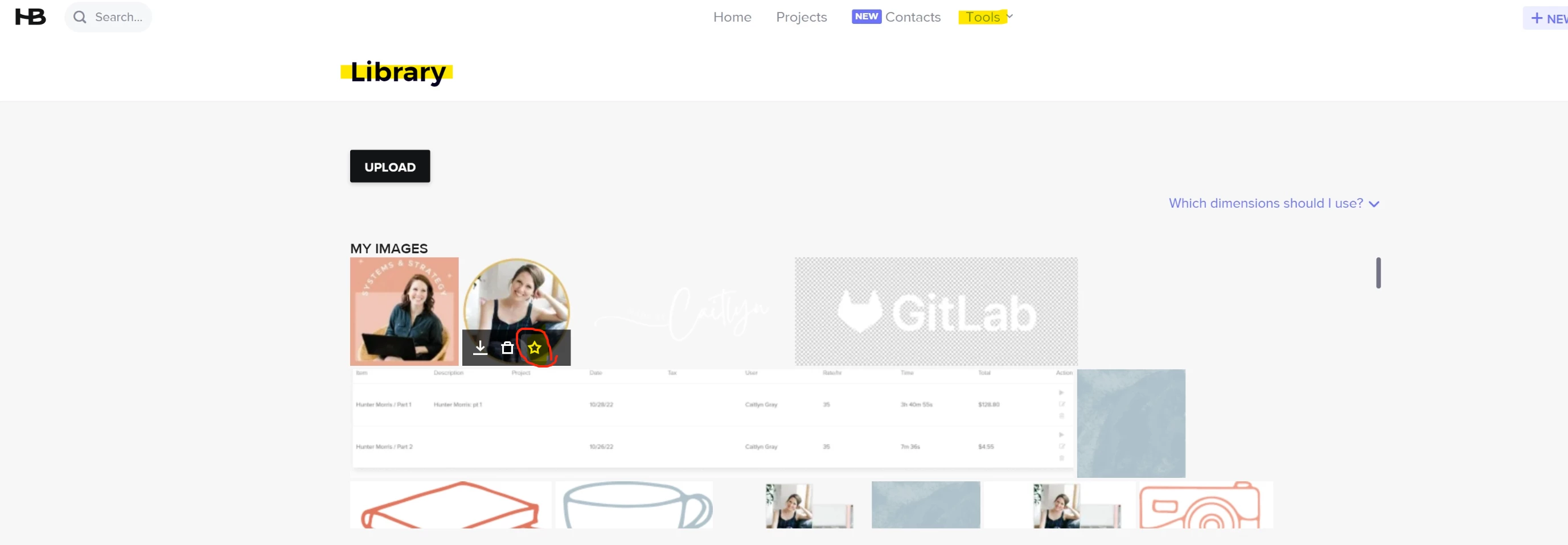
You instead want to go to Tools → Library → Hover over the image you want → select the STAR and that will be you header image that will auto load into all profiles form here on out.
Images 750 x 300 are suggested (jpg, png) BUT I have personally had to play around with this to get what I want. Hope this helps :)
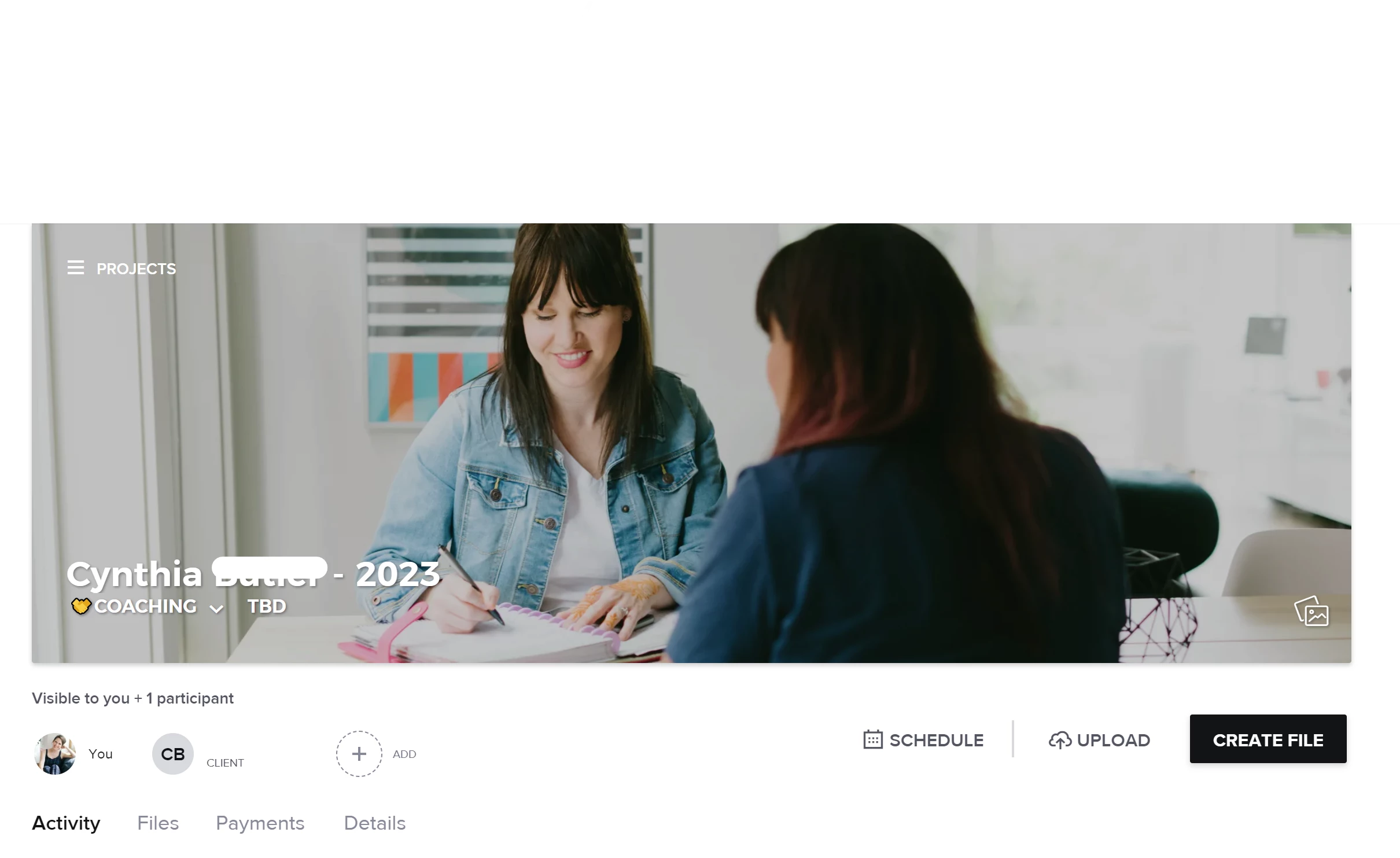
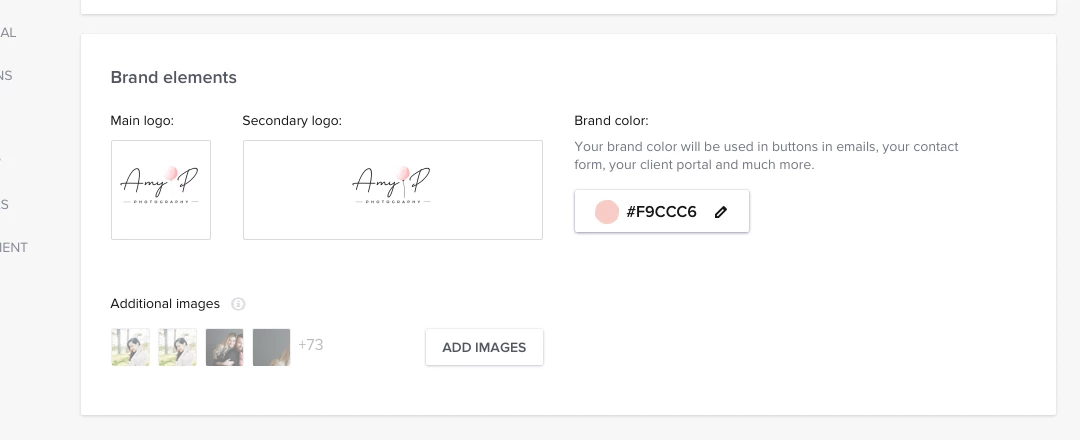
Hey! Are you talking about the main header project photo (like photo shown below)? If yes, that can be customized to be the same. Go to Company settings → Company Brand → Brand Elements → Default header image
Hey! Are you talking about the main header project photo (like photo shown below)? If yes, that can be customized to be the same. Go to Company settings → Company Brand → Brand Elements → Default header image
Thank you! This drove me insane. I normally set it to my client’s logo once they sign a contract for us to work together, but until then it was just random.
I totally get it. It’s annoying when it’s not set because there is literally not rhyme or reason to what image you get! Glad this helps and should save you lots of time lol.
@Megan Curtis - I would suggest reaching out via the chat in HB and see if they can help you with this. It may just be a glitch that you don’t have access to select the header image. :)
@Megan Curtis & @Amy Dunn I figured it out for you two. So with all newer accounts or accounts without the old legacy files being used the image selection is in a different spot.
You instead want to go to Tools → Library → Hover over the image you want → select the STAR and that will be you header image that will auto load into all profiles form here on out.
Images 750 x 300 are suggested (jpg, png) BUT I have personally had to play around with this to get what I want. Hope this helps :)
@Caitlyn Gray thanks so much for chiming in to help troubleshoot! If you ever get stuck or need to share with someone else, you can also find the how-to for setting a default image on files in the help center.