Requests for Automations 2.0

  • April 4, 2025
  • 10 replies
  • 143 views

Imiivo

HoneyBook, would you please consider these requests to improve automations 2.0?


With switching over from the old automations, I’ve noticed some gaps that I truly hope can be addressed soon or it might actually may make more sense for me to switch back to old automations. The biggest one being:

  • In 2.0, I am no longer able to automate emails based on project date and send session date email reminders ahead of the project date (not after). i.e., 1 week away, 1 day away, 21 days before session. With 2.0, I would have to manually do this for each session. The “wait” trigger is only based off of when the automation began.

The Requests

  • Within an automation be able to create actions (send emails, smart files, etc.,) based on project date. For instance, 5 days before project date, 14 days after project date.
  • Enable multiple triggers and actions within one automation. I.e., first payment made, calendal session scheduled, project date. This also eliminates multiple workflows for one project.
  • Enable the ability to delete or skip a step in the automation from the right side panel of a project once it is in use on a project.
  • Enable the ability to rearrange the order of steps within the automation.
  • Enable the ability to delete an automation from the right side panel of a project. 


Thank you,

S.

10 replies

muah_cad
Forum|alt.badge.img
  • Newcomer
  • April 4, 2025

Yes!!! Why was the project date removed at all?


Shannon Burke
Forum|alt.badge.img

agreed! so frustrating


Monica R
HoneyBook Community Team
Forum|alt.badge.img+7
  • HoneyBook Community Team
  • April 17, 2025


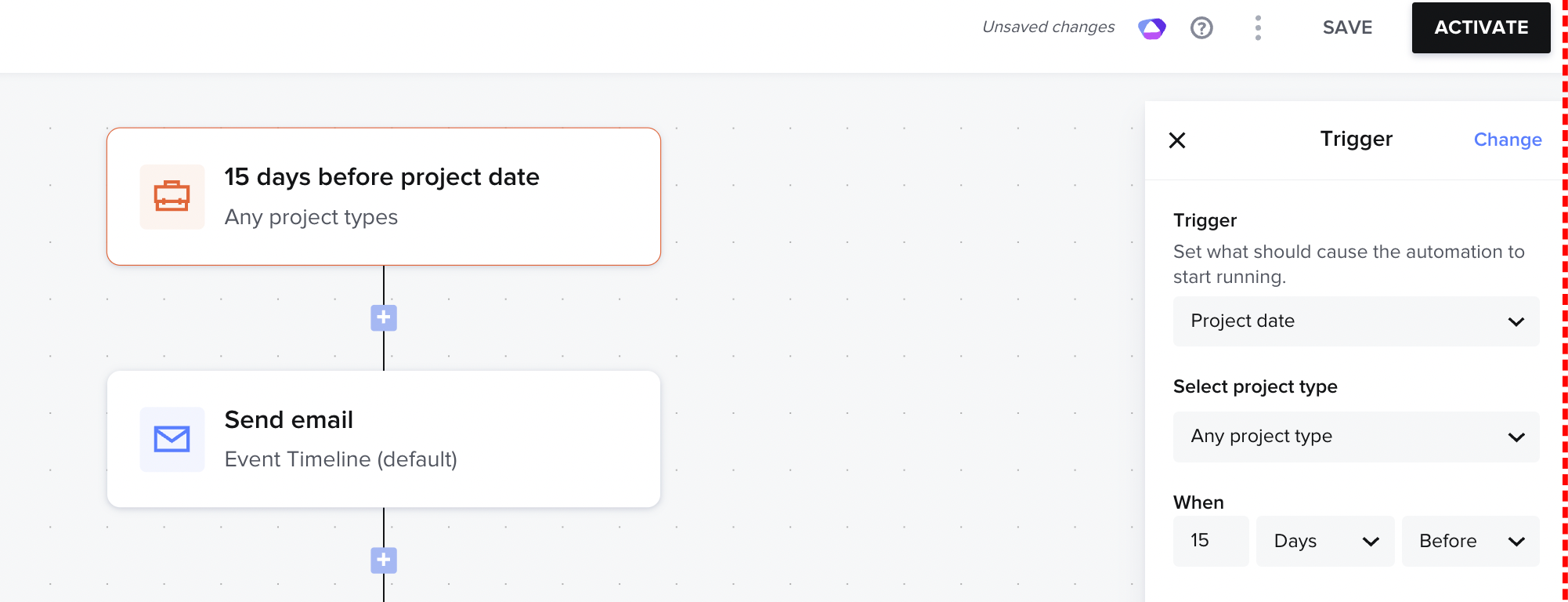
You are able to set the project date as a trigger and have it begin before a project date - does this help your use case? Let us know! 


Federico
  • April 18, 2025

An additional update request is to be able to edit an email that is triggered to send which requires approval.  There is no way to edit this email before sending and that is frustrating. 


Monica R
HoneyBook Community Team
Forum|alt.badge.img+7
  • HoneyBook Community Team
  • April 21, 2025

Hey ​@Federico! You can upvote the feature request for that here :) 


Ashley Jordan

Agree I loved being able to set different tasks to be done so many days or weeks before the project date. Not just the trigger starting point. 


muah_cad
Forum|alt.badge.img
  • Newcomer
  • April 25, 2025


You are able to set the project date as a trigger and have it begin before a project date - does this help your use case? Let us know! 

It could… however, it makes the workflow very messy to have to create a new automation every time I need one done based on project date.


JJ Wilkins

I would love to be able to skip a task in Automations 2.0, like we are able to in the Old Automations. There are times I forget, and want to just skip the step and have it continue to go down the automation line. 


Rebecca Cross

This is what is missing from automations 2.0


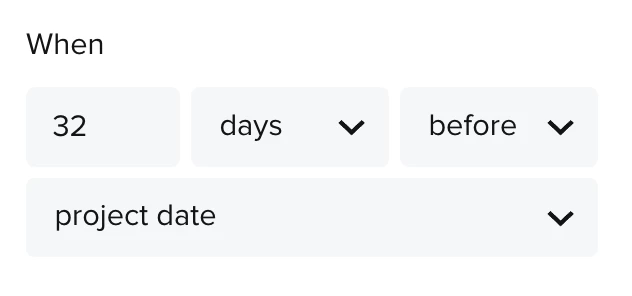
I need to send a questionnaire 32 days before project date and I REALLY want to keep this inside my active automation and not create a new one.


Any updates on when this will be possible? I really don’t understand why this trigger was removed?


Bethany Wolf

Agreed! The new updates are great, but the functionality actually makes it much more difficult to work through these automations vs the old automations fully with my clients.


Not having the ability to edit file templates, skip steps, start from a specific step, or even “fast forward” through wait times for clients who may have a quicker timeline than others is extremely frustrating. Constantly having to duplicate an automation to make small edits is not ideal when you’re trying to make things as efficient as possible.


I hope the Honeybook team really hears the community on this topic and makes the suggested changes in automations 2.0 because it would really make a world of a difference in keeping the automations as simple and efficient as possible for business owners.