





Solved

UI Issues with new custom pipeline views

  • May 9, 2025
  • 3 replies
  • 23 views

Ashley Rufino
Creative Icon
Forum|alt.badge.img+6

So there are 2 categories that it allows you to group into: Opportunities + Projects.

So if I were to delete the Untitled1 stage from the Opportunities grouping, that grouping option disappears completely with no option to have it visible with the +add stage button. The only way to get it back is to go back to the main view > customize pipeline> add stage. Only then will you get that tab/grouping back as it defaults to adding it there.
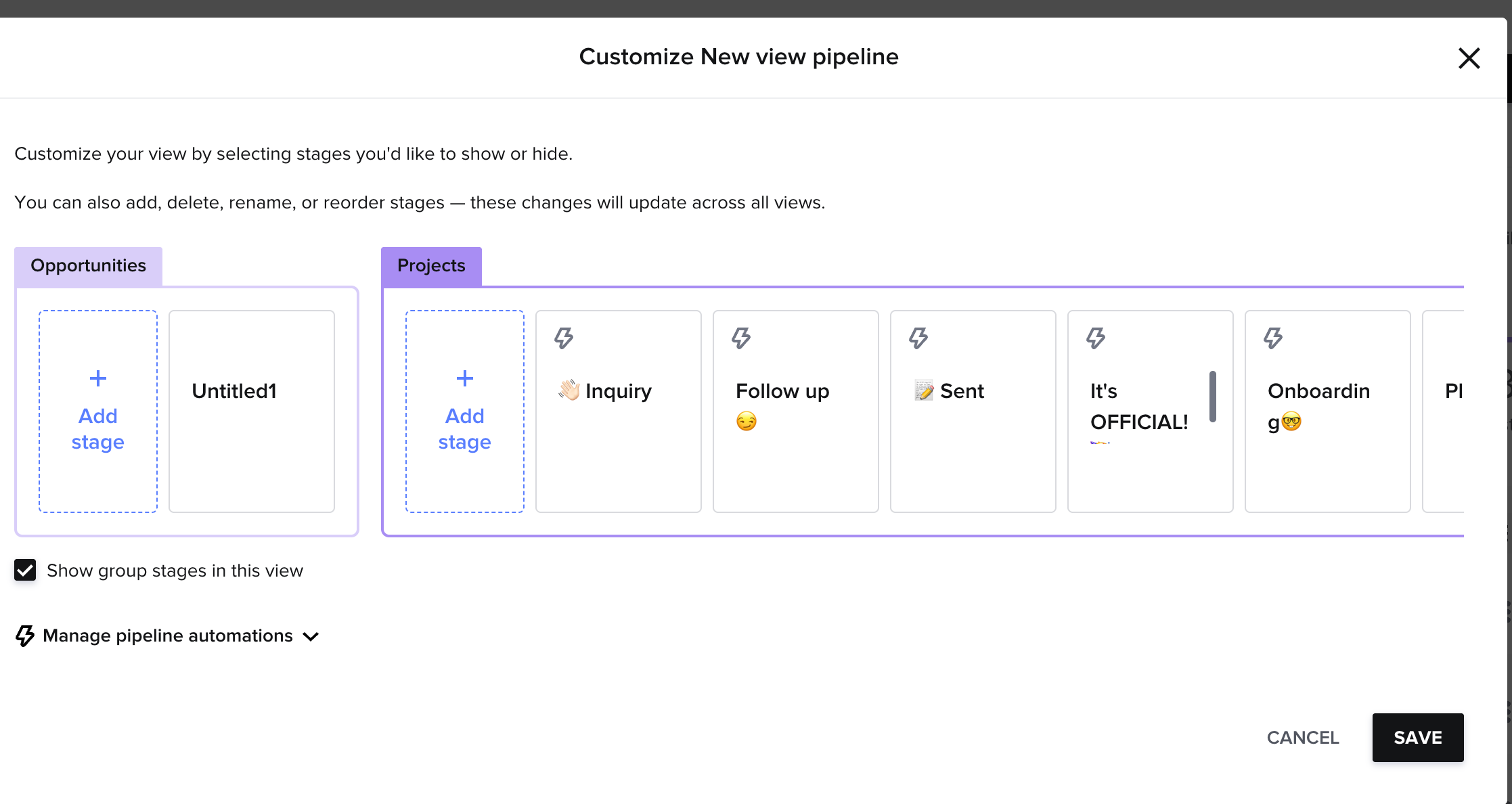
 

Second issue is that there is no navigational/button help with the pipeline. There used to be arrows on the far side to do left or right. The horizontal scroll bar also does not appear unless I click one a stage and use left or right arrow keys. see video:


 

Best answer by Alicia Bauer

@Ashley Rufino - I would make sure to reach out to Support on this to make sure it isn’t a glitch in your account!

3 replies

Ashley Rufino
Creative Icon
Forum|alt.badge.img+6
  • Author
  • Creative Icon
  • May 9, 2025

also, this is both safari and chrome. Both up to date 😊


MFrymus
  • June 11, 2025

I dont have these issues. Must be on your end


Alicia Bauer
Forum|alt.badge.img+4
  • Newcomer
  • Answer
  • June 14, 2025

@Ashley Rufino - I would make sure to reach out to Support on this to make sure it isn’t a glitch in your account!
