Company Information not showing on invoice

  • March 3, 2026
  • 5 replies
  • 33 views

Kay Bishop

I am constantly having client ask me to send them an invoice because my company information is not showing up when they print the invoice from their side. I actually sent myself a test file so I can see what they see. 

Here is the invoice from the project file I sent. As you can see there is no contact information, only the bill to.
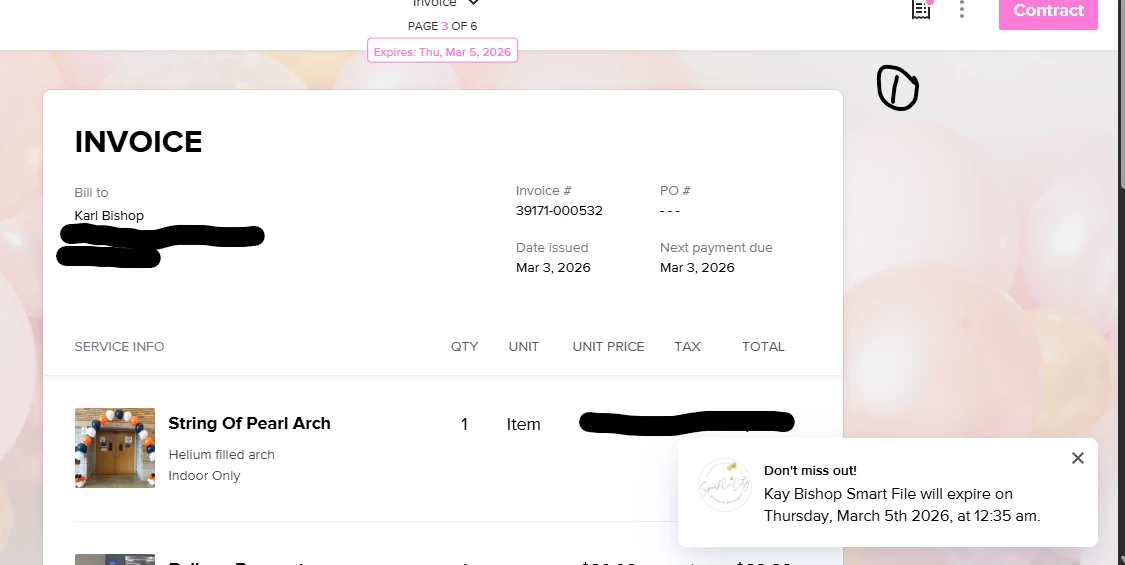
Client Side View From Portal Email

However, when I go through the administrative side (File Summary) and view the invoice our contact information shows
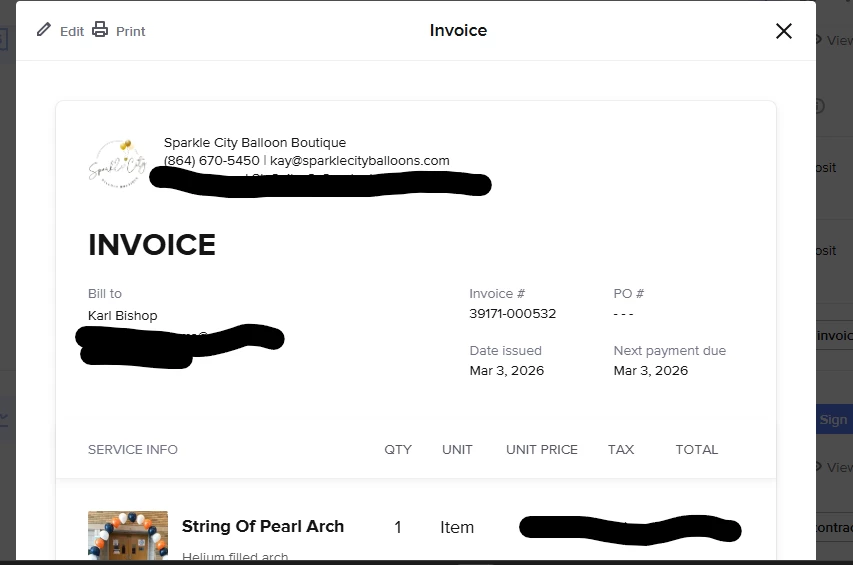
File Summary - Invoice View

Is there any way to fix this? Any help is appreciated. 
5 replies

Tonisha J Stalnaker
Explorer
Forum|alt.badge.img+4

Hey there ​@Kay Bishop this should be fixable in the smart file settings. Let me pull a screenshot for you.


Kay Bishop
  • Author
  • March 3, 2026

Hey there ​@Kay Bishop this should be fixable in the smart file settings. Let me pull a screenshot for you.


Thank you! That would be amazing! I appreciate it


Tonisha J Stalnaker
Explorer
Forum|alt.badge.img+4

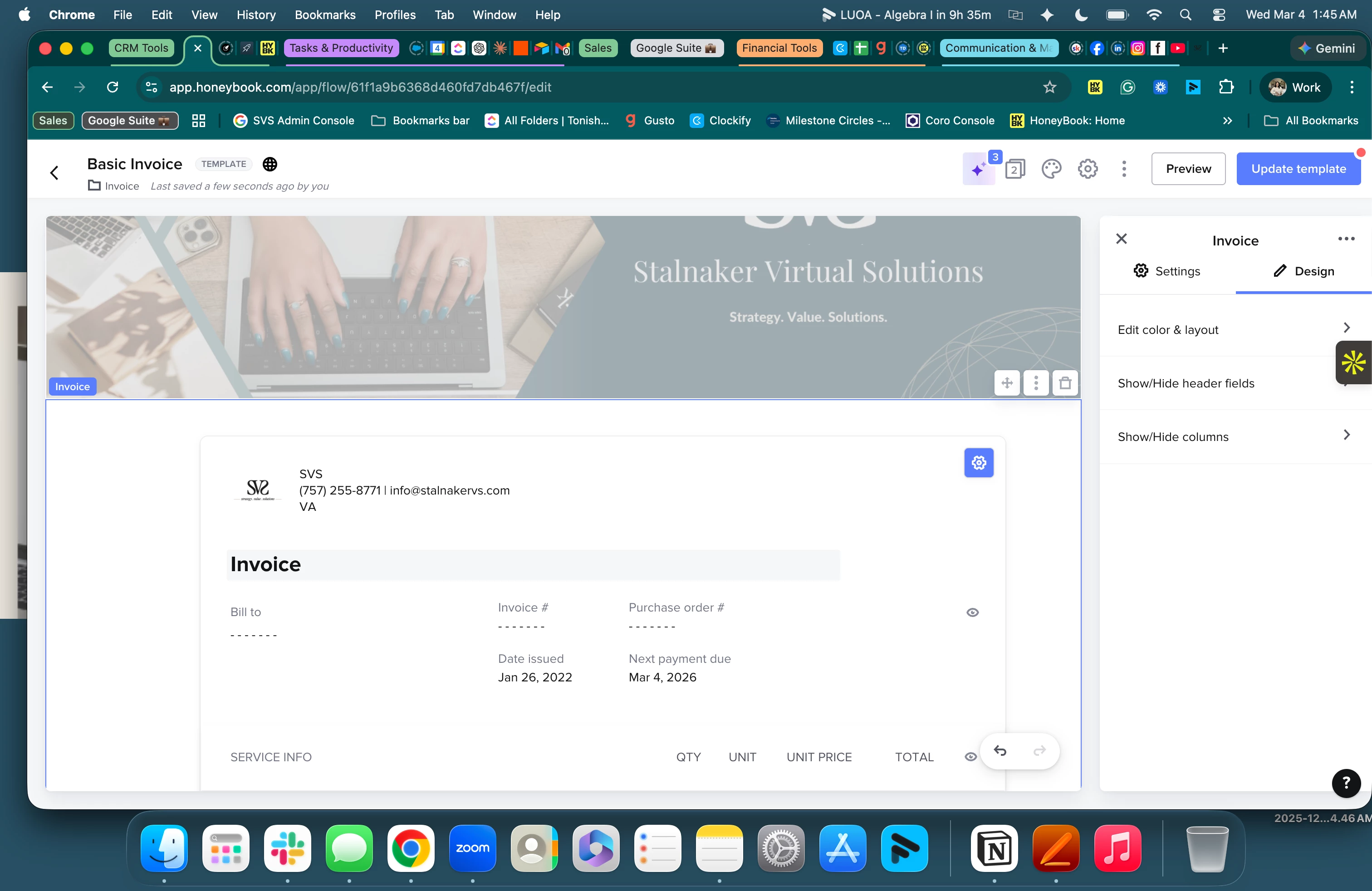
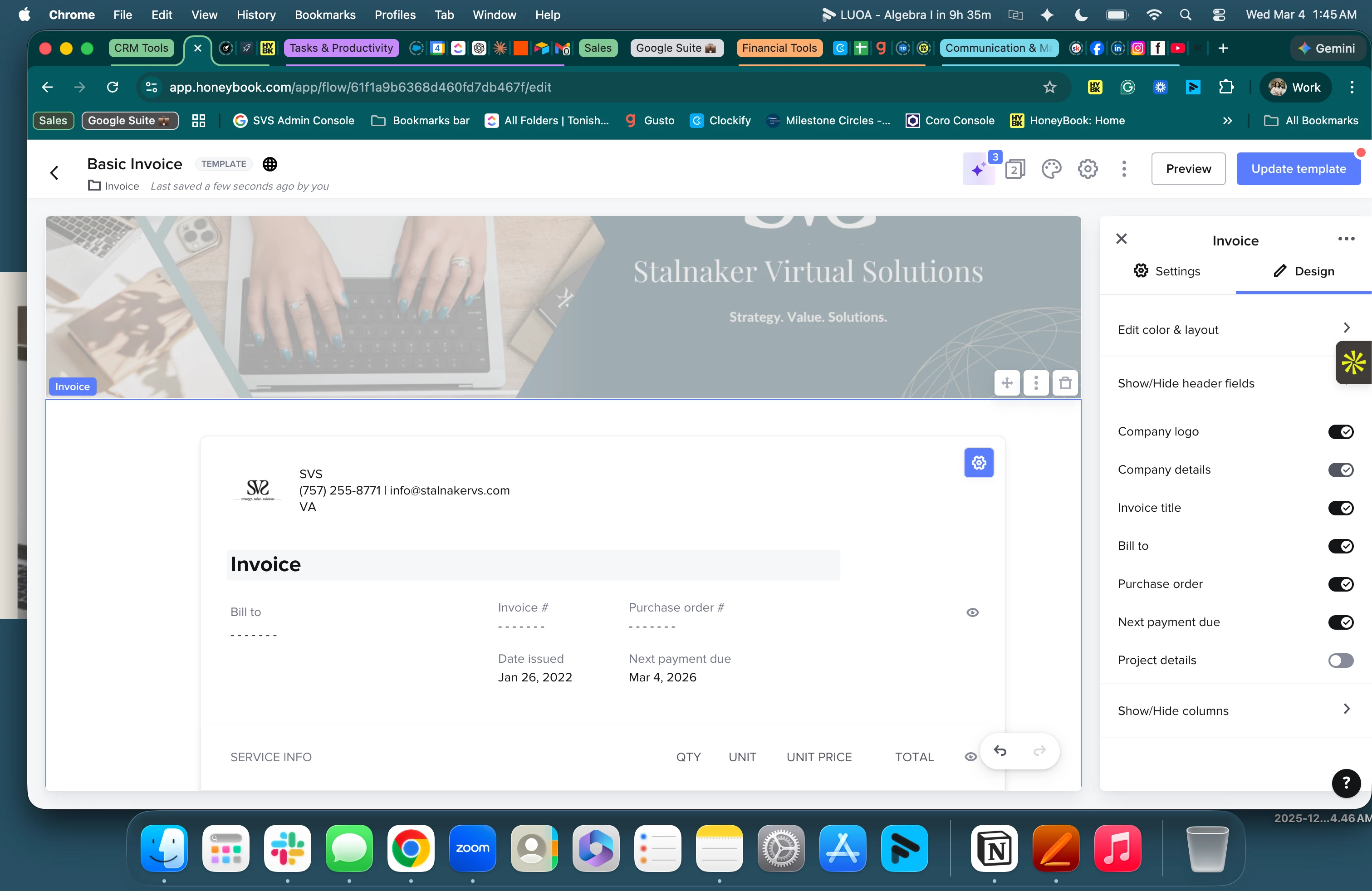
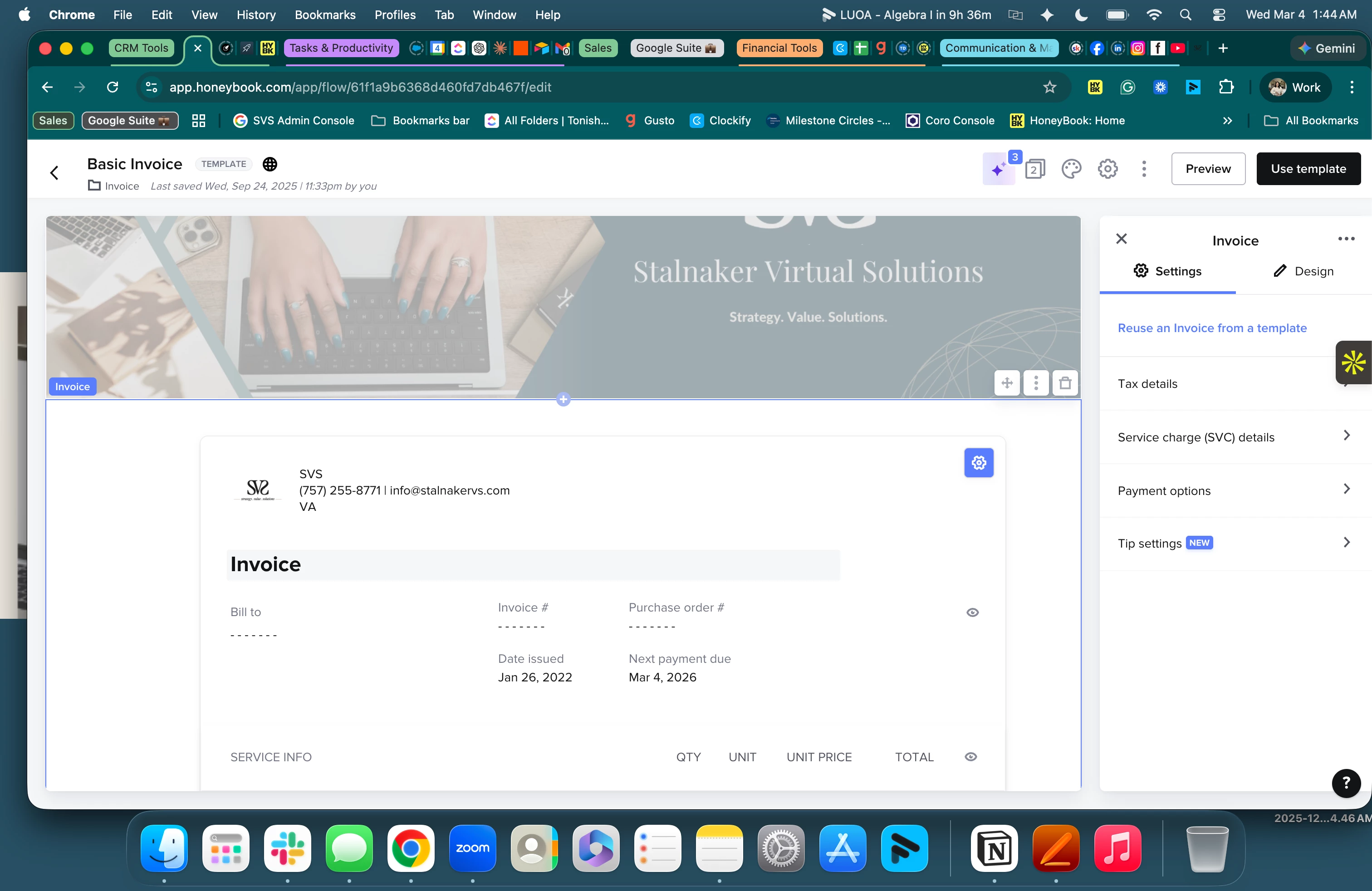
Hey there ​@Kay Bishop Thanks for your patience. Please take a look at the screenshots below. You can see my cursor on pages two and three to point you in the right direction. Please let me know if you continue to have any issues.


Go to the invoice template
Click on design next to invoice settings
Expand the Show Header Section and make sure the company details is toggled on


Kay Bishop
  • Author
  • March 5, 2026

@Tonisha J Stalnaker Thanks a million for such a quick response! I didn’t even think to look there however mine is toggled on so I'm not sure what the issue is. I am going to create a new file with these details added and see if that works.


Thank you again!


Tonisha J Stalnaker
Explorer
Forum|alt.badge.img+4

Please let me know if you run into any other issues. If you do please message support so they can create a ticket.