• 65Product updates

HoneyBook March 2026 product update banner showing in-person payments, smart file, and project organization features

HoneyBook March 2026 Updates: In-Person Payments, Smarter Files and Project Organization

What’s new at HoneyBook: New ways to charge clients, build better files, and organize your work We’ve rolled out a set of updates designed to make your business feel more professional, more flexible, and more yours. These improvements span how you accept payments in person, how you present your work to clients, and how you organize your projects behind the scenes.From charging clients on the spot to building cleaner Smart Files and keeping your pipeline organized, here’s what’s new. Accept payments in person with Tap to PayYou can now accept payments directly from a client’s phone, card, or smartwatch without ever leaving HoneyBook.Whether you’re finishing a shoot, wrapping up a venue tour, or meeting a client at a trade show, Tap to Pay lets you charge on the spot. No separate payment terminal, no sending a file to their inbox. Just a quick tap and you’re done.This is especially useful for those in-person moments when the energy is right and you want to lock in a deposit or close out a session before the client walks out the door.Learn more here Add service charges to invoicesYou can now add percentage-based service charges directly to Smart Invoices and include them in your tax calculations.For members who are legally required to charge service fees, this closes a real gap. Service charges are now treated as a first-class line item, with tax applied automatically so your invoices stay compliant and your totals are accurate.It also means clients see a clear, itemized breakdown of every charge, which means fewer questions, fewer disputes, and more confidence in the numbers.Learn more here Add a timeline block to your Smart FilesYou can now add a clean, chronological schedule to any Smart File without building it manually from tables, bullet points, or heading stacks.The Timeline Block is a purpose-built content block for things like event agendas, project milestones, workshop schedules, or day-of timelines. It replaces all the manual formatting workarounds with a structured, client-friendly layout that looks polished out of the box.Add items, reorder them as plans change, or duplicate the whole block for your next event. Exactly the kind of thing that used to take longer than it should.Learn more here Save custom views in your projectsYou can now save and name custom filtered views of your projects so you can return to the leads and clients that matter most without rebuilding your filters every time.If you have a recurring workflow like checking on warm leads, reviewing open proposals, or following up on a specific project type, you can set it up once and come back to it with one click.Custom views in projects now match what we already offer in Contacts, making the experience more consistent across the board and giving you a reliable home base for any ongoing workflow.Learn more here ______New features are rolled out in batches to ensure steady deployment and might not be instantly accessible. Please contact our support team if you have any questions. 

Related products:PipelineSmart filesPayments
HoneyBook February 2026 product update banner highlighting automation flexibility and project visibility improvements

HoneyBook February 2026 Updates: Automation Flexibility, Project Visibility and Earning More

We just rolled out a set of updates built directly from what our members have been asking for. These improvements are all about reducing friction in your day to day work, giving you more control over how projects move forward, and unlocking more opportunities to earn from the work you are already doing.From long requested automation flexibility to clearer project visibility and smarter ways to follow up with clients, here’s what’s new. See your projects in Kanban board viewYou can now view your projects in a Kanban style board, making it easier to see what is in progress, what needs attention, and what is coming up next.This view is especially helpful if you like to manage work visually or move projects through clear stages. It gives you a quick snapshot of your workload so you can stay organized and keep things moving without digging through individual projects.Skip individual steps in automationsThis has easily been one of the most requested automation improvements, and we know it has been frustrating to work around.You can now skip individual steps in an automation without turning off the entire automation or rebuilding your flow. If a task is already done, a project changes direction, or a step no longer makes sense, you can move forward without breaking anything.The goal is simple. Automations should support how you actually work, not force you into awkward workarounds.Send post project tip remindersAfter a project date has passed, you can now send a HoneyBook tip reminder email to give clients an easy way to leave a tip and show extra appreciation.This reminder can be sent manually or automated when setting up your invoice, helping you follow up at the right moment without feeling awkward. It is a simple way to capture more value from completed projects and let happy clients support your work. Let clients tip on the full project totalWhen tips are requested on the final invoice of a payment plan, they are now calculated on the full project total rather than a single invoice amount.This means clients can tip based on the overall value of the project, not just one payment. It is a small change that can make a meaningful difference in what you earn. Manually start the in person AI Notetaker from mobileMeetings do not always start exactly on time or in predictable places. You can now manually start the in person AI Notetaker from the mobile app whenever your meeting actually begins.This gives you more control over when notes are captured, whether you are meeting in person, on the go, or adjusting plans in real time. Attach files directly in project emailsYou can now attach existing or new files when sending emails from a project.This makes it faster to share invoices, contracts, and proposals without leaving your email flow. Fewer tabs, fewer steps, and less back and forth for you and your clients. These updates are live nowAll of these features are available now and ready to use. Whether you are streamlining workflows, staying organized, or looking for ways to earn more per project, these updates are designed to work the way you do.Log in to HoneyBook to start using them today.

Related products:Email composerPipelineSmart filesAI Notetaker

New HoneyBook Features Built from Member Feedback

Hi everyone, Adam here!I’m a Product Specialist on the Product Specialist team, and I’ll be spending more time in the community alongside Howard and Esther (also Product Specialists). Our goal is to be more present, close the loop on updates, and make sure your feedback is clearly reflected in what we’re building.Today, I’m excited to share three updates that have come directly from what we’ve been hearing from y’all here, as well as through Support tickets. Skipping an automation step More accurate pipeline counts from filtering Kanban boards in pipeline  Skip an automation step This has easily been one of the most requested automation improvements we see, and we know it’s been frustrating to work around it.You can now skip individual automation steps without having to turn off the entire automation or rebuild your flow. Whether a task is already done, a project changes direction, or a step just doesn’t make sense in the moment, you now have the flexibility to move forward without breaking anything.The goal here is simple: automations should support how you actually work, not force you into awkward workarounds.  More accurate project pipeline counts when filtering We’ve also made an improvement that clears up a long-standing point of confusion in the project pipeline. When you apply filters, the project counts shown in each pipeline stage will now reflect only the projects that match those filters. So if your pipeline shows 32 projects and a filter narrows that down to 6, the stage counts will update accordingly. This doesn’t change how your projects work, but it does make the pipeline easier to read and trust, especially when you’re trying to get a quick sense of your workload.  🎉 Kanban 🎉 We’re very excited to be rolling out Kanban boards for project pipeline! This is another widely requested feature we’ve been eager to get out. We’re rolling it out this week, and you should expect to see it in your account by the beginning of next week. 💪 Update: Released to all members on February 1st!   Looking forwardWe know these are just three of many features and improvements you’ve been asking for, and we want to be clear that we see those requests. While we wish we could ship everything at once, our teams are hard at work to update as quickly as possible.Documentation for both of these updates is being refreshed and will be shared soon.Thank you for continuing to share ideas, pain points, and thoughtful feedback! We’re always reading, and you’ll be hearing more from us as we keep rolling out improvements. Be on the lookout for a more in depth monthly product update from Monica soon!

Related products:AutomationsPipeline
HoneyBook October 2025 product update banner featuring cashflow view, automated tasks, and client communication

HoneyBook October 2025 Updates: Cashflow View, Automated Tasks and Client Communication

This month is all about financial clarity and smarter client communication. We’ve rolled out tools that give you a clear picture of your business finances, automate tedious tasks, and help you stay connected with leads and clients—all so you can spend less time on admin and more time doing what you love. CashflowYour financial overview just got a major upgrade. The new Cashflow view brings your payments and expenses together in one place, giving you a clear snapshot of your net income over time. It updates automatically, so you can track performance and make informed financial decisions. Think of it as your business’s financial pulse—always current, always clear. Import expenses from bank accountSay goodbye to manual entry. You can now link your business bank account and import business spending directly into HoneyBook expenses. HoneyBook expenses also directly syncs into Cashflow—making keeping your books up to date faster and easier, with less room for error and more time for the work that actually grows your business.  Project profitKnow exactly how much you’re making on every project. The new profit graph displays your payments and expenses side by side for each project, so you can see net earnings at a glance. Whether you’re evaluating which services are most profitable or planning your pricing strategy, this view gives you the clarity you need to make smarter business decisions. Email draftsHoneyBook’s email drafts just got even better. They automatically generate personalized email responses based on your tone, industry, and project context—no prompting needed. Now with one-click tone adjustments, flexible length options, and enhanced personalization, you can communicate like yourself in a fraction of the time.  Referral suggestionsReferrals are one of the most powerful ways to grow your business, but asking can feel awkward. The new referral suggestions feature takes the guesswork out of the process with a pre-written email and editable referral link. It’s easy for you to request, simple for clients to share, and fully trackable from lead to booked, so your happy clients can help fuel your business growth. Follow up suggestions for unresponsive leadsCatch warm leads before they go cold, without having to remember who you need to circle back with or what to say. HoneyBook AI now flags recently contacted leads who haven’t replied, and provides a ready-to-send follow-up email to help you re-engage. It’s like having a virtual assistant who never forgets to follow up.Want to get started and try out these new features? Log in to your HoneyBook account to get started.

Related products:BookkeepingContactsEmail composerProjectReferrals

HoneyBook September 2025 Updates: Automations with Tags, Auto-Archive and More

Automations just got even more powerful. With this month’s releases, you can use tags to personalize flows, automatically archive projects, create templates on the fly, and more—all designed to help you streamline client management and save time. 📣 Note New features are rolled out in batches to ensure steady deployment and might not be instantly accessible. Feel free to contact our Support team if you have any questions. The updates mentioned in this article are only available in Automations 2.0  Use tags as automation conditionsTags are now more than just an organizing tool—they’re part of your automation logic: Add a “Wait until tag is added” condition to hold a flow until the right tag is applied Direct projects down a “Yes” or “No” path based on tags Filter all triggers by both project type and tag(s) for more precise control This means your automations can now adapt more precisely to how you work, not the other way around. Automatically archive projectsKeep your pipeline clean with automated archiving: Set rules and conditions that archive projects without manual effort Provide a required reason for archival to ensure proper documentation Now you can maintain an accurate pipeline with less time spent on busywork. Create templates directly in the builderNo need to pause your workflow—create new email or file templates inside the automation builder and use them immediately. This helps you build faster without switching tabs or losing momentum.   Automations on your home pageYour automations are now front and center: View pending approvals at a glance Track recent automation runs Get prompted to explore and use the latest automation features All from your HoneyBook homepage—no extra steps required. Task reminders through emailTasks created in an automation now send reminder emails on their due dates, just like manual tasks. You’ll never miss an important step, and your team can stay aligned without extra check-ins. Learn from HoneyBook ProsIn August, HoneyBook hosted 2 Academy webinars on automations, covering both fundamentals and advanced strategies. Members also joined live office hours to get answers and build automations in real time. Missed them? The recordings are available anytime in HoneyBook Academy. Why this mattersWith these updates, automations become your central hub for: Personalized client experiences (tags as conditions) Cleaner pipelines (auto-archiving) Faster workflow building (in-builder templates) Better visibility (home page widget) Reliable task management (email reminders) Whether you’re just starting with automations or scaling complex workflows, these enhancements give you the flexibility and control to run your business more efficiently. Explore automations and start putting these new features to work in your projects!

Related products:AutomationsTemplates
HoneyBook August 2025 new features announcement banner

New and Improved: August 2025

AI automations builderSetting up automations is now as easy as describing what you want. In one simple prompt, the AI automations builder will create a complete workflow for you, so all you have to do is edit and activate. With less manual setup, you’ll reclaim hours to do the work you actually love.  Follow-up suggestionsNow, HoneyBook AI will find leads you haven't heard from in a while and automatically draft email replies to get back in touch. These follow-up suggestions are accessible from your Contacts page by applying a new filter: “Follow-up suggestions” is “Yes.”  Priority listStart every morning with a clear plan: priority lists are delivered to you through HoneyBook’s AI chat at 8am your time zone. These lists spotlight your most important follow-ups, tasks, and meetings—so nothing slips through the cracks.  Business trendsBusiness trends give you personalized business snapshots, showing key shifts in revenue, leads, and bookings. Automatically sent every two weeks, these trends help you understand areas of opportunity, what’s working well, and what's holding steady; along with business-specific, actionable tips.  New client portalClient chaos, meet your match. You now have even more control over your client portal with font, color, and image options that bring everything your clients need into one polished space. Get started customizing from your Settings.  Default projects to free statusSave time on project setup with a company setting that allows you to default all new projects to “Free.” This update gives you more control over scheduling availability, and eliminates the need to manually adjust the status for each project—check it out from your Company preferences.  New look for Contacts pageThe redesigned Contacts page makes it easier to find and focus on the right contacts with a cleaner layout, drag-and-drop columns, new filtering options, and bulk select tools. Spend less time scrolling and more time connecting with your leads. New features are rolled out in batches to ensure steady deployment and might not be instantly accessible. Feel free to contact our Support team if you have any questions.

Related products:AutomationsClient portalProjectAI Chat
HoneyBook July 2025 new features announcement banner

New and improved: July 2025 product updates

Duplicate smart files across projectsCreating new smart files has never been so easy. Now, you can duplicate smart files in the same, or across other, projects. AI actionsAI actions bring the most useful HoneyBook AI tools—like email drafts, project insights, and suggested action items—to your pipeline and project workspaces. With just a few clicks, you can get quick, focused support exactly when and where you need it. Meeting notetaker for in-person meetingsUse the new in-person notetaker on the mobile app to capture in-person conversations. The notetaker will prompt you to enable recording for an IRL chat, then generate notes shortly after the meeting wraps up. Whether you're leading a presentation or catching up with a client over coffee, just hit record to start taking notes automatically. Archived date shown in pipeline and reportsGain clearer visibility into your project history with archived dates now shown in your pipeline and reports. You can also sort projects by their archived date directly from the pipeline to uncover deeper insights. Add smart fields to subject linesNow, you can add smart fields to your email subject lines to automatically populate key client and project details. Consider adding these to your email templates for even more time savings. HoneyBook AI chat threads and historyKeep your HoneyBook AI conversations organized with separate threads for each conversation. It’s easier than ever to revisit past chats or start fresh, so you can stay focused and keep every topic clear.  New features are rolled out in batches to ensure steady deployment and might not be instantly accessible. Feel free to contact our Support team if you have any questions.  

Related products:ProjectAI Chat
HoneyBook June 2025 new features announcement banner

New and Improved: June 2025

This month, we built new features that were all requested by our members. As part of the HoneyBook Member Awards, the winners joined our product, engineering, and design teams for a hackathon that helped turn their ideas into reality. Tag it, automate itTrigger automations based on tagsNow you can use tags to trigger automations automatically. Tag a client as “ghosted” and watch a follow-up sequence kick in. Mark someone as “summer wedding” and let a seasonal workflow take over. Whatever tags you use, you’re now able to build automations around them to create personalized client experiences that run on autopilot.This update is available only on Automations 2.0, our new automations builder. Haven’t switched to Automations 2.0 yet? Request to switch with our Support team: click the question mark icon “?” on any page and chat in “Talk to a person.”  Easily drill down your dataFilter reports by project type and tagsFilter your reports by project type and tag to spot your best-performing projects or services quickly. No spreadsheets or manual calculations needed. Smart files made easierReceive an email when clients approve changes in smart filesGet notified instantly via email when clients approve changes to your smart files. No more wondering if they saw your updates or manually checking for responses.Open files in a new tabKeep your workflow flowing by opening smart files in new tabs or windows right from your project workspace. No more losing your place or juggling between screens.“Copy link” added to main dropdown menu in smart filesSharing smart files just got faster—find the new “Copy link” option in the three-dot menu, grab the link you need, and share! Show date when file was submittedSee exactly when clients submitted their files with new submission timestamps. Now you can track when questionnaires and documents were actually completed without any guesswork. Scheduling made simpleSee when a client inquiry conflicts with an existing project dateAvoid double bookings with a new notification. When a lead inquires about a date that conflicts with an existing project, the email notification you get about the new inquiry will include a heads up. Edit subject lines for session email remindersSwitch up those generic “Your upcoming session” subject lines to something that fits your brand. Now you can edit session reminder subject lines from the scheduler to match your voice and connect better with your clients. Creating a better client experience“Add to calendar” link in confirmation emailsSession confirmation emails now include an “Add to calendar” link automatically. Your clients can save their appointment right away, which means fewer no-shows for you.Links open in a new tab from the client portalLinks in your client portal now open in new tabs, so clients can check out additional content without losing their spot. No more navigating back and forth. Keep your projects on trackCustomize default project namesSet up default project naming that matches how you work. Choose from options like [event date] project or [client name] event under your Preferences. Clean up your templates Delete default templatesDelete those default HoneyBook templates you never use. Keep only what fits your business and makes your template library actually useful.  New features are rolled out in batches to ensure steady deployment and might not be instantly accessible. Feel free to contact our Support team if you have any questions.  

Related products:AutomationsNotificationsProjectReportsScheduler
HoneyBook May 2025 new features announcement banner

New and Improved: May 2025

More features this May Easier client portal loginYour clients can now access their client portal instantly, with a single magic link. No username or password needed means fewer "how do I log in?!" questions and smoother client experiences, with the same level of security. Client portal enable/disableNow, you can enable or disable linking to the client portal from the files and messages you send, on a project-by-project basis. This update gives you control over when and how clients access the portal, ensuring a smoother and more professional experience. Send standalone emails through the contact workspaceEmail leads and clients directly from the contact workspace—no need to create or use a project. With this update, you can send standalone messages and track replies all in one place without having to switch to your email inbox. New contact workspace layoutThe contact workspace has gotten a facelift, with all essential contact information displayed in a single sidebar. Everything you need is now conveniently located in one view, helping you maintain focus. Advanced contact filtersWe’ve added new filters to your Contacts page: "Last interaction" date, plus any custom fields you’ve created with the date, multi, or single-select type. These filters let you quickly identify and prioritize leads and clients who need your attention without manual searching. HoneyBook AI on mobileFor your on-the-go questions, HoneyBook AI’s chat is now available on the mobile app (iOS and Android). Ask HoneyBook AI anything from how to use tools to strategic business insights and more, with chat history shared between the mobile app and desktop for easy reference. New features are rolled out in batches to ensure steady deployment and might not be instantly accessible. Feel free to contact our Support team if you have any questions.

HoneyBook and Timeline Genius integration announcement graphic for event planning businesses

Elevate your event planning business with Timeline Genius

Event planning or venue management is in the details. As such, we are very excited to announce that our event planner and venue managers are now eligible for an exclusive offer to get Timeline Genius at a discounted rate. Have you met Timeline Genius? Instead of a clunky spreadsheet or document, Timeline Genius is our favorite timeline and checklist tool that makes it easy to build, collaborate and edit event timelines—so no detail goes missed, and every event goes as planned.  The planning process begins with Timeline Genius’ extensive customization capabilities that adapt to your style. Whether you prefer to control every detail or want Timeline Genius to guide you through the process, there's a timeline building option  that will save you time and boost your credibility.  This tool's true magic lies in real-time collaboration. Instead of endless back-and-forth communications and trying to interpret feedback, your clients and vendors can provide direct input ensuring no detail is overlooked. Timeline Genius also allows you to create tailored timelines and checklists for vendors, clients, and team members, enabling everyone to focus on what's most relevant to their role. From April 8, 2025 through May 31, 2025, HoneyBook members on an Essentials or Premium plan can receive a year of Timeline Genius for just $195. This is 65% off of the regular annual price of $549.95 and is one of the best deals ever offered for Timeline Genius.  If you are on a Starter plan, upgrade now and you will get access to this deal! Be sure to act fast—this offer won’t last long. Make sure you are on the right HoneyBook plan to get access to this Timeline Genius offer. Visit here to learn more.  It’s no secret for events—but a good event is all in the details. Trust HoneyBook and Timeline Genius to help you take care of it all.  

Related products:Project
HoneyBook April 2025 new features announcement banner

New and Improved: April 2025

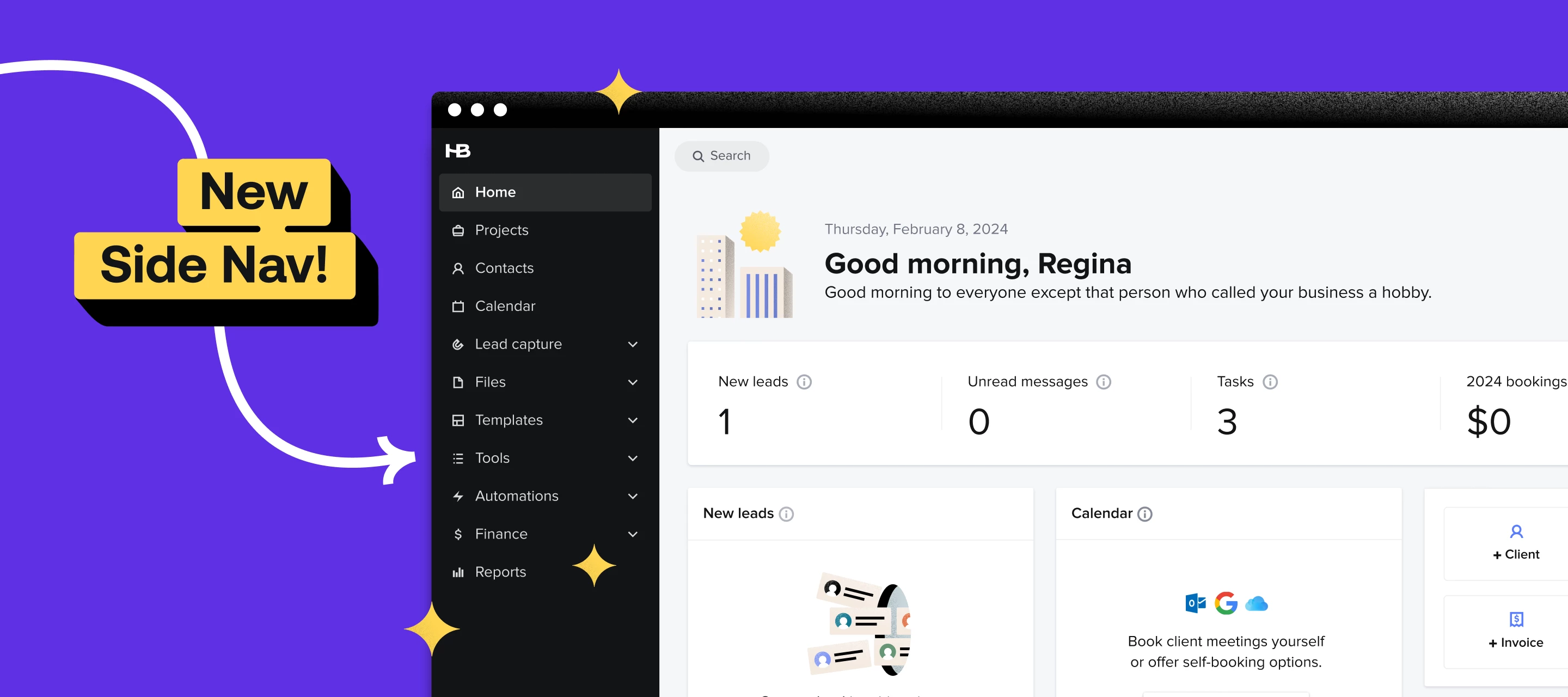
New months, new features from the HoneyBook team.HoneyBook AI chatYou can now chat with HoneyBook AI right inside your account. It already knows your business and project details, making getting answers to your questions that much easier. The AI chat is configured in English by default, but it can also converse in Spanish and French. Ask the chat anything about:Your projects Example: How much did I earn from my project "Alex Lewis Birthday"? Writing assistance Example: What is a good Instagram caption to announce that I am offering a special package for the holidays? Business advice Example: What are some strategies for me to earn more from my HoneyBook referral link? How to use HoneyBook Example: How do I create an automation? Account setup Example: What should I set up first in my account?  New side navigationSee more and do more with our new navigation. We’ve moved the top navigation bar to the side, putting all your essential business tools in one easy-to-scan column. There’s more workspace for your business, all while ensuring you never miss a feature. Add bookmarks to projectsEliminate scattered resources by attaching external links from Google Drive, Pinterest boards, and other URLs to your projects with the new bookmarks feature. You can set the visibility (everyone in the project, you and your team members, or select participants only) to ensure only the right people have access to the link. Add emojis in emailsInstead of having to copy-paste from a separate keyboard, you can now insert emojis into your messages right from the HoneyBook email composer. This update allows you to give your emails extra personality with fewer steps.  Multi and single-select custom fieldsWe’ve added two new field types for your custom contact and project fields: multi and single-select. Single-select fields let you set and choose one value from a predefined list, while multi-select fields allow multiple selections. With these new structured, reusable field types, you have more control over how you categorize and track your contacts and projects.   New features are rolled out in batches to ensure steady deployment and might not be instantly accessible. Feel free to contact our Support team if you have any questions.  

HoneyBook navigation redesign announcement graphic showing simplified app menu and layout
HoneyBook March 2025 new features announcement banner

New and improved: March 2025 product updates

Just like you, we’re always working to grow and improve. Here’s some updates and improvements we made to the product in the last month!  Get peace of mind  Payment statusKeep track of your money with our new enhanced Payment Status feature. Now you can see exactly where your funds are at every step of the journey—from the moment they're charged until they land in your bank account. Simply hover over any payment to view its complete path with full transparency. Now, you can get the peace of mind you deserve when it comes to your  finances. Keep your business organized Customize your home pageYou asked, we listened: Introducing our new home page customization feature. Now you can show, hide, and rearrange widgets to highlight the business updates that matter most to you—all in one view. Keep your business organized by creating a personalized dashboard that puts your most important information front and center.  Add project types to lead formsYou asked, we listened: Say hello to our newest lead form upgrade: assign a project type. Now you can set a project type that'll automatically apply to all leads coming through that form. No more manually sorting—your projects get properly categorized right from the start, with all the right automations kicking in immediately. Keep your business organized without the extra work, so you can focus on what really matters. Reply to any message in projectsYou asked, we listened: Now you can reply to any message in a project—not just the most recent one. This update means you no longer need to jump between different platforms to respond to older emails. Keep all your communication streamlined and organized in one place, making it easier to maintain context and continue important conversations, no matter when they started." Work on the go Email template search in the mobile appFinding the perfect email template just got easier on the go. We've added search functionality to email templates in the mobile app, so you can quickly locate and edit the exact message you need, even when you have a long list of templates. No more scrolling endlessly to find that specific follow-up or welcome email—just search, edit, and send, all from your mobile device whenever inspiration strikes. Increase professional polish New templates for event plannersCheck out our fresh batch of templates that make planning, booking, and managing events a whole lot easier. We've got everything from timelines to welcome guides and client questionnaires. These ready-to-use templates help you cut down on paperwork so you can focus on what you do best: creating amazing events your clients will love Want a look back at what we’ve launched over the past 6 months? Check out our New and Improved live class. New features are rolled out in batches to ensure steady deployment and might not be instantly accessible. Feel free to contact our Support team at Concierge@HoneyBook.com if you have any questions.

HoneyBook and Flodesk email marketing integration announcement graphic
HoneyBook Tax Hub announcement graphic showing tax reporting and bookkeeping tools for independent businesses

💸 About the Tax Hub

Meet your all-in-one hub for tax season  Tax season has long been a source of anxiety for small business professionals—and the data backs this up. In a recent survey, 39% of HoneyBook members reported feeling little to no confidence when it comes to managing their tax preparation. And they’re not alone. According to a 2023 study run by American University, over 37% of small business owners felt nervous, scared or bad about filing their taxes. These are jarring statistics that highlight a common pain point in running your own business: staying on top of your taxes, all while trying to focus on serving your clients and growing your business.That's why we're excited to introduce Tax Hub, your one-stop-shop that brings everything small business owners need to prepare for tax season into one place—from detailed financial reports to necessary tax forms.Our vision for Tax Hub is simple: we want you to spend less time wrestling with paperwork and confusing forms, and more time doing what you love. Because at the end of the day, you started your business to pursue your passions, not to become a tax expert.What is the Tax Hub? The Tax Hub is your dedicated space within HoneyBook where you'll find all your financial reports and tax-related documents in one convenient, all-in-one location. We've designed it to make filing taxes and staying financially organized simpler—and less daunting—than ever before.Inside the Tax Hub, you'll find everything you need to tackle tax season with confidence. Access comprehensive financial reports at a glance, quickly locate and download important tax documents like 1099 forms, and discover practical tips for maximizing your deductions. We've also included guidance on financial management best practices to help you make informed decisions for your business year-round. For more information, check out our Help Center. Benefits to using the Tax Hub  Everybody knows that managing taxes is one of the most challenging aspects of running a small business. Between tracking expenses, organizing receipts, and ensuring compliance, tax preparation can quickly become overwhelming. Thankfully, that’s where the Tax Hub comes in. Instead of overwhelming, the Tax Hub makes taxes simple and straightforward, here’s how: 1. Everything tax-related, all in one place The Tax Hub is designed to make tax filing for your small business easy. We’ve designed it to be an all-in-one solution that combines document management, tax reports, and educational resources, so you’ll have everything you need for tax season—from organization tools, to reporting, to resources—all in one place. 2. Reduces the tax learning curve One of the most significant barriers to effective tax management is the complexity of accounting software. In fact, 25% of small business owners report that difficulty learning accounting software is a major challenge when it comes to filing their taxes and financial reporting.We’ve addressed this pain point head-on with an intuitive interface that makes financial reporting accessible to everyone, regardless of their accounting expertise. By designing our tax hub to be user-first, we’ve made sure that business owners can focus on running their business—rather than struggling with complicated software.3. Improve your tax organization all year longAccording to FreshBooks, 45% of small business owners face challenges with document management throughout the year, not just during tax season. This ongoing struggle often leads to stressful last-minute scrambles when tax deadlines approach.The Tax Hub solves this by providing a centralized place for all of your tax-related documents. So, instead of approaching the tax season with dread, you’ll feel prepared and confident that you have what you need.  Meet Geily—our Tax Hub consultant At the heart of the Tax Hub's development is Geily Romero, a seasoned bookkeeping expert and HoneyBook member whose insights have been invaluable in shaping this powerful tool. Her unique perspective combines extensive experience working with HoneyBook entrepreneurs on their taxes and firsthand understanding as a member herself.From day one, Geily's expertise helped identify crucial gaps and opportunities for improvement. Under her guidance, we expanded the Tax Hub's reporting capabilities to include previously overlooked areas such as refunds, discounts, and fees charged. Her experience working with numerous small businesses emphasized the importance of making tax preparation less intimidating and more approachable.This led to the development of key automated record-keeping features that significantly reduce manual tracking requirements. Geily also helped tailor the Tax Hub to address industry-specific tax considerations, ensuring we included specialized guidance for common small business deductions like home office expenses and equipment costs.When asked about her vision for the Tax Hub, Geily's answer captures its essential purpose: "[I want them to feel] prepared...and relieved." This simple yet powerful mission statement has guided every aspect of the Tax Hub's development, creating a tool that truly understands and addresses the needs of small business owners. Built to tackle taxes, made for youThe Tax Hub isn't just another tax tool—it's your partner in tackling taxes with ease. By combining member insights with real-world small business needs, we've created an all-in-one hub that transforms tax preparation from overwhelming to manageable.More than just simplifying taxes, the Tax Hub gives you the confidence and tools you need to run your business more effectively. Ready to transform how you handle your taxes? Check out the Tax Hub today.

HoneyBook February 2025 new features announcement banner

New and Improved: February 2025

Check out our latest features designed to streamline your business—from tax management to design and contact importing—we’ve got you covered.   Taxes, simplifiedTax HubGet everything you need for tax season from the new Tax Hub. Access and download present and past 1099 forms, reports, and best practice education–all in one place, right from your HoneyBook account. HoneyBook Balance: Automated tax trackingNow, each transaction you make with your HoneyBook debit card will be tagged with a tax category. Transactions are tagged automatically, saving you time and maximizing your tax deductions.Don’t miss our webinar with financial consultant and tax expert Geily Romero February 6, 2025 at 8am PT. Register now!  Easier design and contact importing into HoneyBook Canva integrationCalling all Canva users: we’ve launched a pilot integration that allows you to easily add your designs to HoneyBook. Integrate your Canva account, then import your visual assets to the HoneyBook Library. From here, you can pull your designs into any HoneyBook file with just a few clicks.At this time, this pilot is available to members on Essentials and Premium plans. Import contacts with custom fieldsImporting your contacts got an upgrade. Prepare a list of your leads and clients with as many columns as you’d like–when importing, we’ll automatically add any custom fields and map each contact to the associated value. You can import custom fields like client birthday, links, and more; letting you store more client details without needing to manually update each one. Affordable and straightforward business insurance NEXT business insurance partnershipThe future is unpredictable, but we'll be with you every step of the way. HoneyBook has partnered with NEXT to provide tailored, affordable small business insurance online in minutes. Learn more here.  Interested in learning more about recently-launched features and how you can use them best for your business? Register for our upcoming live virtual class on February 11.Register Now  

HoneyBook January 2025 new features announcement banner

New and Improved: January 2025

Starting the year off strong with a bunch of new feature releases for you!  Want a walkthrough of each new feature and update? Check out our full slideshow deck available here!Streamline your leads and projects HoneyBook x Prismm integrationEvent floorplan collaboration just got easier. Connect your Prismm account to HoneyBook and add your floorplans directly to your projects—streamlining your event planning process from start to finish. Import leads into pipelineGot a spreadsheet full of leads and not enough time? We've got you covered. Simply upload your file—whether it's CSV, Excel, or Google Sheets—and we'll automatically add your contacts and link them to projects. It's that easy to keep your pipeline up to date and organized. Create new projects from lead forms for your new clientsWork smarter, not harder, with a new lead forms setting. You now have the choice to create a new project for each form submission, or create a new project for first-time clients only—with submissions for existing clients automatically added to their most recently created project. Create reminders for tasksNever miss a deadline again. Add due dates to your tasks, and we'll give you a heads-up when something's coming up. This alert will appear in the corresponding project, your notification center, home page, and tasks page. Turn off Preferred Vendors ListNot interested in sending your clients vendor recommendations? No problem. You can now switch them off in your Company Settings if these recommendations don't fit your business needs. Easily import leads and contacts into HoneyBookImproved Google contacts importConnect your Gmail account for seamless contact management. Your Google contacts will sync automatically, and new contacts will import instantly—no manual updates needed. Remove default lead sourcesNow you can remove any default options that don't fit your needs. Work on the goEnhanced scheduling capabilities in the appScheduling from the mobile app just got a major upgrade. Now, you can do even more all from your phone. Schedule meetings the same way you do on desktop, pick session types, make quick edits, and set up time with your existing clients. Prepare for financial success in the new yearAdd and track your annual revenue goalWant to hit your revenue goals this year? Add a goal from your Finance Overview page, then check the tracker to view your progress. Not sure what goal to set? We'll crunch the numbers for you, looking at your past performance and market trends to suggest a goal that makes sense for your business.  New features are rolled out in batches to ensure steady deployment and might not be instantly accessible. Feel free to contact our Support team if you have any questions.

Introducing NEXT: Tailored business insurance for entrepreneurs like you

Running a small business is an exciting journey. But as every entrepreneur knows, the road is full of twists and turns that can be hard to predict. That’s why HoneyBook is excited to announce our partnership with NEXT, a leading provider of tailored, affordable small business insurance. As a HoneyBook member, you can now receive an exclusive, additional 5% discount on your General Liability policy on top of existing promotional discounts to help safeguard your business, ensuring peace of mind as you grow and scale.* Why Insurance Matters for EntrepreneursBusiness insurance is an essential yet often overlooked part of building a sustainable company. You might recognize Matt Gartland as a recent HoneyBook webinar host and a repeat guest on the Independent Business Podcast. He is a seasoned business consultant as well as co-founder and President of Smart Passive income. Matt explains:“We entrepreneurs are building something of real value, so why wouldn’t we protect it? We protect our homes, our loved ones, and ourselves with insurance—our businesses deserve the same care. If you’re serious about growing your business and making it your career, protecting all the hard work you’re doing is non-negotiable.” The reality is that small businesses face risks daily, from unpredictable market conditions to unforeseen challenges with clients or subcontractors. Gartland highlights:“A client could misconstrue a deliverable, or technology you rely on could experience major issues. Acts of nature might disrupt operations, or you could make an honest mistake. The risks are endless, and even the smallest issue can have significant consequences. Insurance protects you from those events, however unlikely they may seem.”Why NEXT Stands OutNEXT was built with small businesses in mind, offering tailored insurance packages for over 1,300 professions. Their approach is simple, fast, and budget-friendly:Hassle-free, online insurance - You can get a free quote and purchase coverage online in minutes.** Plus, manage your policy 24/7 with DIY access. Affordably priced - Save up to 25% in discounts, including an additional 5% discount as a HoneyBook member.* Built for small businesses - NEXT is 100% committed to small businesses, and offers tailored insurance packages for 1,300+ professions. Ready to learn more? Explore NEXT and get your exclusive discount. *Coverage provided and underwritten by NEXT Insurance, Inc. & affiliates and third party insurers, pursuant to its licenses at https://www.nextinsurance.com/insurance-licenses/. To the extent permitted by law, applicants are individually underwritten, not all applicants may qualify. Individual rates and savings vary and are subject to change. Discounts and savings are available where state laws and regulations allow, and may vary by state. Certain discounts apply to specific coverages only. Coverage examples are for illustrative purposes only. Your policy documents govern, terms & exclusions apply.**In most cases, exceptions apply. 

HoneyBook Expenses Tool Stays: Your Feedback Reversed the Decision

Happy Friday HoneyBook Community!Your voices, feedback, and ideas truly guide so much of what we do.Because of your strong, passionate feedback, I’m thrilled to share that we have reversed our decision to deprecate the manual Expenses tool. You will continue to have the ability to sync and manually add expenses in HoneyBook, and there will be no changes to this feature in your account. The product team is committed to exploring ways to optimize the Expenses tool in the future. We'd love to know what you think a better expense tool looks like. What do you wish you could do? What are you missing? While the Profit and Loss tool is still being deprecated, as we work on building a better tool to improve the existing one, we want to make sure we're enhancing capabilities that help you manage your finances, and ultimately helps you achieve your business goals.. Your feedback is important, and we’re listening closely. This outcome shows the power you have in the HoneyBook community. Whether it’s feedback about the product or insights on the day to day of running your own business, it is our mission on the Community team to capture and share your posts, comments, and sentiment with the team to continually improve how we support you. When you speak up, we listen. Thank you for trusting us and for sharing your insights. It’s an honor to advocate for you every day!Cheers,MonicaHoneyBook Community  

HoneyBook and Prismm integration announcement graphic for event floor planning and client collaboration

Prismm + HoneyBook: Simplified event floor planning and client collaboration in one place

The HoneyBook and Prismm integration makes it easier to impress clients with immersive digital floorplans embedded into the client workspace.  Creating the perfect event requires a fine balance between thoughtful planning, seamless client collaboration, and confident decision-making. HoneyBook and Prismm have partnered to help venues and event planners strike this balance with a powerful new integration.  Through this partnership, you can now easily share your Prismm floor plans in your HoneyBook client workspaces—allowing clients and other vendors to view, review, and approve Prismm floor plans directly through the activity feed. With this, HoneyBook is now the premier CRM for event professionals who use Prismm.  With all your essential event elements in one place—from messaging to detailed floor plans and workflow tools—you, your clients, and vendors can work together effortlessly, turning your creative vision into extraordinary experiences. Why Prismm makes a difference Prismm offers a cutting-edge spatial design platform that allows event planners to create stunning 2D and 3D visualizations of their events. With the power of its cloud-based system, Prismm makes it easy for teams and clients to collaborate, offering a seamless way for all stakeholders to provide feedback. By transforming physical spaces into immersive digital experiences, clients can explore and engage with venues from anywhere in the world. This approach enhances the booking process by offering interactive 3D experiences and ensures clearer communication through true-to-life renderings. This helps everyone stay aligned on the details, making securing client approvals easier, boosting sales, and streamlining the event planning process.  How it works Integrating Prismm with HoneyBook is simple. Connect your Prismm account with HoneyBook with a few clicks, and you'll instantly access your Prismm events and floor plans through your client workspace navigation bar. Select a Prismm event to sync with, and your floor plans will appear right within the project activity feed. If you have any questions or need technical assistance, don’t hesitate to reach out to our Support team at Concierge@HoneyBook.com.

Related products:Integrations
HoneyBook 2024 year in review and 2025 feature preview announcement graphic

New and Improved: 2024 rewind and a 2025 preview

Hold the phone, this year was one for the record books. 🌟Besides the fact that we launched this brand new community (more on that later) we started 2024 by putting member feedback front and center. Remember when we delivered 30 highly requested features in the first 4 weeks of the year with “You asked, We built”? We sure do!We didn’t stop there and delivered another 50 features and enhancements throughout the year. And while we built, so did you. This year our members created 6.7 million projects, served 4.7 million clients, and booked 1.2 million meetings through HoneyBook! Feature requests galoreOne of the most exciting things for our team that supports the community was launching our first centralized feature request hub. While we admittedly were overwhelmed by the sheer volume of ideas, it quickly set us on fire for doing more to support the unique ways you work. Amongst the thousands of feature requests, you made your voice heard. Here were the 5 most requested features in this community, which are now some of our most loved feature launches this year.​@Kiley suggested the ability to unsend an email ​@Than P asked if we could remove generic email templates ​@David Langford let us know we should add more payment options ​@Imagine This KC told us they’d love to have lead forms support photo uploads ​@Alexx Causley told us about her long-standing need for a second client first name as a smart fieldFor a full break down of our favorite new features of 2024, head to the blog! Check out the refreshed roadmapSee and shape the future of HoneyBook! This year we published our very first product roadmap, right here in the Community. It had long been a dream of ours to communicate with that level of transparency and we are thrilled that it’s been so well received. We are ecstatic to share a refreshed version of our product roadmap as we prepare for a new year ahead.With even more to come, we hope you will stay tuned for more integrations with your favorite tools (including one with a leading online design platform coming soon).And as always your feedback is a critical piece of the puzzle, let your voice be heard and vote for what you want to see on our product roadmap. We can’t wait to see what we build together!