  • 65Product updates

HoneyBook selective communication feature graphic showing file and email sharing with specific project participants

Share emails and files with select project participants

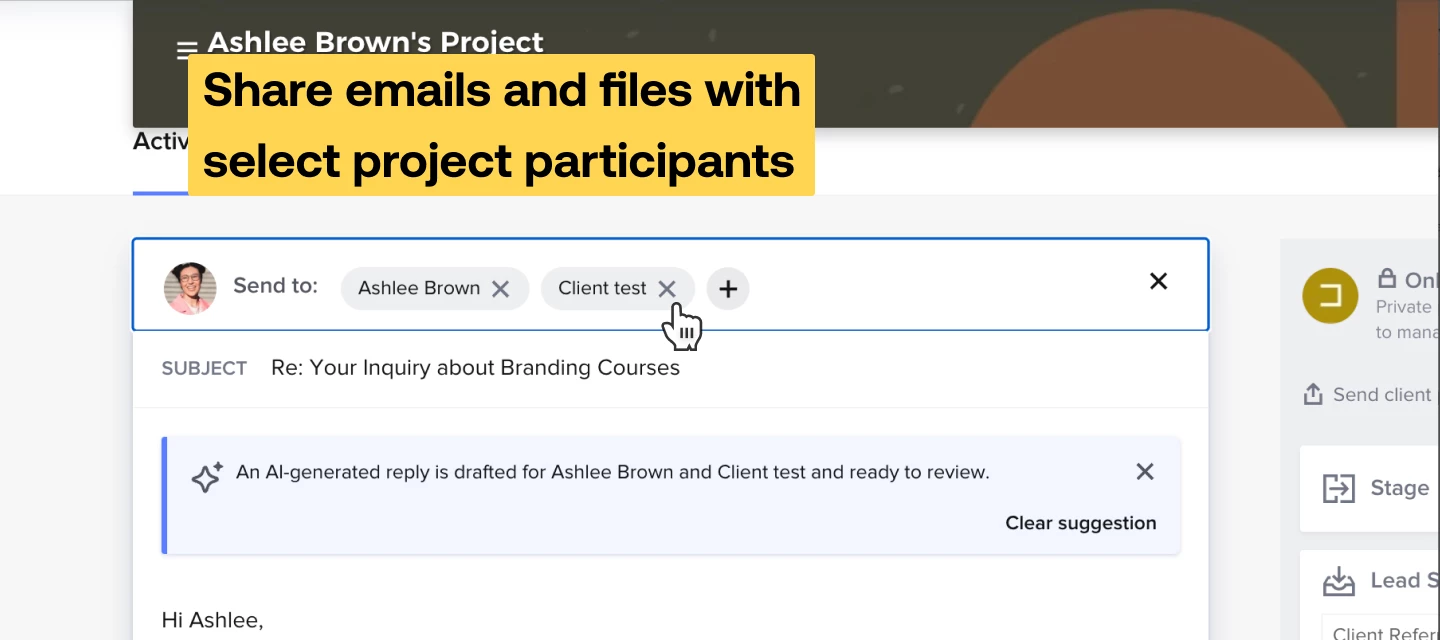
Now, you can select which project participants receive your emails and have access to files. You’ll be able to choose (add, remove, or keep as-is) recipients directly from the email composer and file sharing modals, improving project efficiency and ensuring that only relevant stakeholders have access to critical information. By default, the recipient list is auto-populated with all project participants. You can edit this list by removing or adding recipients. Recipients can be added by selecting recipients out of the project participants list or creating new contacts.Only the selected recipients will see the email in the feed. Also, each email from now will be sent with a disclaimer indicating who else received the email.Past Communication: If a user joins a project after it starts, they will not see past communications.In this first image, you can see that all project participants are recipients of the email.Using selective communication allows you to remove participants from the recipient line of an email. In this example, we removed Kara as a recipient.  You can always add a participant back to an email if you so choose.​​​​​Selective Communication When Sharing a FileYou can also now select specific recipients when sharing files from within a project. This ensures that only the intended participants are notified and granted access to the shared file.By default, files shared within the project will be accessible to all project participants. However, you can now edit this list to select only certain participants to notify and grant access to the file. New contacts can also be added if necessary.Only the selected participants will be notified of the file share and given access to the file. File Access PermissionsYou can now control file access permissions by specifying which participants from the project will have edit/action permissions! This ensures that only the selected recipients can make changes to or act on the file.    

Related products:Project
HoneyBook November 2024 new features announcement banner

New and Improved: November 2024

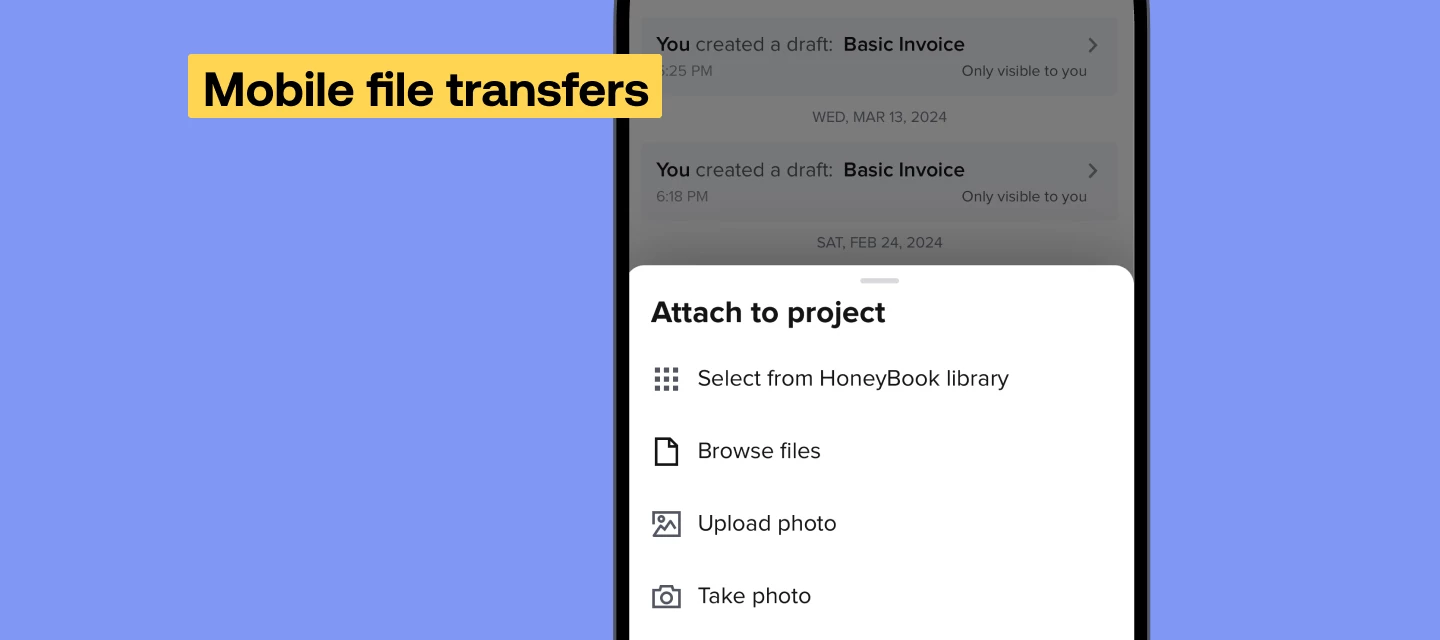
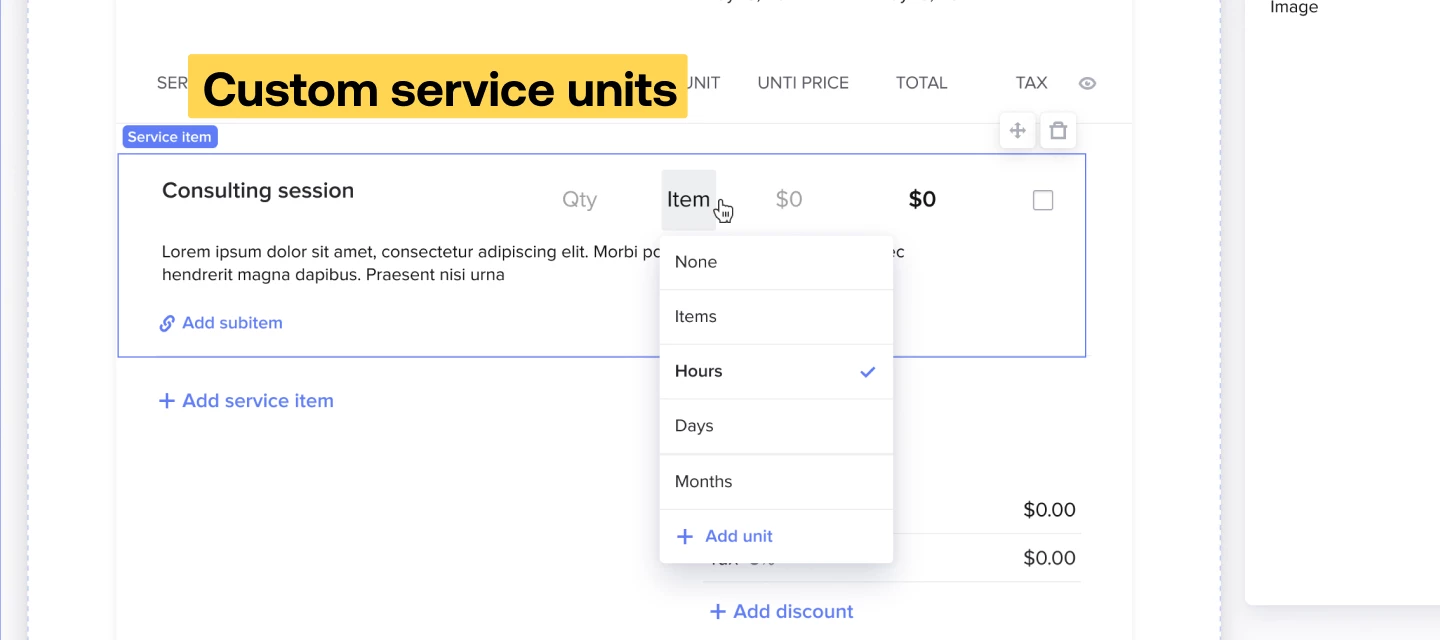
As the season of gratitude rolls in, we’re excited to share 9 fresh features and improvements. Many of these features and updates were inspired by your feedback and each enhancement is designed to improve your work process and make fostering the relationships you have with your clients even easier. Share emails and files with select project participantsNow, you can select which project participants receive your emails and have access to files. You’ll be able to choose (add, remove, or keep as-is) recipients directly from the email composer and file sharing modals, improving project efficiency and ensuring that only relevant stakeholders have access to critical information. Project prep overviewIf you’ve ever spent ages sifting through notes, emails, and files to get everything straight for a job; this is the tool for you. Your AI assistant will send recaps 5 days before your project dates. These recaps include action items, discussed services, payment details, open questions, tasks, and more—so you can go into projects with minimal prep time, ready to put your best foot forward. New template galleryAccess a diverse collection of free and premium templates designed to support your business needs from the new template gallery. Choose from high-quality templates crafted by industry leaders or explore new offerings from HoneyBook. Each template is user-friendly and ready to be saved to your own templates list. Customized service unitsYou now have the option to completely customize unit types in service blocks, invoice blocks, and the service hub. Charge for services like $/email or $/page,  or whatever to fit your business needs with updates also available on the mobile app. Mobile file transfersUpload or download any file type—not just images—directly to your projects and Library from the mobile app. This enhancement simplifies how you manage your important documents on the go. Passwordless loginWe’re definitely guilty of our memory failing us and hitting that “Password reset” button many a time. Enter passwordless login–which lets you log into your HoneyBook account securely, using biometric authentication (fingerprints or facial recognition). After a one-time setup, you can skip entering your password for a secure and convenient login experience.  Create tasks from post-meeting summariesYour AI meeting assistant will generate action items for the meetings it attends, in addition to a transcript and summary notes. You can now convert any action item into a HoneyBook task with just a few clicks, to get reminders and keep track of its status. Pic-Time integration enhancementsCreate Pic-Time galleries from preset templatesWhen you’re manually creating a new Pic-Time gallery from HoneyBook, you have the option to select from preset gallery templates configured in Pic-Time. This enhancement lets you configure your galleries exactly how you want from the get-go.  Add multiple clients to your galleriesSelect multiple clients (maximum of five) to add to new Pic-Time galleries created from HoneyBook. All of the key clients will be added to the gallery upon creation, saving you time and ensuring smoother project management.  New features are rolled out in batches to ensure steady deployment and might not be instantly accessible. Feel free to contact our Support team if you have any questions.  

Pay links are here!

We are out of beta and live to all members!The HoneyBook pay link is a streamlined feature designed to help HoneyBook members request and receive payments quickly without the need to set up a full project. This feature is ideal for simple transactions, one-off services, or when a client prefers a straightforward payment process. The pay link is valid for 24 hours and can be shared via email, text message, WhatsApp, or other messaging platforms. Key FeaturesQuick Payment Requests: Send a payment request quickly and easily. No Project Setup Needed: Ideal for simple transactions without the need for a full project Multiple Sharing Options: Share via email directly from HoneyBook or copy the link to send through other platforms Payments Tracking: Monitor the status of your Pay Links within the Client Workspace Secure Payments: All transactions are processed securely through HoneyBook's payment system Single Submission Security: Pay Links can only be submitted/paid once, ensuring secure transactions Merge Existing Project: If client has an active project, you can merge the link to an existing project New Client Functionality: From the dashboard, you can make an instant link for a brand new clientPay link video walkthrough  How to Create and Share a Pay LinkStep 1: Create the Pay LinkAccess the Pay Link Feature: Navigate to your Client Workspace for the specific client you want to request payment from. Click on the Create Pay Link button located in the Pay Link widget on the right sidebar. ORSelect +NEW from your top nav Enter Pay Link Details:Client: The client will be pre-selected since you're in their workspace. To change the client, click on the client's name and select a different client or add a new one. Amount: Enter the amount you are requesting. Example: $150.00 Pay Link Name: Provide a name for the Pay Link to help you identify it later. This name is also visible to your client. Example: Consultation Fee Allow Tip (Optional): Toggle on Client can leave a tip if you want to allow clients to add a tip during payment. Create the Pay Link: Once all details are filled in, click Create Pay Link to proceed. Step 2: Share the Pay LinkChoose a Sharing Option: Send via Email: Click Send via Email to send the pay link directly to the client's email. An email draft will appear for you to review and customize if needed. Copy Link: Click Copy Link to manually share it via text, WhatsApp, or other messaging platforms. Complete the Process: If Sending via Email: Review the email content. Click Send to deliver the pay link to your client's inbox. If Copying the Link: Paste the copied link into your chosen messaging platform and send it to your client. Confirmation: A confirmation message will appear, letting you know the pay link has been created and is ready to be shared.  Managing Pay LinksViewing Pay LinksAccess Your Pay Links: Go to the Client Workspace to see the list of pay links associated with that client. Pay Links are displayed in the pay link widget on the right sidebar. Understanding Pay Link StatusesActive: The pay link is valid and awaiting client payment. Paid: The client has completed the payment. Note: Actions in the sidebar for Paid pay links are currently disabled and will be implemented in future updates. Expired: The 24-hour validity period has passed without payment. Refunded:Actions AvailableActive: The pay link is valid and awaiting client payment. Paid: The client has completed the payment.Note: Actions in the sidebar for Paid pay links are currently disabled and will be implemented in future updates. Expired: The 24-hour validity period has passed without payment. Refunded/Partially Refunded: The transaction was refunded or partially refunded. Funds will be returned in 7–14 business days (same as standard invoice refunds). Deleting a Pay LinkLocate the pay link you wish to delete in the pay link widget. Click on the Delete option next to the pay link. Confirm the deletion when prompted.Note: Deleting a pay link is permanent and cannot be undone. Client ExperienceReceiving the pay link: Clients receive the pay link via the method you chose (email or messaging platform). The message includes the pay link name, amount due, and a secure link to make the payment. Making a Payment: Clients click the link and are guided through a simple payment process. They can review the payment details before proceeding. If you enabled the tip option, clients can add a tip after entering their payment information. Payment Confirmation: After completing the payment, clients receive a confirmation message on-screen. They also receive a receipt via email for their records. Once the payment is completed by the client, members will also receive a confirmation email. Security: All payments are processed securely through HoneyBook's encrypted payment system. The pay link can only be submitted once. After being submitted and paid, the lead form is deleted and cannot be accessed by clients anymore.   

Related products:Client payment methodsPayments
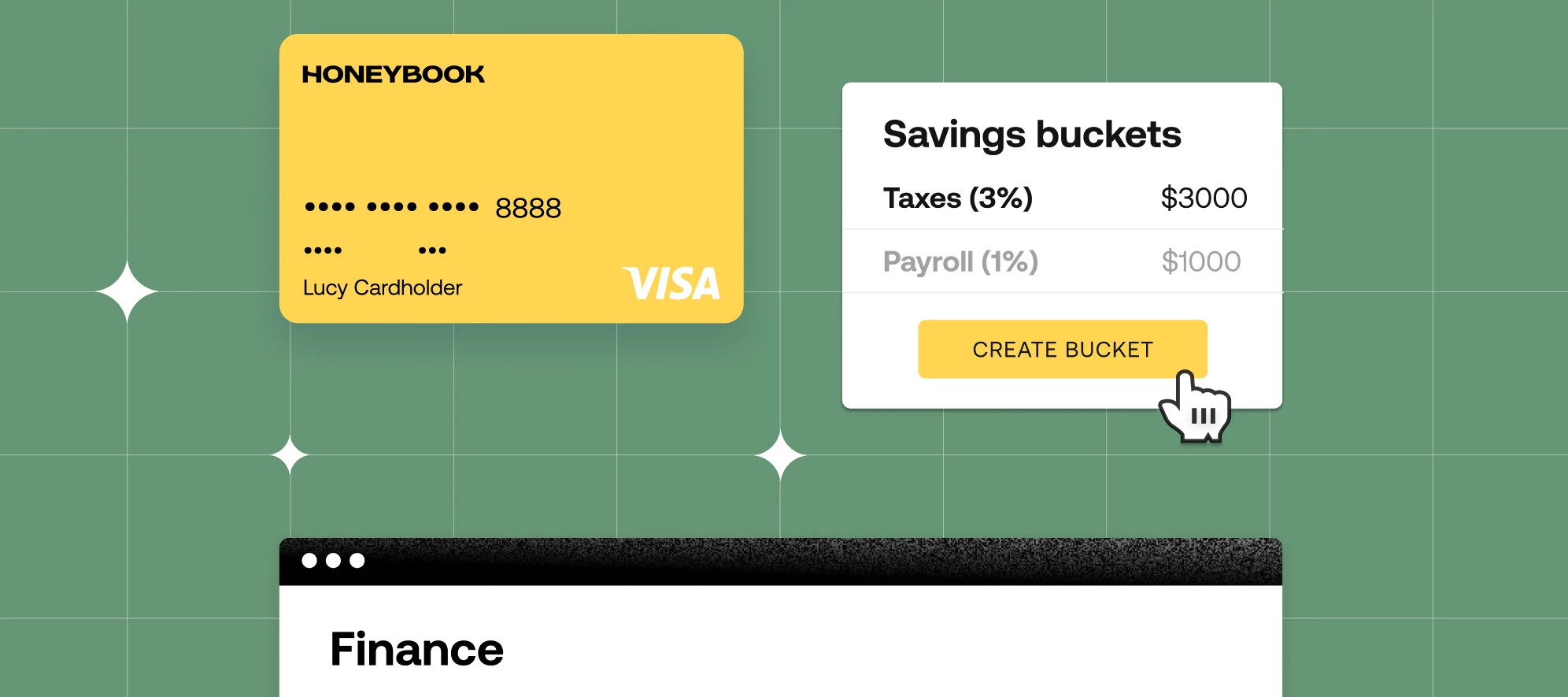
HoneyBook Finance feature announcement graphic for independent business owners
HoneyBook QuickBooks integration announcement graphic showing synced bookkeeping for independent businesses

Get more from your QuickBooks Integration

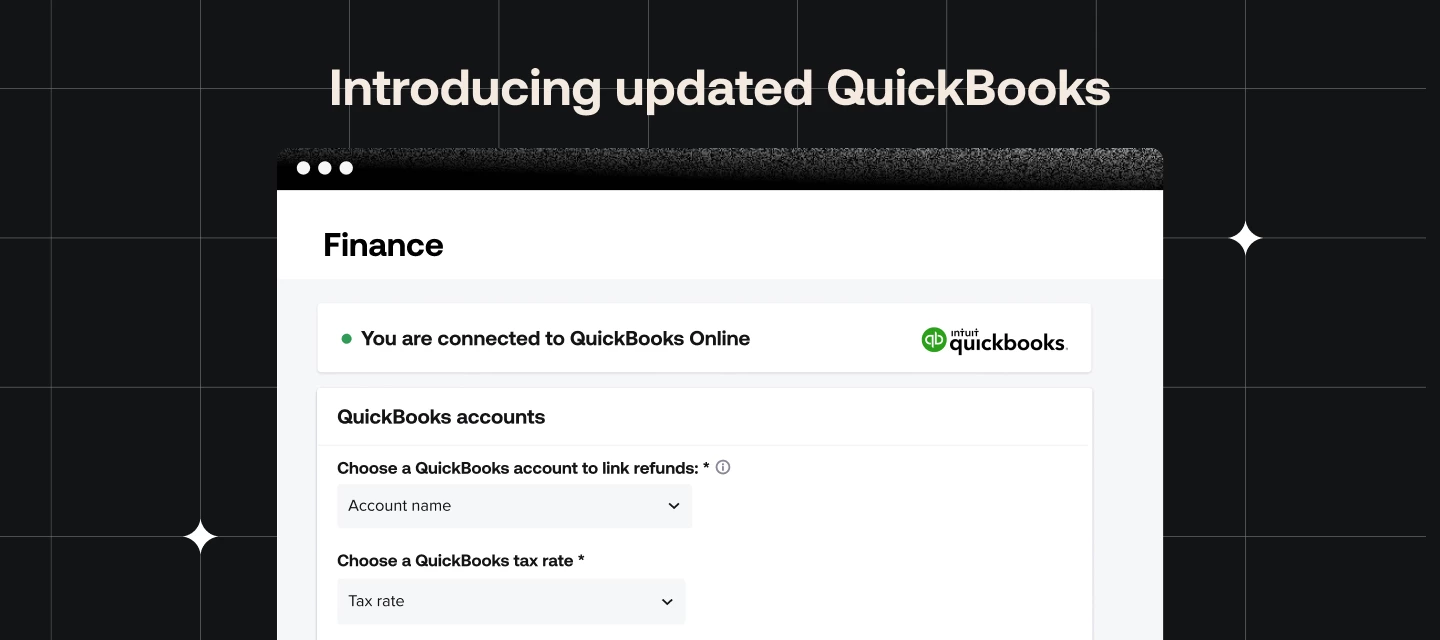
Have you heard? It’s been about a month since we released our updated QuickBooks <> HoneyBook integration, and so far, folks seem to love it! We heard your feedback on the previous integration we're excited to show you the changes we made for the better.  This new integration offersAn updated connection experience & new dashboardNow with options to control where payments, discounts, refunds, and tips report to.  Invoice syncingAny changes made to the invoice in HoneyBook after an initial payment, including adding services, removing services, and expiring the invoice, will now be accurately reflected in QuickBooks.  Service mappingHoneyBook now allows you to map the services you sell in your HoneyBook invoices directly to the services you’ve created in your QuickBooks account.  Refund trackingAny refunds issued in HoneyBook will automatically create a refund receipt or updated deposit to match their associated invoices.   Service ChargesService mapping allows for service charges to be billed on smart files.  DiscountsWe have added a new indicator on the dashboard to show the status of the discounts setting in QuickBooks. You can see what the new American QuickBooks dashboard will look like below.  ​Below we have the new Canadian QuickBooks dashboard.  ​ You can find the updated QuickBooks integration in the Overview page of the Finance dropdown.              We have a few more things we are in the process of building that will make this integration even better including:Expanded bookkeeper access - Bookkeeper access in HoneyBook currently allows bookkeepers to view payments; however, they do not have access to the associated invoices or any further detailed information related to those payments. Additionally, while bookkeepers can be granted access to multiple brands, there are still limitations in the multi-brand functionality, meaning they might not have a seamless experience managing different brands within the same HoneyBook account. Bookkeepers are also unable to access features related to HoneyBook Capital or HoneyBook Finance at this time. We fully recognize that these limitations impact the effectiveness of bookkeepers using our platform.  Refunds with sales tax - Currently all refunds are mapped to the “refunds issued” chart of accounts (selected on the QuickBooks dashboard). We are working to ensure that refunds with sales tax behave accurately in QuickBooks, including coming off of the various reports and liability account. Stay tuned for updates on this.  HoneyBook Capital - We are working on ensuring that your HoneyBook Capital loan, fees, liability amount and payments are recorded accurately in QuickBooks.We’re committed to improving the financial tools HoneyBook has to offer and this updated integration is just the start. In the upcoming weeks, HoneyBook is rolling out a suite of financial products to empower you to take control of your financial future and& goals, get visibility into your financial health, and grow your confidence with a connected financial platform. Stay tuned!  

Related products:HoneyBook Finance
HoneyBook files tab feature announcement graphic showing consolidated project file management
HoneyBook embedded lead forms announcement graphic showing website-integrated client inquiry forms
HoneyBook October 2024 new features announcement banner

New and Improved: October 2024

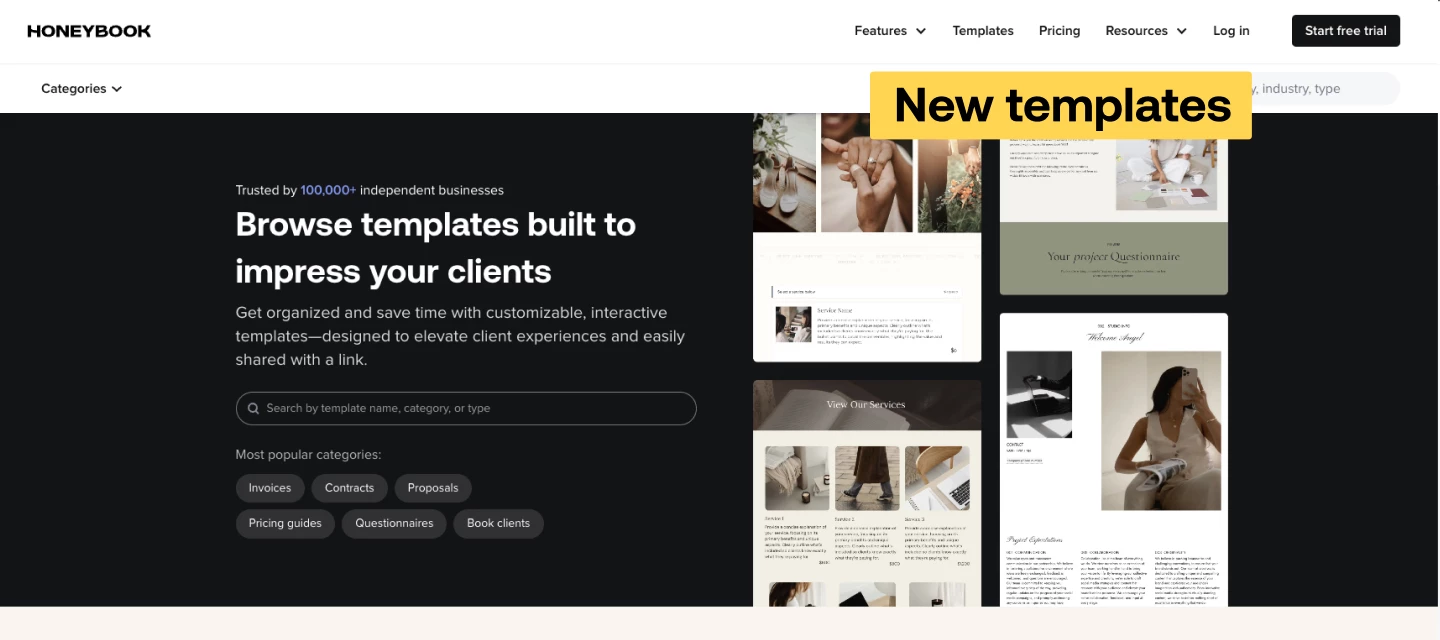
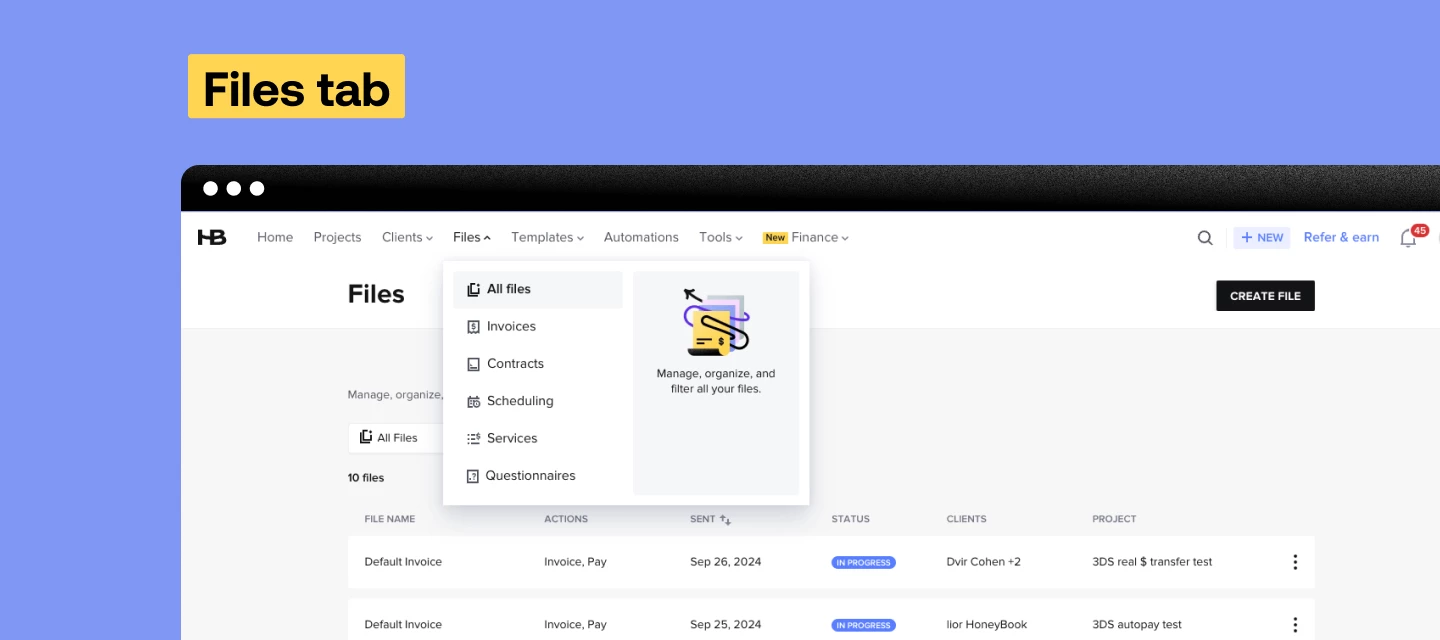
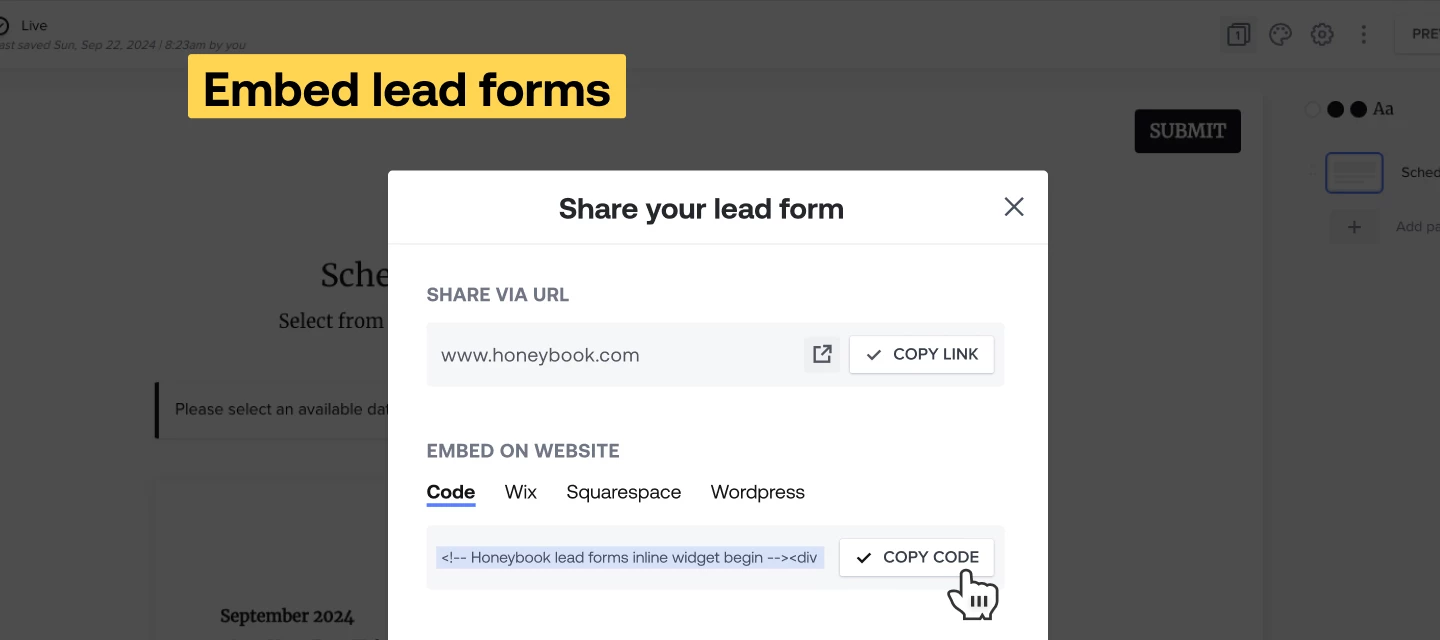
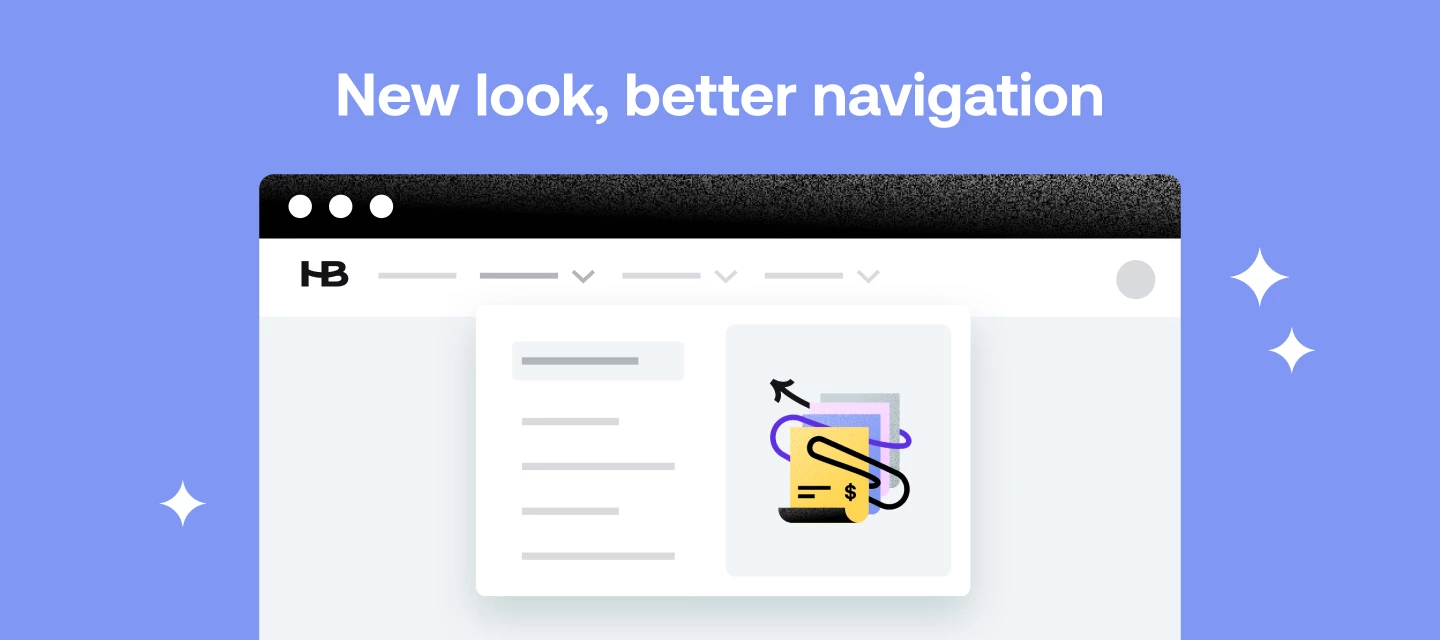
Autumn is here and so are October’s product updates! We’ve got some seriously good ones, so take a look and see how you can leverage them for your business!  Embed lead formsNow, you can embed lead forms directly into your website, which means no more link wrangling and client redirecting. With easy integration and customization options, you’ll be able to capture inquiries while maintaining your site’s design and user experience. Embed lead forms so that leads and clients can book discovery calls, select and pay for services, or simply inquire about working with you–right from any page of your business website. Files tabWith your top navigation getting a refresh, we’re excited to launch the new Files tab. The Files tab provides a centralized view of your files across all client projects, which lets you find, organize, and manage your files without needing to dive into a specific project. You can also filter by status, so you can get a pulse on all of your drafts, or easily check-up on your sent files. Find the Files tab in your account here. New templatesExplore new, free HoneyBook templates in the template gallery. You now have more ready-to-use templates for proposals, service guides, and questionnaires, designed to help you get started quickly and professionally. New top navigationDiscover our new top navigation for easier access to the tools and information that matter most for your business. The updated design centralizes features, making it faster and easier to find what you are looking for. AI Assistant updatesAI Meeting AssistantGet meeting summaries with action items delivered by the AI Meeting Assistant. The AI Meeting Assistant will join your scheduled video calls in HoneyBook, and you’ll be able to save time and stay focused knowing that the Assistant is taking clear notes. Project recapsGone are the days of improvising meetings–with the help of AI project recaps, you’ll receive a detailed overview of project details, past communication, and open questions 1 hour before each HoneyBook meeting. With these key notes at your fingertips, you can quickly review and go into meetings with confidence. New features are rolled out in batches to ensure steady deployment and might not be instantly accessible. Feel free to contact our Support team if you have any questions. 

HoneyBook redesigned top navigation bar announcement graphic showing updated app header
HoneyBook custom fields feature announcement graphic showing customizable project and client data fields
HoneyBook inquiry reminders feature announcement graphic showing automated client follow-up
HoneyBook September 2024 new features announcement banner

New and Improved: September 2024

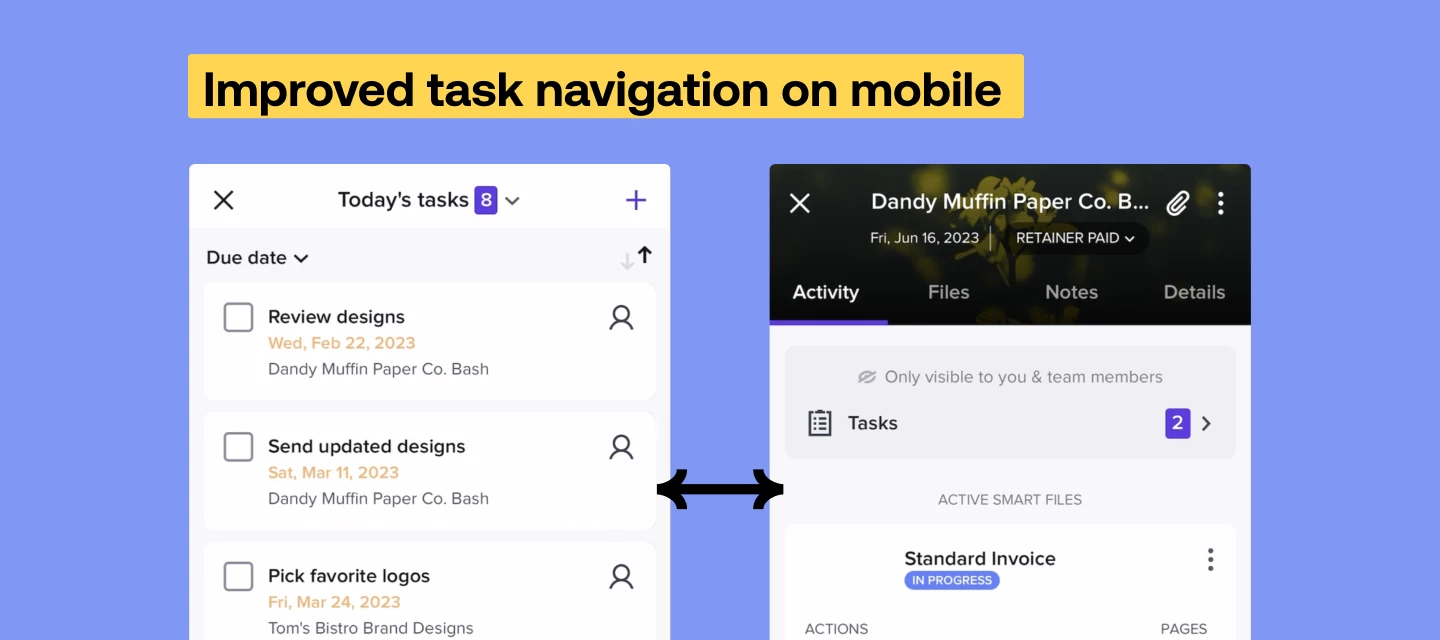
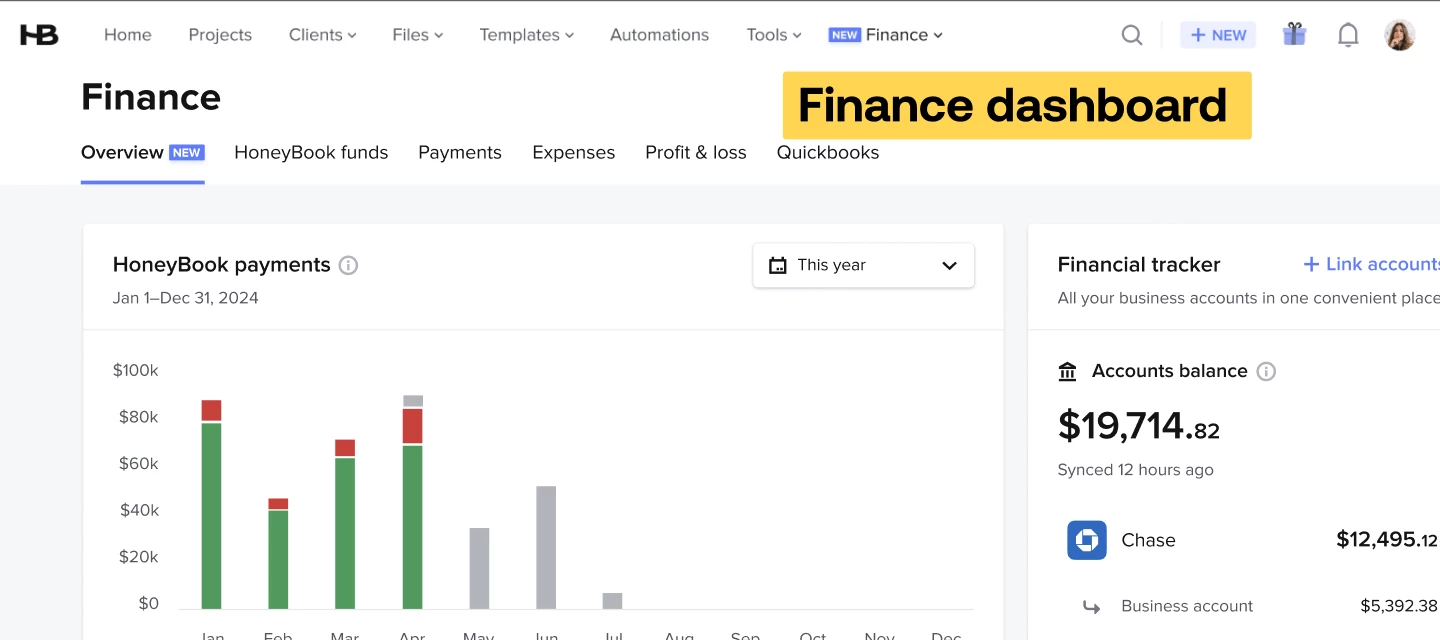
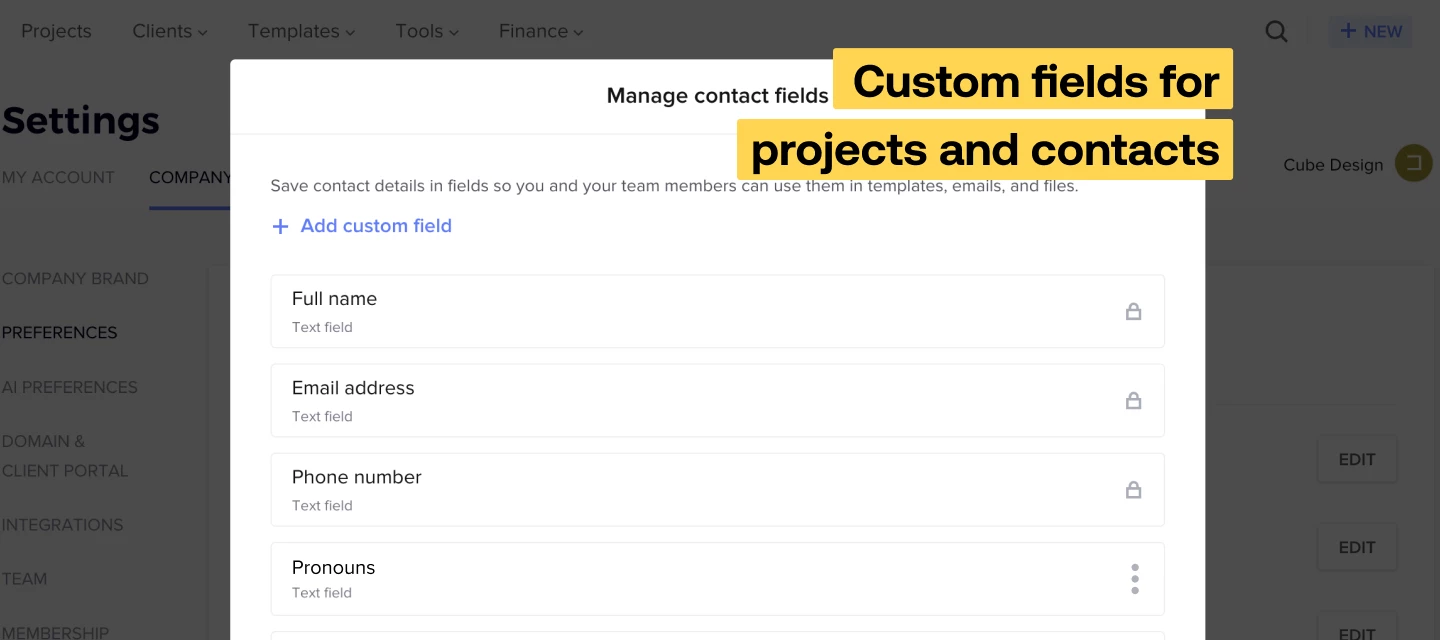
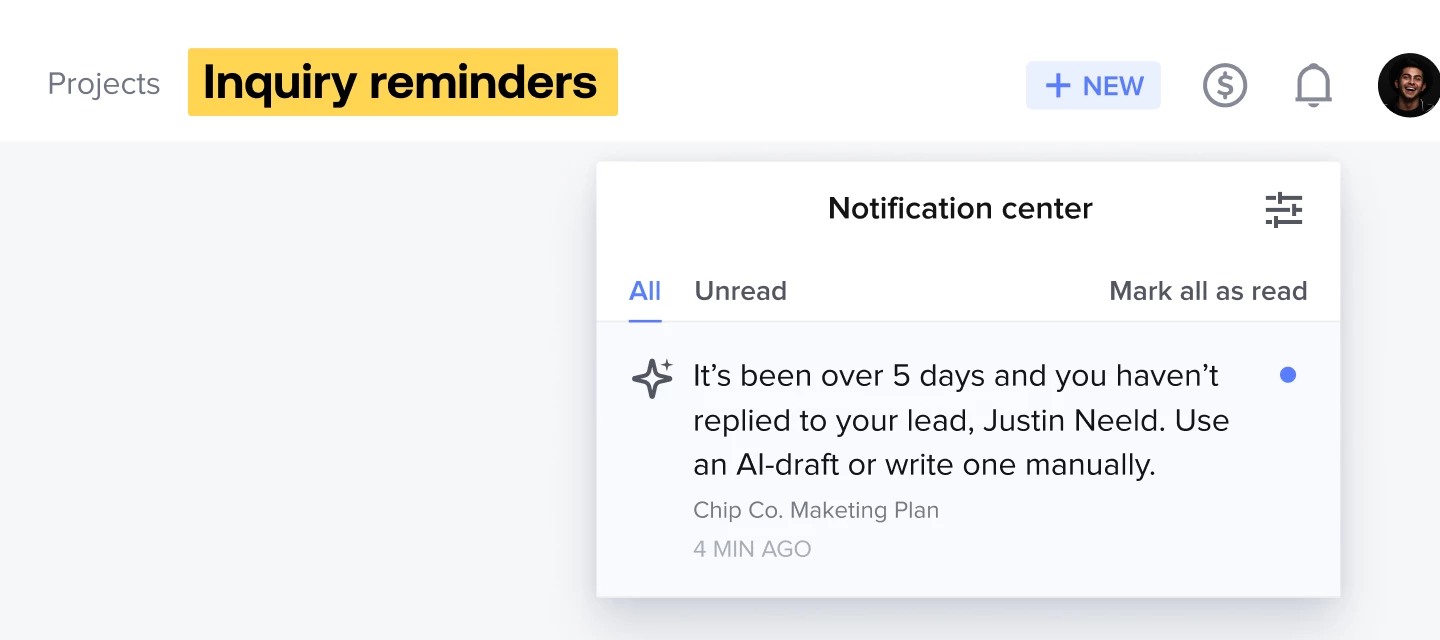
New month, new updates! Check out the latest additions and improvements from HoneyBook down below. Custom fields for projects and contacts: new enhancementsLast month, we announced that you can add custom fields for your projects and contacts, and we’ve recently added some enhancements to this feature. New field types: link and numberIn addition to text and date, you can now create link and number custom fields. Use these field types to gather key website information, phone numbers, and more.   Custom contact fields available in smart fieldsYour smart fields list now includes any contact custom fields you create. Gather or manually enter these contact details; then add a smart field to your contracts, text blocks, and emails so the information effortlessly populates.Add custom contact fields in linked questionsNow, you can pull contact custom fields into linked questions in your smart files and lead forms–which means you can collect these custom details, then have client-specific information appear in your contracts, text blocks, and emails. Inquiry remindersMake sure you never accidentally ghost a potential client with inquiry reminders.  When you configure and use inquiry reminders, you’ll receive a notification whatever number of days you set—we recommend two!–after a lead has gone unanswered. From there, reply with the help of the AI composer, which uses details of the inquiry so you can follow up quickly and professionally. Finance DashboardSee payments data, cashflow insights, and link your bank accounts and cards from the new Finance Overview page. You’ll have access to personalized metrics and can see how the numbers change over time (such as your expenses month to month). Improved task navigation on mobileWe’ve released a mobile update that means easier navigation from a task to a project. When you’re on the go, you can now access connected projects directly from your task list, instead of having to manually search. Easier access to your project details means a smoother mobile workflow.   New features are rolled out in batches to ensure steady deployment and might not be instantly accessible. Feel free to contact our Support team if you have any questions. You can always check out what’s coming soon and planned for the next few months in our product roadmap!PS: Today is the first day you will be required to update your mobile app

HoneyBook August 2024 new features announcement banner

New and Improved: August 2024

Hey, Hey! It’s that time again: Check out the latest additions and improvements from HoneyBook down below.And I’m not kidding when I say these might be some of our biggest updates this year...You don’t want to miss these! NewGoogle & Apple PayWe heard you: your clients don’t want to have to enter their credit card details or bank account numbers each time they pay you. Your clients can use Apple Pay or Google Pay (available on both mobile and desktop) for a modern, fast payment experience that makes paying you even easier. Undo sent messageIf you’ve ever misspelled a client’s name, or noticed an unsavory typo right as you hit “send”–we have the update for you. Whenever you send a message from a project’s Activity tab, you now have the option to undo the email within 5 seconds. The message will not be delivered and will open back up as a draft in the email composer, so you can make quick corrections and send again, or completely scrap it. AI for lead formsLead forms are fully integrated with our AI tools. You’ll now receive priority lead notifications for relevant inquiries via lead form, as well as contact form. Then, reply instantly with the help of the AI composer, which leverages lead inquiry information, your tone of voice, and your business’s communication style. HoneyBook Business AcademyConstant improvement is the clearest path to success, but as a business owner it can be hard to find the time to skill-up. Introducing the HoneyBook Business Academy, designed to help you learn and grow as you work on your business. Check out the catalog of interactive courses, short-form video tutorials, strategic guides, and live virtual classes. Custom fields for projects and contactsYou can now add custom fields for your projects and contacts in HoneyBook. Create custom fields to customize the information you save; then use the fields in files, emails, and lead forms to have details effortlessly populate. The end result? More powerful personalization that saves you the time needed to make adjustments for each and every client and project.  ImprovedNew pipeline customizationsWe’ve made a few enhancements to the pipeline:The option to choose which pipeline columns you’d like to hide/show  Client name added as a column The ability to change project stage directly from the pipelineWith these changes, you’ll be able to take quick actions and further tailor your pipeline to your business’s needs. Notes on the home pageAn update to our new notes system just dropped: you can create and access notes directly from your home page. Quickly jot down notes for projects or contacts, depending on whether you’re moving a project along, nurturing a client, or just writing something down so you don’t forget. What’s new buttonThe What’s New button, located under the question mark “?” icon inside your account, takes you to a continually-updated stream of new features and updates. We’re constantly evolving the platform to meet your needs–and now, you can view all of the updates we’ve rolled out over the past 12 months right from your HoneyBook account. Move between calendar yearsFor easier insight into what’s slated for the future (and what’s happened in the past), we’ve released a new way to switch between years from the HoneyBook Calendar. Just click on the month from your current calendar view, then use the arrows to toggle between years.  New features are rolled out in batches to ensure steady deployment and might not be instantly accessible. Feel free to contact our Support team if you have any questions.  Ps - You can always check out what’s coming soon and planned for the next few months in our product roadmap!

HoneyBook July 2024 new features announcement banner

New and Improved: July 2024

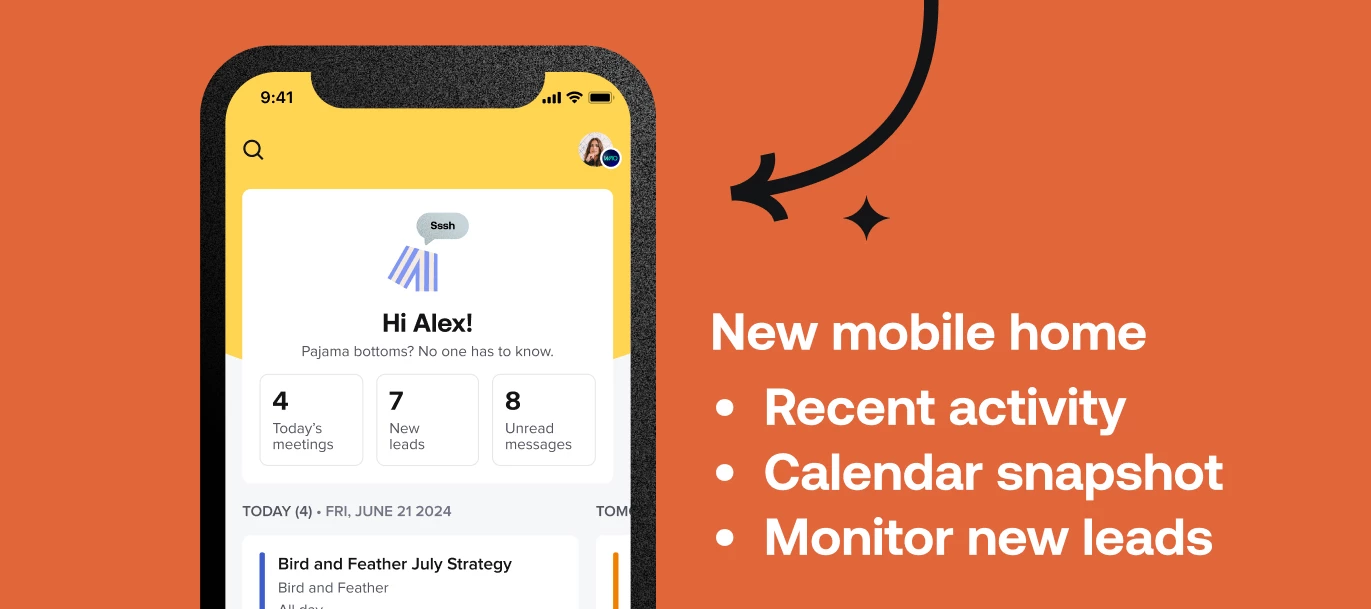
Gather ‘round people!! It’s time for this month’s addition of “what’s new at HoneyBook?”.Check out the last 30 days of new features and things we’ve improved upon below.  Want a deep dive on these new features and how to use them? Check out our live class  NewNew mobile app home screenThe HoneyBook mobile app home screen has gotten a makeover. Now, you can stay on top of actions that require attention with easy access to recent messages, a snapshot view of your calendar, new leads, and more–right when you open the mobile app. This new home screen also provides a mobile view that more closely mirrors the desktop application, creating a more unified HoneyBook experience. Custom archive reasonsNow, you can add your own reasons for archiving projects, beyond the reasons pre-loaded to your account. This update gives you more detailed insights into project histories and helps you identify archive trends. Template releasesSeven new templates are available for use in the Template Gallery. This collection of content- and copy- rich templates is perfect for digital marketers, copywriters, and general marketing consultants looking for new templates or ways to improve existing service guides, proposals, and more. Auto-tag projects or contacts created from lead formsFor more control over project and contact insights, you can now set lead form inquiries to automatically have the tags of your choice added. This new functionality helps you search for, filter, and organize your projects and contacts from the get-go. ImprovedSecond client name fieldTo make managing multi-client projects even easier, we’ve added a “second client name” field to smart fields. You can pull this smart field into your emails and smart file text blocks, then sit back as your second clients’ names auto-populate. Bookkeeping improvementsYour Bookkeeping page just got faster, smarter, and more insightful with the introduction of more payment statuses. Now, you’ll always know where your money is, and you can use the newly-available transaction Trace IDs to help your bank find it, too.  New features are rolled out in batches to ensure steady deployment and might not be instantly accessible. Feel free to contact our Support team if you have any questions. Ps - Members can exclusively check out what’s coming soon and planned for the next few months with our brand new Product Roadmap!

HoneyBook redesigned mobile home screen announcement graphic showing updated app dashboard
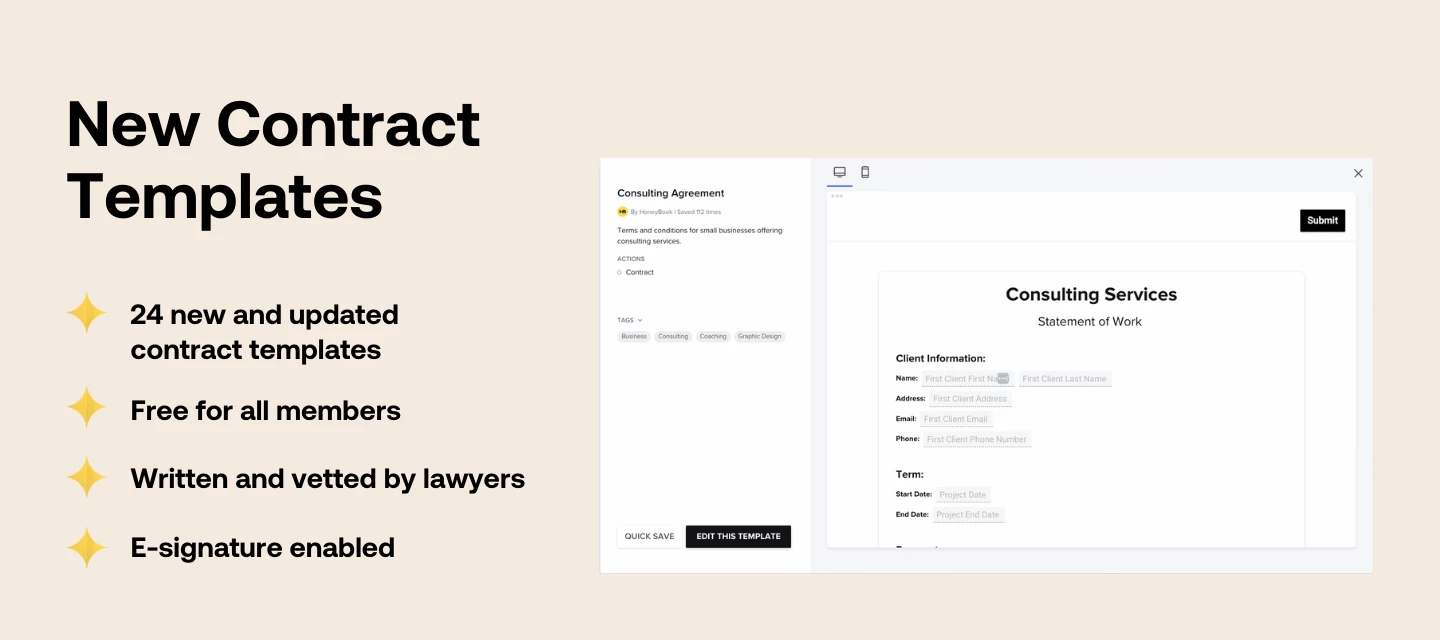
HoneyBook new contract templates announcement graphic showing pre-built legal agreements
HoneyBook June 2024 new features announcement banner

New and Improved: June 2024

It’s that time again. Let’s check out what’s new for June 2024! NewTagsFor enhanced contact and project management, we’ve added the ability to create and apply custom tags. Use tags to easily filter through your project pipeline and contacts list, assign priority, perform bulk actions, and more. AI composer custom promptsWhen the AI composer doesn’t have quite enough context to suggest a response, use custom prompts. Locate the project you’d like to send a response in, then enter prompts for the AI. An email response will be generated based on your instructions and tone, which you can quickly edit and send off.Clients pick their payment plan We know that giving clients as seamless a booking experience as possible is key so now your clients can choose their own payment plan. With this new setting in invoice blocks, you can set the first payment due date, then choose the maximum number of payments your client can make toward the grand total. This new feature adds flexibility to the client experience and helps you get your first payments right away. ImprovedPic-Time integration enhancementsEasy importPhoto import, made easier. We’ve introduced new functionality that allows you to select up to 30 photos at once from Pic-Time to add to your HoneyBook Library. Now, you can easily store Pic-Time images in HoneyBook and pull them into files with a few clicks. Embeddable Pic-Time gallery slideshowsFor even more opportunities to showcase your work, you can now embed Pic-Time gallery slideshows as videos in lead forms and smart files. Just grab a share link from a slideshow in PicTime and drop it in a video block in HoneyBook. Improved CSV contact import flowWhen you have all of your contacts in one place, you can communicate, collect data, and generally stay organized and in touch. We’ve recently improved the CSV contact import flow so that you can get all of your contact details into the system with even more ease. New features are rolled out in batches to ensure steady deployment and might not be instantly accessible. Feel free to contact our Support team if you have any questions. Ps - Members can exclusively check out what’s coming soon and planned for the next few months with our brand new Product Roadmap!

Related products:ContactsIntegrationsClient payment methods
New and Improved: May 2024

New and Improved: May 2024

Hey HoneyBookers check out what’s new for May 2024! NewAutosave for questionsYour clients’ answers to questions now auto-save in smart files, meaning no more fear of losing important information. If a client closes a file, they’ll be able to pick up where they left off when they open the document again. Edit files as your clientWhen working with clients or collaborating on a project, it’s sometimes easier to make edits to files yourself. Now, you can do just that with the new “Edit client response” mode. Enter answers to questions, select services, and schedule sessions as your clients to move projects along and capture all of the correct information. Public template sharingBuilt a template you absolutely love, and think others will too? Share the template with ease via a public link, tell people about it, and watch the referral bonuses come in if they’re new to HoneyBook and find they love it as much as you do. Earn up to $200 USD for each person who signs up for HoneyBook from your publicly shared templates.  Service-based scheduling for lead formsWe wanted to cut down on the back-and-forth between you and your clients, so you can now add service blocks with scheduling to your lead forms. If you add this block to your lead forms, your clients can schedule a session with you when they’re picking the services they want to hire you for, streamlining their scheduling experience. ImprovedAI composer for projects on mobileTo help you reply to clients on-the-go, the AI composer for projects is now available on mobile (iOS and Android). Instantly draft up email responses with your business information and tone taken into account, allowing you to get back to clients in record time–from anywhere you’re working. NotesNo longer do you have to remember where those meeting notes or project ideas are stored. Our new notes system lets you make and store notes on your project, notes on your clients, and meeting notes all from within HoneyBook. Now, you’ll always have the info you need on hand to nurture your leads and clients, and can even access and create project notes via your mobile device (meeting notes can be managed on the go too!).  New features are rolled out in batches to ensure steady deployment and might not be instantly accessible. Feel free to contact our Support team if you have any questions. Ps - Members can exclusively check out what’s coming soon and planned for the next few months with our brand new Product Roadmap!

Related products:Lead formsSmart filesTemplates
Public template sharing

Public template sharing

We're thrilled to introduce our new public template sharing, that's designed to revolutionize the way you share and collaborate. With this latest feature, you can now easily share your templates with others and leverage the power of peer-to-peer sharing and collaboration both within our community and beyond. Here's why you should be excited: Easy sharing: Our new template sharing makes it easier than ever. With just a link, you can make your templates viewable to others for quick visual reference or allow them to utilize the template as a springboard for their own processes. Enhanced collaboration: Say goodbye to the hassle of manual sharing. With our share link feature, you can easily collaborate with fellow independents by sharing a link to your templates instantly. Learn from other independents how they handle the things you struggle with, and support others by sharing templates on hurdles you already master. It's a game-changer for boosting productivity and fostering collaboration between you and other independents. Referral rewards: Sharing is caring, and we want to reward you for it! As a member, you'll earn referral payments when you share your template links with non-members who join HoneyBook. It's a win-win for everyone involved and a fantastic way to ease onboarding into HoneyBook for new members. Check out our Help Center and blog for more information on how to get started. And don't forget to share your templates in the comments—we want to see the magic you’ve been working on! Happy sharing!

Related products:Templates
Product Roadmap | April 2024

Product Roadmap | April 2024

Learn about recently released features and how we plan to bring you regular updates about our Product Roadmap.What you see is a plan, and naturally plans might change. We can promise to update this list ASAP if plan changes. You can expect us to publish a Roadmap update every 3 months (or 4 times a year) in this space. These updates are focused on what we’re working on and delivering in the next few months. Table of ContentsComing soon Planned New and improved recapComing soonThese are features and functionality improvements we have a high confidence of being able to released in the next few months. 💡 AI composer custom prompts: Write any email with AI. Up until now, AI composer only worked when there was sufficient context for the AI to write an email for you. With custom prompts you’ll always be able to give the AI your own specific instructions. We’ll also sparkle some magic on your prompt. 🪄 👤 Improved contact import and capture capabilities: Improve our current CSV contact import, but also allow members to easily capture contacts via zaps as well as their email contacts. 📒 Invoices page: An aggregated list of all client invoices, both sent and drafts, for easy management and tracking. 🎨 New fonts in smart files and lead forms: Our list of fonts available for lead forms and smart files is missing some fan favorites, so we are adding more options to enhance design and branding customization. As always, you'll still have the option to add a custom font if you can't find the perfect fit. 🗒 Notes 2.0: A new notes feature that also enables our member to use AI in order to capture meeting notes, summaries and actions items automatically. 💸 Recurring payment ease of use: Enhance the usability and functionality of our recurring payments capabilities. 🎨 Set heading and body font defaults: Simplify template design with the ability to set one default font for headings and another for body text, ensuring consistency while offering flexibility to change styles quickly for fresh looks. 💸 Split payment options for clients: Enabling clients to self select their preferred payment plan option. 🏷️ Tags: Organize your business with tags. Manage your own set of tags and apply them to projects or contacts. Filter by tag and perform bulk actions on contacts or projects with certain tags. PlannedThese are features and functionality improvements we are currently working on and have on our roadmap, but might not be released over the next few months. ⚙️ Automated integrations: Automate your day-to-day business operations, across all the tools you’re working with: HoneyBook automations can be triggered from an external tool that isn’t HoneyBook, or can automate actions on external tools such as, open a Google Drive folder whenever a project is booked. ⚙️ Conditional logic in automations: We are taking automated workflows to the next level by introducing condition-based automations: the ability to set certain automated actions to take place only if a certain condition is met.  🌱 Custom fields: Tailor your data management with the ability to set and customize your own fields, enabling precise control over information organization and accessibility. 🎨 Home customization: Personalize your home page by choosing your widgets and customizing their order to tailor your dashboard perfectly to your workflow. 📕 Meeting & project prep: Confidently prepare for an upcoming meeting or day of a project by getting an email beforehand with an AI-generated summary of your project and other prep materials. The summary and prep materials include: action items, upsell ideas, discussed services, payment details, open questions, and tasks. 🌱 Process mapping: Get a tailor-made clientflow map which will give you clarity into your process and the possible ways to optimize it. 🆕 What’s new: Introduce a dynamic, live update space within the product, ensuring you can easily stay informed about all new feature releases and capabilities. Never miss out on the latest enhancements, ensuring you're always up-to-date with our product's offerings. New and improved recapWe released dozens of new features in the first 3 months of 2024 and are continually improving the way we communicate these releases. In April, we launched a monthly round up of new and improved features to make sure you never miss an update, but we promise to also recap all releases in our roadmap update as well. Here is a recap of some of the most highly requested features that we rolled out!👥 Assign automated task to team member: Streamline workflows by enabling automated tasks to be assigned directly to specific team members, enhancing efficiency and task delegation.🛠 Automation improvements: Elevate your workflow efficiency with our latest automation improvements: 1. Move projects through your pipeline by using the new "move to pipeline” stage. 2. Use "Smart file is completed" trigger and set it up for a specific file.📱Automations in Mobile App: Bringing desktop-level automation to your fingertips, this feature enhances your mobile productivity and operational efficiency by enabling you to view, disable, approve, and apply automations on the go.👥 Bulk-add team members to a project: Bulk add team members to multiple projects at once to save time managing your projects.🎨 Customizable pipeline: Customize your HoneyBook pipeline to fit your business by renaming, reordering, and removing stages. Enjoy greater control and visibility with options to manage default automations and direct project flow during automation triggers.🎁 Digital products: Effortlessly add and sell digital goods like worksheets, e-books, courses, and photo albums directly through your lead forms. Unlock new revenue streams and grow your business further on HoneyBook.✉️ Email smart fields: Streamline your communication with new email smart fields, allowing for automated inclusion of client and project-specific details in all your emails. Reduce manual work by leveraging these fields in every email composer and template.☁️ File uploads: Allow clients to upload an image or PDF as a response to a question in a smart file, making it easier for you to collect the important information you need to facilitate a great working relationship.🛠  Invoice header improvements: Enhance invoice clarity and professionalism by effortlessly adding business and project information to your invoice headers.💸 Late fees: No one likes chasing down late payments and charging late fees can help curb this behavior. So, you now have the option to set a late fee % that will automatically be applied to payments that are 30 days past their due date.✅ Mark smart files as completed: Enable marking Smart Files as completed once all required actions are taken, simplifying project progression tracking and management.🏠 New home: A full overview of your business and everything you need to attend to so nothing goes missing.🏝 OOO auto-reply: Set up automatic replies for new inquiries and messages right from your HoneyBook account, perfect for indicating Out Of Office periods. Ensure clients are promptly informed of your availability with ease.🎁 Publicly share templates & sell on 3rd party platforms: A new way to publicly share your HoneyBook templates for free or sale via your website, a newsletter, or 3rd party marketplaces.⚡️ Service-based scheduling: Streamline appointments with service-based scheduling. Clients choose a service, automatically setting up the meeting, for an efficient booking experience.🌱 Service based scheduling for lead forms: Allowing clients to choose from a variety of services and schedule a session based on their selection - now also on Lead Forms.⚡️ Smart fields in text blocks: Integrate dynamic Smart Fields within text blocks to personalize and automate your content, streamlining document customization and interaction.💻 Smart files act for clients: Enable actions within smart files on behalf of your clients to streamline document processing and approvals, enhancing convenience and efficiency.💬 SMS reminders: Speed up payments and say goodbye to meeting no-shows with SMS reminders. Send clients SMS reminders for 2FA access codes, meetings, and payments.📣 Unsubscribe function: Stay compliant with Yahoo and Google's spam updates using our new feature to easily mark emails as marketing messages and add unsubscribe links. Unsubscribe actions update client statuses across your workspace, ensuring seamless communication management while respecting client preferences.👁 View-only mode for smart files: Streamline file sharing and collaboration with View-Only Mode. Offer clients a secure way to share project files, ensuring external parties can view but not edit, enhancing collaboration and file security.