



New top navigation bar

  • September 3, 2024
  • 5 replies
  • 41 views
HoneyBook redesigned top navigation bar announcement graphic showing updated app header
Monica R
HoneyBook Employee
Forum|alt.badge.img+7

We’re so excited to begin releasing our new top navigation bar. It’s being rolled out slowly and by next week, every account should have it. So if you see it appear in your account, don’t be alarmed by the update! And if you don’t have it yet, it’s coming soon.

 

You’ll notice we’ve added a few more sections, to the top navigation including one for Automations and our favorite addition, Files! 

Now you can check on the status of all your files. Organizing and keep tabs on all your projects just got so much easier 😉
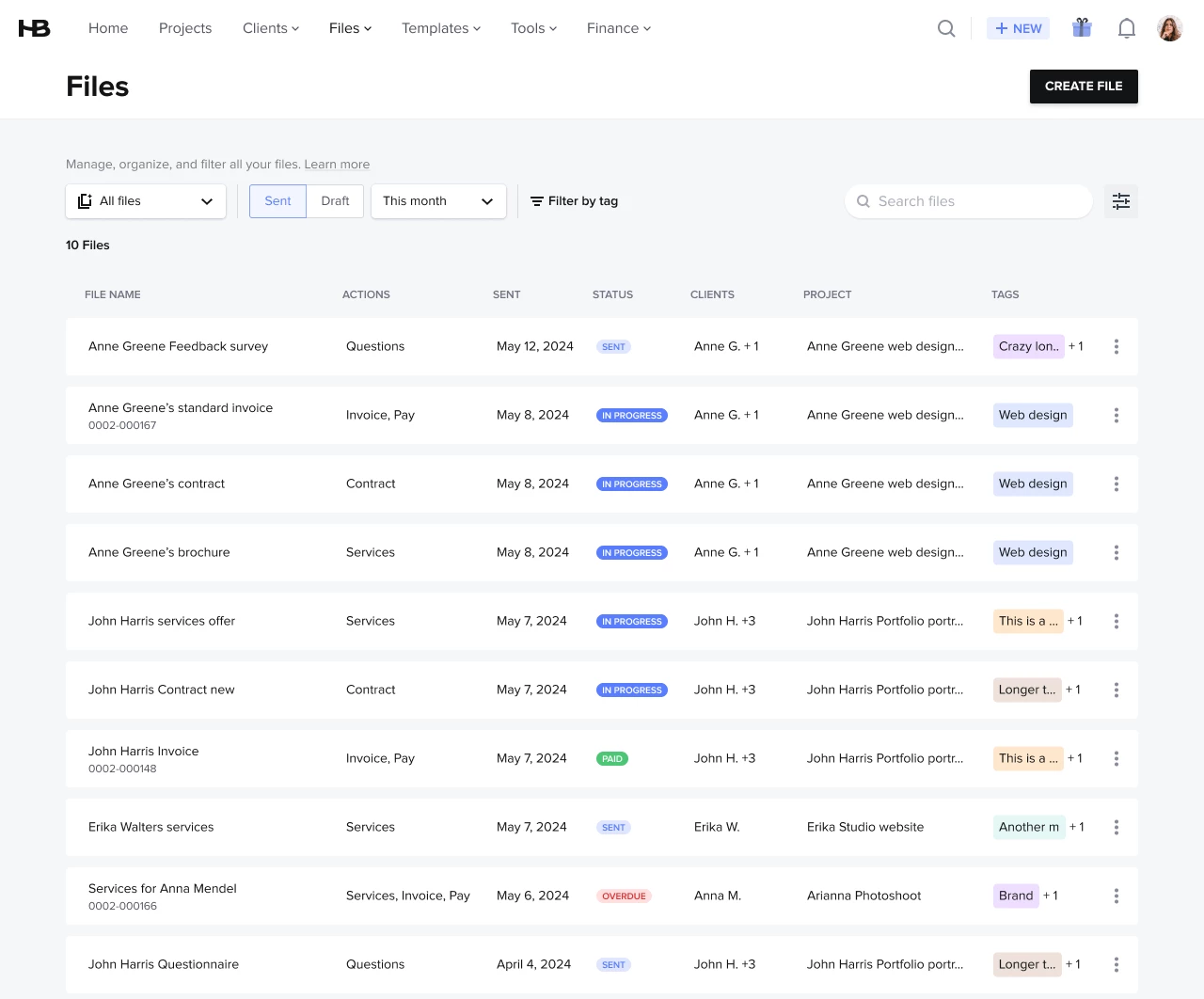


For a comprehensive, interactive walkthrough of the new navigation bar, check our Academy course here

5 replies

Whyyyy on earth is the automations tab in the new navigation bar but the calendar is under tools? The whole point of automations is to “set it and forget it.” I don’t need to access them daily. Do you know what I do need to access daily? The calendar! 


Monica R
HoneyBook Employee
Forum|alt.badge.img+7
  • Author
  • HoneyBook Employee
  • September 9, 2024

Hey @Mary Stoffel


We definitely considered the option to have the calendar at the top level of the menu and even tested it a while ago. This is something we will continue optimizing and we will definitely see if we can improve it in the future.
We are working on improving our automations and have big plans for it and we think it might become a more central place our members will use more regularly (hence why it’s at the top in this new configuration)! 


Jackie Klein
  • Newcomer
  • September 10, 2024

This is great, but it took me 10 minutes to find my lead forms!  I almost panicked until I clicked the client drop down menu.  It wasn’t the first place I looked.  Labeling it as lead capture, like it was before would be helpful. I always think of clients as projects, so it wasn’t an intuitive choice to me.  


Cindy
  • September 10, 2024

I agree. I use my calendar constantly. It’s super weird that it’s buried in the submenu now. 


Monica R
HoneyBook Employee
Forum|alt.badge.img+7
  • Author
  • HoneyBook Employee
  • September 12, 2024

Thank you so much for the feedback! I’ve passed it to the development in charge of iterating on this feature!