


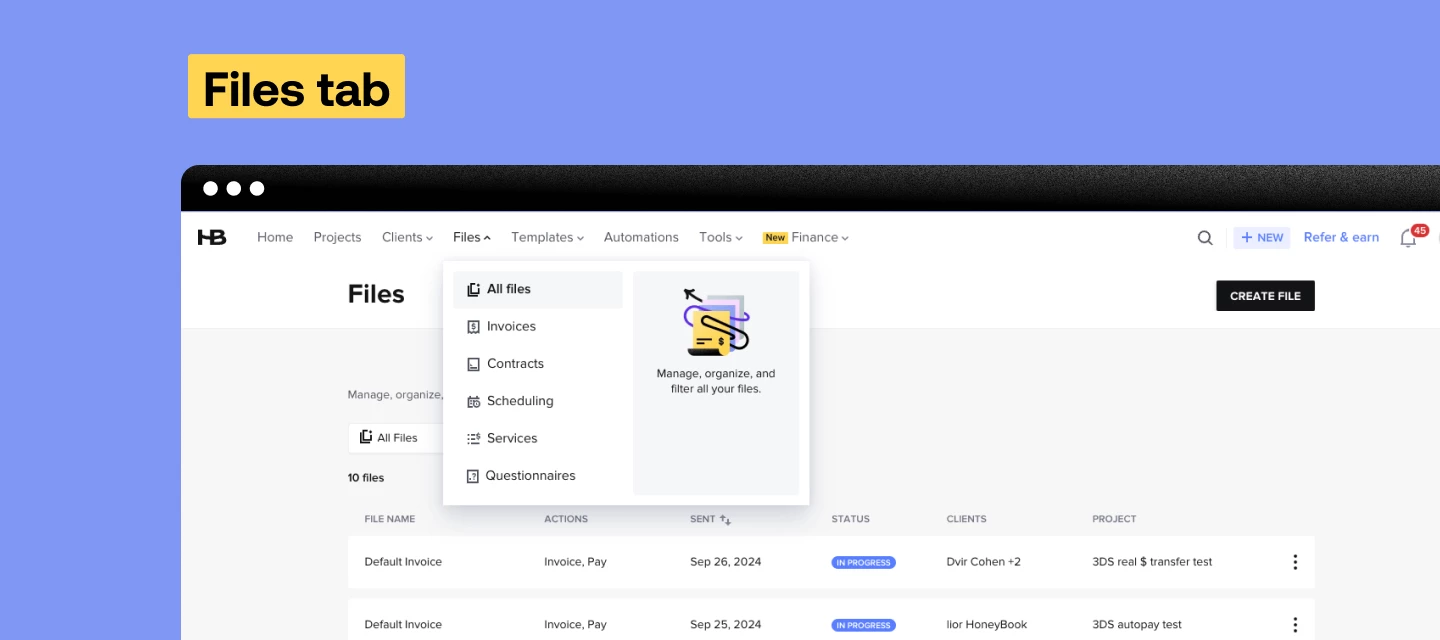



The files tab has been a long time coming and we’re so excited it’s finally here! The Files tab provides a centralized view of your files across all client projects, which lets you find, organize, and manage your files without needing to dive into a specific project.
You can also filter by status, so you can get a pulse on all of your drafts, or easily check-up on your sent files. Find the Files tab in your account here.
The new files tab now shows all your files, both that have been sent or are in draft all in one place. For each file you can see which actions are available in the file, the date is was sent or last edited, the status of the file’s progress, the clients who were sent the file, as well as the project the file was sent in!
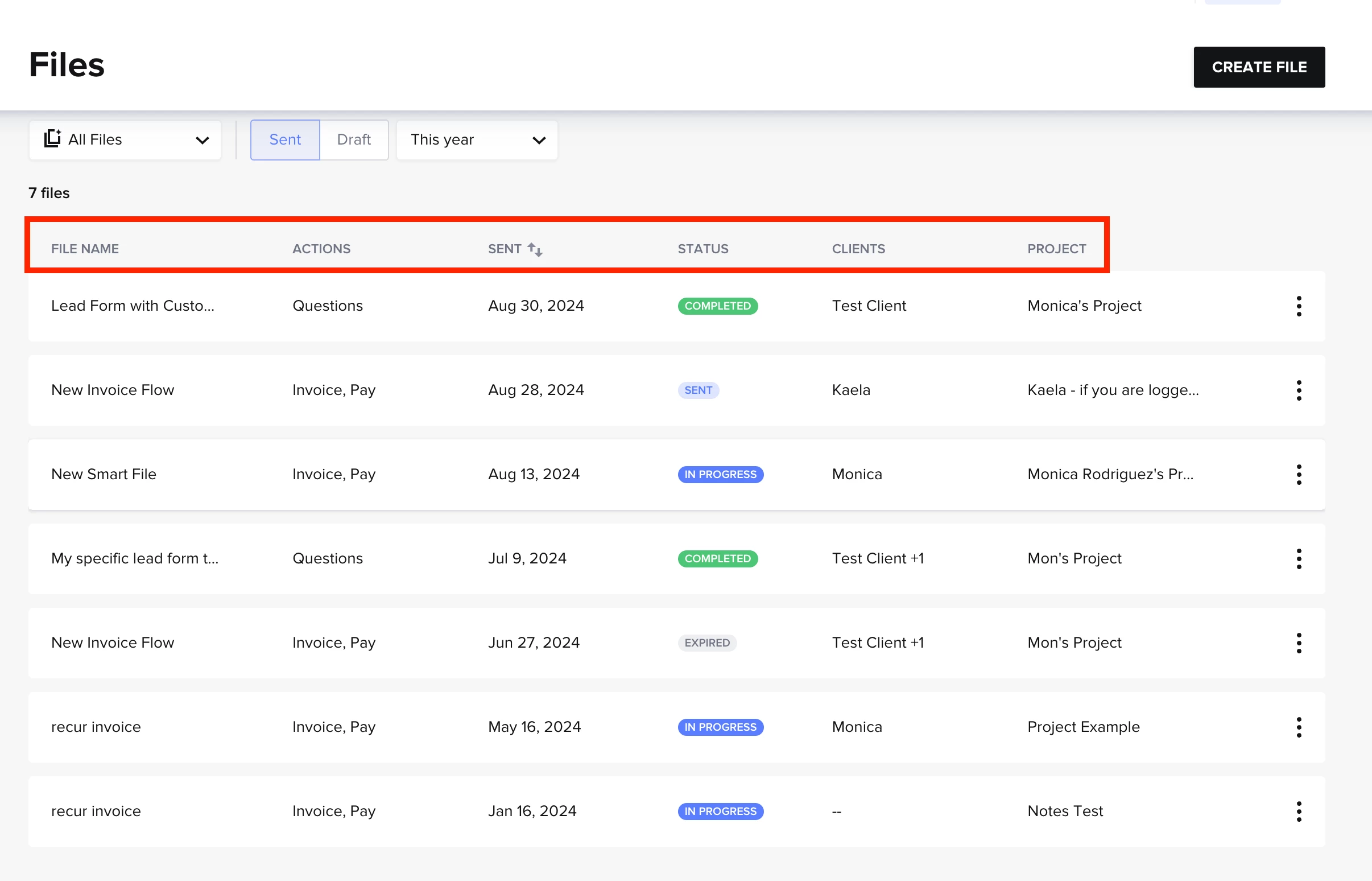
No more having to remember where you’re at with a project or what clients you still are waiting on. The Files hub has what you need!
